
1. Product Overview
The RCA RPJ060 Portable Projector is designed for versatile home theater entertainment, offering a portable solution for enjoying movies and other content. It features a long-lasting integrated battery, built-in speakers, and multiple connectivity options, making it suitable for both indoor and outdoor use.

Image: Front view of the RCA RPJ060 Portable Projector in black and red.
Key Features:
- Portable Design: Lightweight with integrated handles for easy transport.
- Long-Lasting Battery: Integrated 8400mAh lithium battery provides up to 2.5 hours of runtime on a full charge.
- High-Resolution Support: Supports 1920x1080P resolution (native 800x480) for clear projections.
- Built-in Speakers: Two 8-watt stereo speakers deliver powerful audio.
- Multimedia Compatibility: Supports wired (HDMI, USB, AV) and wireless (Wi-Fi mirroring, Bluetooth audio) connections.
- Flexible Projection Size: Viewing size from 32" to 170" with projection distances between 4.9ft to 16.4ft.
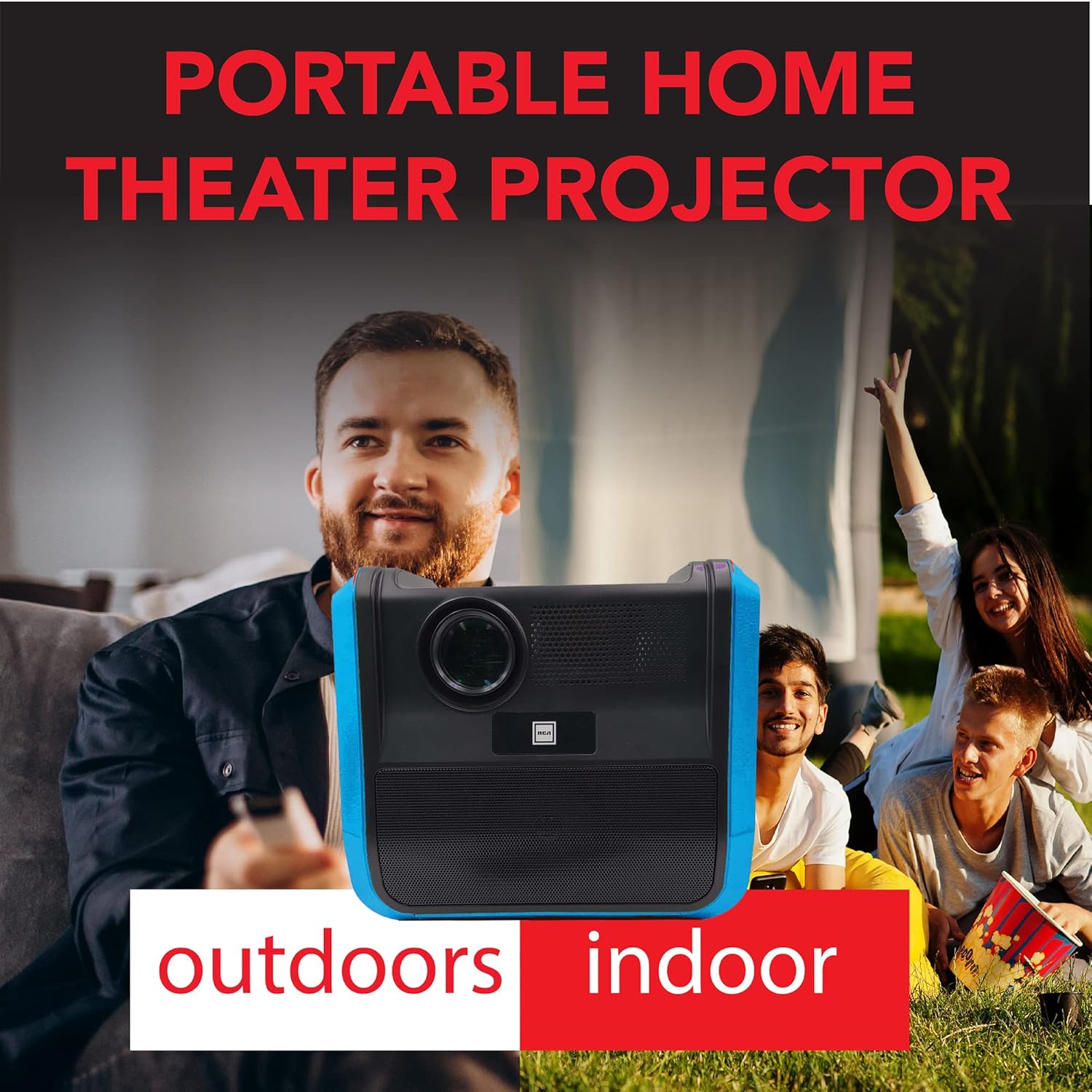
Image: The portable projector being used in both indoor and outdoor settings, highlighting its versatility.
2. Setup Guide
2.1 Unpacking and Contents
Carefully remove all components from the packaging. Ensure all items listed below are present:
- RCA RPJ060 Portable Projector
- Remote Control
- AC Power Adapter
- VGA Cable
- Instruction Manual (this document)
2.2 Placement
Place the projector on a stable, flat surface. For optimal viewing performance, it is ideal for dark viewing environments. The projector can project an image size from 32 inches up to 170 inches, with an optimal viewing distance between 4.9 feet and 16.4 feet.
2.3 Powering On
Connect the AC power adapter to the projector's power input and then to a wall outlet. Press the power button located on the projector or the remote control to turn on the device. The integrated battery provides approximately 2.5 hours of operation when unplugged. For extended use, keep the projector connected to power.
2.4 Connecting Devices
The RPJ060 offers various input options:
- HDMI: Connect Blu-ray players, gaming consoles, streaming devices, or computers using an HDMI cable. The projector supports 1080P via HDMI input.
- USB: Insert a USB drive to play supported video, audio, or picture formats (MPEG1/MPEG2/MPEG4/RM/AVI/MOV/MJPEG/MKV for video; MP3/WMA for audio; JPG/BMP/GIF/PNG for pictures).
- AV: Use the AV input for older devices.
- VGA: Connect computers using the provided VGA cable.
- Wi-Fi Mirroring: Synchronize your Android/iOS device screen wirelessly. No additional connections are required once configured.
- Bluetooth: Connect to external Bluetooth audio devices for enhanced sound.

Image: Detailed view of the projector's input ports, including HDMI, USB, and VGA.
3. Operating Instructions
3.1 Focus and Keystone Adjustment
Adjust the focus ring located near the lens to achieve a clear image. If the image appears trapezoidal, use the keystone correction dial (if available, typically near the focus ring) to square the image. Experiment with these adjustments to optimize picture clarity based on your projection distance and angle.
3.2 Input Source Selection
Use the "Source" button on the projector's control panel or the remote control to cycle through available input sources (HDMI1, HDMI2, USB, AV, VGA, Wi-Fi Mirroring). Select the input corresponding to your connected device.
3.3 Audio Control
The projector features built-in 8W mono speakers. Adjust the volume using the volume buttons on the projector or remote. For a more immersive audio experience, connect external speakers via Bluetooth. The Bluetooth receiver allows connection to other devices for audio output.

Image: The projector emphasizing its 20 watts of premium sound output.
3.4 Aspect Ratio Adjustment
The projector supports 16:9 and 4:3 aspect ratios. You can typically switch between these modes via the projector's menu settings to best fit your content and screen.

Image: Visual representation of the projector supporting 480P native resolution and 1080P input, along with 16:9 and 4:3 aspect ratios.
4. Maintenance
4.1 Cleaning the Projector
- Lens: Use a soft, lint-free cloth specifically designed for optical lenses to gently wipe the projector lens. Avoid using abrasive cleaners or excessive pressure.
- Exterior: Wipe the exterior of the projector with a soft, dry cloth. For stubborn marks, a slightly damp cloth can be used, followed by a dry cloth. Do not use harsh chemicals.
- Ventilation: Ensure the ventilation openings are clear of dust and debris to prevent overheating. Do not block the vents during operation.
4.2 Battery Care
To maximize the lifespan of the integrated lithium battery:
- Avoid fully discharging the battery frequently.
- Store the projector in a cool, dry place when not in use for extended periods.
- Charge the battery periodically if stored for a long time to prevent deep discharge.
5. Troubleshooting
If you encounter issues with your RCA RPJ060 projector, refer to the following common problems and solutions:
| Problem | Possible Cause | Solution |
|---|---|---|
| No image or "No Signal" message | Incorrect input source selected; Loose cable connection; Device not powered on. | Ensure the correct input source is selected. Check all cable connections (HDMI, USB, AV, VGA) are secure. Verify the connected device is powered on. |
| Image is blurry or out of focus | Focus ring not adjusted; Projector too close/far from screen. | Adjust the focus ring on the projector lens until the image is clear. Ensure the projector is within the recommended projection distance (4.9ft to 16.4ft). |
| Image is trapezoidal (wider at top/bottom) | Projector not perpendicular to screen. | Adjust the keystone correction dial (if available) or reposition the projector to be directly in front of the screen. |
| Low or no audio | Volume too low; Incorrect audio output selected; External speakers not connected properly. | Increase the volume on the projector and the source device. If using Bluetooth, ensure it's correctly paired and selected as the audio output. |
| Short battery life (less than 2.5 hours) | Battery not fully charged; Battery degradation over time. | Ensure the projector is fully charged before use. For continuous operation, keep it plugged into an AC outlet. Battery performance may decrease over extended use. |
| Cannot stream content via Bluetooth | Misunderstanding of Bluetooth function. | Bluetooth on this projector is primarily for connecting to external audio devices (speakers, headphones). It does not support streaming video content directly from a phone or other device. Use Wi-Fi mirroring or a wired connection (HDMI/USB) for video content. |
6. Specifications
| Feature | Detail |
|---|---|
| Model Number | RPJ060-BLACK/RED |
| Native Resolution | 800 x 480 |
| Supported Resolution | 1080P (via HDMI input), 1080I, 720P, 576I, 480P, 480I |
| Projection Size | 30" to 150" (optimal 37" to 100") |
| Visible Screen Diagonal | 170" / 432 cm |
| Projection Distance | 4.9 ft to 16.4 ft |
| Aspect Ratios | 16:9, 4:3 |
| Brightness | 42 Lumens (White Brightness) |
| Connectivity Technology | Bluetooth, USB, HDMI, AV, VGA |
| Built-in Battery | 8400mAh Lithium Battery |
| Battery Life | Approx. 2.5 hours per charge |
| Speaker Output Power | 8W (Mono) |
| Product Dimensions | 12.25 x 11.75 x 9 inches |
| Item Weight | 6 pounds |
| Manufacturer | Curtis International Ltd. |

Image: Dimensions of the RCA RPJ060 Portable Projector.
7. Warranty and Support
For warranty information and technical support, please refer to the warranty card included with your product or visit the official RCA support website. Keep your purchase receipt as proof of purchase for any warranty claims.
Manufacturer: Curtis International Ltd.


