
1. Introduction
Thank you for choosing the Attoe Ergonomic Rechargeable Small Vertical Wireless Mouse. This mouse is designed to provide a more natural hand position, reducing strain on your wrist and hand during extended use. Its vertical design promotes comfort and efficiency.
This manual will guide you through the setup, operation, and maintenance of your new mouse to ensure optimal performance and longevity.
2. Package Contents
- Vertical Mouse x 1
- USB Receiver x 1
- USB Charging Cable x 1
- Instructions x 1 (This document)
3. System Requirements
- IBM or compatible computer
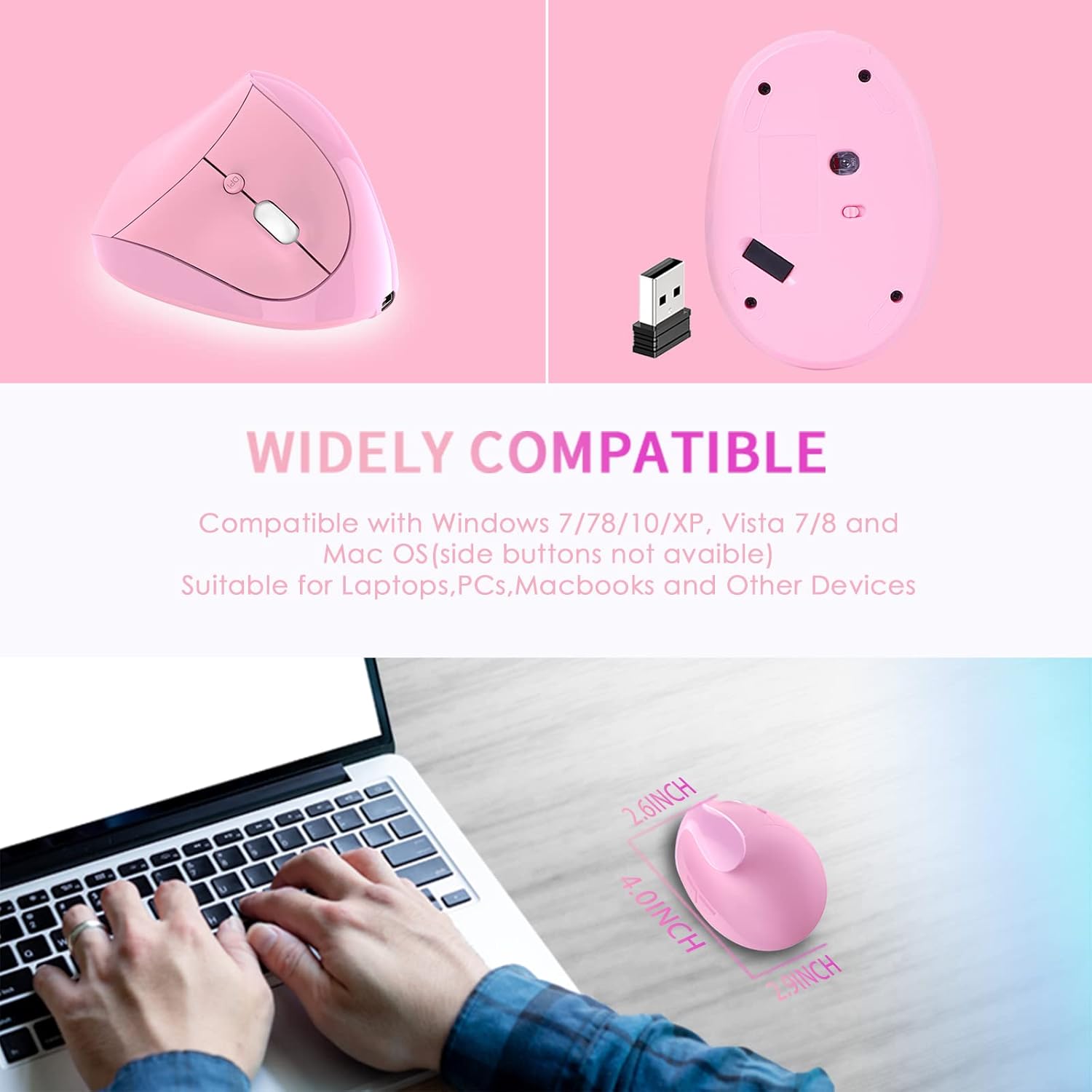
- Operating Systems: Windows 2000/ME/XP (x64)/Vista/7/8/10, Mac OS X (over V10.4), Linux
- An available USB port
4. Setup Guide
- Install USB Receiver: Insert the USB receiver into an available USB port on your computer.
- System Recognition: Wait for your computer to recognize and install the necessary drivers for the USB receiver. This usually happens automatically.
- Power On Mouse: Locate the power switch on the bottom of the mouse and slide it to the "ON" position.
- Test Functionality: The mouse should now be operational. Move the mouse and click buttons to confirm it is working correctly.

5. Operating Instructions
The Attoe Ergonomic Vertical Wireless Mouse features 6 buttons for enhanced productivity:
- Left Click Button: Standard selection function.
- Right Click Button: Accesses contextual menus.
- Scroll Wheel: Scrolls documents and web pages. Can also be clicked for middle-click functionality.
- DPI Adjustment Button: Cycles through DPI settings (800/1200/1600).
- Forward Button: Navigates forward in web browsers or file explorers. (Note: Not recognized on Mac OS.)
- Backward Button: Navigates backward in web browsers or file explorers. (Note: Not recognized on Mac OS.)

DPI Adjustment
Press the DPI button, usually located near the scroll wheel, to cycle through the available sensitivity settings: 800 DPI, 1200 DPI, and 1600 DPI. Choose the setting that best suits your preference and task.
Ergonomic Design Benefits
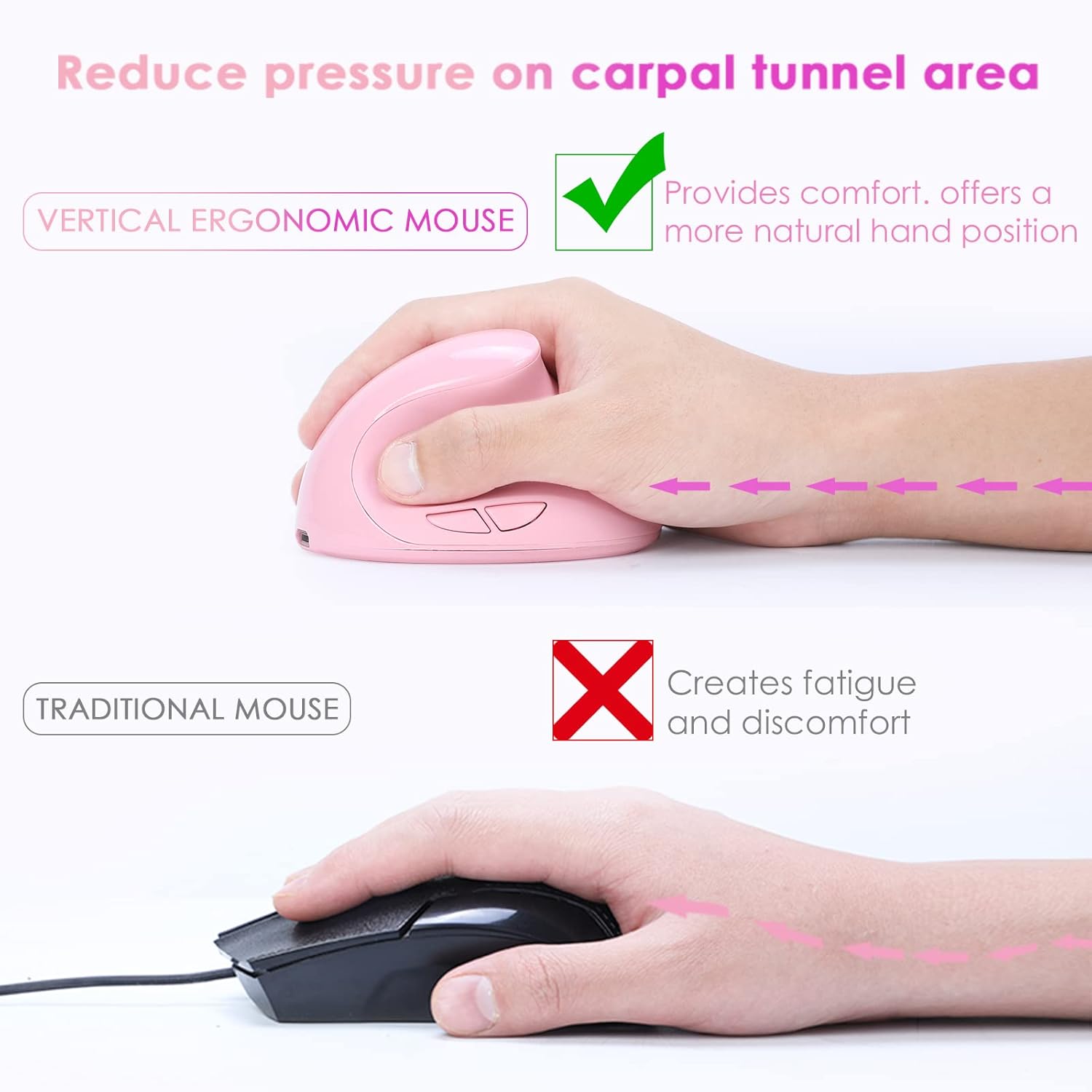
The vertical design of this mouse positions your hand in a natural handshake posture, which helps to alleviate wrist pronation and reduce pressure on the carpal tunnel area, promoting comfort during prolonged use.
Quiet Operation
The mouse features whisper-quiet clicks, allowing you to work without disturbing others in quiet environments.

6. Charging
This mouse is rechargeable. When the battery is low, connect the provided USB charging cable to the mouse's charging port and to a USB power source (e.g., computer USB port, USB wall adapter). The mouse can be used while charging.

7. Maintenance
To ensure the longevity and appearance of your mouse, please note the following:
- The surface of the mouse's grip is sprayed with rubber oil. Prolonged use, especially with uncleaned hands or exposure to sweat, can cause this surface to blacken or corrode.
- Regularly clean the mouse with a soft, dry cloth. Avoid harsh chemicals or abrasive cleaners.
8. Troubleshooting
Mouse Has No Response
If your mouse is not responding, try the following steps:
- Charge the Mouse: Connect the mouse to a power source using the USB charging cable.
- Check USB Receiver: Try plugging the USB receiver into a different USB port on your computer.
- Verify Power Switch: Ensure the power switch on the bottom of the mouse is in the "ON" position.
- Restart Computer: Restart your computer to refresh the USB connections and drivers.
If the issue persists after trying these steps, please contact customer support for technical assistance.
9. Specifications
| Feature | Detail |
|---|---|
| Button Number | 6 buttons |
| Tracking System | Optical |
| Frequency | 2405MHz-2476MHz |
| Effective Distance | 10 meters (33 feet) |
| Working Voltage/Current | 3V/4mA |
| Button Life | 5 million times |
| Roller Life | 1.2 million turns |
| Product Dimensions | 4.0 (L) * 2.9 (W) * 2.6 (H) inches |
| Product Weight | 200 ± 5g (0.44 lbs) |
| Resolution (DPI) | 800 / 1200 / 1600 (Adjustable) |
| Rate of Return | 250Hz |
| Hand Orientation | Right |
10. Warranty and Support
The Attoe Ergonomic Rechargeable Small Vertical Wireless Mouse comes with a 1-year warranty from the date of purchase.
For technical assistance, troubleshooting, or warranty claims, please contact Attoe customer support. Refer to your purchase documentation or the official Attoe website for contact information.