
FF FLASHFISH U-P60
FF FLASHFISH 560W 520Wh Portable Power Station User Manual
Model: U-P60
1. Introduction
The FF FLASHFISH 560W 520Wh Portable Power Station is a versatile and reliable power source designed for various applications, including outdoor adventures, emergency backup, and home use. It features a high-capacity battery and multiple output options to keep your devices and appliances powered.

Figure 1: FF FLASHFISH 560W 520Wh Portable Power Station overview.
2. What's Included
Your package should contain the following items:
- Power Station 520Wh
- AC Adapter
- Car Charger
- User Manual
3. Setup
Before first use, ensure the power station is fully charged. You can charge it using the included AC adapter or car charger. For outdoor charging, a compatible solar panel (sold separately) can be used.
3.1 Charging the Power Station
- AC Wall Outlet: Connect the AC adapter to the INPUT port on the power station and plug it into a standard wall outlet.
- Car Charger: Connect the car charger to the INPUT port and plug it into your vehicle's 12V cigarette lighter socket.
- Solar Panel (Optional): Connect a compatible solar panel to the Anderson input port for solar charging. Ensure the solar panel is placed in direct sunlight for optimal charging efficiency.
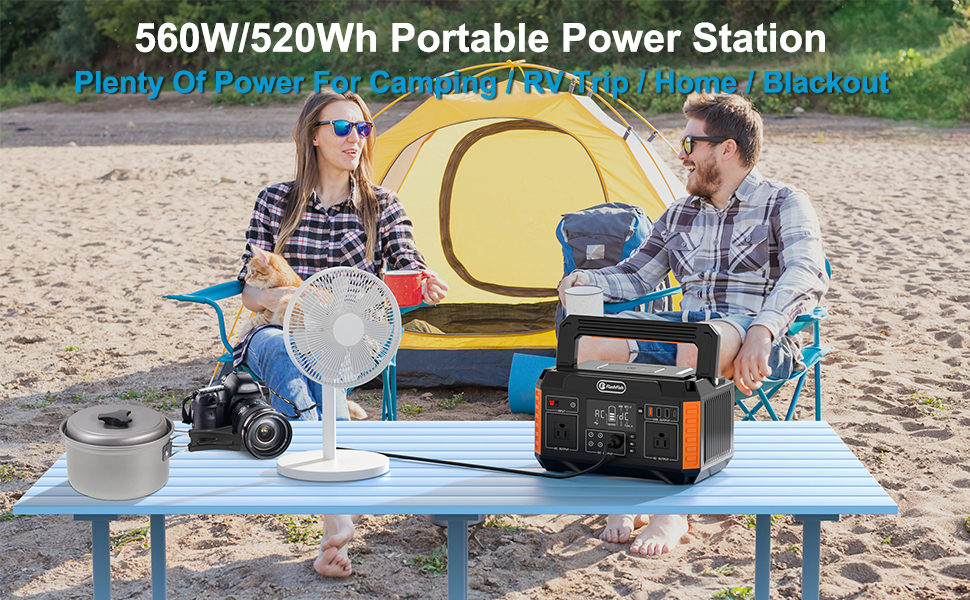
Figure 2: The power station being charged by a solar panel in an outdoor setting.
Video 1: Demonstrates various uses of the Flashfish 560W 520Wh Power Station, including charging via solar panel and car charger, and powering devices like blenders, mini-fridges, phones, laptops, and drones. It highlights the portability and multiple output options.
4. Operating Instructions
The power station offers multiple output types for various devices.
4.1 Powering On/Off
Press and hold the main power button to turn the unit on or off. The LCD display will illuminate, showing battery status and active outputs.
4.2 AC Output
The unit features two 110V AC outlets (560W continuous, 1100W surge). To use, connect your AC appliance and press the AC Power Button. The AC output indicator on the display will light up.

Figure 3: Demonstrates the AC output capability, powering a blender.
4.3 DC Output
The power station includes 5 DC outlets (4 x 12V/10A DC outlets and 1 x cigarette lighter port). Connect your DC device and press the DC Power Button. The DC output indicator will appear on the display.

Figure 4: Illustration of various output types and their typical uses.
4.4 USB Output
Equipped with 4 USB ports (1x Quick Charge 3.0 USB, 2x USB-A, 1x USB-C), allowing for fast charging of mobile devices. Connect your USB device and press the USB Power Button.

Figure 5: Highlighting the fast charging capabilities of the USB outputs.
4.5 Control Buttons
Each output section (AC, DC, USB) has its own dedicated power button for energy efficiency and ease of operation.

Figure 6: Diagram showing the individual control buttons for AC, DC, and USB outputs.
5. Maintenance
- Store the power station in a cool, dry place away from direct sunlight and extreme temperatures.
- Recharge the unit every 3-6 months if not in regular use to maintain battery health.
- Keep ventilation grilles clear of dust and debris to ensure proper cooling.
- Clean the exterior with a soft, dry cloth. Avoid using abrasive cleaners or solvents.

Figure 7: The power station provides a pure sine wave output, ensuring stable power for sensitive electronics.
6. Troubleshooting
| Problem | Possible Cause | Solution |
|---|---|---|
| Unit not powering on | Battery is depleted. | Recharge the power station. |
| AC output not working | AC output not activated; appliance exceeds 560W. | Press the AC power button; check appliance wattage. |
| Slow charging via solar panel | Insufficient sunlight; panel not optimally positioned. | Ensure direct sunlight; adjust panel angle. |
7. Specifications
| Feature | Detail |
|---|---|
| Brand | FF FLASHFISH |
| Model Name | P60 (Item model number: U-P60) |
| Wattage | 560 watts (Running Wattage) |
| Output Wattage | 560 Watts |
| Voltage | 110 Volts (AC) |
| Frequency | 60 Hz |
| Battery Capacity | 520Wh / 140400mAh (1 Lithium Ion battery included) |
| Item Weight | 15 Pounds |
| Product Dimensions | 11.7"L x 7.4"W x 6.6"H |
| Total Power Outlets | 11 |
| Special Features | Quiet Solar Generator, Electric Generator, Backup Power Generator, Camping Generator, Portable Generator For Home |
| Recommended Uses | Residential, Camping |
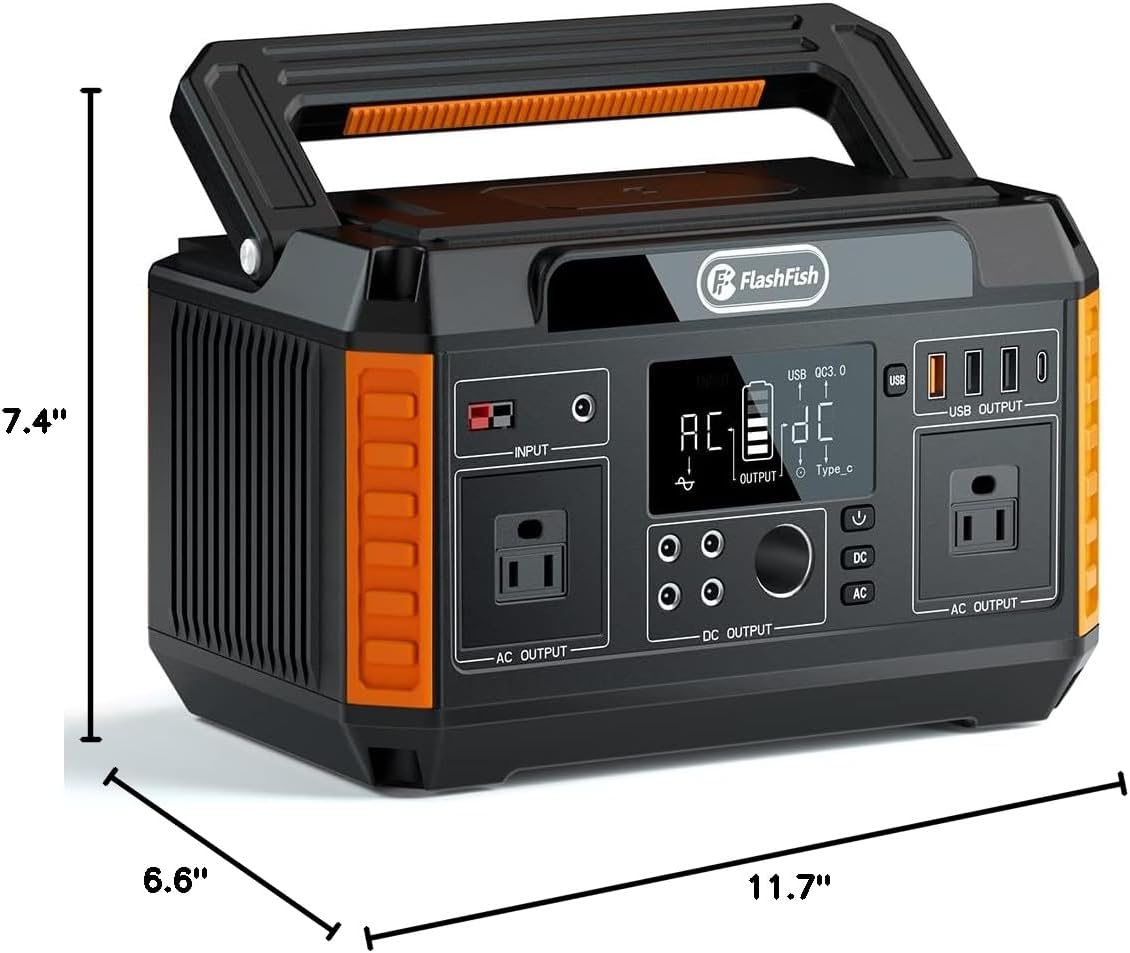
Figure 8: Detailed dimensions of the power station.
8. Warranty and Support
FF FLASHFISH products are built for reliability. This power station comes with a manufacturer's warranty. For specific warranty details, technical support, or service inquiries, please refer to the contact information provided in your included user manual or visit the official FF FLASHFISH website.
The brand is committed to providing outdoor green power solutions and reliable backup power sources.