
Glosen M8030
Glosen Medicine Lock Box User Manual
Model: M8030 | Brand: Glosen
Introduction
Thank you for choosing the Glosen Medicine Lock Box. This secure storage solution is designed to keep your medications and other valuable items safe and organized. Constructed from durable aluminum alloy and MDF, it features a reliable combination lock for enhanced security. This manual provides detailed instructions for setup, operation, maintenance, and troubleshooting to ensure optimal use of your lock box.
Safety Information
- Keep the combination code confidential and in a safe place, separate from the lock box.
- Do not force the lock if it is not opening. Refer to the troubleshooting section.
- Ensure the box is placed on a stable, flat surface to prevent accidental falls.
- This lock box is designed for secure storage and is not fireproof or waterproof unless explicitly stated.
- Keep out of reach of children when unlocked or if the combination is known to them.
Product Overview
The Glosen Medicine Lock Box is crafted with attention to detail, featuring robust construction and user-friendly design elements.

Figure 1: Glosen Medicine Lock Box (Small-10in) with the lid open, revealing a removable tray for organized storage of medications and other small items. The combination lock is visible on the front.
Key Features:
- Combination Lock: A secure 3-digit combination lock keeps contents protected.
- Durable Construction: Made from aluminum alloy and MDF for strength and longevity.
- Removable Tray: An internal tray allows for classified storage and easy access to smaller items.
- Portable Design: Features a sturdy, silver-plated handle for easy transport.
- Reinforced Corners: Stainless steel metal cladding protects the corners from impact.
Dimensions:

Figure 2: The Glosen Medicine Lock Box (Small-10in) with its dimensions clearly marked: 10 inches (length), 6.7 inches (width), and 6.7 inches (height).
The Small-10in model has external dimensions of approximately 10 inches (Length) x 6.7 inches (Width) x 6.7 inches (Height).
Detailed Components:
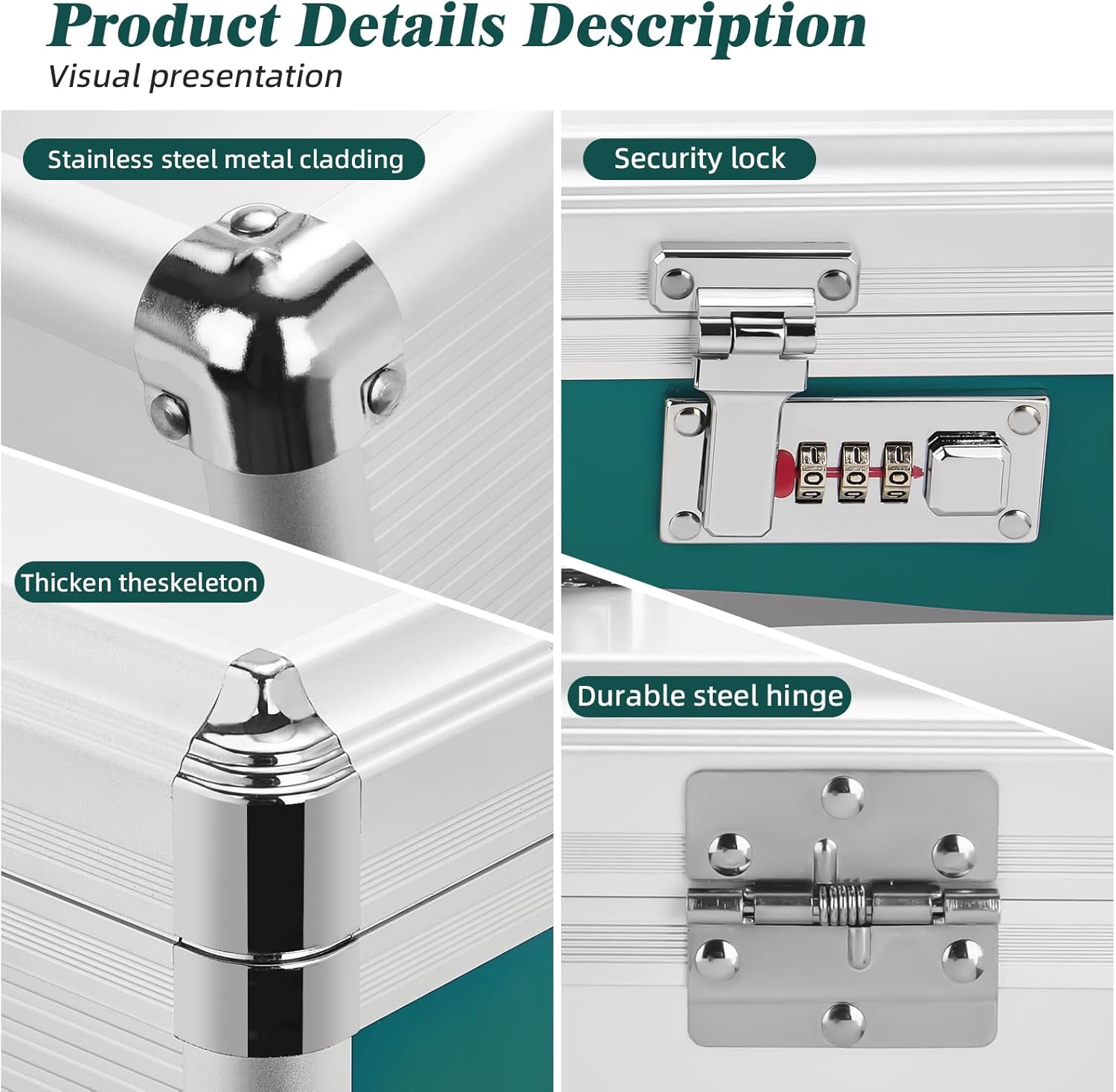
Figure 3: Visual presentation of key product details: stainless steel metal cladding on corners, the security combination lock, the thickened skeleton for structural integrity, and a durable steel hinge for smooth opening and closing.
- Stainless Steel Metal Cladding: Reinforces corners for crash-proof design.
- Security Combination Lock: Integrated into the front panel for secure access.
- Thickened Skeleton: Provides robust structural support.
- Durable Steel Hinge: Ensures smooth and reliable lid operation.

Figure 4: Detailed view of the sturdy handle, the security combination lock, and the stainless steel clad corners, emphasizing the quality and design of the lock box.
Setup: Setting Your Combination Lock
Your Glosen Medicine Lock Box comes with a preset combination of 0-0-0. Follow these steps to set your personal combination:
- Ensure the lock is set to the current combination (factory default is 0-0-0) and the box is open.
- Locate the small reset button or lever on the side or bottom of the lock mechanism. This is usually a small, recessed button that needs to be pressed with a pen or a pointed object, or a small lever that needs to be moved.
- While holding the reset button/lever in the engaged position, set your desired 3-digit combination by rotating the dials. Choose a memorable but secure code.
- Release the reset button/lever. Your new combination is now set.
- Test your new combination: Scramble the dials, then enter your new combination and try to open the lock. If it opens, your code is successfully set. If not, repeat the steps carefully.
- Important: Do not forget your combination. There is no master key or override for the combination lock.
Operating Instructions
Opening the Lock Box:
- Align the dials to your set 3-digit combination.
- Press the release button/lever next to the dials to unlock the latch.
- Lift the lid to open the box.
Closing and Locking the Lock Box:
- Ensure the lid is properly aligned with the base.
- Press down firmly on the lid until the latch clicks into place.
- Scramble the combination dials to secure the lock.
Using the Removable Tray:
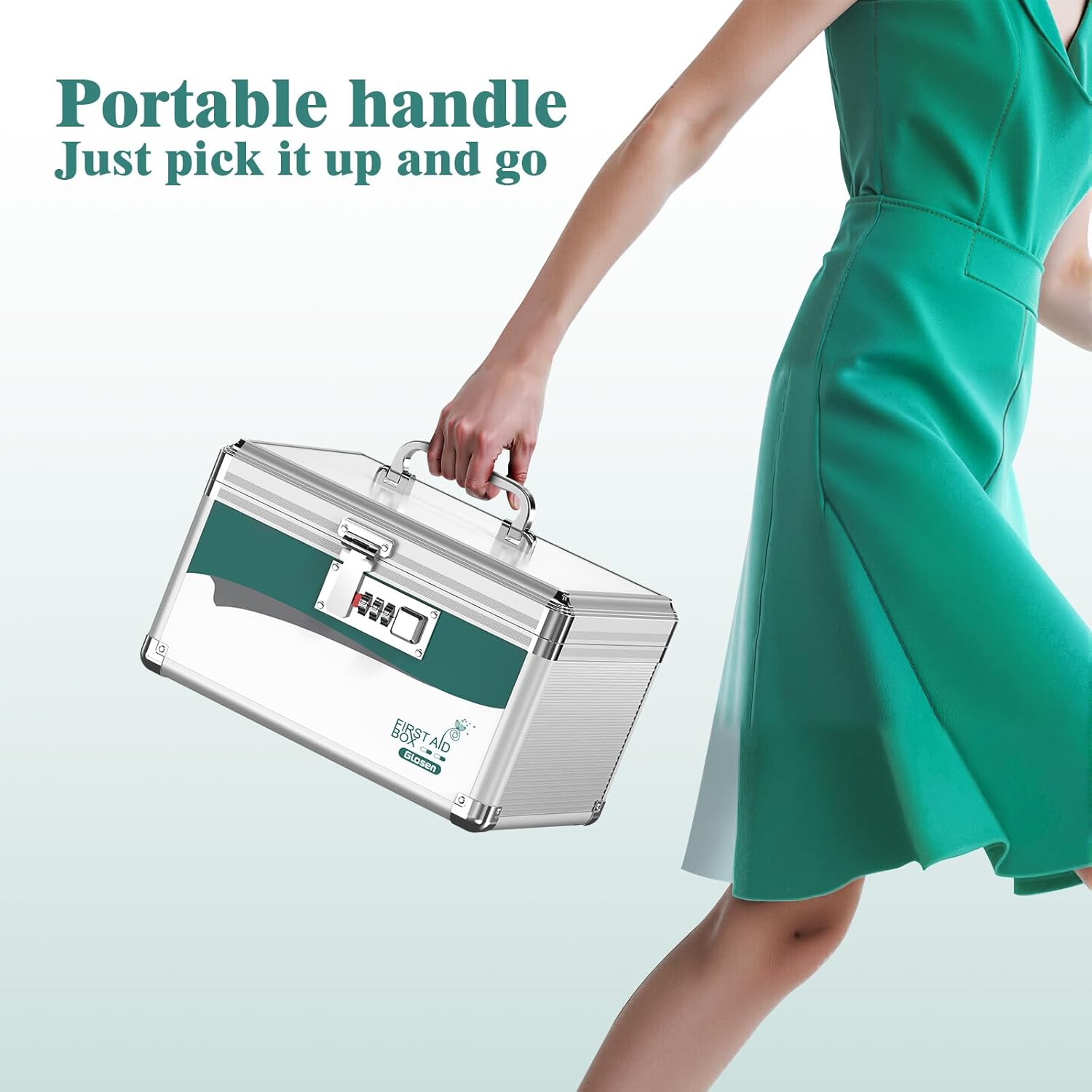
Figure 5: The removable tray of the Glosen Medicine Lock Box, designed for classified storage of smaller items, allowing easy access and organization.
- The lock box includes a removable tray for organizing smaller items like pill bottles, cotton swabs, or bandages.
- Simply lift the tray to access the larger storage compartment underneath.
- Place the tray back into position by aligning it with the internal supports.
Portability:

Figure 6: The Glosen Medicine Lock Box features a portable handle, making it easy to pick up and transport for home use, travel, or outdoor activities.
The sturdy, silver-plated handle allows for easy and comfortable carrying of the lock box. Ensure the box is securely locked before transporting.
Maintenance
- Cleaning: Wipe the exterior surfaces with a soft, damp cloth. Avoid abrasive cleaners or solvents that could damage the finish.
- Lock Care: The combination lock mechanism is designed for durability. Avoid applying excessive force to the dials or the release button. Do not lubricate the lock unless specifically instructed by the manufacturer.
- Storage: Store the lock box in a dry environment, away from extreme temperatures or direct sunlight.
Troubleshooting
| Problem | Possible Cause | Solution |
|---|---|---|
| Lock box will not open with the combination. | Incorrect combination entered, or combination was accidentally reset. |
|
| Lid does not close or latch properly. | Obstruction inside the box, or misalignment of the lid. |
|
| Dials are stiff or difficult to turn. | Dust or debris in the mechanism, or lack of use. |
|
Specifications
| Feature | Detail |
|---|---|
| Product Model | M8030 |
| Dimensions (Small-10in) | 10.1 x 7.5 x 7.9 inches (L x W x H) |
| Weight | 2.58 Pounds |
| Material | Aluminum Alloy + MDF |
| Lock Type | 3-Digit Combination Lock |
| Special Features | Lockable, Removable Tray, Portable Handle, Stainless Steel Clad Corners |
| Recommended Use | Home, Travel, Office, Outdoor Activities |
Warranty and Support
Glosen is committed to providing high-quality products. For any questions, concerns, or support needs regarding your Medicine Lock Box, please contact Glosen customer service. Please refer to the product packaging or the official Glosen website for the most current contact information and warranty details.
You can visit the official Glosen Store on Amazon for more information: Glosen Store
Related documentsM8030

Ask a question about this manual
Ask about setup, troubleshooting, compatibility, parts, safety, or missing instructions. Manuals+ will review the question and use this page’s manual context to help answer it.