
Introduction
Thank you for choosing the Redragon S129W 3-in-1 Gaming Combo. This package includes a gaming keyboard, a gaming mouse, and a gaming headset, designed to enhance your gaming experience. This manual provides detailed instructions for setup, operation, maintenance, and troubleshooting to ensure optimal performance of your new peripherals.
Package Contents
- Redragon S129W Gaming Keyboard
- Redragon S129W Gaming Mouse
- Redragon S129W Gaming Headset
- User Manual (this document)
Setup
General Connection
All components of the Redragon S129W combo connect via wired USB (keyboard and mouse) or 3.5mm audio jack (headset). Ensure your computer has available USB ports and a 3.5mm audio jack.
Keyboard Setup
- Locate an available USB port on your computer.
- Plug the USB connector of the keyboard into the USB port.
- Your operating system will automatically detect and install the necessary drivers.

Image: The Redragon S129W keyboard showing its wired USB connection point.
Mouse Setup
- Locate an available USB port on your computer.
- Plug the USB connector of the mouse into the USB port.
- Your operating system will automatically detect and install the necessary drivers.
Headset Setup
- Locate the 3.5mm audio jack on your computer. This is typically a green port for audio output and a pink port for microphone input, or a single combined port.
- Plug the 3.5mm audio jack of the headset into the corresponding port on your computer.
- Adjust audio settings in your operating system if necessary to select the headset as the default playback and recording device.

Image: The Redragon S129W headset, highlighting its 3.5mm audio jack connection.
Operating Instructions
Keyboard Operation
The Redragon S129W keyboard is a full-sized keyboard with 108 keys and RGB backlighting. It connects via a wired USB connection, ensuring stable and responsive input.

Image: Top-down view of the Redragon S129W keyboard, showcasing its full layout and RGB backlighting.

Image: Angled view of the Redragon S129W keyboard, highlighting the keycaps and side profile.
RGB Backlighting
The keyboard features customizable RGB backlighting. Specific key combinations (often Fn + a designated key) can be used to cycle through lighting modes, adjust brightness, or change colors. Refer to the quick start guide or Redragon's official website for detailed key commands for lighting control.
Mouse Operation
The Redragon S129W mouse is a wired optical mouse equipped with six buttons, designed for precision and control in gaming. It features adjustable DPI settings.

Image: Top view of the Redragon S129W mouse, showing its ergonomic design and button layout.

Image: Angled view of the Redragon S129W mouse, highlighting the scroll wheel and side buttons.
Adjustable DPI
The mouse offers a three-stage adjustable DPI (Dots Per Inch) of 800, 1200, and 1600. A dedicated DPI button (usually located near the scroll wheel) allows you to cycle through these settings to match your preference for speed and precision.
Programmable Buttons
The six buttons on the mouse may be programmable using Redragon's proprietary software, available for download from their official website. This allows for custom macros and functions.
Headset Operation
The Redragon S129W headset provides clear audio and communication through its 3.5mm jack connection. It features comfortable ear cups and an integrated microphone.
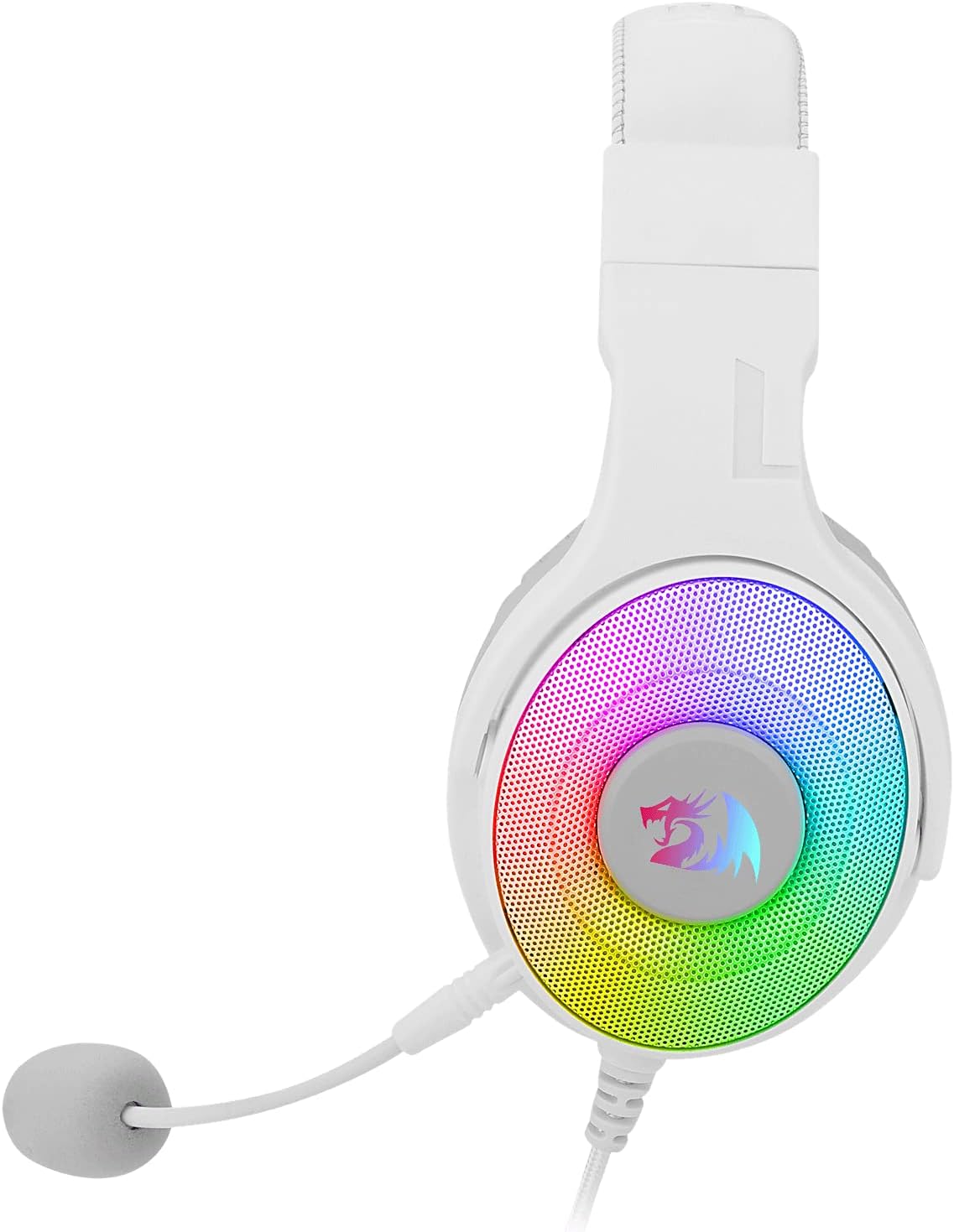
Image: Side view of the Redragon S129W headset, showing the ear cup design and microphone placement.

Image: Close-up view of the Redragon S129W headset's ear cup, illustrating the padding for comfort.
Microphone Usage
Ensure the microphone is positioned correctly for clear voice capture. Adjust microphone sensitivity through your computer's sound settings.
Volume Control
Volume can be adjusted using the inline control on the headset cable or through your computer's operating system volume settings.
Maintenance
To ensure the longevity and optimal performance of your Redragon S129W gaming combo, follow these maintenance guidelines:
- Cleaning: Use a soft, dry cloth to wipe down the surfaces of the keyboard, mouse, and headset. For stubborn dirt, a slightly damp cloth can be used, but ensure no moisture enters the internal components. Avoid harsh chemicals or abrasive cleaners.
- Cable Care: Avoid bending or twisting cables excessively. Do not pull on the cables to disconnect devices; always grasp the connector.
- Storage: Store the devices in a clean, dry environment away from extreme temperatures and direct sunlight when not in use.
- Headset Ear Pads: Periodically check ear pads for wear and tear. Clean gently with a soft, damp cloth if needed.
Troubleshooting
If you encounter issues with your Redragon S129W combo, refer to the following common solutions:
Keyboard/Mouse Not Responding
- Check Connection: Ensure the USB cable is securely plugged into a working USB port on your computer. Try a different USB port.
- Restart Computer: A simple restart can often resolve connectivity issues.
- Driver Issues: While usually plug-and-play, ensure your operating system's drivers are up to date.
Headset No Sound/Microphone Not Working
- Check Connection: Ensure the 3.5mm audio jack is fully inserted into the correct port on your computer.
- Volume Levels: Verify that the volume is not muted or set too low on the inline control, in your operating system, or within the application you are using.
- Default Device: In your computer's sound settings, ensure the headset is selected as the default playback and recording device.
- Microphone Mute: Check if the microphone has a physical mute switch on the inline control and ensure it is not activated.
RGB Lighting Not Working
- Check Power: Ensure the device is properly connected and receiving power.
- Lighting Controls: Experiment with the keyboard's dedicated lighting control keys (e.g., Fn + specific keys) to ensure lighting is not turned off or set to a very dim mode.
Specifications
| Feature | Detail |
|---|---|
| Brand | Redragon |
| Model | S129W |
| Connectivity Technology | Wired USB (Keyboard, Mouse), 3.5mm Jack (Headset) |
| Keyboard Description | Full-sized keyboard with 108 keys |
| Keyboard Backlighting | RGB |
| Mouse Type | Wired Optical Mouse with Six Buttons |
| Mouse DPI | 800, 1200, 1600 (3-stage adjustable) |
| Compatible Devices | Laptop, Personal Computer |
| Item Weight | 3.43 Pounds (total package) |
| Batteries Required | No |
Warranty and Support
Redragon products are designed for durability and performance. For warranty information, technical support, or to download the latest drivers and software, please visit the official Redragon website or contact their customer service. Keep your purchase receipt as proof of purchase for warranty claims.


