Introduction
This instruction manual provides essential information for the safe and proper use of your Hot Wheels RC Space Ranger Jetpack & Buzz Lightyear Figure. Please read this manual thoroughly before initial operation and retain it for future reference. This remote-control drone is designed to replicate the Space Ranger Jetpack from Disney and Pixar's Lightyear film, offering an engaging play experience with a removable Buzz Lightyear action figure and authentic sounds.
What's in the Box
Upon opening the package, verify that all components are present and undamaged:
- 1 Hot Wheels Space Ranger Jetpack R/C
- 1 1.25” Buzz Lightyear Action Figure
- 1 Remote Control
- 1 USB Charge Cord (for jetpack)

Image: The product packaging for the Hot Wheels RC Space Ranger Jetpack, showing the jetpack, remote control, and Buzz Lightyear figure inside the box.

Image: The Hot Wheels RC Space Ranger Jetpack, its remote control, and the small Buzz Lightyear action figure displayed separately, indicating the main components included.
Setup
1. Battery Installation (Remote Control)
The remote control requires 2 AA batteries (not included). Ensure correct polarity when inserting the batteries. Replace the battery cover securely.
2. Charging the Jetpack
The Space Ranger Jetpack R/C is rechargeable via the included USB charge cord. Connect the USB cord to the jetpack's charging port and to a compatible USB power source (e.g., computer USB port, USB wall adapter). Allow sufficient time for a full charge before first use. Refer to the indicator light on the jetpack for charging status (e.g., red for charging, green for fully charged).

Image: The underside of the Hot Wheels RC Space Ranger Jetpack, showing the battery compartment or charging port area, which is essential for setup and power.
3. Attaching the Buzz Lightyear Figure
The 1.25-inch Buzz Lightyear action figure can be attached to or detached from the jetpack. Align the figure with the designated slot on the jetpack and gently press until it clicks into place. Ensure it is securely fastened before flight.
Operating Instructions
1. Power On/Off
Turn on the jetpack and the remote control. The devices will automatically pair. The jetpack operates on a 2.4 GHz frequency, minimizing interference with other RC vehicles.
2. Flight Environment
This RC jetpack is designed for indoor use only. Ensure a clear, open space free from obstacles, pets, and people to prevent collisions and ensure safe operation. The jetpack features an object-avoidance system to help prevent crashes.
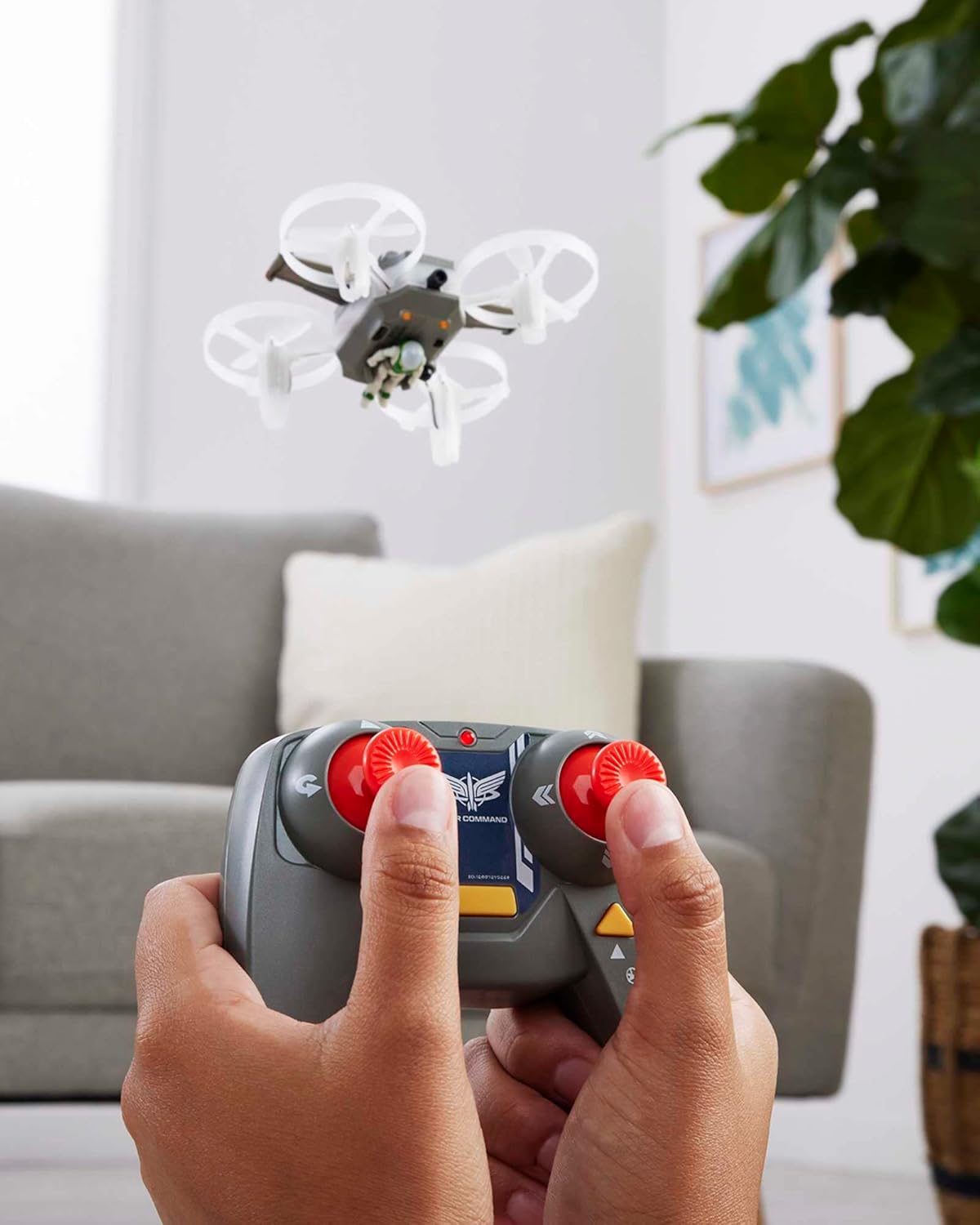
Image: A person's hands holding the remote control, operating the Hot Wheels RC Space Ranger Jetpack as it flies indoors, demonstrating typical use.

Image: An illustration showing the Hot Wheels RC Space Ranger Jetpack detecting and avoiding an obstacle (a lamp), highlighting its object-avoidance feature.
3. Basic Flight Controls
The remote control features a two-button design for simplified operation:
- Auto Take-off/Landing: Press the designated button for automatic take-off and smooth landing. The jetpack is pre-programmed for flight leveling.
- Directional Control: Use the joystick or directional buttons to maneuver the jetpack forward, backward, left, and right.
- Altitude Control: Adjust the throttle to control the jetpack's height.
4. Performing a 360-Degree Flip
To execute an awesome 360-degree flip, press the dedicated stunt button on the remote control. Ensure sufficient altitude and clear space before attempting this maneuver.

Image: An illustration depicting the Hot Wheels RC Space Ranger Jetpack performing a 360-degree flip, with arrows indicating the rotational movement.
Maintenance
Proper maintenance ensures the longevity and optimal performance of your Hot Wheels RC Space Ranger Jetpack.
- Cleaning: Use a soft, dry cloth to wipe down the jetpack and remote control. Avoid using harsh chemicals or abrasive materials.
- Storage: When not in use, store the jetpack and remote control in a cool, dry place away from direct sunlight and extreme temperatures. Remove batteries from the remote control if storing for extended periods.
- Propeller Inspection: Regularly inspect the propellers for any damage, cracks, or debris. Damaged propellers can affect flight stability and performance. While spare parts are not typically included, contact customer support if replacements are needed.
- Charging: Always use the provided USB charge cord. Do not overcharge the jetpack.
Troubleshooting
If you encounter issues with your Hot Wheels RC Space Ranger Jetpack, refer to the following common problems and solutions:
| Problem | Possible Cause | Solution |
|---|---|---|
| Jetpack does not power on or respond to remote. | Low battery in jetpack or remote control. Not properly paired. | Ensure jetpack is fully charged. Replace AA batteries in the remote control. Power cycle both devices to re-establish connection. |
| Jetpack flies erratically or is difficult to control. | Damaged propellers. Interference from other devices. Uneven surface for take-off. | Inspect propellers for damage; replace if necessary (contact support). Ensure no other 2.4 GHz devices are operating nearby. Always take off from a flat, stable surface. |
| Jetpack does not perform stunts (e.g., 360-degree flip). | Insufficient altitude or space. Low battery. | Ensure the jetpack is at a safe height and has ample clear space. Recharge the jetpack battery. |
| Buzz Lightyear figure detaches during flight. | Figure not securely attached. | Ensure the figure is firmly clicked into its designated slot before each flight. |
Specifications
| Feature | Detail |
|---|---|
| Product Dimensions | 5.51 x 4.72 x 2.95 inches |
| Item Weight | 7.1 ounces |
| Model Number | HHX49 |
| Manufacturer Recommended Age | 8 years and up |
| Batteries (Remote) | 2 AA batteries required (not included) |
| Jetpack Power | Rechargeable via USB charge cord (included) |
| Frequency | 2.4 GHz |
| Manufacturer | Mattel |
| Release Date | June 1, 2022 |
Warranty & Support
For warranty information, product support, or to inquire about replacement parts, please contact Mattel Customer Service. Details can typically be found on the product packaging or the official Mattel website. Keep your proof of purchase for any warranty claims.
For additional resources, you may visit the Hot Wheels Store on Amazon.


