
Introduction
Thank you for choosing the LENCENT 5-Port Car Charger (Model SC02). This device is designed to provide convenient and efficient charging for multiple electronic devices in your vehicle. Featuring both USB-A and USB-C ports, a 5-foot extension cable for rear-seat access, and real-time voltage detection, it ensures your devices stay powered and your car battery health is monitored.
Product Features
- 5 Charging Ports: Equipped with 2 ports for the front seat (1 USB-A + 1 USB-C) and 3 ports for the back seat (2 USB-A + 1 USB-C), allowing simultaneous charging for up to five devices.
- Extended Cable: A 5-foot (1.5m) charging cable provides convenient access for passengers in the back seats.
- Smart IC Technology: Built-in intelligent chip automatically identifies connected devices and delivers optimal charging efficiency, with a total output of up to 6.2A/31W.
- Car Battery Voltage Detection: Monitors your car's voltage in real-time, displayed on an LED indicator, to help you keep track of battery health.
- LED Indicator: A soft LED light confirms power connection and assists in locating ports in low-light conditions.
- Multi-functional Protection: Incorporates safety features against over-current, over-voltage, over-temperature, and short-circuiting.
- Universal Compatibility: Compatible with 12-24V vehicles and a wide range of USB-powered devices, including smartphones, tablets, and gaming consoles.
- Durable Clip: A super durable clip is attached to the back-seat charging unit for secure placement.
Package Contents
- LENCENT 5-Port Car Charger (Model SC02)
- Integrated 5-foot (1.5m) charging cable
Setup Instructions
- Insert into Cigarette Lighter Socket: Firmly insert the main charger unit into your vehicle's 12V/24V cigarette lighter socket. The LED display on the main unit will illuminate, showing the current car battery voltage. This indicates a successful power connection.

Image: LENCENT 5-Port Car Charger main unit inserted into a car's cigarette lighter socket, displaying voltage.
- Position the Rear Charging Unit: Route the attached 5-foot cable to the back seat area. Use the durable clip on the rear charging unit to secure it to a convenient location, such as a seat pocket or console edge, ensuring it is stable and accessible for rear passengers.
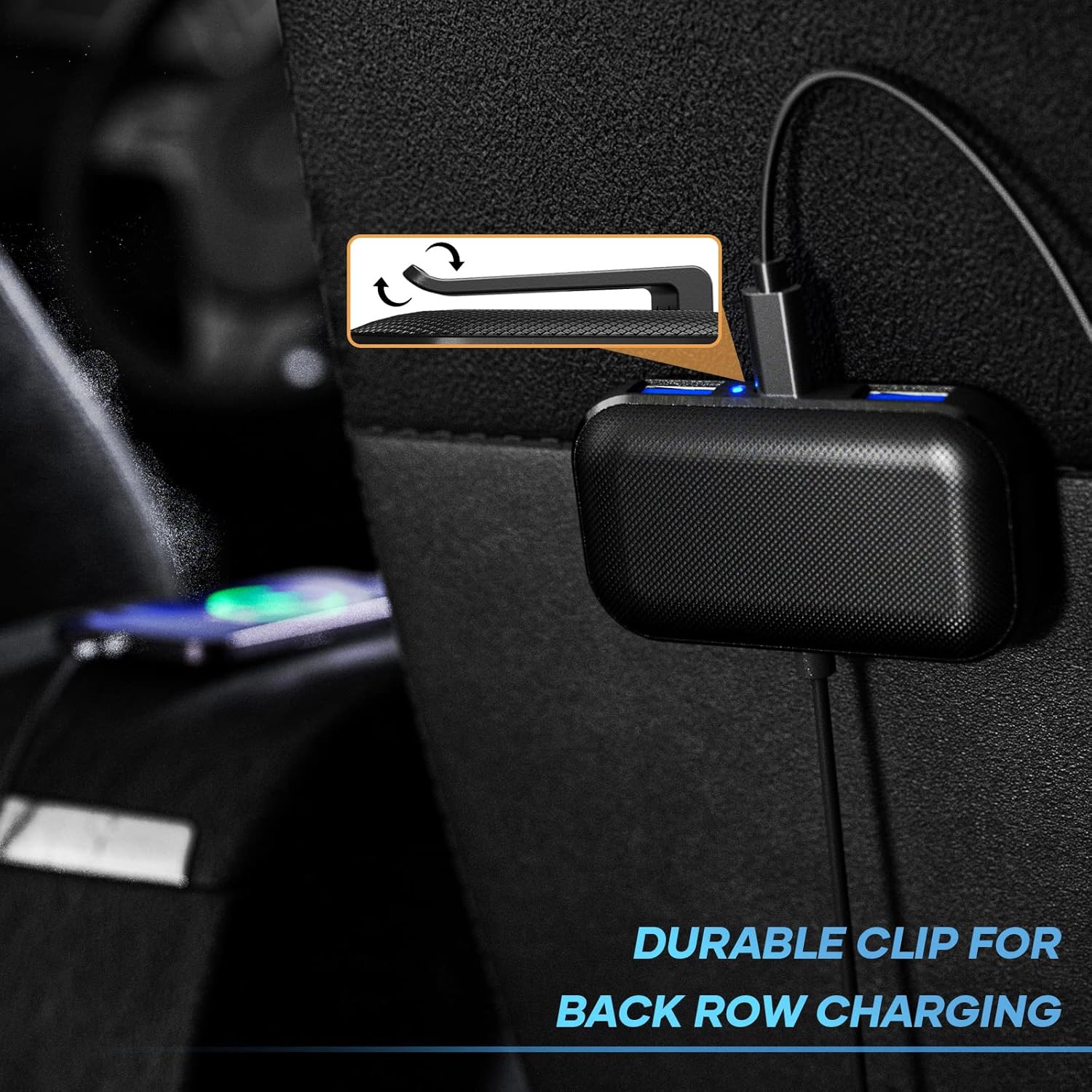
Image: The durable clip on the rear charging unit for secure placement.

Image: The 5-foot cable extending to the back seat for convenient charging.
Operating Instructions
- Connecting Devices: Plug your USB charging cables into the available USB-A or USB-C ports on either the front or rear charging units. The charger will automatically detect your device and deliver the optimal charging current.

Image: The LENCENT 5-Port Car Charger with its various USB-A and USB-C ports.
- Monitoring Car Battery Voltage: The LED display on the main unit continuously shows your car's battery voltage. Refer to the following ranges for battery status:
- Lower than 11.6V: Low Voltage Range - Consider checking or changing your car battery.
- 11.6V - 14.8V: Normal Voltage Range - Battery is operating within expected parameters.
- Higher than 14.8V: High Voltage Range - Consider checking or changing your car battery.

Image: Real-time car battery voltage monitoring display.
- Universal Device Compatibility: The charger is compatible with a wide array of devices, including various iPhone and Samsung Galaxy models, iPads, Google Pixel phones, Nintendo Switch, GPS devices, and driving recorders.

Image: Visual representation of device compatibility.
- Safety Protections: The charger is equipped with multiple safety features to protect your devices and vehicle from electrical issues.

Image: Overview of the multi-functional protection features.
Product Demonstration Video
Video: Official product video demonstrating the LENCENT 5-port car charger's features, including its installation, voltage detection display, and the extended cable for back seat charging.
Maintenance
- Keep the charger dry and clean. Avoid exposure to moisture or extreme temperatures.
- Do not attempt to disassemble or modify the charger. This will void the warranty and may cause damage.
- Regularly check the connection points for any debris or loose connections to ensure optimal performance.
- Store the charger in a cool, dry place when not in use for extended periods.
Troubleshooting
- Issue: Device is not charging.
- Solution:
- Ensure the car charger is firmly seated in the cigarette lighter socket and the LED voltage display is active.
- Check if the charging cable is securely connected to both the charger port and your device.
- Try a different charging cable or a different port on the charger to rule out a faulty cable or port.
- Verify that your vehicle's engine is running or the ignition is in the accessory position, as some vehicles do not provide power to the cigarette lighter socket when the engine is off.
- Issue: USB-C port is not charging (while USB-A ports work).
- Solution:
- Ensure your USB-C cable is fully functional and compatible with your device.
- Some USB-C devices or cables may require specific power delivery profiles. While the charger uses Smart IC technology, ensure your device is not drawing power in a way that conflicts with the port's capabilities.
- Test the USB-C port with another known-good USB-C device and cable to isolate the problem. If other USB-C devices also fail to charge, the port may be faulty.
- Issue: Voltage display shows abnormal readings (below 11.6V or above 14.8V).
- Solution:
- This indicates a potential issue with your car's battery or charging system. It is recommended to have your vehicle's battery and alternator checked by a qualified mechanic.
- Ensure the charger is properly inserted and making good contact with the cigarette lighter socket.
Specifications
| Model Number | SC02 |
| Product Dimensions | 2.68 x 1.5 x 0.39 inches |
| Item Weight | 2.82 ounces |
| Input Voltage | 12-24 Volts |
| Total USB Ports | 5 (3 USB-A, 2 USB-C) |
| Total Output Amperage | 6.2 Amps / 31 Watts |
| Front Seat Port Output (Max) | 2.4A (single port) |
| Back Seat Port Output (Max) | 2.1A (single port) |
| Cable Length | 5 feet (1.5 meters) |
| Color | Black |
| Special Features | Charging Indicator, Lightweight Design, Voltage Detection |
Warranty and Support
LENCENT products are designed for reliability and performance. For any questions, technical assistance, or warranty claims, please contact LENCENT customer support through the following channels:
- Email: Refer to your product packaging or the official LENCENT website for the most current email address.
- Amazon Chat: If purchased via Amazon, you may use the Amazon messaging system to contact the seller, LencentUS.
- Official Website: Visit the LENCENT official website for support resources, FAQs, and contact information.
LENCENT is committed to providing excellent customer service and support for its products.

