1. Introduction
This manual provides detailed instructions for the setup, operation, maintenance, and troubleshooting of your JBL Wave 300 TWS True Wireless Earbuds. Please read this manual thoroughly before using your earbuds to ensure proper functionality and to maximize your listening experience.
2. What's in the Box
- JBL Wave 300 TWS Earbuds (Left and Right)
- Charging Case
- USB-C Charging Cable
- Quick Start Guide
- Safety Sheet

Image: JBL Wave 300 TWS earbuds shown inside their open charging case, illustrating the product components.
3. Setup
3.1 Initial Charge
Before first use, fully charge your JBL Wave 300 TWS earbuds and the charging case. Connect the provided USB-C cable to the charging port on the case and to a power source. The LED indicators on the case will show the charging status.
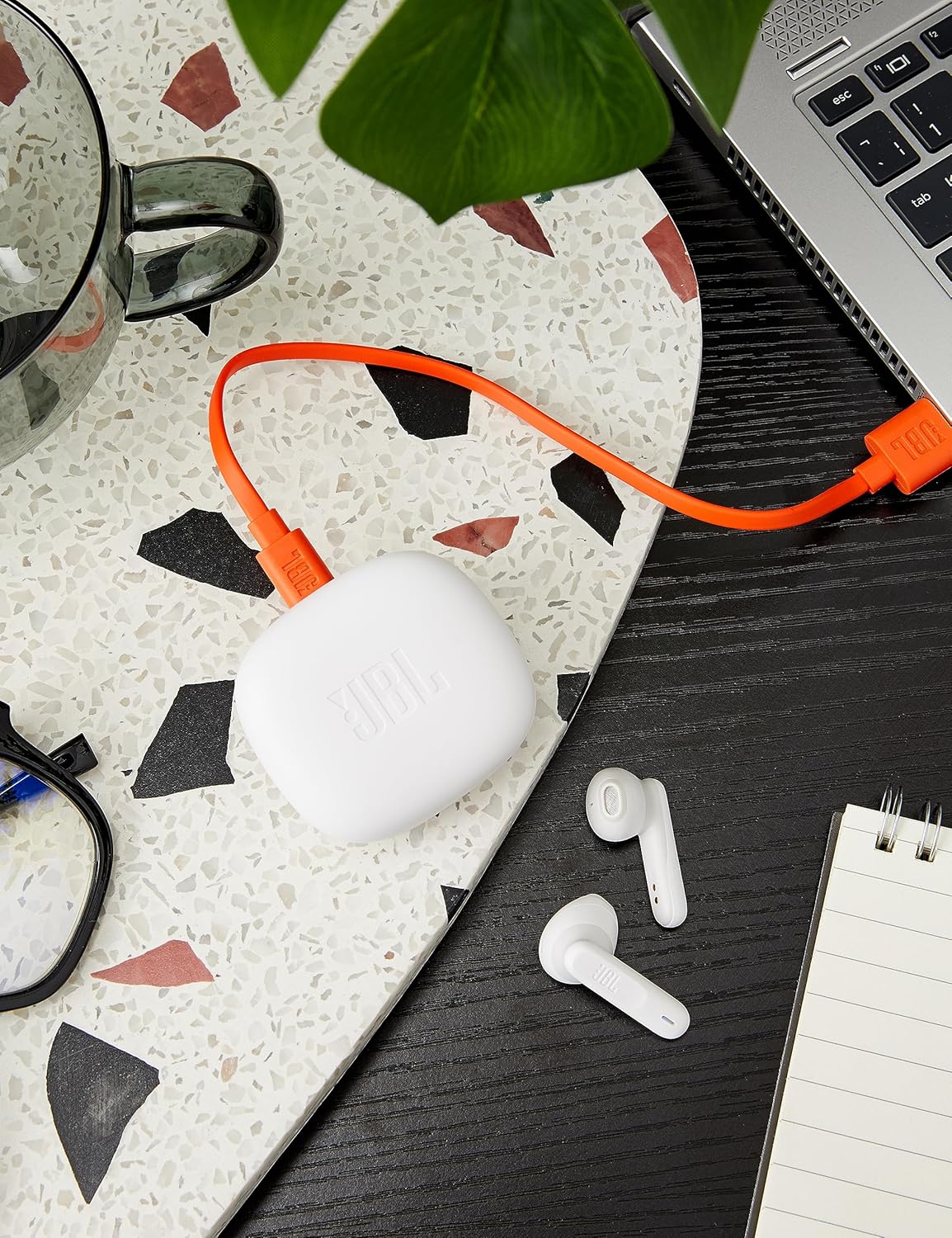
Image: The JBL Wave 300 TWS charging case is shown connected to an orange USB-C charging cable, indicating the charging process.
3.2 Bluetooth Pairing
- Open the charging case. The earbuds will automatically enter pairing mode.
- On your device (smartphone, tablet, computer), enable Bluetooth.
- Select "JBL Wave 300 TWS" from the list of available Bluetooth devices.
- A confirmation sound will indicate successful pairing.
Fast Pair (Android 6.0+): For Android devices, simply open the case near your phone, and a pop-up notification will appear for quick pairing.
Microsoft Swift Pair (Windows 10 v1803+): For Windows devices, open the case near your PC, and a notification will prompt you to connect.
4. Operating Instructions
4.1 Power On/Off
- Power On: Open the charging case, and the earbuds will automatically power on and connect to the last paired device.
- Power Off: Place the earbuds back into the charging case and close the lid. They will automatically power off and begin charging.
4.2 Touch Controls
The JBL Wave 300 TWS earbuds feature intuitive touch controls on each earbud. The specific functions can be customized via the JBL Headphones App.

Image: A close-up view of the left and right JBL Wave 300 TWS earbuds, highlighting their design and touch-sensitive surfaces.
| Action | Function |
|---|---|
| Single Tap (Left or Right Earbud) | Play/Pause Music, Answer/End Call |
| Double Tap (Right Earbud) | Next Track |
| Double Tap (Left Earbud) | Previous Track |
| Triple Tap (Right Earbud) | Voice Assistant Activation |
| Long Press (Left or Right Earbud) | Reject Call |
4.3 Dual Connect
The Dual Connect feature allows you to use either earbud independently (mono mode) or both together (stereo mode). This is useful for saving battery life or for situations where you need to hear your surroundings.
4.4 JBL Headphones App
Download the JBL Headphones App from your device's app store to unlock additional features and customize your listening experience. The app allows you to:
- Customize touch controls.
- Adjust EQ settings.
- Check battery status.
- Receive software updates.
5. Maintenance
- Cleaning: Regularly clean the earbuds and charging case with a soft, dry, lint-free cloth. Do not use harsh chemicals or abrasive materials.
- Storage: When not in use, store the earbuds in their charging case to protect them and keep them charged.
- Battery Care: To maintain optimal battery life, fully charge your earbuds and case at least once every three months, even if not in regular use. Avoid exposing the battery to extreme temperatures.
- Water Resistance: The earbuds are IPX2 water resistant, meaning they can withstand light splashes. Do not submerge them in water or expose them to heavy rain.
6. Troubleshooting
| Problem | Solution |
|---|---|
| Earbuds not pairing | Ensure earbuds are charged. Turn Bluetooth off and on again on your device. Forget the device in your Bluetooth settings and re-pair. |
| No sound from one earbud | Place both earbuds back in the case, close the lid, wait a few seconds, then open and try again. Check audio balance settings on your device. |
| Charging case not charging | Ensure the USB-C cable is securely connected to both the case and the power source. Try a different USB-C cable or power adapter. |
| Low volume | Increase volume on both your device and the earbuds (if applicable via app). Ensure earbuds are properly seated in your ears. |
| Intermittent connection | Ensure no obstacles are between your device and the earbuds. Move closer to your device. Avoid environments with high Wi-Fi or Bluetooth interference. |
7. Specifications
| Feature | Detail |
|---|---|
| Model Number | JBLW300TWSWHT |
| Wireless Connectivity | Bluetooth |
| Driver Size | 12mm Dynamic Drivers |
| Frequency Response | 20 Hz - 20,000 Hz |
| Sensitivity | 96 dB |
| Battery Type (Earbuds) | Lithium-ion Polymer |
| Total Music Playtime | Up to 26 hours (6 hours from earbuds + 20 hours from charging case) |
| Charging Time | Approximately 2 hours (from empty) |
| Weight (per earbud) | 4 Grams |
| Water Resistance Rating | IPX2 |
| Microphone | Integrated Microphone |
8. Warranty and Support
JBL products are designed for durability and performance. For information regarding warranty coverage, technical support, or service, please refer to the warranty card included with your product or visit the official JBL support website. Keep your proof of purchase for warranty claims.