
MYLEK MYSH0410E
MYLEK Panel Heater Radiator User Manual
Model: MYSH0410E
1. Introduction
This manual provides comprehensive instructions for the safe and efficient operation, installation, and maintenance of your MYLEK Panel Heater Radiator. This 1000W electric panel heater is designed for various indoor environments, offering both wall-mounted and freestanding options. It features smart app control, a built-in thermostat, and is Lot 20 Compliant and IP24 rated for bathroom use when installed by a qualified electrician.

Image 1.1: Overview of MYLEK Panel Heaters and their control interface.
2. Important Safety Information
Please read all safety warnings and instructions carefully before installing or operating this appliance. Failure to follow these instructions may result in electric shock, fire, or serious injury.
- Always ensure the heater is disconnected from the power supply before cleaning or performing any maintenance.
- Do not cover the heater. Covering the heater can cause overheating and a fire risk.
- Keep flammable materials (curtains, furniture, etc.) at least 1 meter away from the heater.
- This appliance is IP24 splash-proof rated, making it suitable for installation in bathrooms (Zone 2 and outside zones) by a qualified electrician. Do not immerse the heater in water.
- Do not operate the heater with a damaged cord or plug, or after the heater malfunctions or has been dropped or damaged in any manner.
- This appliance is not intended for use by persons (including children) with reduced physical, sensory or mental capabilities, or lack of experience and knowledge, unless they have been given supervision or instruction concerning use of the appliance by a person responsible for their safety.
- Children should be supervised to ensure that they do not play with the appliance.
- Ensure the power outlet is suitable for the heater's power rating (1000W).
3. Package Contents
Before installation, please check the contents of your package. You should find the following items:
- MYLEK Panel Heater Radiator (1000W)
- Wall Mounting Brackets
- Freestanding Feet (2 units)
- Fixings (screws, wall plugs)
- User Manual (this document)
4. Installation
The MYLEK Panel Heater offers flexible installation options: wall-mounted or freestanding. Basic DIY skills are required for installation. A 1.5m power cable with a BS Plug is supplied.
4.1. Wall Mounted Installation
- Choose a suitable location on a solid wall, ensuring adequate clearance from flammable materials and obstructions.
- Using the provided wall mounting brackets, mark the drilling points on the wall.
- Drill holes and insert wall plugs.
- Secure the brackets to the wall using the supplied screws.
- Carefully hang the heater onto the secured wall brackets, ensuring it is firmly seated.
- For bathroom installation, ensure a qualified electrician performs the installation to comply with local regulations.
4.2. Freestanding Installation
- Attach the two freestanding feet to the base of the heater using the provided screws. Ensure they are securely fastened.
- Place the heater on a flat, stable surface, ensuring it is not near any flammable materials or obstructions.

Image 4.1: Heater shown in both wall-mounted and freestanding configurations.

Image 4.2: Product dimensions for installation planning.
5. Setup and Smart Features
The MYLEK Panel Heater can be controlled via its integrated digital display or remotely using the MYLEK WiFi Tuya app.
5.1. MYLEK WiFi Tuya App Setup
To control your heater from your smartphone or tablet, download the exclusive MYLEK WiFi Tuya app. This app allows you to set times and control the heater from anywhere in the world.
- Download the app from the Google Play Store or Apple App Store. You can also scan the QR codes provided on the product packaging or in the images below.
- Alternatively, visit the official app download page: https://smartapp.tuya.com/tuyasmart
- Ensure your Wi-Fi router is broadcasting on the 2.4GHz frequency band for successful pairing. You may need to temporarily disable the 5GHz band on your router during the pairing process.
- Follow the in-app instructions to add your MYLEK heater to your account.

Image 5.1: App download options and interface preview.

Image 5.2: Heater with compliance information and app download options.

Image 5.3: Detail of the heater's control panel and Wi-Fi indicator.
6. Operating Instructions
The heater features a modern LED Digital display with soft-touch programming, perfectly angled for easy viewing and programming while standing.
6.1. Control Panel Overview
The control panel allows direct interaction with the heater's settings. Refer to the image below for button identification.

Image 6.1: Key features and control panel indicators.
6.2. Heating Modes
The heater offers three primary operating modes:
- Eco Mode: Designed for energy efficiency, maintaining a comfortable background temperature.
- Comfort Mode: Provides consistent heating to reach and maintain your desired temperature quickly.
- Anti-Frost Mode: Prevents the room temperature from dropping below a certain point (typically 5-7°C) to protect against freezing.
6.3. Thermostat and Temperature Control
The integrated thermostat allows for precise temperature control, adjustable between 10°C and 35°C. Use the '+' and '-' buttons on the control panel or the app to set your desired temperature.
6.4. 24/7 Timer Function
Program the heater to turn on and off at specific times throughout the day and week using the 24/7 timer function. This can be configured via the control panel or more conveniently through the MYLEK WiFi Tuya app.
6.5. Open Window Detection
This energy-saving feature automatically detects a sudden drop in temperature (e.g., when a window is opened) and temporarily pauses heating to conserve energy. Heating will resume once the temperature stabilizes or the window is closed.
6.6. Night Mode
Activate Night Mode for quieter operation and potentially reduced light from the display during nighttime hours.

Image 6.2: Examples of heater placement in various rooms.
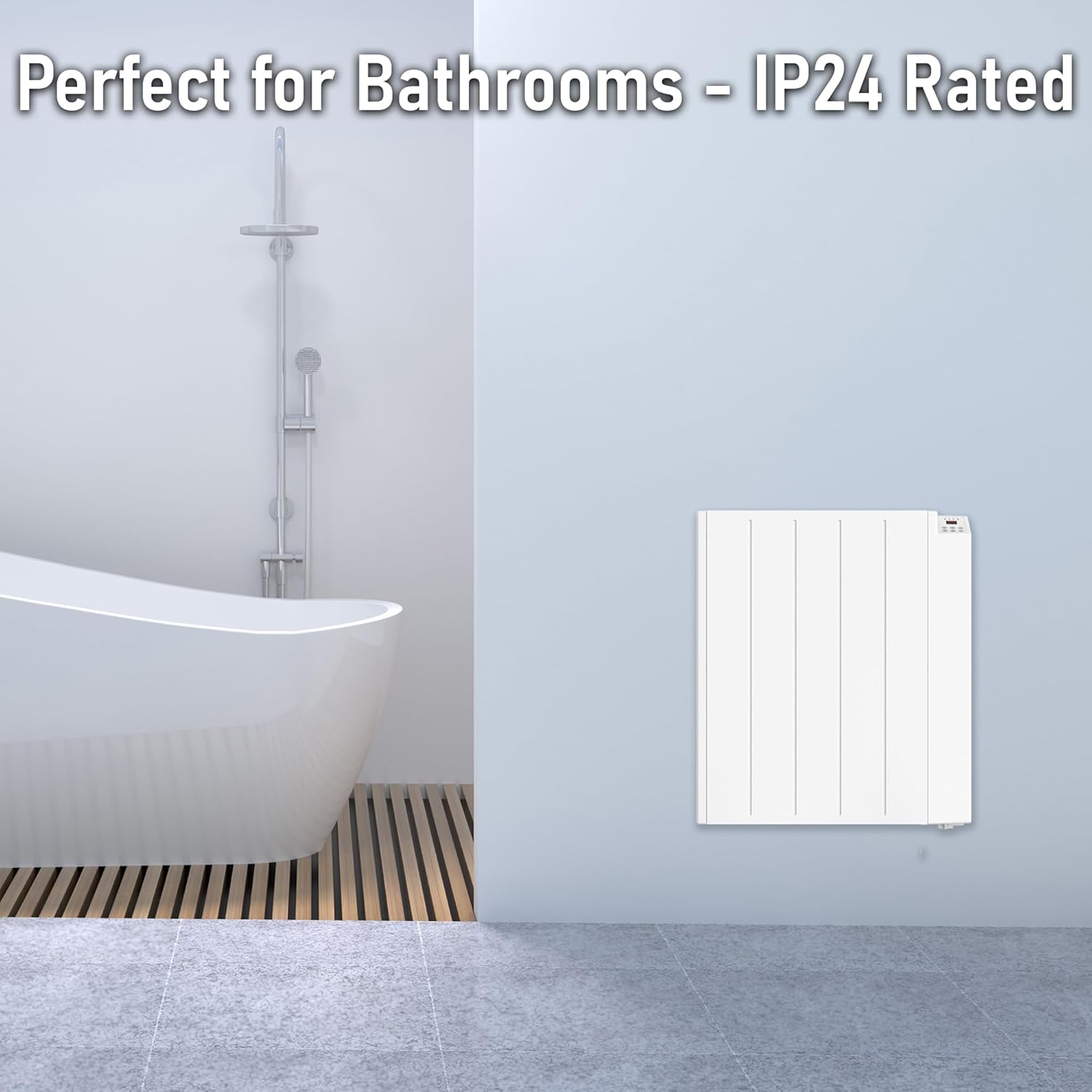
Image 6.3: Heater suitability for bathroom environments due to IP24 rating.
7. Maintenance
Regular maintenance ensures the longevity and efficient operation of your MYLEK Panel Heater.
- Cleaning: Ensure the heater is switched off and unplugged before cleaning. Use a soft, damp cloth to wipe the exterior. Do not use abrasive cleaners or solvents.
- Dust Removal: Periodically vacuum or wipe away any dust accumulation from the air inlets and outlets to maintain optimal airflow and heating efficiency.
- Storage: If storing the heater for an extended period, ensure it is clean and dry. Store it in a cool, dry place, preferably in its original packaging.
8. Troubleshooting
If you encounter issues with your MYLEK Panel Heater, please refer to the following common troubleshooting steps:
| Problem | Possible Cause | Solution |
|---|---|---|
| Heater not turning on. | No power supply; Power switch off; Overheat protection activated. | Check power plug and socket; Ensure power switch is ON; Unplug, wait 30 mins, then plug back in. |
| No heat output. | Temperature setting too low; Open window detection active. | Increase desired temperature; Close windows/doors. |
| Wi-Fi connection issues. | Incorrect Wi-Fi password; Router on 5GHz band; Distance from router. | Re-enter password; Ensure router is on 2.4GHz or temporarily disable 5GHz; Move heater closer to router. |
| Clicking noises during operation. | Normal thermal expansion/contraction of metal components. | This is normal and does not indicate a fault. |
| Controls are locked (Child Lock). | Child lock feature is active. | Refer to the app or specific button combination in the full manual to disable child lock. |
If the problem persists after attempting these solutions, please contact MYLEK customer service.
9. Specifications
| Feature | Detail |
|---|---|
| Brand | MYLEK |
| Model Number | MYSH0410E |
| Power Output | 1000W |
| Product Dimensions (L x W x H) | 52 cm x 8 cm x 58 cm |
| Item Weight | 6.92 Kilograms |
| Form Factor | Pedestal (Freestanding) / Wall Mounted |
| Heating Method | Convection |
| IP Rating | IP24 (Splash-proof) |
| Compliance | ERP Lot 20 Compliant, ECO Design |
| Special Features | Tuya Mylek Wifi, Window Open Detection, Touch Button, Adjustable Thermostat (10-35°C), 24/7 Timer, Night Mode, 3 Heating Modes (Eco, Comfort, Anti-Frost) |
| Colour | White |
| Power Source | Corded Electric |
| Recommended Use | Home, Office, Bedroom, Bathroom, Kitchen, Lounge, Dining Room, Summerhouse, Conservatory, Caravan, Hotel, Shed, Outbuilding |
10. Warranty and Support
Your MYLEK Panel Heater comes with a 24-month Amazon Warranty, ensuring peace of mind regarding product quality and performance.
MYLEK is committed to outstanding customer service. For any queries, technical support, spare parts, or replacement services, please contact MYLEK's UK customer service support. Their safety reputation and efficient service ensure your unit will be kept running for many years.
For contact information, please refer to your purchase documentation or the MYLEK official website.
Related documentsMYSH0410E


Ask a question about this manual
Ask about setup, troubleshooting, compatibility, parts, safety, or missing instructions. Manuals+ will review the question and use this page’s manual context to help answer it.