
1. Introduction
Thank you for choosing the UrbanX Q63 Wireless Earbuds. These earbuds are designed to provide an immersive audio experience with true Bluetooth 5.0 connectivity, touch controls, and IPX7 waterproofing, making them ideal for sports and active lifestyles. This manual will guide you through the setup, operation, and maintenance of your new earbuds.
2. Product Overview
Package Contents
- UrbanX Q63 Wireless Earbuds (Left and Right)
- Charging Case
- USB Charging Cable
- Multiple Sizes of Ear Tips
- User Manual
Key Features
- Bluetooth 5.0: Ensures stable and quick connection.
- IPX7 Waterproof: Protects against sweat and rain, suitable for various activities.
- Touch Control: Manage music, calls, and volume with simple taps.
- Over-Ear Design with Flexible Earhooks: Provides a secure and comfortable fit, especially during sports.
- Charging Case with LED Display: Shows battery capacity for both earbuds and the case.

Figure 2.1: UrbanX Q63 Earbuds with flexible earhooks and button control, designed for a secure fit during sports. Includes various ear tip sizes for customization.
3. Setup
3.1 Charging the Earbuds and Case
Before first use, fully charge the earbuds and the charging case. Connect the provided USB charging cable to the charging port on the case and a power source. The LED digital display on the charging case will indicate the charging status and battery levels.
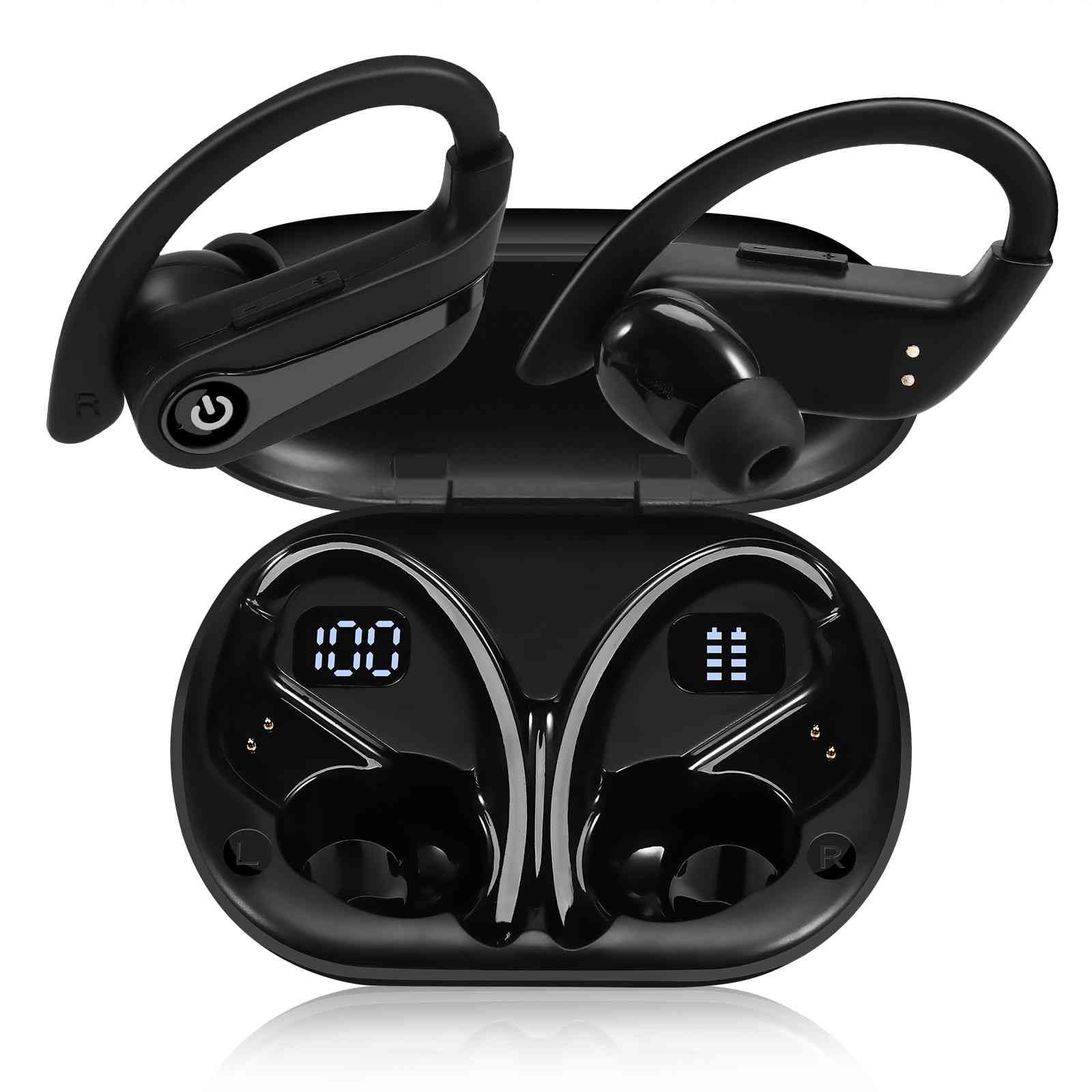
Figure 3.1: The charging case features a dual LED digital display, showing the charging case capacity and individual earbud power levels.

Figure 3.2: The earbuds offer approximately 20 hours of playback on a single charge, with the charging case providing an additional 200 hours of battery life.
3.2 Bluetooth Pairing
The UrbanX Q63 earbuds feature one-step pairing for convenience.
- Power On: Take both earbuds out of the charging case. They will automatically power on and enter pairing mode.
- Activate Bluetooth: On your device (smartphone, tablet, etc.), go to the Bluetooth settings and enable Bluetooth.
- Select Device: Look for "YYK-Q63" in the list of available devices and select it to connect.
- Confirmation: Once connected, you will hear an audio prompt, and the earbuds will be ready for use. The earbuds will automatically reconnect to the last paired device when taken out of the case.
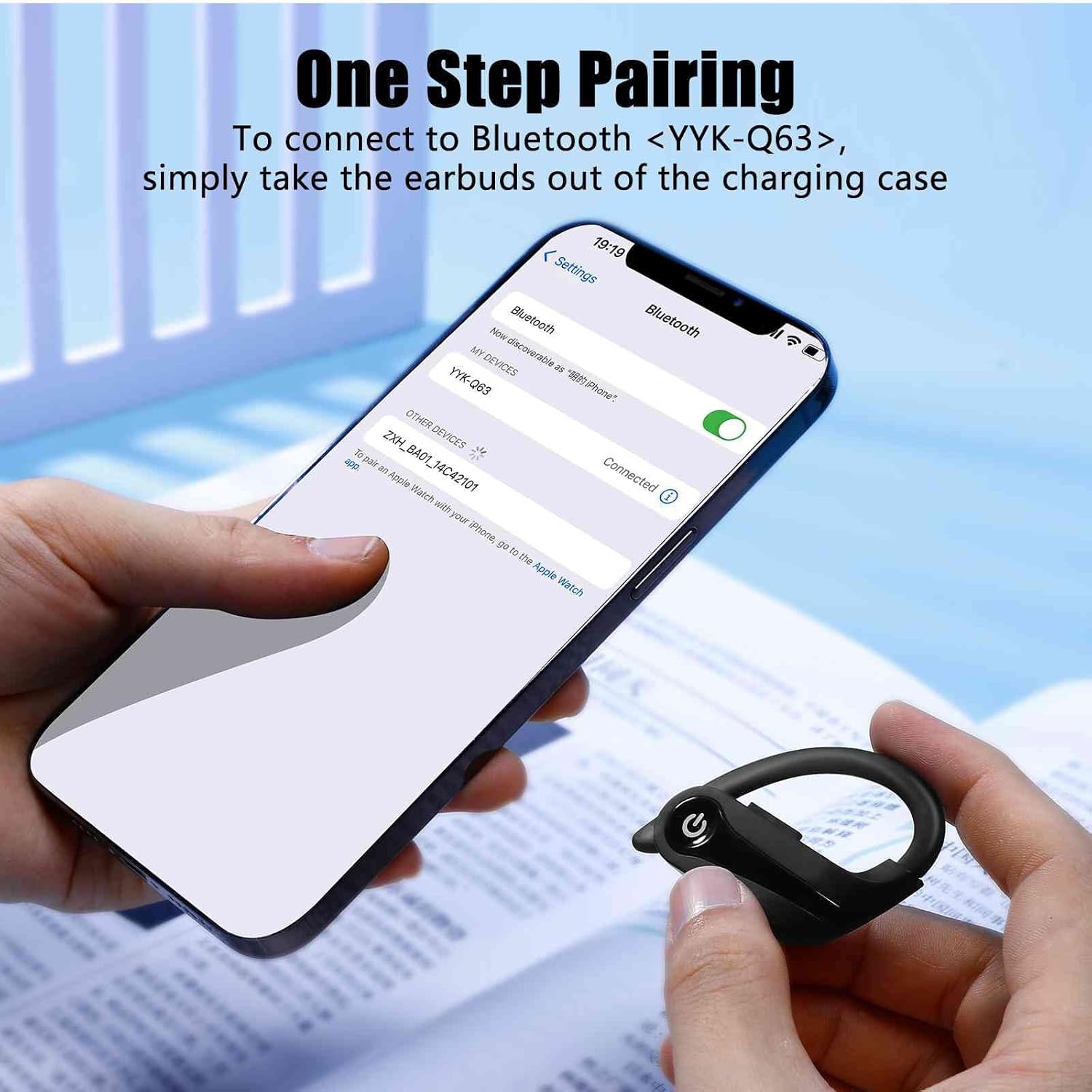
Figure 3.3: To connect, simply remove the earbuds from the charging case and select "YYK-Q63" from your device's Bluetooth settings.
4. Operating Instructions
4.1 Touch Controls
The UrbanX Q63 earbuds feature intuitive touch controls on each earbud. Refer to the table below for specific functions:

Figure 4.1: Diagram illustrating the touch control functions on the UrbanX Q63 earbuds.
| Action | Function |
|---|---|
| One click (either earbud) | Play/Pause Music, Answer/Hang up Call |
| Twice click (either earbud) | Reject Call |
| Long press (2 seconds) on Right Earbud | Next Song, Volume Up (+) |
| Long press (2 seconds) on Left Earbud | Previous Song, Volume Down (-) |
| Long press (3 seconds) | Power On |
| Long press (5 seconds) | Power Off |
4.2 Wearing the Earbuds
For optimal sound quality and a secure fit, choose the ear tips that best suit your ears. The flexible earhooks are designed to provide stability during physical activity. Adjust the earhook over your ear until the earbud sits comfortably and securely in your ear canal.
5. Maintenance
To ensure the longevity and performance of your UrbanX Q63 Wireless Earbuds, follow these maintenance guidelines:
- Cleaning: Regularly clean the earbuds and charging case with a soft, dry, lint-free cloth. Do not use harsh chemicals or abrasive materials.
- Ear Tips: Remove and clean the ear tips periodically with water and mild soap. Ensure they are completely dry before reattaching them to the earbuds.
- Water Resistance: The earbuds are IPX7 waterproof, meaning they can withstand submersion in up to 1 meter of water for 30 minutes. However, it is recommended to dry them thoroughly after exposure to water or sweat to prevent damage to the charging contacts. The charging case is not waterproof.
- Storage: When not in use, store the earbuds in their charging case to protect them from dust and damage. Store in a cool, dry place away from extreme temperatures.
- Charging Contacts: Ensure the charging contacts on both the earbuds and inside the case are clean and free of debris to maintain proper charging.
6. Troubleshooting
If you encounter issues with your UrbanX Q63 earbuds, refer to the following common solutions:
| Problem | Possible Solution |
|---|---|
| Earbuds not powering on | Ensure earbuds are charged. Place them in the charging case for a few minutes, then remove. |
| Earbuds not pairing with device | Make sure Bluetooth is enabled on your device. Forget "YYK-Q63" from your device's Bluetooth list and try pairing again. Ensure earbuds are out of the case and in pairing mode. |
| Only one earbud working | Place both earbuds back into the charging case, close the lid, then open and remove them simultaneously. This often re-syncs them. Check battery level of both earbuds. |
| Poor sound quality or disconnections | Ensure earbuds are fully charged. Move closer to your device to avoid interference. Check for obstructions between earbuds and device. Try resetting the earbuds (refer to manual for specific reset instructions if available, otherwise try re-pairing). |
| Charging case not charging | Check the USB cable and power adapter. Ensure the charging port is clean and free of debris. |
| Touch controls not responding | Ensure your fingers are clean and dry. Try restarting the earbuds by placing them in the case and taking them out again. |
7. Specifications
| Feature | Detail |
|---|---|
| Model Number | YYK-Q63 |
| Brand | UrbanX |
| Connectivity Technology | Wireless (Bluetooth) |
| Bluetooth Version | 5.0 |
| Ear Placement | In Ear / Over Ear (with hooks) |
| Form Factor | Over Ear |
| Control Method | Touch |
| Water Resistance Level | IPX7 (Earbuds only) |
| Impedance | 32 Ohms |
| Built-In Media | Charging Case |
| Additional Features | Lightweight, Sweatproof |
| Compatible Devices | Smartphones, Tablets, Computers, Smart Speakers |
8. Warranty and Support
UrbanX products are designed for reliability and performance. For warranty information, technical support, or customer service inquiries, please refer to the contact details provided with your purchase documentation or visit the official UrbanX website. Please retain your proof of purchase for warranty claims.