
1. Introduction
Thank you for choosing the Yuwell YE660D Upper Arm Blood Pressure Monitor. This device is designed to provide accurate measurements of your systolic and diastolic blood pressure, as well as your pulse rate. It also features an irregular heartbeat detection function and a memory storage system for tracking your health over time. Please read this manual thoroughly before using the device to ensure correct operation and to obtain the most accurate results.
2. Product Overview
2.1 Key Features
- One-Touch Operation: Simple and user-friendly for all ages.
- Comfortable Cuff: Soft, wide-range cuff (22-45 cm) designed for comfort.
- Smart Inflation Technology: Reduces discomfort from over-inflation.
- Memory Storage: Stores up to 90 records and displays the average of the last 3 measurements.
- Irregular Heartbeat Detection: Alerts you to irregular pulse patterns.
- Large HD Display: Clear and easy-to-read measurement results.
2.2 Components
The Yuwell YE660D Blood Pressure Monitor package includes the following items:
- Blood Pressure Monitor Unit
- Upper Arm Cuff (22-45 cm)
- Power Adapter
- AA Batteries (4 included)
- Handheld Storage Bag
- Multi-language User Manual

Image: Contents of the Yuwell YE660D Blood Pressure Monitor package, including the monitor, cuff, power adapter, batteries, storage bag, and user manual.
3. Setup
3.1 Battery Installation
- Open the battery compartment cover on the back of the monitor.
- Insert four AA batteries according to the polarity indicators (+/-) inside the compartment.
- Close the battery compartment cover securely.
Alternatively, you can power the device using the provided power adapter by plugging it into the DC port on the side of the monitor and into a wall outlet.
3.2 Connecting the Arm Cuff
- Locate the air tube connector on the arm cuff.
- Firmly insert the air tube connector into the air jack on the left side of the blood pressure monitor unit. Ensure it is securely connected to prevent air leakage during measurement.
4. Operating Instructions
4.1 Preparing for Measurement
- Avoid eating, drinking alcohol, smoking, exercising, and bathing for 30 minutes before measurement.
- Rest for at least 5 minutes before taking a measurement.
- Sit in a comfortable position with your back supported and feet flat on the floor.
- Place your arm on a table so the cuff is at heart level.
4.2 Applying the Arm Cuff
- Slide your arm through the cuff loop.
- Position the cuff so the air tube runs down the center of your inner arm and aligns with your middle finger. The bottom edge of the cuff should be approximately 2-3 cm above your elbow.
- Wrap the cuff snugly around your upper arm. Ensure it is not too tight or too loose. The index line on the cuff should fall within the range indicated on the cuff itself.
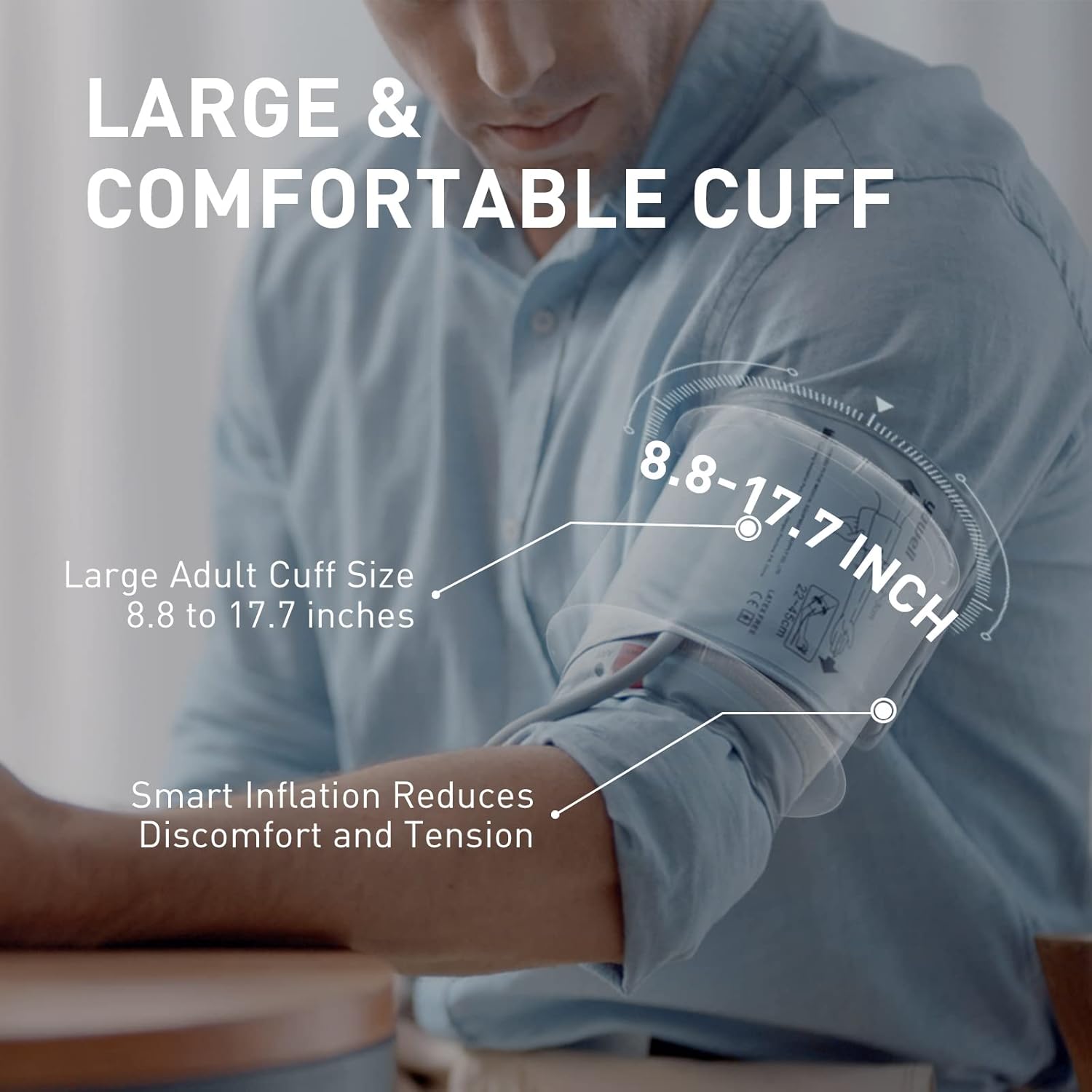
Image: Illustration showing the correct placement of the Yuwell blood pressure cuff on the upper arm, indicating the 2-3 cm distance from the elbow and the appropriate arm circumference range.
4.3 Taking a Measurement
- Once the cuff is correctly applied and you are in a relaxed position, press the START/STOP button.
- The cuff will automatically inflate. Remain still and do not talk during the measurement.
- After inflation, the cuff will slowly deflate, and your blood pressure and pulse rate will be displayed on the screen.

Image: Close-up of the Yuwell blood pressure monitor's large HD display, clearly showing systolic (SYS), diastolic (DIA), and pulse (P/min) readings.
4.4 Interpreting Results
The display will show your systolic pressure (SYS), diastolic pressure (DIA), and pulse rate (P/min). If an irregular heartbeat is detected, a corresponding symbol will appear on the screen.

Image: The monitor's display indicating various assistive technologies, including an irregular pulse prompt, malfunction prompt, and cuff wearing tips, to help ensure accurate readings.
4.5 Memory Function
The monitor automatically stores up to 90 measurement records. To review past readings, press the Memory (M) button. Repeatedly pressing the button will cycle through the stored measurements. The device can also display the average of the last three readings for better trend analysis.
5. Maintenance and Care
- Cleaning: Wipe the monitor and cuff with a soft, dry cloth. If necessary, use a slightly damp cloth with mild soap, then wipe dry. Do not use abrasive cleaners or immerse the device in water.
- Storage: Store the device in its storage bag in a clean, dry place, away from direct sunlight, extreme temperatures, and humidity.
- Battery Replacement: Replace all four AA batteries when the low battery indicator appears on the display. Remove batteries if the device will not be used for an extended period.
- Cuff Care: Do not wash the cuff in a washing machine. Clean it gently by hand if needed.
6. Troubleshooting
| Problem | Possible Cause | Solution |
|---|---|---|
| No display when powered on | Batteries are dead or incorrectly inserted; Power adapter not connected. | Check battery polarity and replace if necessary. Ensure power adapter is securely plugged in. |
| Cuff does not inflate or inflates insufficiently | Cuff air tube is loose; Cuff is damaged. | Ensure the air tube is securely connected to the monitor. Check cuff for any leaks or damage. |
| Inaccurate readings | Incorrect cuff placement; Movement or talking during measurement; Not resting before measurement. | Refer to section 4.1 and 4.2 for proper preparation and cuff application. Remain still and silent during measurement. |
| Irregular Heartbeat symbol appears frequently | Actual irregular heartbeat; Movement during measurement. | Consult a medical professional if this symbol appears consistently. Ensure stillness during measurement. |
7. Specifications
- Model Name: YE660D
- Brand: Yuwell
- Power Source: 4 AA Batteries (included) or AC Power Adapter
- Product Dimensions (L x W x H): 15 x 10 x 5 cm
- Product Weight: 690 grams
- Cuff Circumference: 22-45 cm
- International Article Code: 06933257920545
- ASIN: B09KNBMCCZ
8. Warranty and Support
For warranty information and customer support, please refer to the warranty card included in your product packaging or visit the official Yuwell website. Keep your purchase receipt as proof of purchase for any warranty claims.
If you encounter any issues not covered in this manual, please contact Yuwell customer service for assistance.


