
1. Introduction
Thank you for choosing the WITSEER Mini Tripod. This compact and versatile tripod is designed to provide stable support for a variety of devices, including projectors, digital cameras, mirrorless cameras, and action cameras like GoPro. Its lightweight and foldable design makes it ideal for both indoor and outdoor use.
2. Product Overview
2.1 Key Features
- Compact and Lightweight: Weighing only 180g with a maximum load capacity of 3KG, it is highly portable.
- Easy Operation: Features a 360-degree rotatable ball head for quick and precise angle adjustments.
- Wide Compatibility: Equipped with a standard 1/4-inch screw, making it compatible with most projectors, digital cameras, mirrorless cameras, and action cameras.
- Stable Design: Includes mesh silicone pads and anti-slip mats on the feet for enhanced stability and durability.
- Foldable: Designed for easy storage and transport.
2.2 Product Components
The WITSEER Mini Tripod consists of the following main components:
- Tripod Legs (3)
- Ball Head with 1/4-inch Mounting Screw
- Locking Knob for Ball Head
- Anti-slip Feet

Figure 1: The WITSEER Mini Tripod, showcasing its compact design and ball head.
3. Setup
- Unfold the Tripod Legs: Gently spread the three legs of the tripod outwards until they are fully extended and stable.
- Attach Your Device: Locate the 1/4-inch mounting screw on the top of the ball head. Carefully align the screw with the mounting hole on your projector, camera, or other compatible device. Rotate your device clockwise onto the screw until it is securely fastened. Ensure it is snug but do not overtighten.
- Adjust the Angle: Loosen the locking knob on the side of the ball head. Adjust your device to the desired angle. Once the angle is set, tighten the locking knob firmly to secure the device in place.

Figure 2: Illustrations demonstrating the tripod's 360-degree rotation capability and its compact, palm-sized design when folded.

Figure 3: The tripod shown with a small projector, an SLR camera, and a GoPro, highlighting its broad compatibility.
4. Operating Instructions
The WITSEER Mini Tripod is designed for straightforward operation. Follow these steps for optimal use:
- Positioning: Place the tripod on a flat, stable surface to ensure maximum stability for your device. The anti-slip feet provide additional grip.
- Angle Adjustment: To change the viewing or projection angle, slightly loosen the ball head's locking knob. Adjust the device to the desired tilt or pan angle. Once the position is satisfactory, firmly tighten the locking knob to prevent movement.
- Portability: When not in use, remove your device, loosen the ball head, and fold the tripod legs inwards for compact storage.
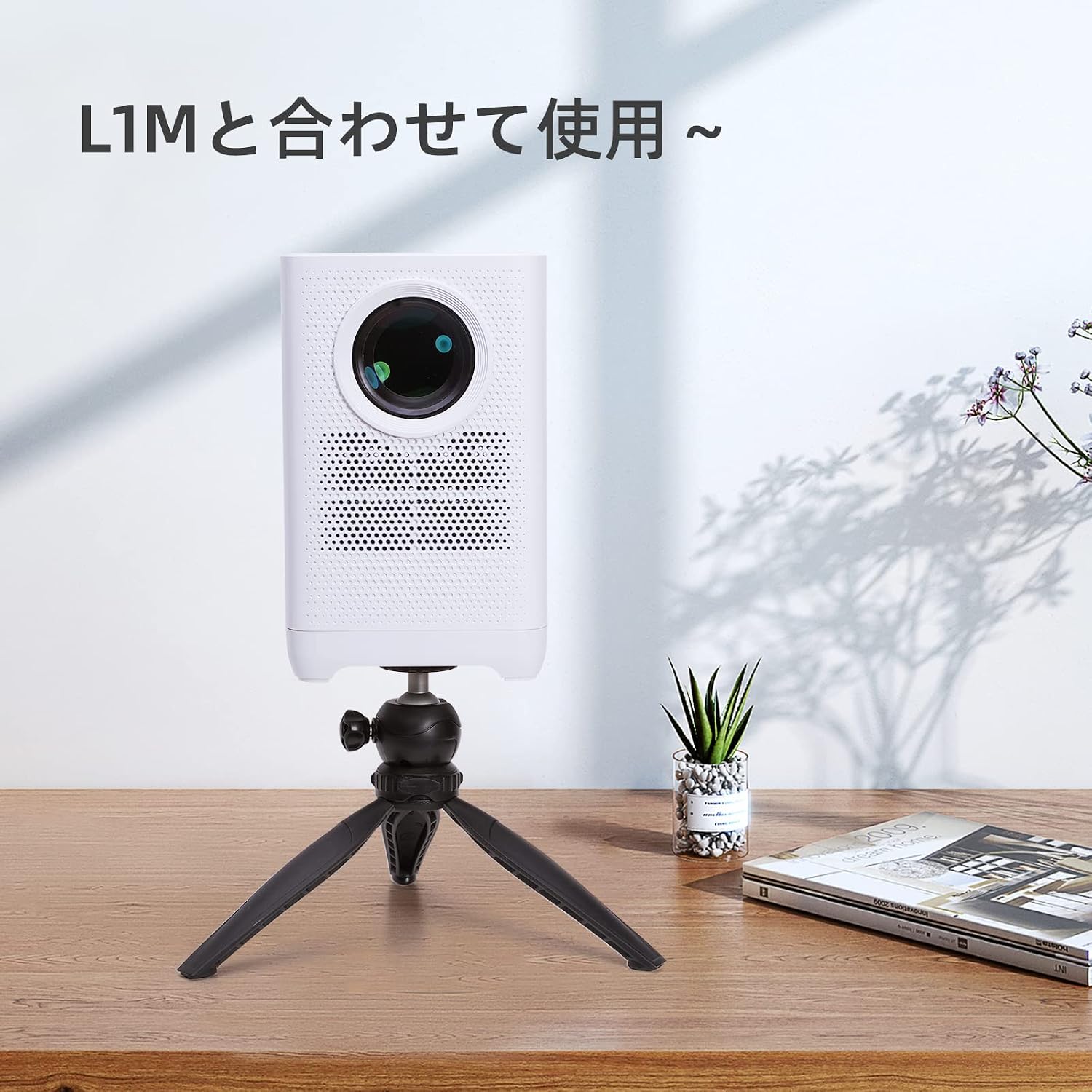
Figure 4: The mini tripod in use, supporting a WITSEER L1M projector on a wooden desk.

Figure 5: The mini tripod supporting a WITSEER LT01M projector on a round wooden table.
5. Maintenance
To ensure the longevity and optimal performance of your WITSEER Mini Tripod, follow these simple maintenance guidelines:
- Cleaning: Wipe the tripod with a soft, dry cloth to remove dust and dirt. For stubborn marks, a slightly damp cloth can be used, followed by immediate drying. Avoid using harsh chemicals or abrasive cleaners.
- Storage: Store the tripod in a cool, dry place away from direct sunlight and extreme temperatures. Its foldable design allows for easy storage in a bag or drawer.
- Inspection: Periodically check all screws and joints to ensure they are secure. Tighten any loose parts gently.
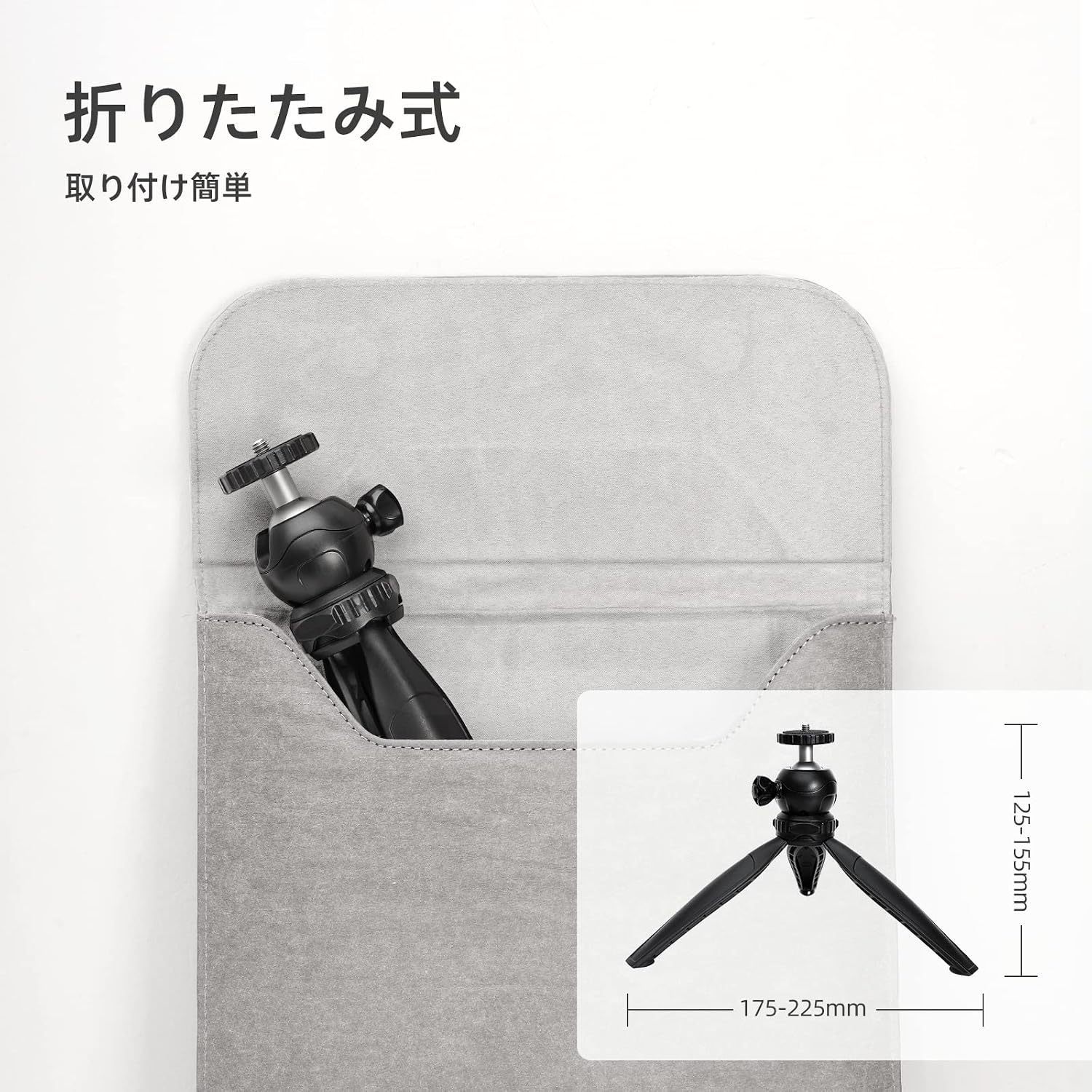
Figure 6: The tripod demonstrating its foldable design and compact dimensions for easy storage.
6. Troubleshooting
If you encounter any issues with your WITSEER Mini Tripod, please refer to the following common troubleshooting tips:
- Device is unstable: Ensure the tripod legs are fully extended and placed on a flat, stable surface. Verify that your device is securely tightened onto the 1/4-inch screw and the ball head locking knob is firmly tightened. Check that the weight of your device does not exceed the tripod's maximum load capacity of 3KG.
- Ball head is loose/difficult to adjust: Ensure the locking knob is properly loosened before attempting to adjust the angle. If it feels too loose, tighten the knob firmly after adjustment. If it's consistently loose, inspect the ball head mechanism for any visible damage or wear.
- Tripod slides on surface: Ensure the anti-slip mats on the feet are clean and intact. Place the tripod on a non-slippery surface.
If the problem persists, please contact WITSEER customer support for further assistance.
7. Specifications
| Feature | Specification |
|---|---|
| Brand | WITSEER |
| Model Number | Tripod-01 |
| Color | Black |
| Material | Aluminum, Technopolymer |
| Product Dimensions (Folded) | 15.5 x 4.5 x 6 cm |
| Weight | 180 g |
| Maximum Load Capacity | 3 KG |
| Maximum Height | 20 cm |
| Camera Attachment | 1/4-inch Screw |
| Head Type | Ball Head |
| Compatible Devices | Projectors, Video Cameras, Digital Cameras, Mirrorless Cameras, GoPro |
8. Warranty and Support
Specific warranty details for the WITSEER Mini Tripod are not provided in this manual. For information regarding warranty coverage, returns, or technical support, please refer to the product packaging, the retailer's website where you purchased the product, or contact WITSEER customer service directly through their official channels.
For general inquiries or support, you may visit the official WITSEER brand store online or contact their customer service department.