
Introduction
This manual provides instructions for the ESR Rebound 360 Series Case, designed to protect and enhance the functionality of your compatible iPad Air device. Please read these instructions carefully to ensure proper use and care of your case.
Compatibility
This case is compatible with the following iPad Air models:
- iPad Air 7th/6th Gen 11 Inch M3/M2 (2025/2024)
- iPad Air 5th/4th Gen 10.9 Inch (2022/2020)
Compatible Model Numbers:
- Air 11": A3266, A3267, A2902, A2903
- Air 10.9": A2588, A2589, A2591, A2316, A2324, A2325, A2072
This case is not compatible with any other iPad models.

Image: Compatibility chart for ESR Rebound 360 Series Case. Please verify your iPad model number on the back of your device before installation.
Setup and Installation
- Prepare the Back Case: Carefully remove any protective films from the clear back case before installing your iPad.
Video: Step-by-step guide on how to install and use the ESR Rebound 360 Series Case, including removing protective film and attaching the iPad.
- Install iPad into Back Case: Gently align your iPad with the back case and press firmly around the edges until it snaps securely into place. Ensure all ports and buttons are correctly aligned with the case cutouts.
- Attach Magnetic Cover: Position the magnetic cover onto the back of the installed iPad case. The strong magnets will automatically align and secure the cover.
Operating Modes
The ESR Rebound 360 Series Case offers multiple versatile modes to suit various activities:
- Viewing Mode: Fold the magnetic cover into a stable triangle stand for comfortable landscape viewing of videos or presentations.
- Writing/Typing Mode: Fold the cover into a lower angle for an ergonomic typing or writing experience.
- Portrait Mode: The detachable magnetic cover allows for adjustable portrait viewing angles, ideal for browsing or video calls.
- Gaming/Handheld Mode: The magnetic cover can be completely removed, leaving only the lightweight back case for improved ergonomics during gaming or when holding the iPad.

Image: Six versatile ways to use your iPad with the Rebound 360 Series Case, including various viewing and interaction angles.
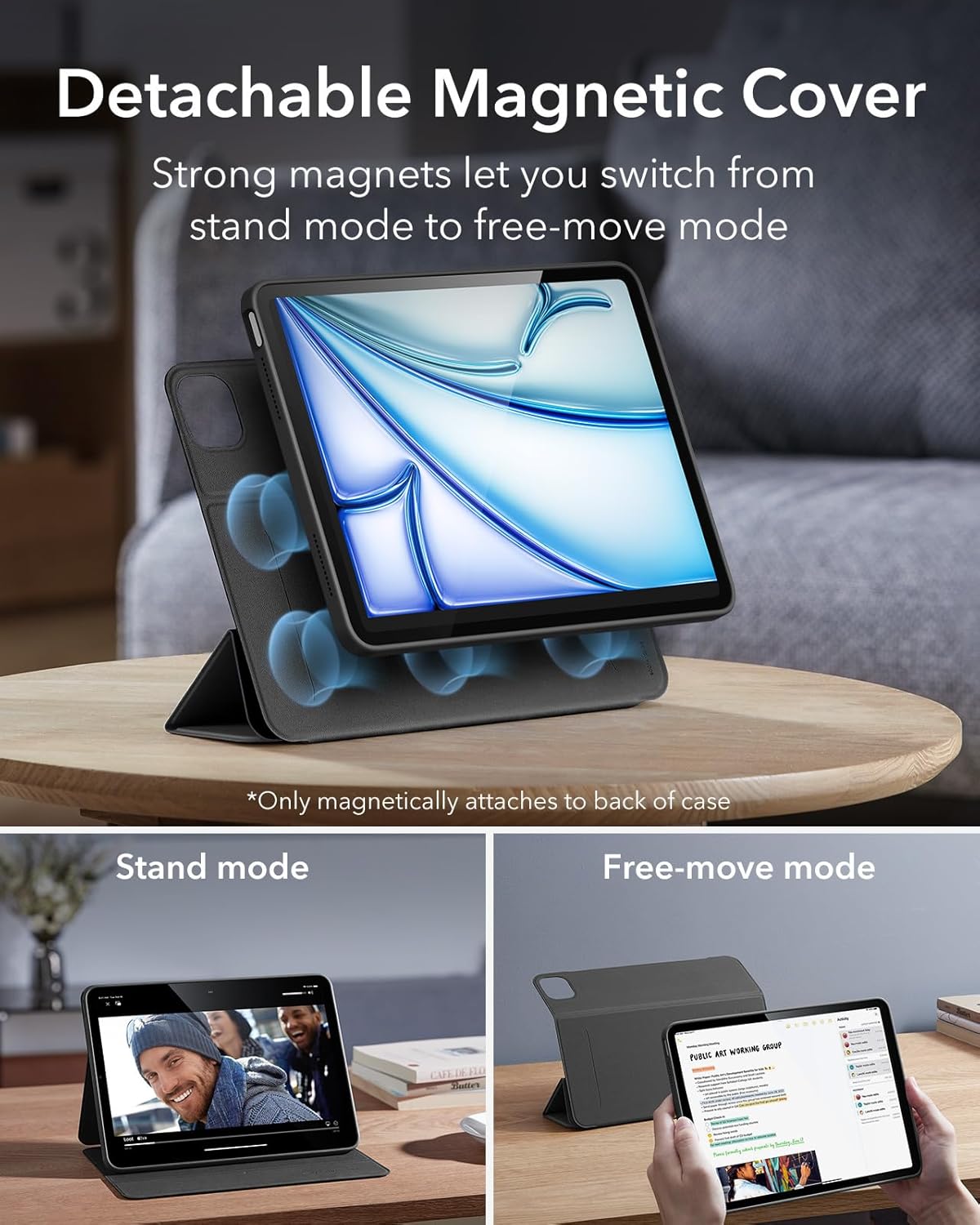
Image: The detachable magnetic cover allows for easy switching between stand mode and free-move mode. The cover only attaches magnetically to the back case.

Image: Adjustable Landscape mode, providing stable viewing and typing angles.

Image: Adjustable Portrait mode, ideal for video calls and browsing.
Protection Features
The Rebound 360 Series Case provides comprehensive protection for your iPad:
- Dual Protection: The design includes a lightweight back case for full-body protection against drops and impacts, complemented by the magnetic front cover.
- Shock-Absorbing Corners and Sides: Reinforced corners and sides absorb shock from accidental drops.
- Shock-Resistant Clear Back: The clear back shell protects the iPad's rear while allowing its original design to show through.

Image: The case provides all-around defense with shock-absorbing corners and sides, and a clear, shock-resistant back.
Pencil Support
This case is designed to fully support Apple Pencil functionality:
- Pencil Pro Support: Features a recessed side groove for magnetic charging and a magnetic clasp to keep your Pencil Pro secure.
- Pencil (USB-C) Support: Allows magnetic attachment and secure holding of the Apple Pencil (USB-C).

Image: Securely store and charge your Apple Pencil with dedicated support features.
Maintenance
To maintain the quality and appearance of your ESR Rebound 360 Series Case:
- Cleaning: Wipe the case regularly with a soft, damp cloth to remove dust and smudges. Avoid harsh chemicals or abrasive cleaners.
- Storage: Store the case in a cool, dry place away from direct sunlight when not in use.
- Handling: While durable, avoid excessive bending or twisting of the case to preserve its structural integrity.
Troubleshooting
If you encounter any issues with your case, consider the following:
- Magnetic Attachment Issues: Ensure the magnetic cover is correctly aligned with the back case. Strong magnets are used, but proper alignment is key for secure attachment.
- Stand Stability: For optimal stability in stand modes, ensure the cover is folded precisely into the designated triangular shape and placed on a flat, stable surface.
- Pencil Charging/Holding: Verify that the Apple Pencil is placed correctly in the recessed groove for magnetic charging and secure holding.
Specifications
| Feature | Detail |
|---|---|
| Product Dimensions | 7.95 x 5.55 x 0.63 inches |
| Item Weight | 13.7 ounces |
| Color | Black |
| Form Factor | Case |
| Shell Type | Hybrid |
| Special Features | Auto Sleep/Wake, Detachable Magnetic Cover, Pencil Holder, Vertical Stand |
Warranty and Support
ESR provides complete customer support for the Rebound 360 Series Case. This includes:
- Detailed setup videos and FAQs.
- A comprehensive 12-month protection plan.
- Unlimited support and personalized help.
For further assistance, please visit the official ESR support website or contact their customer service.

