
VIVIBRIGHT D5000
VIVIBRIGHT D5000 Projector User Manual
Model: D5000 | Brand: VIVIBRIGHT
Introduction
This manual provides comprehensive instructions for the setup, operation, maintenance, and troubleshooting of your VIVIBRIGHT D5000 Projector. The D5000 is a Full HD 1080P projector with 600 ANSI Lumens brightness, 15000:1 contrast, and support for 4K video input. It features bidirectional Bluetooth 5.1 and WiFi screen mirroring for versatile connectivity.

Image: The VIVIBRIGHT D5000 Projector creating an immersive home theater experience.
Package Contents
Upon unboxing, please verify that all items listed below are present:
- VIVIBRIGHT D5000 Projector
- Remote Control
- Power Cable
- Portable Carrying Bag
- 100-inch Projector Screen
- User Manual (this document)

Image: All components included in the VIVIBRIGHT D5000 projector package.
Setup
Initial Placement
Place the projector on a stable, flat surface. Ensure there is adequate ventilation around the device. For optimal viewing, position the projector directly in front of your screen or wall.
Power Connection
- Connect the power cable to the projector's power input port.
- Plug the other end of the power cable into a standard electrical outlet.
- Press the power button on the projector or remote control to turn on the device.
Focus and Keystone Correction
Adjust the image clarity and shape using the focus and keystone correction rings located on the projector. The focus ring sharpens the image, while keystone correction adjusts the image to be rectangular if the projector is not perfectly perpendicular to the screen.

Image: Adjusting focus and keystone correction for a clear, rectangular image.
Operating Instructions
Connectivity Options
The VIVIBRIGHT D5000 offers multiple ways to connect your devices:
- HDMI: Connect gaming consoles (PS4, PS5, Xbox), laptops, TV sticks, or Blu-ray players. The projector has two HDMI ports.
- USB: Connect USB drives for media playback. Two USB ports are available.
- VGA: Connect older computers or laptops.
- 3.5mm Audio: Connect external speakers or headphones.

Image: Various connectivity options for gaming and other devices.

Image: The projector's versatile connectivity supports various setups and media sources.
Wireless Screen Mirroring (WiFi)
The D5000 supports WiFi screen mirroring, allowing you to project content from your iOS or Android phone, tablet, or laptop without additional adapters.
- Ensure your projector and mobile device are connected to the same WiFi network.
- Select the "Screen Mirroring" or "Wireless Display" option on the projector's menu.
- On your mobile device, activate screen mirroring (e.g., AirPlay for iOS, Smart View/Cast for Android) and select the VIVIBRIGHT D5000 from the list of available devices.
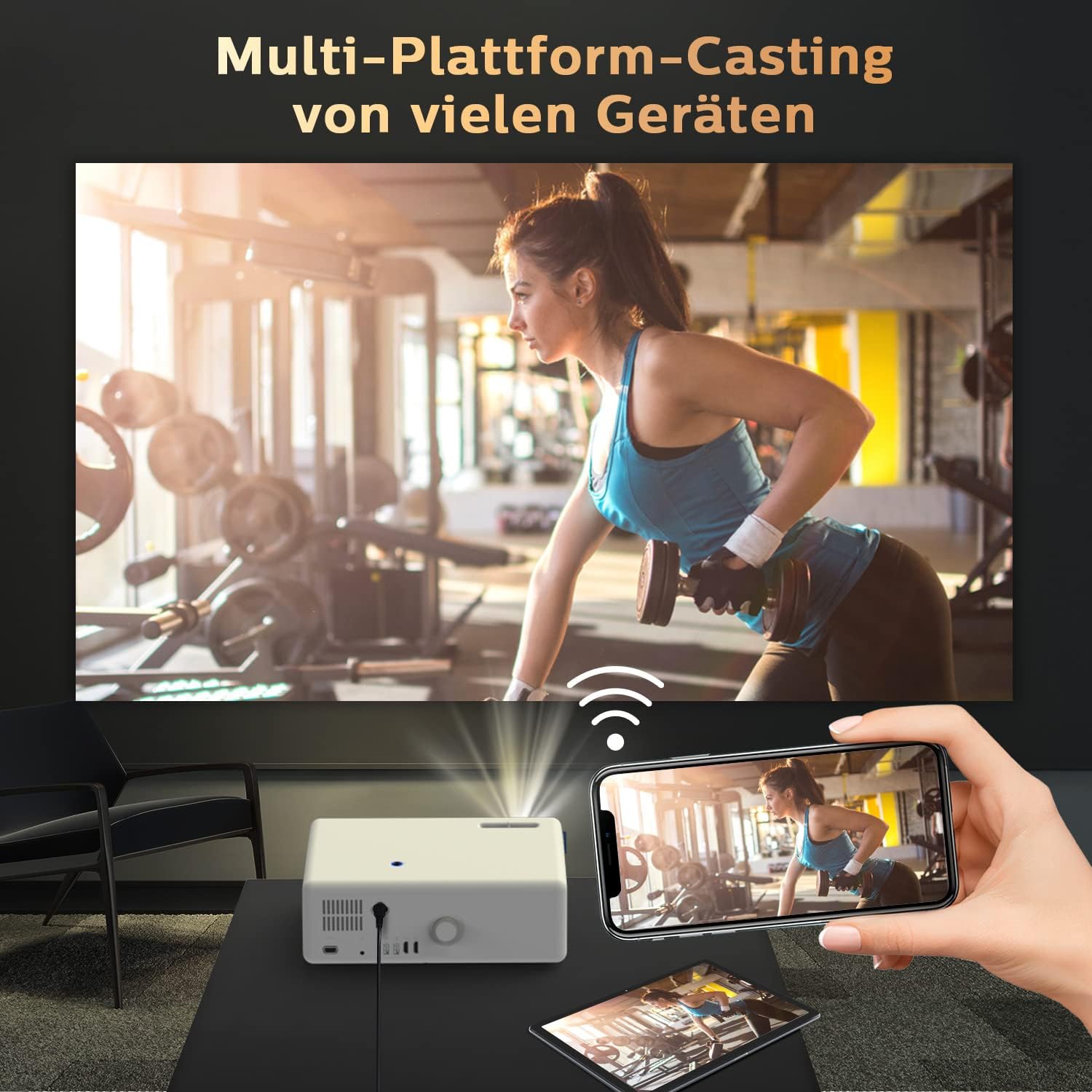
Image: Seamless multi-platform casting from mobile devices to the projector.
Bluetooth Audio Connection
The D5000 features bidirectional Bluetooth 5.1, allowing it to connect to external Bluetooth speakers or act as a Bluetooth speaker for your phone.
- Connecting to External Speakers: Go to the Bluetooth settings on the projector, enable Bluetooth, and pair with your desired Bluetooth speaker, headset, or AirPods.
- Using as a Bluetooth Speaker: Enable Bluetooth on the projector and your mobile device. Search for the projector on your phone's Bluetooth settings and connect to it to play audio through the projector's built-in 10W stereo speakers.

Image: Connecting the projector to an external Bluetooth speaker for enhanced audio.

Image: Bidirectional Bluetooth technology for flexible audio connections.
Maintenance
Cleaning the Projector
- Lens: Use a soft, lint-free cloth specifically designed for optical lenses. Do not use abrasive cleaners or cloths.
- Casing: Wipe the exterior with a soft, dry cloth. For stubborn marks, a slightly damp cloth can be used, but ensure no moisture enters the device.
- Ventilation Ports: Regularly check and clean the ventilation ports to prevent dust buildup, which can affect performance and lifespan. Use a soft brush or compressed air.
Storage
When not in use for extended periods, store the projector in its portable carrying bag in a cool, dry place, away from direct sunlight and extreme temperatures.
Troubleshooting
| Problem | Possible Cause | Solution |
|---|---|---|
| No image displayed | Power cable loose; incorrect input source; device not powered on. | Check power connection; select correct input (HDMI, USB, VGA); ensure connected device is on. |
| Blurry image | Out of focus; incorrect keystone adjustment. | Adjust the focus ring; adjust keystone correction. |
| No sound | Volume too low; incorrect audio output selected; Bluetooth not paired. | Increase volume; check audio settings on projector and source device; re-pair Bluetooth device. |
| WiFi screen mirroring not working | Devices not on same network; WiFi signal weak; device compatibility issue. | Ensure both devices are on the same 2.4GHz/5GHz WiFi network; move closer to router; try a different device. |
| Loud fan noise | Normal operation; blocked ventilation. | Ensure ventilation ports are clear; this is normal for projectors to dissipate heat. |
Specifications
- Brand: VIVIBRIGHT
- Model: D5000
- Native Resolution: 1920 x 1080P Full HD
- Supported Resolution: 4K Video
- Brightness: 600 ANSI Lumens
- Contrast Ratio: 15000:1
- Connectivity: 2x HDMI, 2x USB, 1x VGA, 3.5mm Audio, WiFi, Bluetooth 5.1
- Display Type: LCD
- Product Dimensions: 32 x 23 x 11 cm
- Item Weight: 4.83 Kilograms
- Power Consumption: 150 Watts
- Recommended Use: Home Cinema

Image: Demonstrating the superior visual performance of the VIVIBRIGHT D5000.

Image: Highlighting the incredible brightness of the VIVIBRIGHT D5000.

Image: Showcasing the amazing clarity of the VIVIBRIGHT D5000.

Image: Illustrating the extreme color performance of the VIVIBRIGHT D5000.

Image: Key features of the VIVIBRIGHT D5000, including its lens, speaker, and screen mirroring capabilities.
Warranty and Support
The VIVIBRIGHT D5000 Projector comes with a 2-year warranty. VIVIBRIGHT also offers lifetime professional technical support for this product.
For any questions, technical assistance, or warranty claims, please contact VIVIBRIGHT customer support. Response is typically within 24 hours.

Image: The VIVIBRIGHT D5000 Projector, highlighting its key wireless features.
Related documentsD5000


Ask a question about this manual
Ask about setup, troubleshooting, compatibility, parts, safety, or missing instructions. Manuals+ will review the question and use this page’s manual context to help answer it.