
QCY T13
Contents
QCY T13 Wireless Bluetooth Earbuds User Manual
Model: T13
1. Product Overview
The QCY T13 Wireless Bluetooth Earbuds are designed to provide an exceptional audio experience with advanced features such as ENC noise cancelling, deep bass, and intuitive touch controls. These earbuds offer stable connectivity, long battery life, and a comfortable, waterproof design, making them suitable for various activities and daily use.

QCY T13 Earbuds: Enjoying music with long battery life, dynamic drivers, noise canceling, and waterproof features.
1.1 Package Contents
- QCY T13 Earbuds (Left and Right)
- Charging Case
- Type-C Charging Cable
- Ear-tips (various sizes)
- User Manual
2. Setup Guide
2.1 Charging the Earbuds and Case
Before first use, fully charge the earbuds and the charging case. Connect the provided Type-C charging cable to the charging case and a power source. The indicator light on the case will show charging status. A full charge provides up to 40 hours of total listening time with the charging case, and a quick 5-minute charge can provide up to 60 minutes of music playback.

The QCY T13 offers up to 40 hours of playtime with the charging case, including 8 hours on a single charge.
2.2 Pairing with Your Device
- Open the charging case. The earbuds will automatically enter pairing mode.
- On your device (smartphone, tablet, etc.), enable Bluetooth.
- Search for "QCY-T13" in the list of available Bluetooth devices and select it to connect.
- Once connected, you will hear a confirmation tone, and the earbuds will be ready for use.
The QCY T13 utilizes Bluetooth 5.1 technology for stable and efficient wireless connectivity, ensuring a consistent connection up to 10 meters.

Bluetooth 5.1 technology provides faster transmission, higher connection stability, lower power consumption, and better sound quality.

Pairing the QCY T13 earbuds with a smartphone via Bluetooth settings.
2.3 Wearing the Earbuds
Identify the left (L) and right (R) earbuds. Insert them into your ears and gently rotate until they fit snugly and comfortably. Ensure the microphone is pointed towards your mouth for optimal call quality. The ergonomic design provides a secure fit for extended wear.

The ergonomic design ensures comfortable wearing for long periods without discomfort, supporting single, stereo, and share modes.

Detailed instructions on how to properly wear the earbuds and adjust ear tips for optimal fit and noise isolation.
3. Operating Instructions
3.1 Touch Controls
The QCY T13 earbuds feature intuitive touch controls for easy management of audio playback and calls:
- Pause/Play: Double tap either earbud.
- Answer/End Call: Double tap either earbud.
- Ignore Call: Hold either earbud for 1.5 seconds.
- Voice Assistant: Triple tap the left earbud.
- Skip Track Forward: Hold the right earbud for 1.5 seconds.
- Gaming Mode: Triple tap the right earbud.

Easy touch controls for managing audio and calls on the QCY T13 earbuds.
3.2 Audio Features
Experience outstanding stereo sound with a specially designed 7.2mm dynamic driver and AAC/SBC HD audio encoding. This setup delivers powerful bass performance and natural, authentic sound reproduction.

Internal structure of the QCY T13 earbud, showcasing the 7.2mm dynamic driver for immersive stereo and punchy bass.
3.3 Call Quality
Equipped with two beamforming microphones in each earbud, the QCY T13 provides superior call quality by accurately picking up your voice and utilizing ENC (Environmental Noise Cancellation) technology to reduce background noise, ensuring clear hands-free calls.

Superior call quality with 4-mic ENC technology, clearly distinguishing voice from noise.
3.4 Customizing Sound (EQ)
Enhance your listening experience by customizing the equalizer (EQ) settings through the dedicated QCY app. This allows you to adjust audio profiles to match your personal preferences and music style.
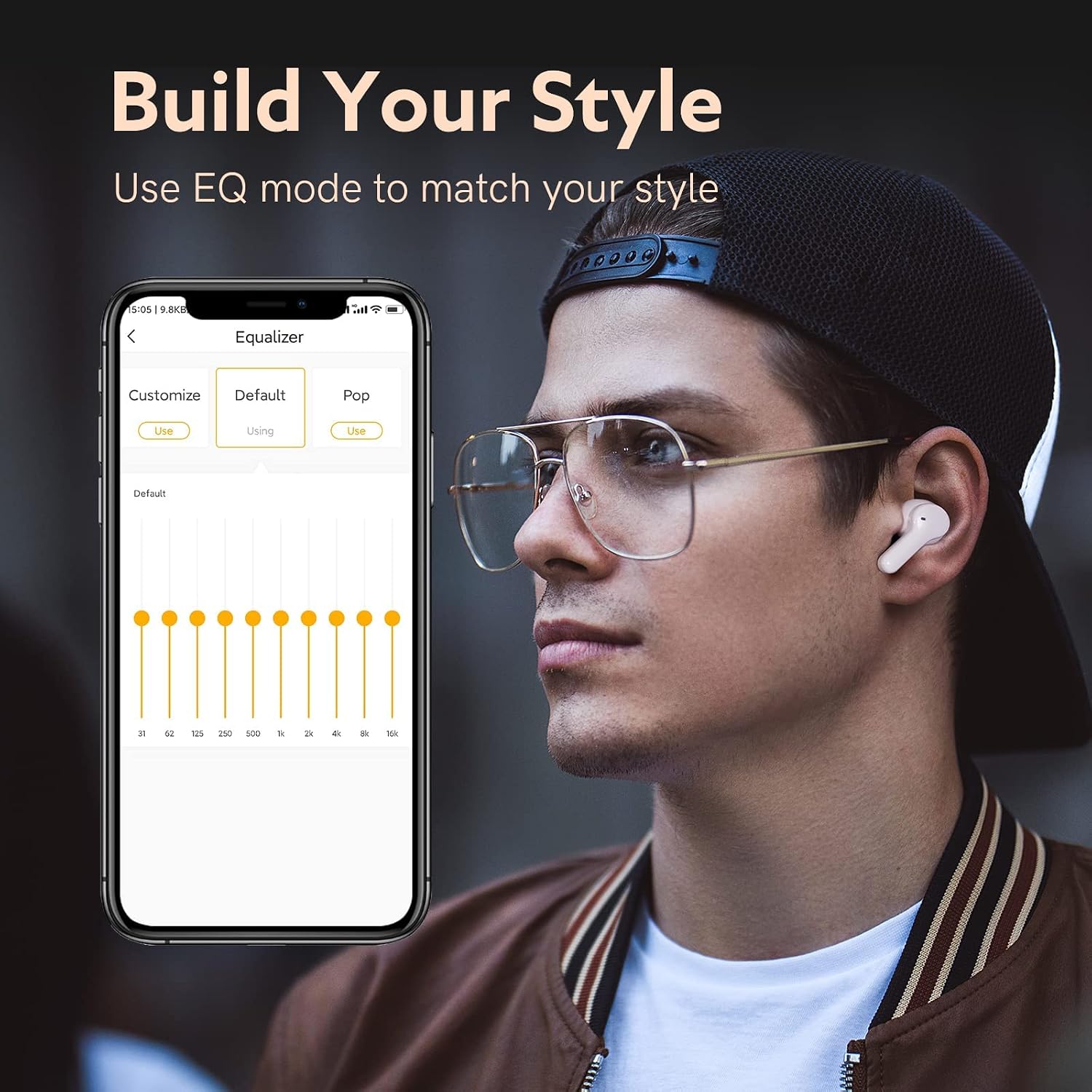
Customize your sound style using the equalizer feature within the QCY app.
4. Maintenance
4.1 Cleaning the Earbuds
To maintain optimal performance and hygiene, regularly clean your earbuds. Use an alcohol pad or a soft, dry cloth to clean the charging contacts, ear-tips, and mesh. Ensure no liquid enters the earbud openings.
4.2 Water Resistance
The QCY T13 earbuds are IPX5 water-resistant, meaning they can withstand sweat and splashes. They are suitable for workouts and light rain, but should not be submerged in water.

IPX5 waterproof rating ensures the earbuds are resistant to sweat, rain, and splashes.
Instructions for cleaning the charging contacts, ear-tips, and mesh of the earbuds.
5. Troubleshooting
5.1 Common Issues and Solutions
- Earbuds not pairing: Ensure both earbuds are in the charging case, then try resetting them.
- Only one earbud working: Place both earbuds back into the charging case, close the lid, wait a few seconds, then open it again to re-establish connection. If the issue persists, perform a reset.
- Poor sound quality: Ensure earbuds are clean, especially the mesh. Try adjusting the ear-tips for a better seal. Check your device's volume and EQ settings.
- Connection drops: Ensure you are within the 10-meter Bluetooth range and there are no significant obstructions between the earbuds and your device.
5.2 Resetting the Earbuds
If you experience pairing issues or other functional problems, resetting the earbuds can often resolve them:
- Place both earbuds into the charging case and ensure they are charging.
- Keep the charging case open.
- Press and hold the button on the charging case for 10 seconds until the red and blue LED indicator flashes alternately 3 times. This indicates a successful reset.
Diagram showing the process to reset the QCY T13 earbuds by holding the case button for 10 seconds.
6. Specifications
| Feature | Specification |
|---|---|
| Model Name | T13 |
| Connectivity Technology | Wireless (Bluetooth 5.1) |
| Headphones Jack | USB Type-C (for charging case) |
| Noise Control | Sound Isolation, ENC Noise Cancelling (Microphone) |
| Frequency Response | 20Hz - 20kHz |
| Impedance | 16 Ohm |
| Control Method | Touch |
| Water Resistance Level | IPX5 (Water Resistant) |
| Battery Life | Up to 40 hours with charging case |
| Product Dimensions | 2.11 x 2.13 x 1.11 inches |
| Item Weight | 2.39 ounces |
| Compatible Devices | Cellphones, Laptops, Tablets, Desktops (Android, iOS) |
7. Warranty and Support
QCY products are manufactured to high quality standards. For information regarding warranty coverage, please refer to the warranty card included in your product packaging or visit the official QCY website. If you encounter any issues or require technical assistance, please contact QCY customer support through their official channels.
Ask a question about this manual
Ask about setup, troubleshooting, compatibility, parts, safety, or missing instructions. Manuals+ will review the question and use this page’s manual context to help answer it.