
Boean U18
Boean Bluetooth Headphones U18 User Manual
Model: U18
Introduction
Thank you for choosing Boean Bluetooth Headphones. This manual provides detailed instructions for setting up, operating, and maintaining your headphones to ensure optimal performance and longevity. These wireless earbuds are designed for comfort and secure fit during sports, featuring IPX7 waterproofing, HD deep bass stereo sound, and up to 16 hours of playtime.
Package Contents
- Boean Bluetooth Headphones (Model U18)
- USB-C Charging Cable
- Assorted Eartips (S/M/L)
- User Manual
- Carrying Case

Image: All items included in the Boean Bluetooth Headphones package.
Product Overview
Familiarize yourself with the components of your Boean Bluetooth Headphones.

Image: Front view of the Boean Bluetooth Headphones, showcasing the earhook design and main control unit.
Button Controls
| Action | Button Press |
|---|---|
| Power On/Off | Long press 3 seconds |
| Next Song | Long press '+' 2 seconds |
| Previous Song | Long press '-' 2 seconds |
| Answer/End Call | Short press power button |
| Reject Call | Long press power button |
| Pause/Play | Short press power button |
| Volume Up/Down | Short press '+' / '-' |
| Activate Siri/Voice Assistant | Double press power button |

Image: Detailed diagram illustrating the function of each button on the headphone control unit.
Setup
Charging the Headphones
Before first use, fully charge your headphones. Use the provided USB-C cable for optimal charging speed.
- Connect the USB-C end of the cable to the charging port on the headphones.
- Connect the USB-A end to a compatible USB power adapter (not included) or a computer's USB port.
- The indicator light will show charging status and turn off when fully charged.
A full charge provides up to 16 hours of playtime. A quick 5-minute charge can provide significant playtime.

Image: Visual representation of the 16-hour playtime and charging indicators.
Pairing with a Device
Your Boean Bluetooth Headphones utilize Bluetooth 5.3 technology for quick and stable connections.
- Ensure the headphones are powered off.
- Long press the power button for 3 seconds until the indicator light flashes blue and red, indicating pairing mode.
- On your device (smartphone, tablet, computer), enable Bluetooth and search for available devices.
- Select "Boean U18" (or similar name) from the list of devices.
- Once connected, the indicator light will turn solid blue or flash slowly.
The headphones will automatically re-pair with the last connected device when powered on, if the device's Bluetooth is active and within range.

Image: The headphones are shown connecting to a smartphone, demonstrating the one-step auto-pairing feature compatible with various operating systems.
Operating Instructions
Wearing the Headphones
The flexible earhook design ensures a secure and comfortable fit, especially during physical activity.
- Identify the left (L) and right (R) earbuds.
- Gently place the earbud into your ear canal.
- Adjust the earhook over your ear until it feels secure and comfortable.
- Experiment with different eartip sizes to find the best seal for optimal sound quality and noise isolation.

Image: A person wearing the Boean headphones, demonstrating the secure fit provided by the earhooks, ideal for sports and workouts. The image also highlights the IPX7 waterproof rating.
Audio Playback
- Play/Pause: Short press the power button.
- Next Track: Long press the '+' button for 2 seconds.
- Previous Track: Long press the '-' button for 2 seconds.
- Volume Up: Short press the '+' button.
- Volume Down: Short press the '-' button.

Image: A person listening to music with the headphones, illustrating the sound isolation technology for clear audio and calls.
Making Calls
- Answer/End Call: Short press the power button.
- Reject Call: Long press the power button.
- Activate Voice Assistant (Siri, Google Assistant): Double press the power button.
Maintenance
Cleaning
- Wipe the headphones with a soft, damp cloth after each use, especially after workouts.
- Remove eartips and clean them with mild soap and water. Ensure they are completely dry before reattaching.
- Do not use abrasive cleaners or solvents.
Storage
- Store the headphones in the provided carrying case when not in use to protect them from dust and damage.
- Avoid storing in extreme temperatures or high humidity.
Water Resistance (IPX7)
The headphones are IPX7 waterproof, meaning they can withstand submersion in up to 1 meter of water for 30 minutes. They are resistant to sweat and rain, making them suitable for workouts and outdoor activities. However, they are not recommended for swimming.
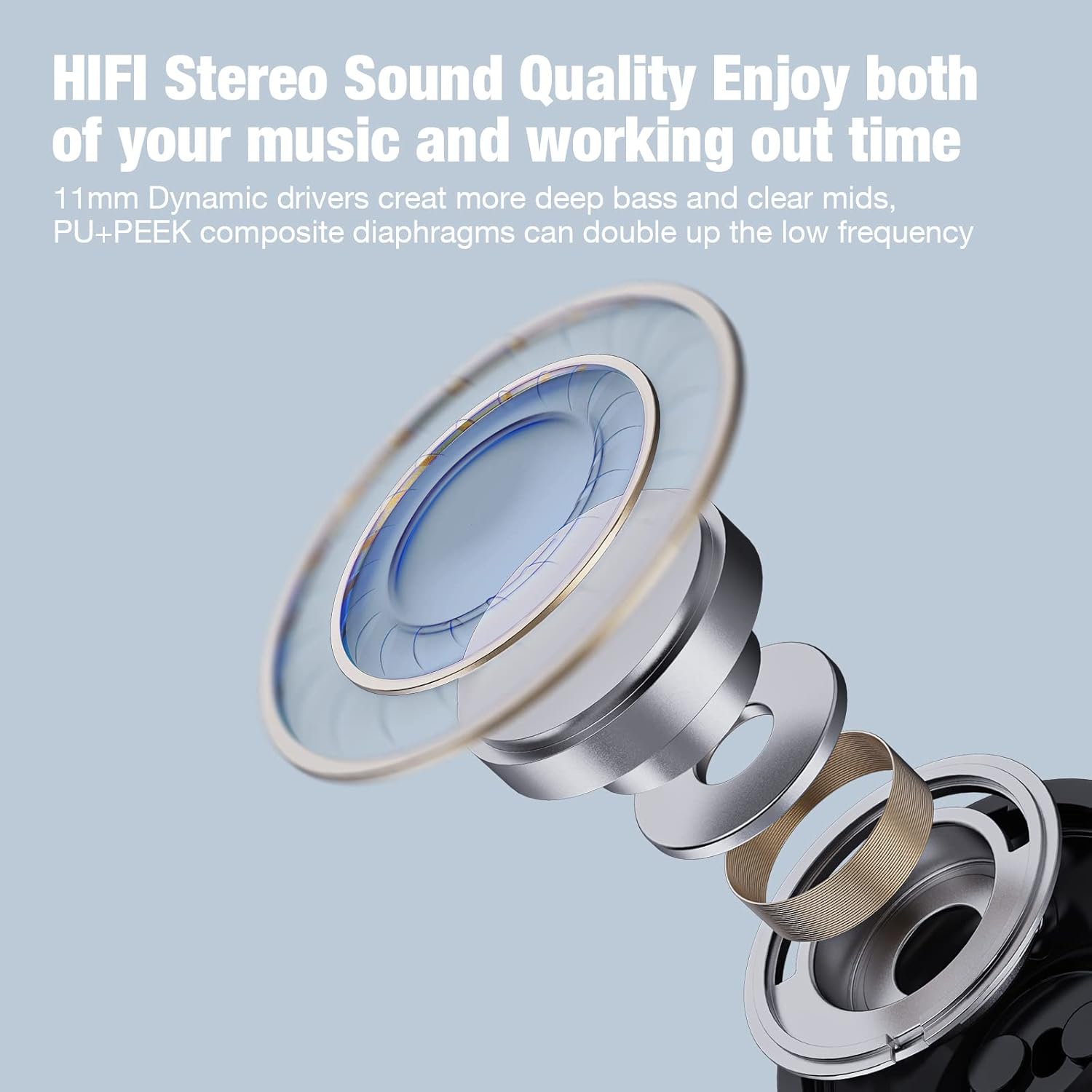
Image: A woman under a shower, illustrating the IPX7 waterproof capability of the headphones, suitable for resisting sweat and rain.
Troubleshooting
| Problem | Possible Cause | Solution |
|---|---|---|
| Headphones won't turn on | Low battery | Charge the headphones fully. |
| Cannot pair with device | Headphones not in pairing mode; Bluetooth off on device; Device too far | Ensure headphones are in pairing mode (flashing red/blue). Turn on Bluetooth on your device. Move device closer to headphones (within 10 meters). Forget previous pairings on your device and try again. |
| No sound or low volume | Volume too low; Headphones not connected; Incorrect eartip size | Increase volume on both headphones and device. Reconnect headphones. Try different eartip sizes for a better seal. |
| Intermittent connection | Interference; Device too far; Obstacles between devices | Move away from other wireless devices. Keep device within 10 meters. Reduce obstacles (walls, large objects). |
Specifications
- Model Name: U18
- Connectivity Technology: Wireless
- Wireless Communication Technology: Bluetooth 5.3
- Bluetooth Range: 10 Meters
- Playtime: Up to 16 Hours
- Charging Time: Approximately 2 Hours
- Water Resistance: IPX7
- Audio Driver Size: 11 Millimeters
- Noise Control: Sound Isolation
- Form Factor: In Ear with Over Ear Hooks
- Material: Plastic
- Item Weight: 3.84 ounces
- Manufacturer: Shenzhen Na Yin Technology CO.,LTD.
Warranty and Support
For warranty information and customer support, please refer to the contact details provided on the product packaging or visit the official Boean website. Keep your purchase receipt for warranty claims.
Online Support: Visit the Boean Store on Amazon
Important Safety Information
- Do not disassemble or attempt to repair the headphones yourself.
- Avoid exposing the headphones to extreme temperatures, direct sunlight, or fire.
- Do not use the headphones at excessively high volumes for prolonged periods to prevent hearing damage.
- Keep out of reach of children and pets.
Related documentsU18


Ask a question about this manual
Ask about setup, troubleshooting, compatibility, parts, safety, or missing instructions. Manuals+ will review the question and use this page’s manual context to help answer it.