
ASA JTV3220DC
Jensen JTV3220DC 32" LED DC Television User Manual
Model: JTV3220DC
Introduction
Thank you for purchasing the Jensen JTV3220DC 32" LED DC Television. This manual provides essential information for the safe and efficient operation of your new television. Please read this manual thoroughly before using the product and retain it for future reference.
Safety Information
Always observe the following safety precautions to prevent electric shock, fire, or injury:
- Do not expose the television to rain or moisture.
- Do not block ventilation openings. Ensure adequate space around the television for proper airflow.
- Use only the power supply specified for this unit (12V DC).
- Do not open the television casing. Refer all servicing to qualified service personnel.
- Protect the power cord from being walked on or pinched.
- Clean only with a dry cloth.
What's in the Box
Verify that all items are present:
- Jensen JTV3220DC 32" LED DC Television
- Remote Control (Dual function)
- DC Power Cord
- Stand
Product Overview

Figure 1: Front View. This image shows the front of the Jensen JTV3220DC television, featuring its 32-inch screen. The screen displays a vibrant, high-definition image of a futuristic city with a spacecraft, demonstrating the television's visual capabilities.
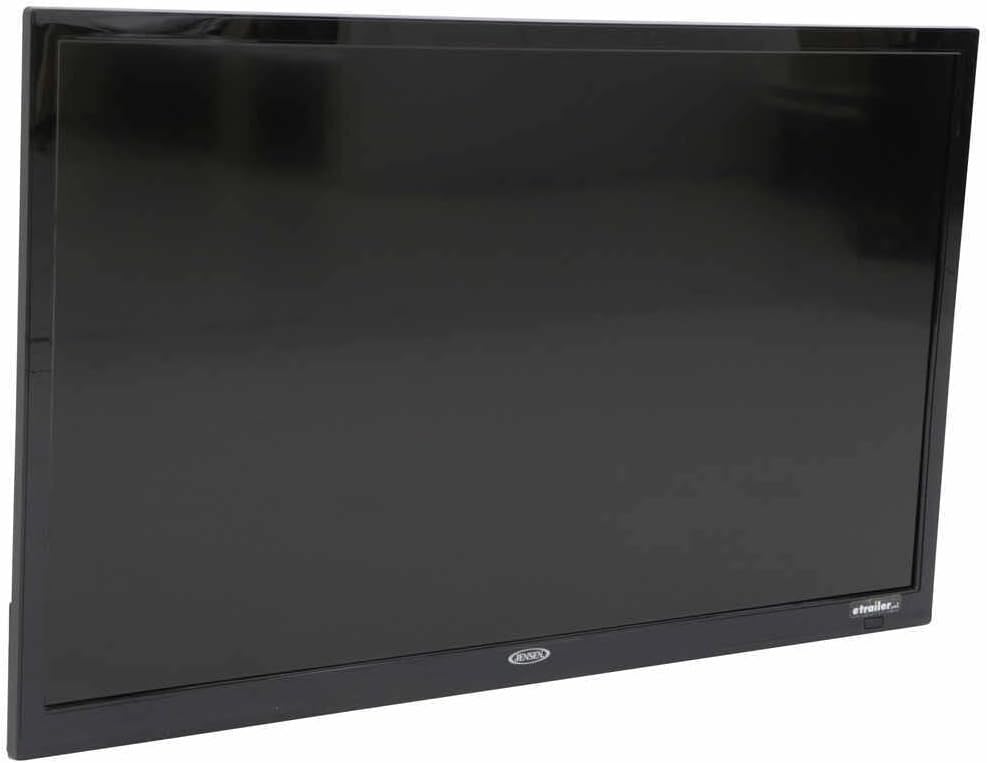
Figure 2: Side Profile. This image provides a side view of the Jensen JTV3220DC television, highlighting its slim design and black bezel. The angle emphasizes the compact nature of the unit, suitable for various installations.

Figure 3: Rear Panel Connections. This close-up image displays the rear input and output ports of the Jensen JTV3220DC. Visible connections include HDMI (with ARC support), USB, Composite Video, Component Video, RF, and various audio inputs and outputs, indicating comprehensive connectivity options.
Key Features:
- DC Power Operation
- White LED Illumination
- High Performance LCD Panel
- 1366 x 768 Full HD Resolution
- 16.7 Million Colors Display
- Integrated HDTV (ATSC) Tuner
- HD Ready (1080p, 720p, 480p)
- jCOM HDMI Function with JENSEN HDMI-equipped DVD players
- Audio Return Channel (ARC) supported with HDMI2
- VESA 100mm x 100mm Mounting Pattern
Setup
Mounting the Stand:
- Carefully place the television face down on a soft, clean surface to prevent screen damage.
- Align the stand with the mounting holes on the bottom of the television.
- Secure the stand using the provided screws. Do not overtighten.
Connecting Power:
Connect the supplied DC power cord to the 12V DC input on the television and to a compatible 12V DC power source.
Connecting External Devices:
- HDMI: Connect HDMI cables from your devices (e.g., DVD player, game console) to the HDMI 1 or HDMI 2 (ARC) ports.
- USB: Insert a USB drive into the USB port for media playback.
- Antenna/Cable: Connect an antenna or cable TV feed to the RF input.
- Composite/Component Video: Use the corresponding RCA jacks for older video devices.
Operating Instructions
Power On/Off:
Press the POWER button on the remote control or on the television to turn the unit on or off.
Input Source Selection:
Press the INPUT or SOURCE button on the remote control to cycle through available input sources (TV, HDMI 1, HDMI 2, USB, AV, Component).
Channel Scan (TV Mode):
- Switch the input source to TV.
- Access the MENU and navigate to the Channel or Setup section.
- Select Auto Scan or Auto Program to search for available channels.
Volume Control:
Use the VOL+ and VOL- buttons on the remote control to adjust the volume.
Menu Navigation:
Use the arrow buttons and OK/ENTER button on the remote to navigate through the on-screen menu for picture, sound, and other settings.
Maintenance
Cleaning the Screen:
Gently wipe the screen with a soft, lint-free cloth. For stubborn marks, slightly dampen the cloth with water or a specialized screen cleaner. Do not spray liquid directly onto the screen.
Cleaning the Cabinet:
Wipe the television cabinet with a soft, dry cloth. Avoid using abrasive cleaners or solvents.
Storage:
If storing the television for an extended period, disconnect it from the power source and store it in a cool, dry place, ideally in its original packaging.
Troubleshooting
| Problem | Possible Cause | Solution |
|---|---|---|
| No Power | Power cord not connected; Power source issue. | Ensure DC power cord is securely connected. Verify 12V DC power source is active. |
| No Picture/Sound | Incorrect input source; Loose cable connection. | Press INPUT/SOURCE button to select correct input. Check all cable connections. |
| Poor Picture Quality | Weak antenna signal; Incorrect display settings. | Adjust antenna position or check signal strength. Adjust picture settings (brightness, contrast, etc.) in the menu. |
| Remote Control Not Working | Dead batteries; Obstruction between remote and TV. | Replace batteries. Remove any obstructions and ensure direct line of sight to the TV's IR sensor. |
Specifications
| Feature | Specification |
|---|---|
| Diagonal Size | 31.5" (82 cm) |
| Resolution | 1366 x 768 (Full HD) |
| Brightness | 200 nit |
| Contrast Ratio | 3000:1 |
| View Angles | Top 89° / Bottom 89° / Left 89° / Right 89° |
| Display Format | 16:9 |
| Response Time | 6.5ms |
| Video / Display System | NTSC/ATSC/PAL |
| Audio Output | 8W x 2 |
| Power System | DC 12V |
| Power Consumption | 20mA standby / 3.17A max |
| Operating Temperature | -4°F to 149°F (-20°C to 65°C) |
| Storage Temperature | -22°F to 158°F (-30°C to 70°C) |
| Maximum Relative Humidity | 85% |
| Overall Dimensions (without stand) | 28.8"W x 17.2"H x 3.2"D |
| Product Weight (unpackaged) | 9.9 lbs |
Warranty and Support
This Jensen product is covered by a manufacturer's warranty. For specific warranty terms and conditions, please refer to the warranty card included with your product or visit the official ASA (Jensen) website. For technical support, service, or replacement parts, please contact ASA customer service directly. Keep your purchase receipt as proof of purchase for warranty claims.
Online Resources: For the most up-to-date information, FAQs, and additional support, please visit the official ASA website.
Related documentsJTV3220DC


Ask a question about this manual
Ask about setup, troubleshooting, compatibility, parts, safety, or missing instructions. Manuals+ will review the question and use this page’s manual context to help answer it.