
1. Product Overview
The Walfront ME81H is an intelligent thermostat designed for controlling electric heating systems, gas boilers, and hot water heating. It features a large LCD touch screen display with backlight for easy readability and precise temperature control. This thermostat integrates with smart home systems, offering convenience and energy efficiency.
- Precise Temperature Control: Internal and floor sensors accurately detect ambient and floor temperatures with a precision of ±1°C.
- User-Friendly Interface: Features a large, elegant LCD touch screen with backlight for clear display and easy operation.
- Smart Home Integration: Compatible with popular voice assistants like Amazon Alexa, Google Home, and Tmall Genie for convenient control.
- Wide Application: Suitable for various heating systems including electric heating, gas boilers, and hot water heating in homes, offices, shopping malls, and hotels.
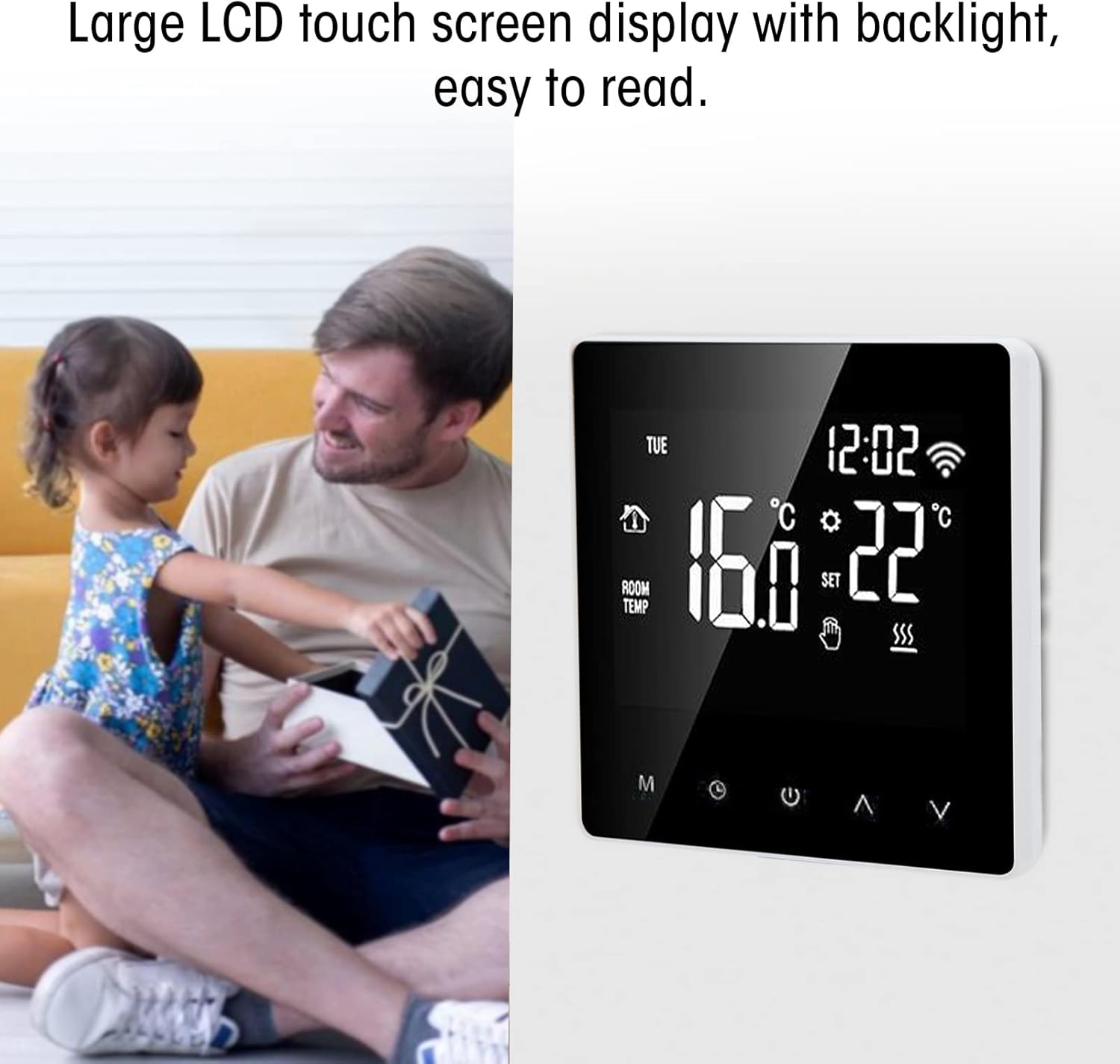
Image 1.1: Front view of the Walfront ME81H Smart Thermostat, showcasing its large LCD touch screen.
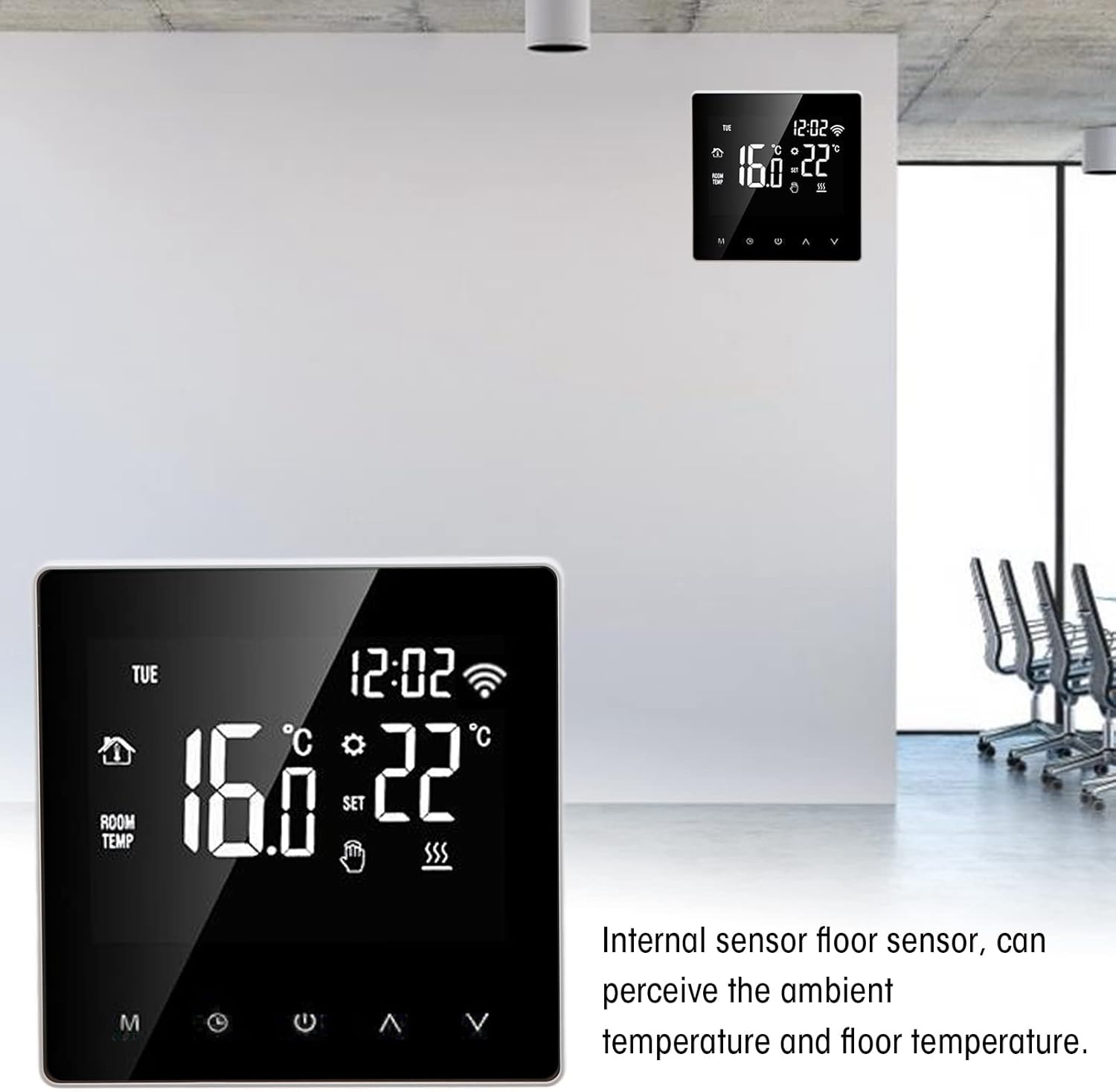
Image 1.2: The thermostat mounted on a wall, demonstrating its internal sensor for ambient and floor temperature detection.
2. Installation and Setup
Before installation, ensure the power supply is disconnected to prevent electric shock. Installation should be performed by a qualified electrician.
2.1 Package Contents
- 1 x Walfront ME81H Smart Thermostat
- 2 x Instruction Manuals (this document)
2.2 Wiring Diagram
Refer to the following diagram for correct wiring. Ensure all connections are secure and comply with local electrical codes.
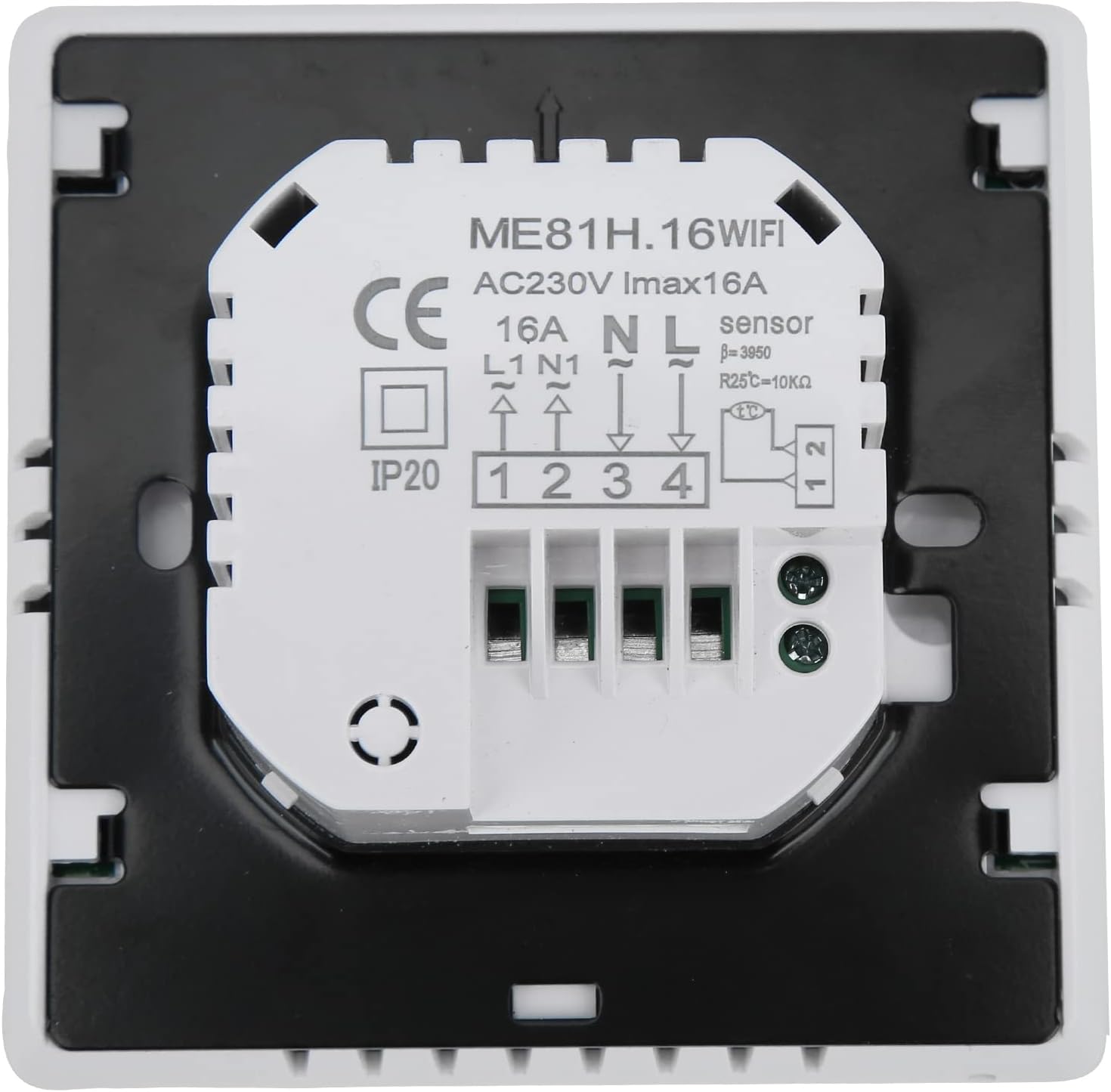
Image 2.1: Rear view of the thermostat showing the wiring terminals. Connections are labeled for AC230V, N, L, L1, N1, and sensor inputs.
- Terminals 1 & 2: NTC Sensor input (for floor temperature sensing).
- Terminals 3 & 4: Power supply AC230V (N for Neutral, L for Live).
- Terminals 5 & 6: Load output (L1 for Live output, N1 for Neutral output to heating element/valve).
Note: The thermostat is designed for AC230V, 50/60Hz power supply and has a maximum current rating of 16A. Incorrect wiring can damage the device or cause safety hazards.
2.3 Mounting
- Turn off the main power supply at the circuit breaker.
- Separate the front panel of the thermostat from the backplate.
- Mount the backplate to a standard wall-mounted electrical box using screws.
- Connect the wires according to the wiring diagram (Image 2.1).
- Carefully attach the front panel back onto the mounted backplate.
- Restore power to the circuit.
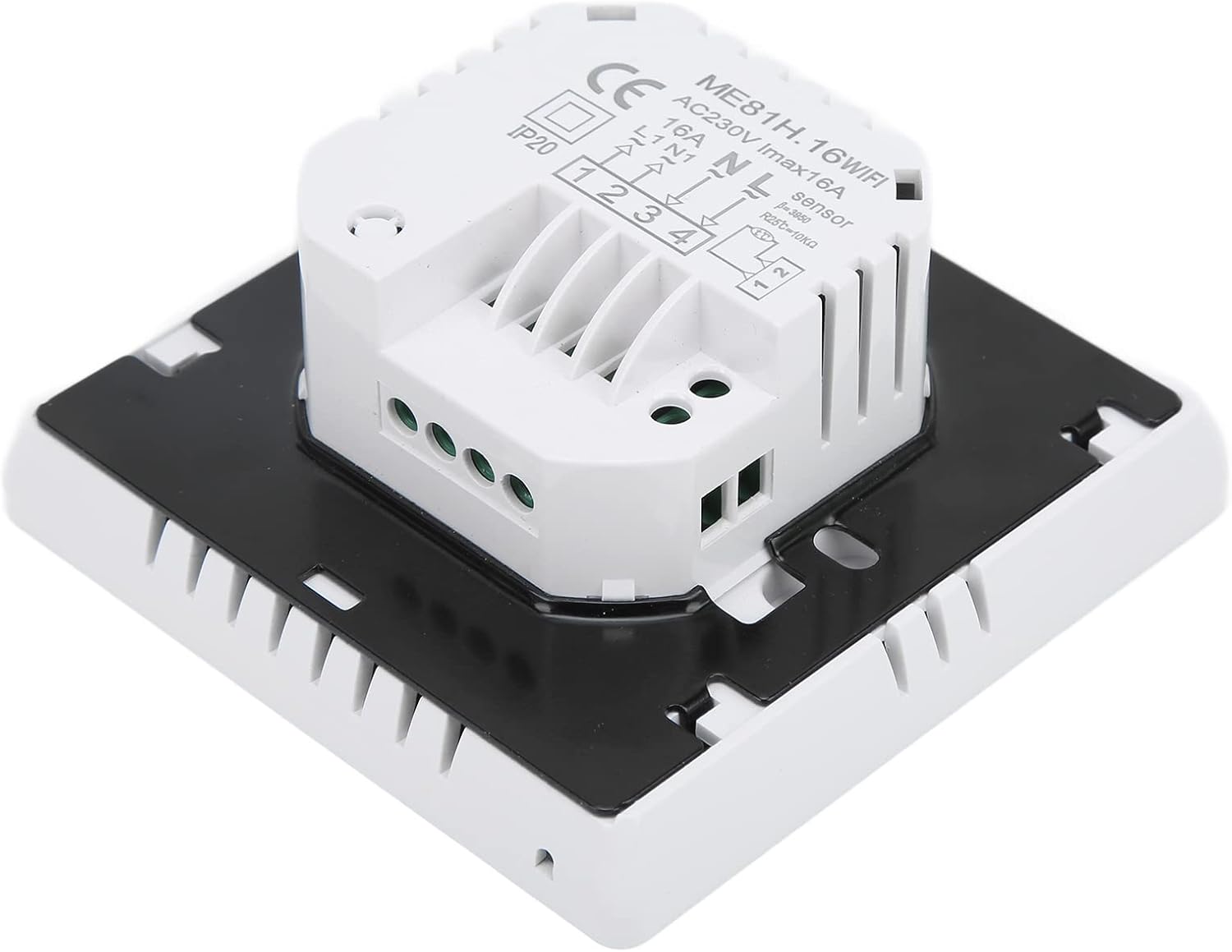
Image 2.2: Side view of the thermostat, illustrating its compact design and mounting points.
3. Operating Instructions
The ME81H thermostat features an intuitive touch screen interface for easy control of your heating system.
3.1 Basic Operation

Image 3.1: Close-up of the thermostat's touch screen, showing temperature display and control icons.
- Power On/Off: Press the power icon (⏻) to turn the thermostat on or off.
- Temperature Adjustment: Use the Up (⌃) and Down (⌄) arrows to set your desired temperature. The set temperature range is 5~90°C.
- Mode Selection: The 'M' button typically cycles through different operating modes (e.g., Manual, Programmed, Eco). Refer to the on-screen icons for current mode indication.
- Clock/Timer: The clock icon allows access to time and schedule settings.
- Wi-Fi Indicator: A Wi-Fi icon on the display indicates network connectivity.
3.2 Smart Home Integration (Wi-Fi)
The ME81H thermostat can be controlled remotely via a smartphone application (e.g., Tuya Smart app) and integrated with voice assistants.
- Download the compatible smart home application (e.g., Tuya Smart) from your device's app store.
- Follow the in-app instructions to add the ME81H thermostat to your network. This usually involves putting the thermostat into pairing mode (refer to the thermostat's on-screen prompts or the app's guide).
- Once connected, you can control the thermostat's settings, schedule, and monitor temperature from your smartphone.
- To enable voice control, link the smart home application with your Amazon Alexa or Google Home account through their respective apps.
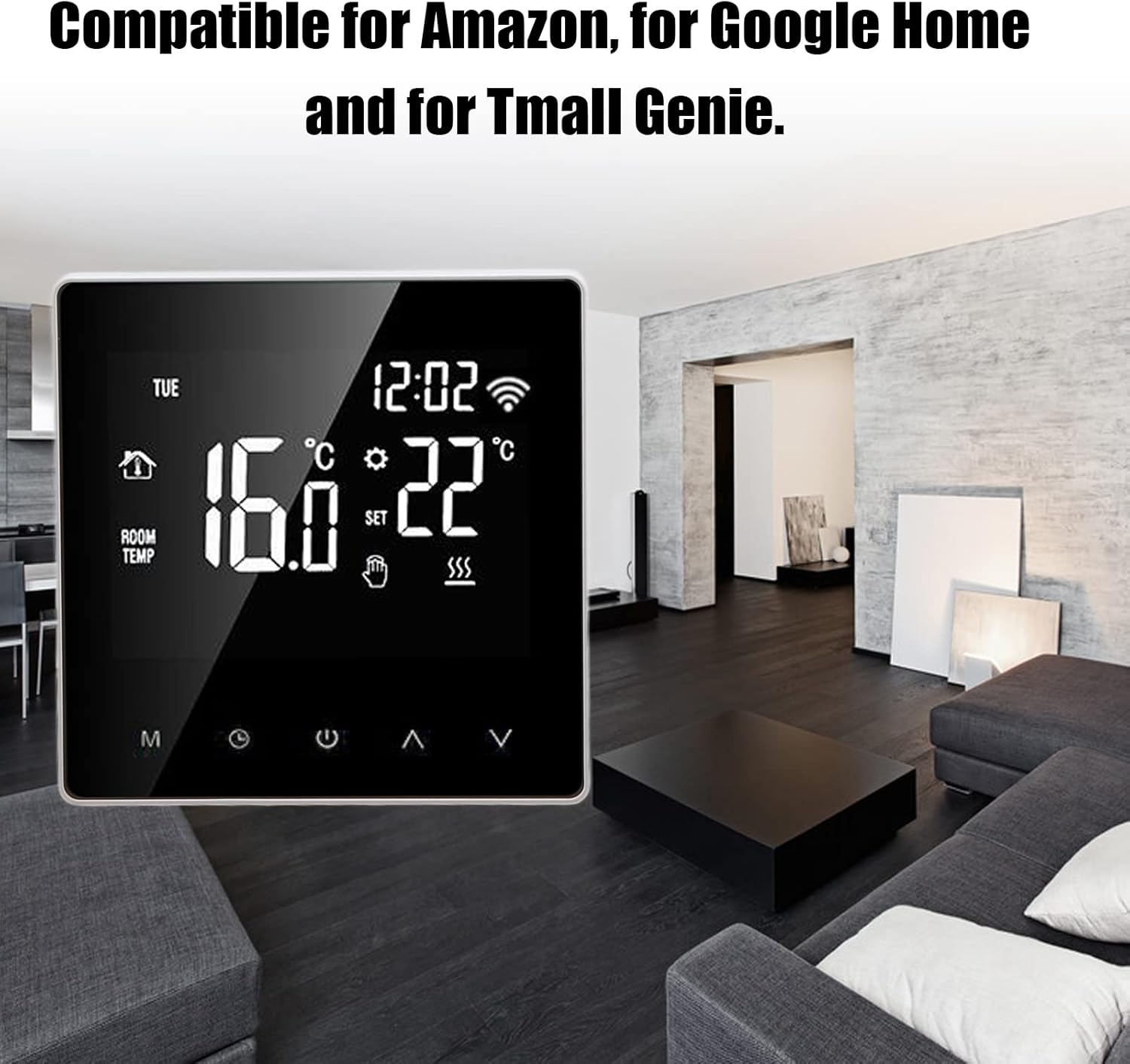
Image 3.2: The thermostat seamlessly integrated into a modern home environment, highlighting its smart capabilities.
4. Maintenance
The Walfront ME81H Smart Thermostat requires minimal maintenance to ensure optimal performance.
- Cleaning: Gently wipe the screen and body with a soft, dry cloth. Do not use abrasive cleaners, solvents, or spray directly onto the thermostat.
- Software Updates: Periodically check the associated smart home application for any available firmware updates for your thermostat. Updates can improve performance and add new features.
- Environmental Conditions: Ensure the thermostat is not exposed to direct sunlight, drafts, or extreme temperatures, as this can affect temperature readings and device longevity.
5. Troubleshooting
If you encounter issues with your Walfront ME81H Smart Thermostat, refer to the following common problems and solutions.
| Problem | Possible Cause | Solution |
|---|---|---|
| Thermostat not powering on. | No power supply; incorrect wiring. | Check circuit breaker. Verify wiring connections according to Section 2.2. |
| Heating system not responding. | Incorrect wiring; thermostat in wrong mode; heating system fault. | Check load wiring. Ensure thermostat is in heating mode. Check your heating system for issues. |
| Wi-Fi connection issues. | Incorrect Wi-Fi password; router too far; network interference. | Re-enter Wi-Fi password. Move router closer or use a Wi-Fi extender. Ensure 2.4GHz network is used. Reset thermostat's Wi-Fi. |
| Inaccurate temperature readings. | Thermostat exposed to drafts/direct sunlight; sensor malfunction. | Relocate thermostat if possible. Ensure no obstructions. If issue persists, contact support. |
If the problem persists after attempting these solutions, please contact customer support.
6. Specifications
| Feature | Detail |
|---|---|
| Model | ME81H |
| Power Supply | AC230V, 50/60Hz |
| Current Load | 16A (Max) |
| Temperature Sensor | NTC |
| Temperature Accuracy | ±1°C |
| Self-Consumption Power | <1W |
| Ambient Temperature Range | 0~50°C |
| Temperature Setting Range | 5~90°C |
| Display | Color LCD Touch Screen |
| Connectivity | Wi-Fi |
| Material | ABS + Flame Retardant PC |
| Dimensions (approx.) | 10.2 x 10 x 6.7 cm |
| Weight (approx.) | 282 g |
| Compatibility | Amazon Alexa, Google Home, Tuya Smart App |
7. Warranty and Support
Walfront products are designed for reliability and performance. For specific warranty information, please refer to the documentation provided at the time of purchase or contact your retailer.
For technical support, troubleshooting assistance beyond this manual, or inquiries about replacement parts, please visit the Walfront official website or contact their customer service department. Please have your product model number (ME81H) and purchase details ready when contacting support.
Note: Information regarding spare parts availability is not provided in the product details.