
1. Introduction
Thank you for choosing the Satisfyer Sunray Connect App Rabbit Pressure Wave Vibrator. This device is designed for clitoral and G-spot stimulation, featuring innovative pressure wave technology and powerful vibrations. It is made from body-safe silicone, is rechargeable, and fully waterproof (IPX7). For enhanced control and customization, the Sunray can be connected to the free Satisfyer Connect App via Bluetooth.
2. Important Safety Information
Please read all safety instructions carefully before using the device. Keep this manual for future reference.
- This device is for adult use only.
- Do not use if the device or charging cable is damaged.
- Discontinue use immediately if you experience any discomfort or pain.
- Consult a doctor before use if you have any medical conditions or are pregnant.
- Use only water-based lubricants with this device. Oil-based lubricants can damage the silicone material.
- Keep out of reach of children.
- Do not expose the device to extreme temperatures or direct sunlight for prolonged periods.
3. Package Contents
Ensure all items are present in the package:
- Satisfyer Sunray Connect App Rabbit Pressure Wave Vibrator
- USB Magnetic Charging Cable
- User Manual (this document)

Image 3.1: Satisfyer Sunray product packaging, showing the device and branding.
4. Setup
4.1 Initial Charging
Before first use, fully charge your Satisfyer Sunray. Connect the magnetic charging cable to the charging contacts on the device and plug the USB end into a suitable USB power source (e.g., computer, USB wall adapter). The device will indicate charging status (e.g., LED light). A full charge typically takes 2-3 hours.
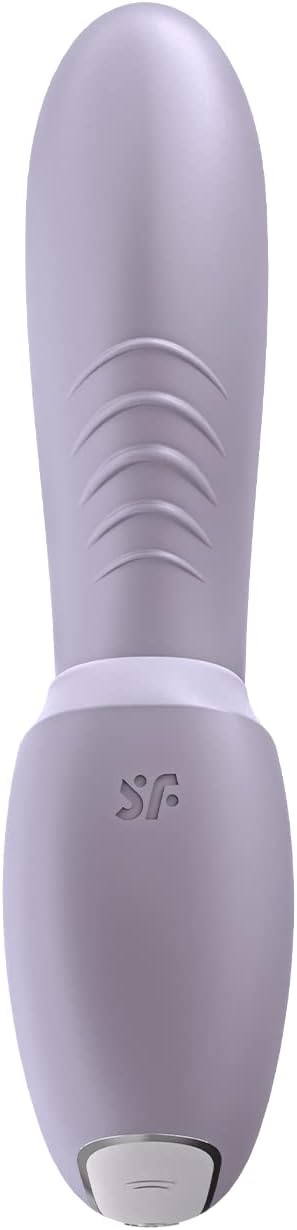
Image 4.1: Top view of the Satisfyer Sunray, highlighting the magnetic charging port at the base.
4.2 Cleaning Before First Use
Clean the device thoroughly with warm water and a mild, toy-friendly soap or a specialized toy cleaner before its first use and after each subsequent use. Rinse thoroughly and allow to air dry.
5. Operating Instructions
5.1 Basic Operation (Without App)
- Power On/Off: Press and hold the power button (usually located at the base) for 2-3 seconds to turn the device on or off.
- Change Pressure Wave Modes: Once powered on, short press the pressure wave button (often indicated by a wave icon) to cycle through the 11 pressure wave programs.
- Change Vibration Modes: Short press the vibration button (often indicated by a vibration icon) to cycle through the 10 vibration programs.
- Adjust Intensity: Some models may have dedicated '+' and '-' buttons to adjust intensity within a mode. Refer to the device's physical buttons for specific controls.
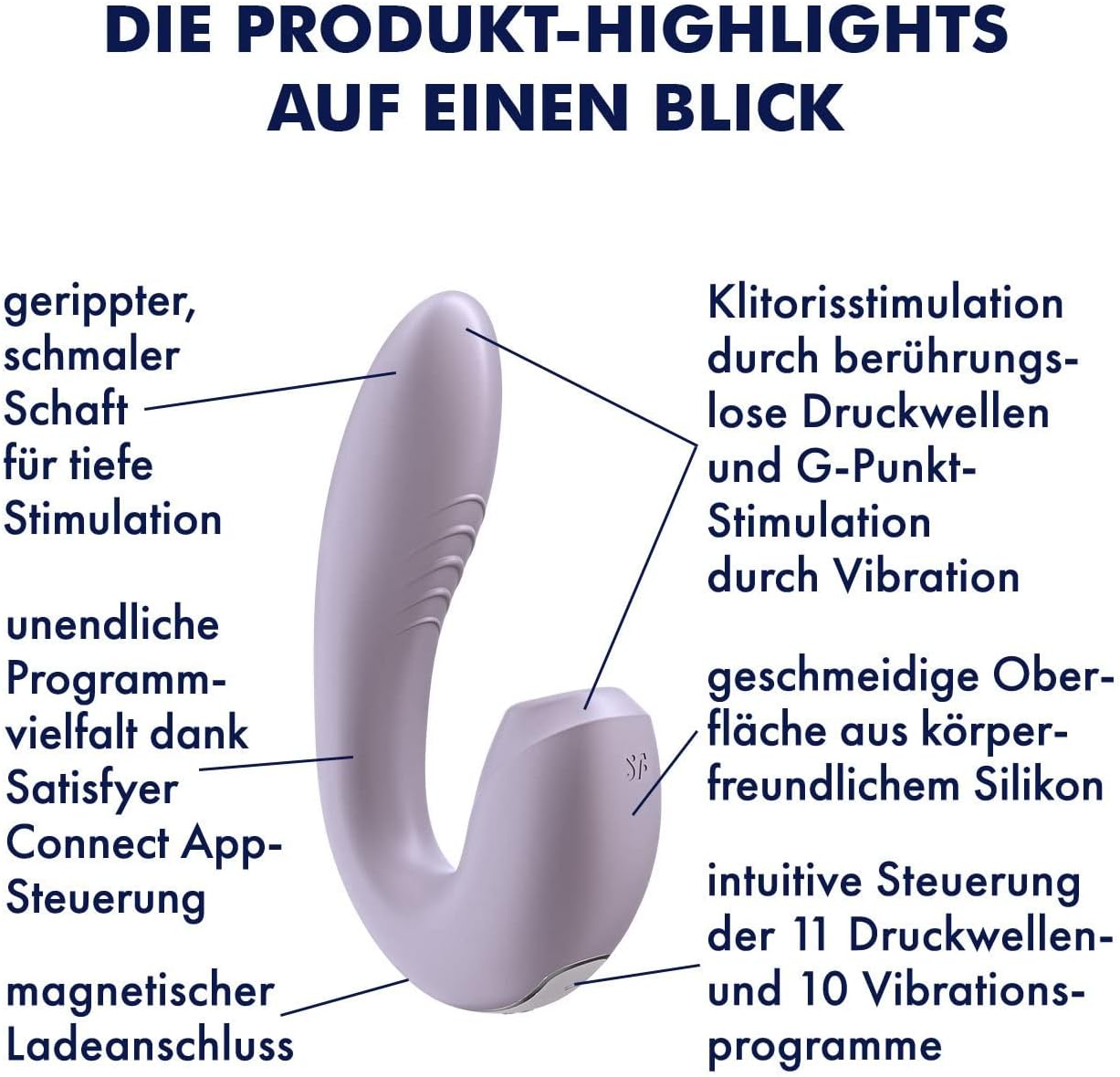
Image 5.1: Diagram illustrating the key features of the Satisfyer Sunray, including the ribbed shaft, air-pulse stimulator, and control buttons.
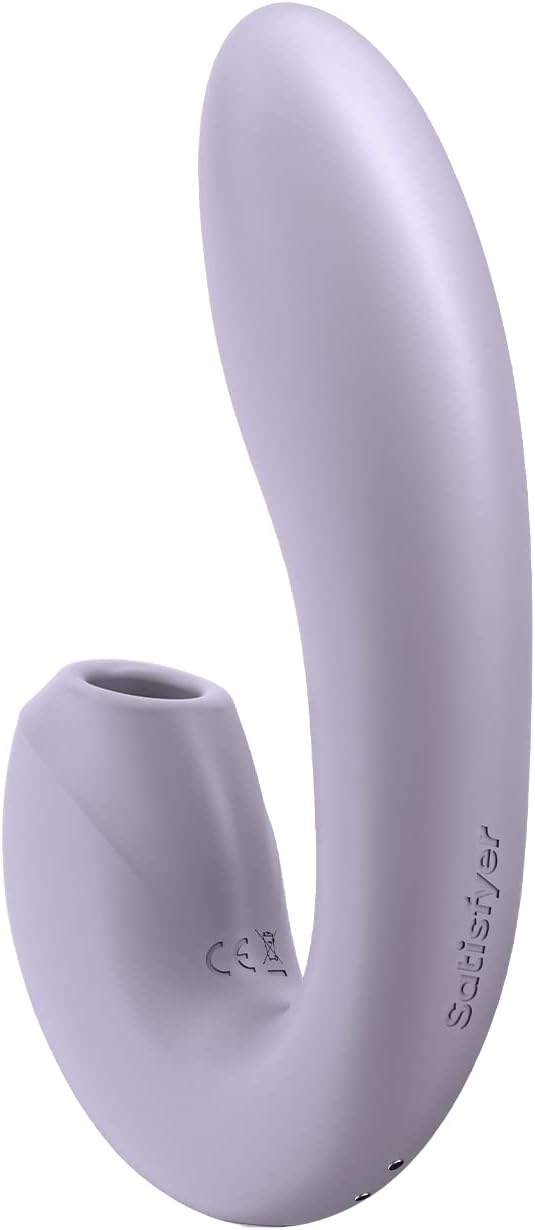
Image 5.2: Side view of the Satisfyer Sunray, showing the air pulse opening designed for clitoral stimulation.
6. Satisfyer Connect App Control
The Satisfyer Sunray can be controlled via the free Satisfyer Connect App, available for iOS and Android devices. This app allows for advanced customization of pressure wave and vibration patterns.
- Download the App: Search for "Satisfyer Connect" in your device's app store and download it.
- Enable Bluetooth: Ensure Bluetooth is enabled on your smartphone or tablet.
- Power On Device: Turn on your Satisfyer Sunray.
- Connect: Open the Satisfyer Connect App. The app will guide you through the pairing process. Once connected, you can control the device's functions, create custom patterns, and explore other interactive features.

Image 6.1: Satisfyer Sunray device, indicating its app-controlled capabilities and recognition with CES Innovation Awards.

Image 6.2: Overview of Satisfyer Connect App features, such as 100% data security, remote control, vibration designer, ambient vibration, and playlist vibration.
7. Maintenance and Care
7.1 Cleaning
Clean your Satisfyer Sunray after each use. Wash with warm water and a mild, toy-friendly soap or a specialized toy cleaner. Rinse thoroughly to remove all soap residue. The device is IPX7 waterproof, allowing for easy cleaning under running water or immersion.
7.2 Storage
Store the device in a clean, dry place, away from direct sunlight and extreme temperatures. Avoid storing with other toys made of different materials to prevent material degradation.
7.3 Battery Care
To prolong battery life, avoid fully discharging the battery frequently. Recharge the device when the battery indicator is low. If storing for an extended period, charge the device every few months to maintain battery health.
8. Troubleshooting
| Problem | Possible Cause | Solution |
|---|---|---|
| Device does not turn on. | Battery is discharged. | Charge the device fully using the provided USB magnetic charging cable. |
| Device does not charge. | Charging cable or power source issue. | Ensure the magnetic contacts are clean and properly aligned. Try a different USB port or power adapter. |
| App cannot connect to the device. | Bluetooth is off, device is off, or app issue. | Ensure Bluetooth is enabled on your phone, the device is powered on, and the app is updated. Try restarting both the device and the app. |
| Weak pressure waves/vibrations. | Low battery or incorrect mode. | Recharge the device. Cycle through modes to find desired intensity. |
9. Specifications
- Model: E32846 (Sunray Connect App)
- Brand: Satisfyer
- Material: Body-safe Silicone
- Color: Violet
- Length: Approximately 15 cm
- Battery: 1 Lithium-ion (rechargeable, included)
- Charging: USB Magnetic Charging Cable
- Water Resistance: IPX7 (Waterproof)
- Connectivity: Bluetooth (for Satisfyer Connect App)
- Modes: 11 Pressure Wave Programs, 10 Vibration Programs
- Package Dimensions: 10 x 48 x 50 cm; 395 grams (approximate)
10. Warranty and Support
Satisfyer products are manufactured to high-quality standards. For information regarding warranty coverage, product registration, or technical support, please visit the official Satisfyer website or contact their customer service directly. Keep your proof of purchase for warranty claims.
Official Website: www.satisfyer.com


