
1. Product Overview
The Satisfyer Top Secret+ Connect App is a wearable vibrator designed for G-spot and anal stimulation. It features powerful vibrations and can be controlled via the Satisfyer Connect App. Made from skin-friendly silicone, this device is discreet and suitable for on-the-go use, offering a versatile experience.

Image 1.1: The Satisfyer Top Secret+ Connect App Vibrator, highlighting its design and vibration capabilities.
2. Safety Information
- This device is intended for adult use only.
- Clean the device thoroughly before and after each use as described in the Maintenance section.
- Do not use the device if it appears damaged or if the silicone is torn.
- Discontinue use immediately if you experience any discomfort or irritation.
- Consult a healthcare professional if you have any pre-existing medical conditions or concerns regarding use.
- Keep out of reach of children.
3. Package Contents
Your Satisfyer Top Secret+ Connect App package should contain the following items:
- Satisfyer Top Secret+ Connect App Vibrator
- Magnetic USB Charging Cable
- User Manual (this document)
4. Setup and First Use
4.1 Charging the Device
Before first use, fully charge your Satisfyer Top Secret+ Connect App. The device contains a rechargeable Lithium Ion battery.
- Locate the magnetic charging contacts on the device.
- Connect the magnetic end of the provided USB charging cable to these contacts. The cable will snap into place.
- Plug the USB end of the cable into a standard USB power source (e.g., computer, USB wall adapter).
- The LED indicator on the device will illuminate or flash to indicate charging. A full charge typically takes approximately 2-3 hours. The LED will change or turn off when charging is complete.
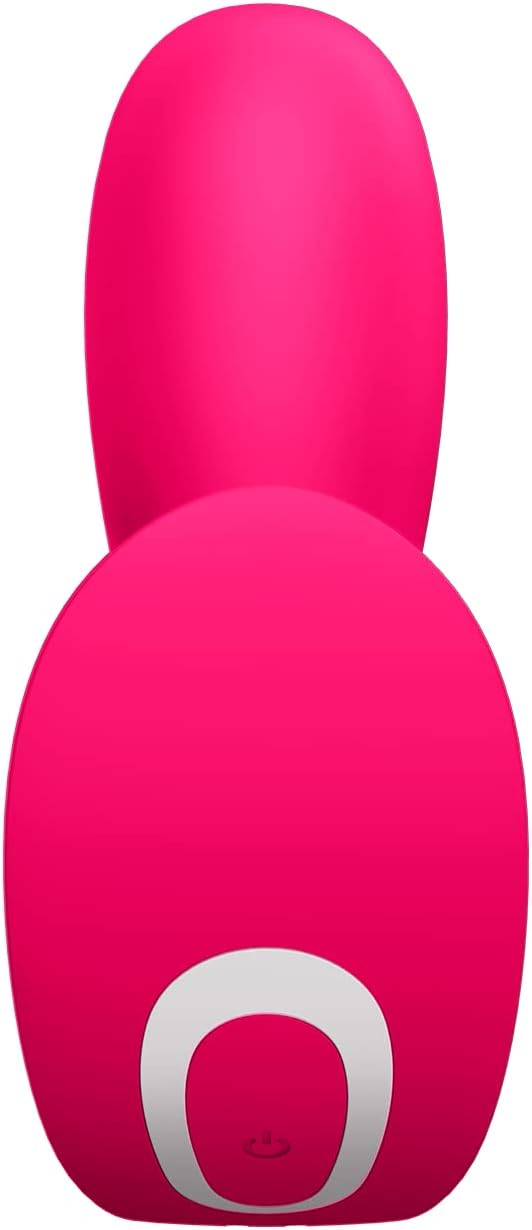
Image 4.1: Magnetic USB charging cable connected to the device.
4.2 Connecting to the Satisfyer Connect App
The Satisfyer Connect App allows for enhanced control and features.
- Download the Satisfyer Connect App from your smartphone's app store (available on iOS and Android).
- Ensure your device is charged and Bluetooth is enabled on your smartphone.
- Press and hold the Bluetooth button (often indicated by a Bluetooth symbol) on the device for approximately 5 seconds until you feel a double pulse. The LED light will begin flashing, indicating it is in pairing mode.
- Open the Satisfyer Connect App on your smartphone and follow the on-screen instructions to connect to your device.

Image 4.2: Device controls and app connection instructions.
5. Operating Instructions
5.1 Basic Operation (Without App)
- Power On/Off: Press and hold the power button (usually marked with a power symbol) for approximately 2 seconds to turn the device on or off.
- Change Vibration Programs: While the device is on, press the program button (often indicated by a wave or pattern symbol) to cycle through the 12 pre-set vibration programs.
5.2 App-Controlled Operation
Once connected to the Satisfyer Connect App, you can access a wider range of functions:
- Custom Vibrations: Create and save your own unique vibration patterns.
- Remote Control: Allow a partner to control your device from a distance.
- Ambient Sound Integration: The app can translate ambient sounds into vibrations.
- Playlist Vibration: Sync vibrations to your favorite music playlists.
- Explore additional features and updates within the app.
6. Maintenance and Care
6.1 Cleaning
The Satisfyer Top Secret+ Connect App is waterproof (IPX7 rated), making cleaning simple and hygienic.
- After each use, wash the device with warm water and a mild toy cleaner or antibacterial soap.
- Rinse thoroughly to remove all soap residue.
- Pat dry with a lint-free cloth or allow to air dry completely before storing.

Image 6.1: Waterproof silicone material of the device.
6.2 Storage
Store the device in a clean, dry place, away from direct sunlight, extreme temperatures, and other toys made of different materials to prevent damage or discoloration.
7. Troubleshooting
- Device not turning on: Ensure the device is fully charged. Press and hold the power button for 2 seconds.
- Bluetooth connectivity issues:
- Ensure the device is charged and within close range of your smartphone.
- Restart both the device and the Satisfyer Connect App.
- Follow the pairing instructions in Section 4.2 carefully.
- If issues persist, try reinstalling the app on your smartphone.
- Vibrations are weak or inconsistent: Charge the device fully. If the issue continues after a full charge, contact customer support.
- Device not charging: Ensure the magnetic charging cable is correctly aligned with the charging contacts and the USB end is securely connected to a working power source. Try a different USB port or adapter.
8. Specifications
| Feature | Specification |
|---|---|
| Model Number | 4003429 |
| Product Dimensions | 4.33 x 4.25 x 1.71 inches |
| Weight | 3.25 ounces |
| Material | Silicone |
| Battery Type | 1 Lithium Ion (included) |
| Waterproof Rating | IPX7 |
9. Warranty and Support
Satisfyer offers a 15-year product protection warranty on this device. This warranty covers manufacturing defects and ensures long-lasting satisfaction.
For warranty claims, technical support, or any other inquiries, please visit the official Satisfyer website or contact their customer service department. Keep your proof of purchase for warranty validation.

Image 9.1: 15-Year Product Protection.