
Introduction
The Satisfyer Deep Diver is an anal vibrator designed for versatile anal stimulation. It features a voluminous spherical structure with two elements for comfortable insertion and a powerful motor for intense vibrations. This device is compatible with the Satisfyer Connect app for enhanced control and customization. It is waterproof and rechargeable, made from body-friendly silicone.

Image: Satisfyer Deep Diver with graphic highlighting infinite programs and free app control.
Setup
1. Initial Charging
Before first use, fully charge your Satisfyer Deep Diver. Connect the included USB charging cable to the device and a suitable power source. The integrated batteries will begin recharging.
2. Applying Lubricant
For comfortable and smooth use, always apply a generous amount of water-based lubricant to the device and the area of application.
3. App Connection (Optional)
To use the advanced features, download the free Satisfyer Connect app, available for iOS and Android devices. Ensure Bluetooth is enabled on your smartphone.

Image: A hand demonstrating the control buttons on the Satisfyer Deep Diver, indicating power, program, and Bluetooth functions.
- Bluetooth Pairing: Press and hold the Bluetooth button for 5 seconds until you feel a double pulse. The LED light will start flashing, indicating the device is ready for pairing with the Satisfyer Connect app.
Operating Instructions
1. Power On/Off
- To turn the device on, press and hold the power button for 2 seconds.
- To turn the device off, press and hold the power button again until it switches off.
2. Using Vibration Programs
- While the device is on, press the program button to cycle through the 12 preset vibration programs.
- Each press will advance to the next program.
3. App Control
Once paired with the Satisfyer Connect app, you can control the device remotely, create custom vibration patterns, and synchronize with music playlists. Refer to the app's in-app guide for detailed instructions on its features.

Image: Overview of features available through the Satisfyer Connect App, such as remote control and custom vibration creation.
Maintenance
1. Cleaning
Clean the Satisfyer Deep Diver thoroughly after each use. Wash the smooth, body-friendly silicone surface with warm water and mild soap. Rinse thoroughly and allow to air dry.
2. Waterproof Information
The device is IPX7 waterproof rated, meaning it can be immersed in water up to 1 meter deep for up to 30 minutes. This allows for use in the shower or bathtub. However, ensure the charging port is dry before connecting the charging cable.

Image: The Satisfyer Deep Diver covered in water droplets, illustrating its waterproof design.
3. Storage
Store the device in a clean, dry place away from direct sunlight and extreme temperatures. Avoid storing with other toys made of different materials to prevent material degradation.
Troubleshooting
- Device not turning on: Ensure the device is fully charged. Connect it to the USB charging cable and allow it to charge for at least 2 hours.
- Vibrations are weak or inconsistent: The battery might be low. Recharge the device. If the issue persists after charging, contact customer support.
- Cannot connect to Satisfyer Connect app:
- Ensure Bluetooth is enabled on your smartphone.
- Make sure the device is in pairing mode (LED flashing).
- Try restarting both the device and your smartphone.
- Ensure the app is updated to the latest version.
- Device not charging: Check the USB cable and power source. Ensure the charging contacts on the device are clean and dry.
Specifications
| Brand | Satisfyer |
| Model Number | 4006796 |
| Product Dimensions | 5.5 x 14 x 10.8 cm |
| Weight | 117 g |
| Material | Silicone |
| Batteries | 1 Lithium Ion battery (rechargeable) |
| Water Resistance | IPX7 Waterproof |
| Number of Settings | 12 preset vibration programs |
| Included Components | Charging Cable |

Image: Side profile of the Satisfyer Deep Diver Anal Vibrator.
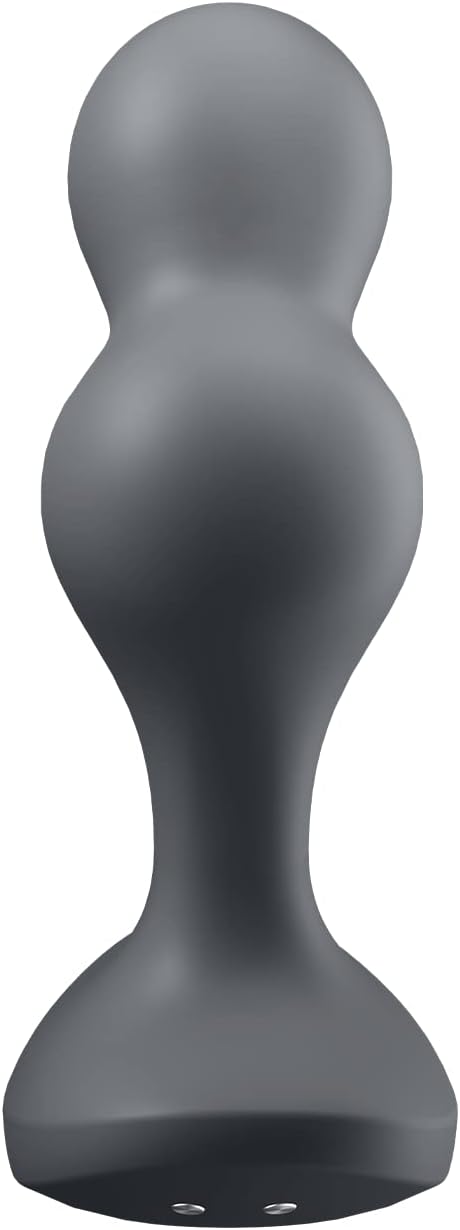
Image: Front view of the Satisfyer Deep Diver Anal Vibrator.
Warranty
Satisfyer offers a 15-year warranty on this product, ensuring long-lasting satisfaction and peace of mind. Please retain your proof of purchase for warranty claims.
Support
For further assistance, product inquiries, or warranty claims, please contact Satisfyer customer support. You can find more information and contact details on the official Satisfyer website or through their brand store on Amazon.
Satisfyer Brand Store: Visit the Satisfyer Store on Amazon