
Streamplify SPMC-MZ1C12711
Streamplify MIC Tripod RGB Cardioid Microphone User Manual
Model: SPMC-MZ1C12711
Introduction
This manual provides comprehensive instructions for the setup, operation, and maintenance of your Streamplify MIC Tripod RGB Cardioid Microphone. Please read this manual thoroughly before using the product to ensure optimal performance and longevity.
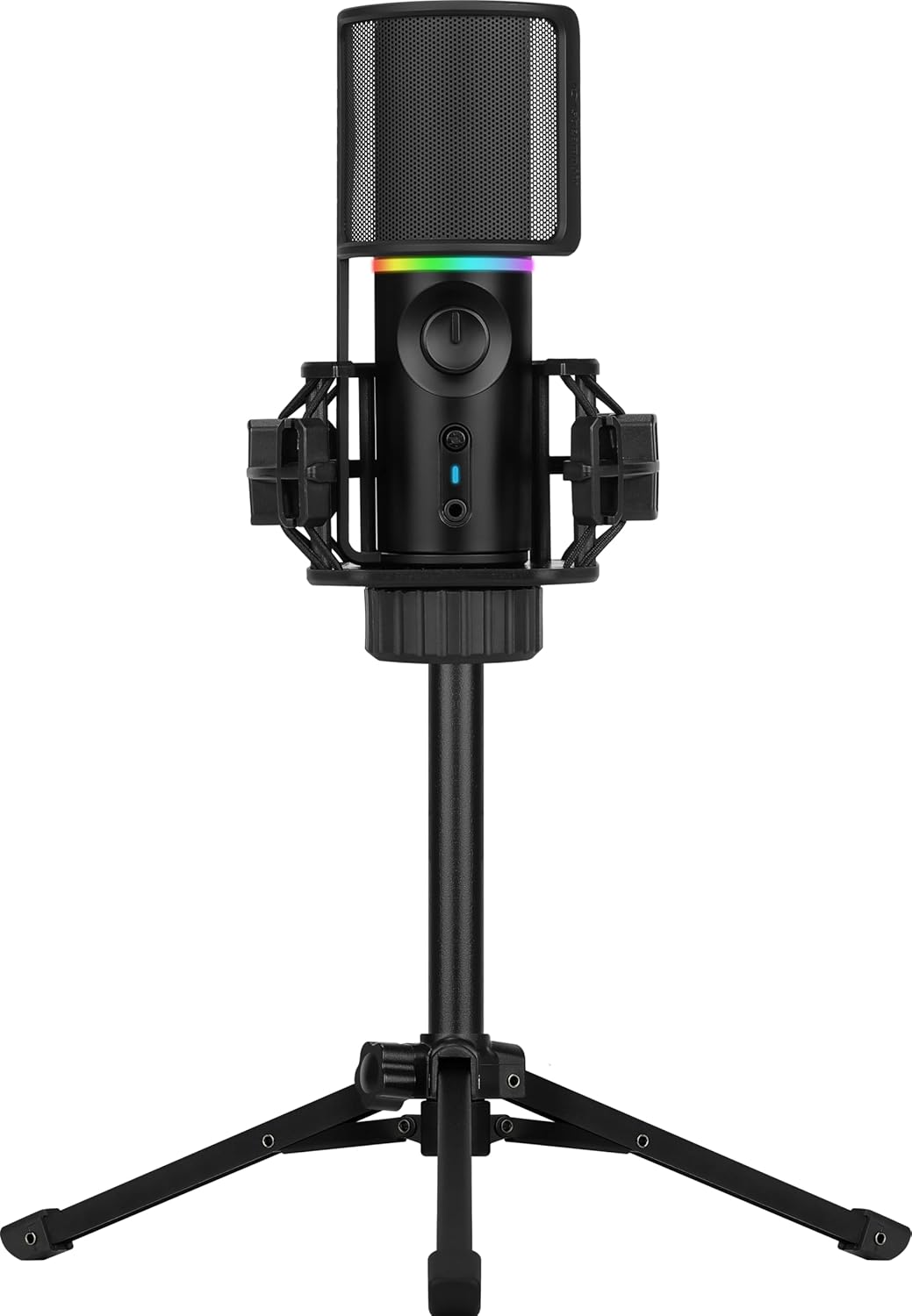
Image: The Streamplify MIC Tripod RGB Cardioid Microphone, fully assembled with its pop filter and tripod stand.
Package Contents
Verify that all items listed below are present in your product packaging:
- Streamplify MIC Cardioid Microphone
- Foldable Tripod Stand
- Shock Mount
- Pop Filter
- USB Type-A to USB Type-C Cable

Image: All individual components of the microphone system, including the microphone unit, tripod, shock mount, pop filter, and USB cable, displayed separately.
Setup Instructions
- Assemble the Tripod: Unfold the legs of the tripod stand and place it on a stable, flat surface.
- Attach the Shock Mount: Screw the shock mount onto the tripod stand's threaded connector. Ensure it is securely fastened.
- Insert the Microphone: Carefully place the Streamplify MIC into the shock mount. The shock mount is designed to reduce vibrations.
- Attach the Pop Filter: Position the pop filter in front of the microphone. The pop filter helps to reduce plosive sounds (e.g., 'p' and 'b' sounds) during recording.
- Connect to Device: Connect the USB Type-C end of the provided cable to the microphone and the USB Type-A end to an available USB port on your computer (PC, Laptop) or compatible gaming console (PS4/PS5/Xbox).
- Driver Installation: The microphone is Plug & Play. Your operating system should automatically detect and install the necessary drivers.

Image: The microphone fully assembled with its shock mount, tripod, and pop filter, ready for connection.
Operating Instructions
Audio Playback Modes
The microphone offers two distinct audio playback modes:
- Full Playback Podcast Mode: This mode plays back your input audio, allowing you to monitor your audio levels while simultaneously capturing ambient sounds. The LED ring will blink blue in this mode.
- One-way Playback Gaming Mode: Designed for gaming, this mode cancels background noise, enabling clear communication without distractions. The LED ring will blink green in this mode.

Image: Visual representation explaining the Full Playback Podcast Mode (LED blue) and One-way Playback Gaming Mode (LED green).
Quick Mute Function
The microphone features a convenient mute button with an LED indicator. Press the mute button to rapidly cut off voice recording. When muted, the microphone's LED will blink red, accompanied by an audible notification sound.
Dynamic RGB Lighting Modes
Cycle between various preset RGB and LED lighting modes to personalize your setup. Refer to the product's quick start guide or manufacturer's website for specific button presses to change lighting effects.

Image: A composite image highlighting the microphone's features: clear audio capture, high sound quality, and customizable dynamic RGB lighting modes.
Cardioid Pickup Pattern
The microphone utilizes a cardioid pickup pattern, which is highly sensitive to sound coming directly from the front of the microphone. It exhibits nearly zero sensitivity to sounds from directly behind and reduced sensitivity to sounds from the sides. This design effectively blocks out unwanted noise and focuses on the primary sound source.

Image: A polar pattern diagram demonstrating the cardioid pickup characteristic, showing highest sensitivity at the front and reduced sensitivity at the sides and rear.
Maintenance
- Cleaning: Use a soft, dry cloth to clean the microphone and tripod. Avoid using abrasive cleaners or solvents.
- Storage: When not in use, store the microphone in a dry, dust-free environment.
- Handling: Handle the microphone and its components with care to prevent damage. Avoid dropping or subjecting it to strong impacts.
Troubleshooting
- No Sound Output:
- Ensure the USB cable is securely connected to both the microphone and your device.
- Verify that the microphone is selected as the default input device in your operating system's sound settings.
- Check if the microphone is muted (red LED indicator).
- Test with a different USB port or computer if possible.
- Poor Sound Quality:
- Ensure the pop filter is correctly positioned to reduce plosives.
- Adjust microphone gain settings in your software to avoid clipping or low volume.
- Confirm the microphone is positioned correctly, facing the sound source directly due to its cardioid pattern.
- Minimize background noise in your recording environment.
- RGB Lighting Not Working:
- Ensure the microphone is properly connected and powered.
- Refer to the product's quick start guide for instructions on cycling through RGB modes.
Specifications
Detailed technical specifications for the Streamplify MIC Tripod RGB Cardioid Microphone:

Image: A comprehensive table detailing the technical specifications of the microphone, including sensor type, sampling rate, connectivity, and compatibility.
| Sensor Type | Ø16 mm condenser capsules |
| Number of Condensers | 1 |
| Pick-up Pattern | Cardioid |
| Sampling Rate | 16bit, 48kHz |
| Frequency Response | 100Hz-18kHz |
| Signal-to-Noise Ratio | >85 dB |
| Sensitivity | -36dB ± 3dB |
| Sound Pressure Level | 120dB |
| Impedance | <680Ω |
| THD | <0.1% (at 1kHz) |
| Audio-out | Yes, 3.5mm Jack |
| Mute Function | Yes |
| Lighting Effect | 8 Modes, 2 RGB modes |
| Power Required | 5V 500mA |
| Plug & Play | Yes, standard UVC & UVA protocol |
| Connection Type | USB 2.0 type A, Compatible to type 3.0 connector |
| Cable Length | 180cm |
| Compatible Device | Laptop, PC, Gaming Consoles (PS4/PS5/Xbox) |
| Compatible Software & OS | Windows 10/8/7/Vista/XP, Mac OS, Chrome OS |
| Item Dimensions L x W x H | 23.62 x 23.62 x 33.46 inches |
| Item Weight | 1.87 pounds |
| Material | Plastic |
| Manufacturer | AeroCool Advanced Technologies Corp. |
Warranty and Support
For warranty information, technical support, or service inquiries, please refer to the official Streamplify website or contact their customer support directly. Keep your purchase receipt as proof of purchase for warranty claims.
Online Support: Visit the official Streamplify website for FAQs, driver downloads, and further assistance.
Contact Information: Refer to your product packaging or the Streamplify website for specific contact details.
Ask a question about this manual
Ask about setup, troubleshooting, compatibility, parts, safety, or missing instructions. Manuals+ will review the question and use this page’s manual context to help answer it.