
1. Introduction and Overview
This manual provides essential information for the safe and effective use of your JBL Professional EON718S 18-inch powered PA subwoofer. The EON718S is part of JBL's EON700 Series, designed to deliver powerful bass reinforcement for portable PA systems in various live sound and installed applications. It features advanced digital signal processing (DSP) and control capabilities, ensuring high-quality audio performance and ease of operation.
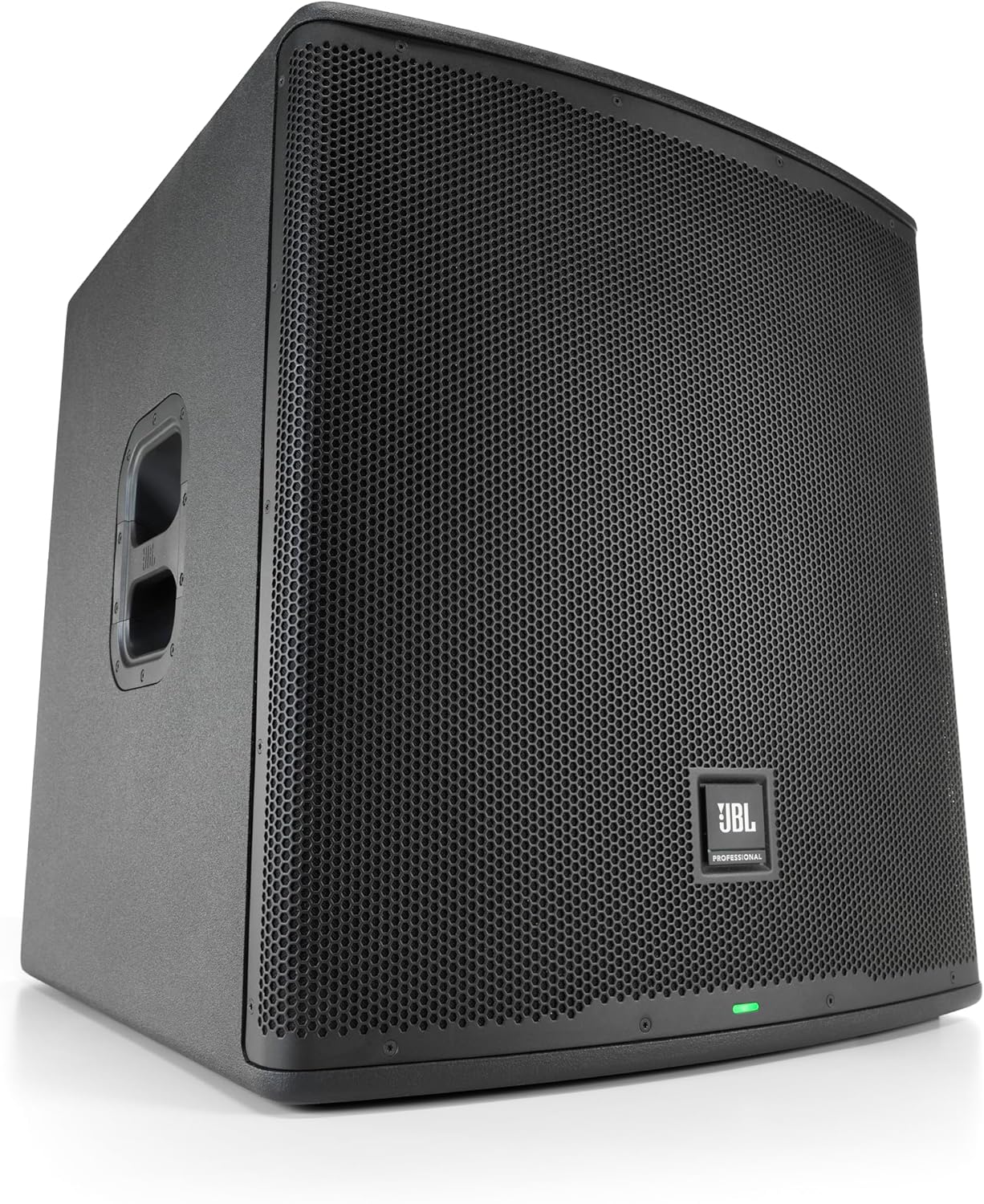
Figure 1: Front-side view of the JBL Professional EON718S Powered PA Subwoofer.
2. Key Features
The JBL EON718S subwoofer incorporates several advanced features for superior performance and versatility:
- Iconic Acoustics, Superior Sound: Engineered acoustic package with a redesigned woofer and 1,500 watts of ultra-efficient amplification, producing smooth, natural bass down to 31 Hz.
- Advanced DSP and Control: Built-in parametric EQ, polarity inversion, and speaker delay. Settings are accessible via an integrated color backlit LCD screen or remotely through the JBL Pro Connect App.
- Bluetooth 5.0 Streaming and Control: Utilizes the latest Bluetooth protocol for secure, low-latency, broad-range audio streaming and control (for full-range speakers in the EON700 series, control features extend to the subwoofer).
- System Versatility: Features a threaded pole mount for supporting full-range speakers and can be easily stacked for cardioid configurations. Indexed feet enable secure stacking for storage and transport.
- Rugged and Reliable Construction: Housed in a durable 15-ply birch enclosure with computer-optimized ergonomic handles for easy transport. Designed to withstand rigorous use.
3. Setup
3.1 Physical Placement
Position the EON718S subwoofer on a stable, level surface. For optimal bass response, consider placing the subwoofer on the floor or a sturdy stage. Multiple subwoofers can be stacked securely using the integrated indexed feet. If using a pole-mounted full-range speaker, ensure the pole is correctly inserted into the threaded mount on the subwoofer and secured.
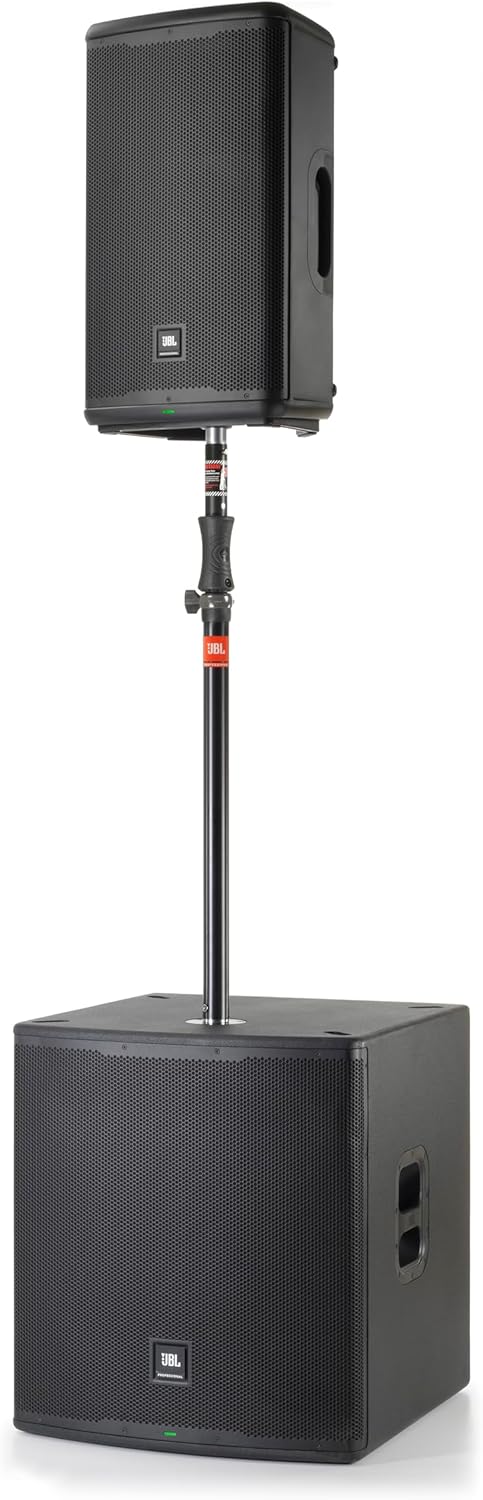
Figure 2: EON718S subwoofer with a pole-mounted full-range speaker.
3.2 Connections
Before making any connections, ensure the subwoofer is powered off. Connect your audio source (e.g., mixer, PA system) to the XLR Combo inputs (CH1 or CH2) on the rear panel. Use the XLR loop-out connectors (PASS THRU1, PASS THRU2) to send the audio signal to other full-range speakers or additional subwoofers. Connect the power cable to the AC inlet and then to a suitable power outlet.
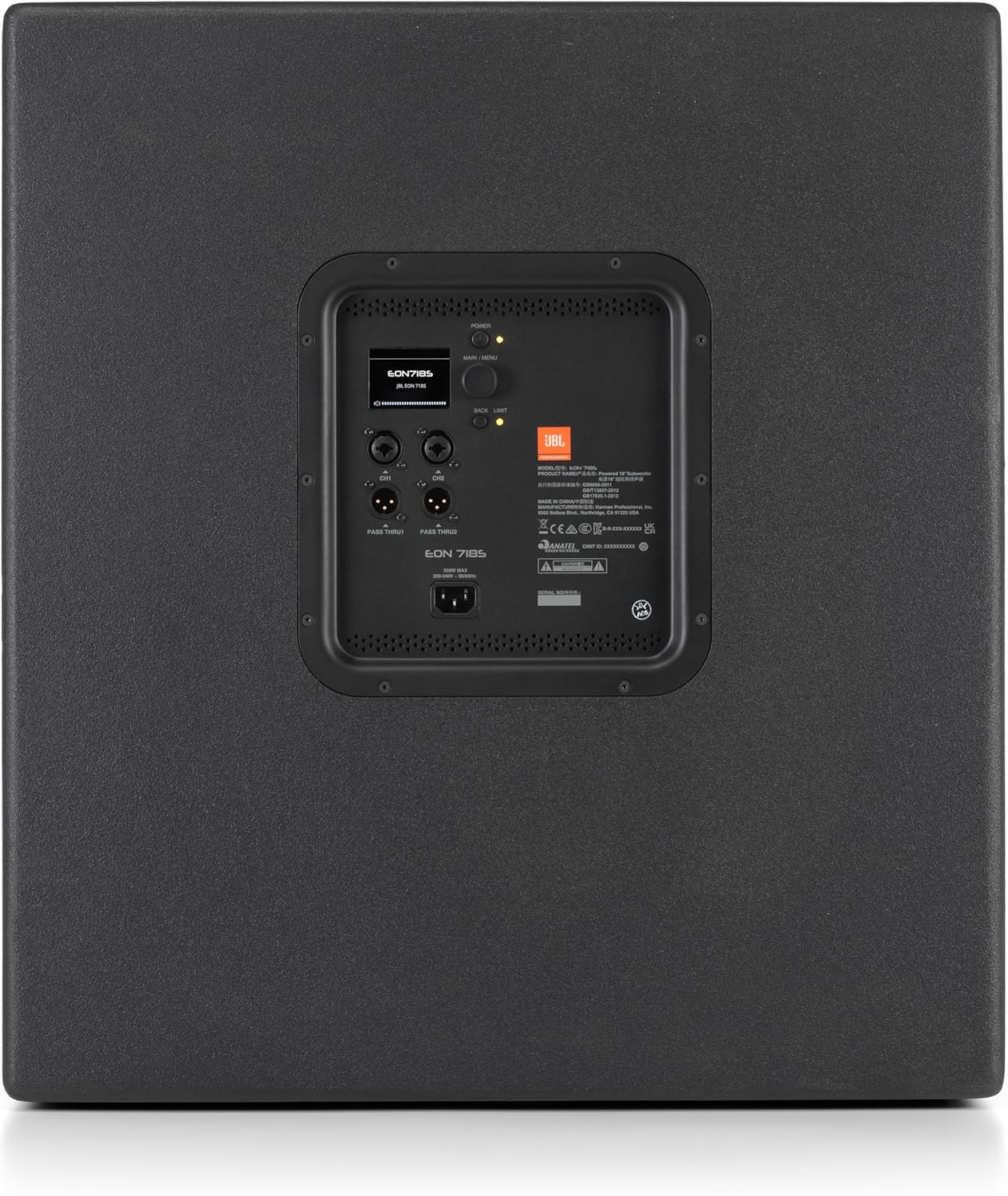
Figure 3: Rear panel connections and controls of the EON718S.
3.3 Dimensions
Understanding the physical dimensions is crucial for transport and placement.

Figure 4: Dimensions of the JBL EON718S subwoofer.
4. Operating Instructions
4.1 Powering On/Off
To power on the EON718S, ensure all connections are secure, then press the POWER button located on the rear panel. The LED indicator on the front will illuminate. To power off, press the POWER button again.
4.2 DSP Control and Settings
The EON718S features an integrated color backlit LCD screen on the rear panel for direct access to DSP settings. Use the navigation controls adjacent to the screen to adjust parameters such as parametric EQ, polarity inversion, and speaker delay. For remote control, download and install the JBL Pro Connect App on your mobile device.
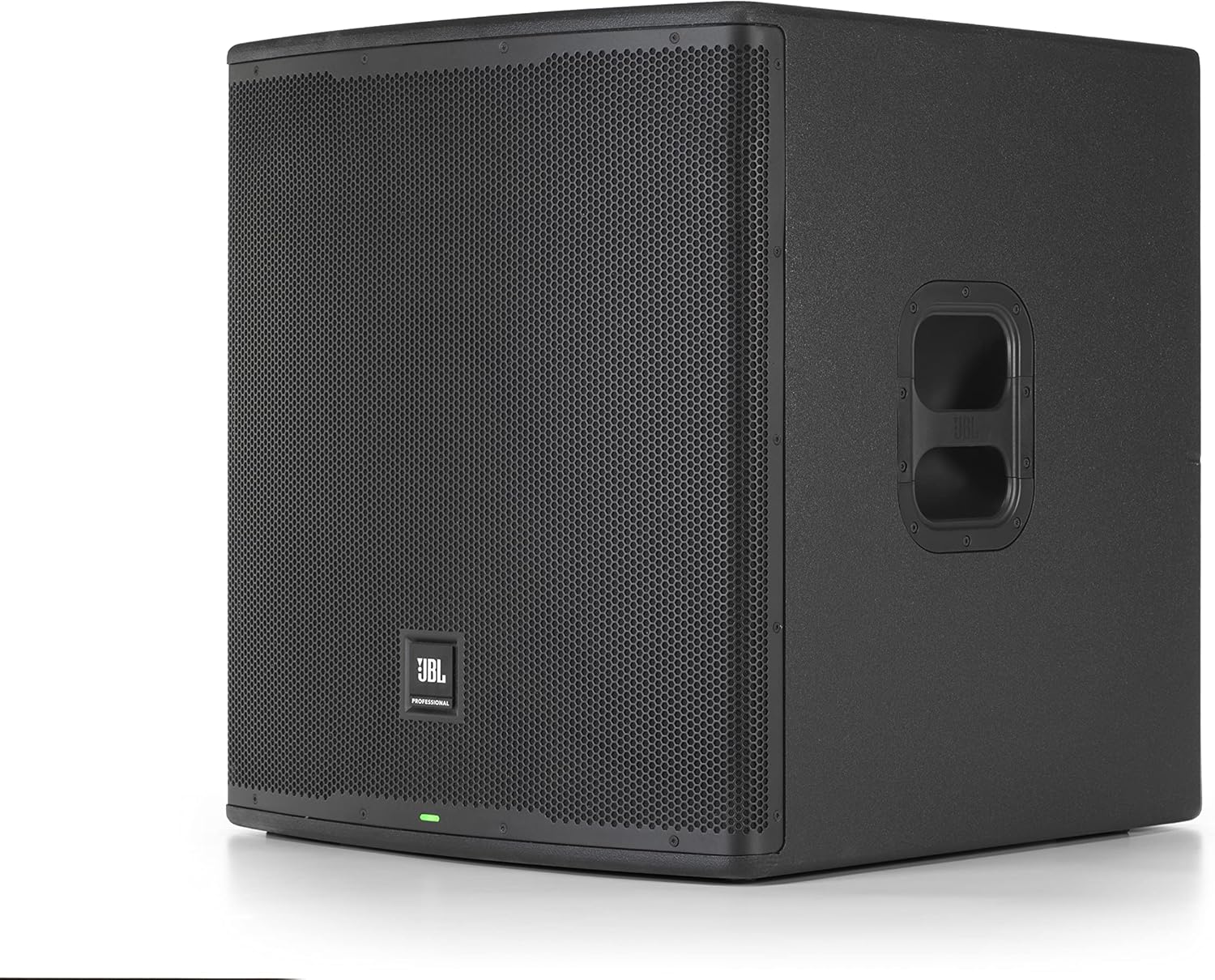
Figure 5: Adjusting settings directly on the EON718S LCD screen.
4.3 JBL Pro Connect App
The JBL Pro Connect App allows for comprehensive remote control of your EON718S subwoofer and other EON700 series speakers via Bluetooth 5.0. Pair your device with the subwoofer through the app to access advanced DSP functions, save presets, and manage your entire PA system from anywhere in the venue.
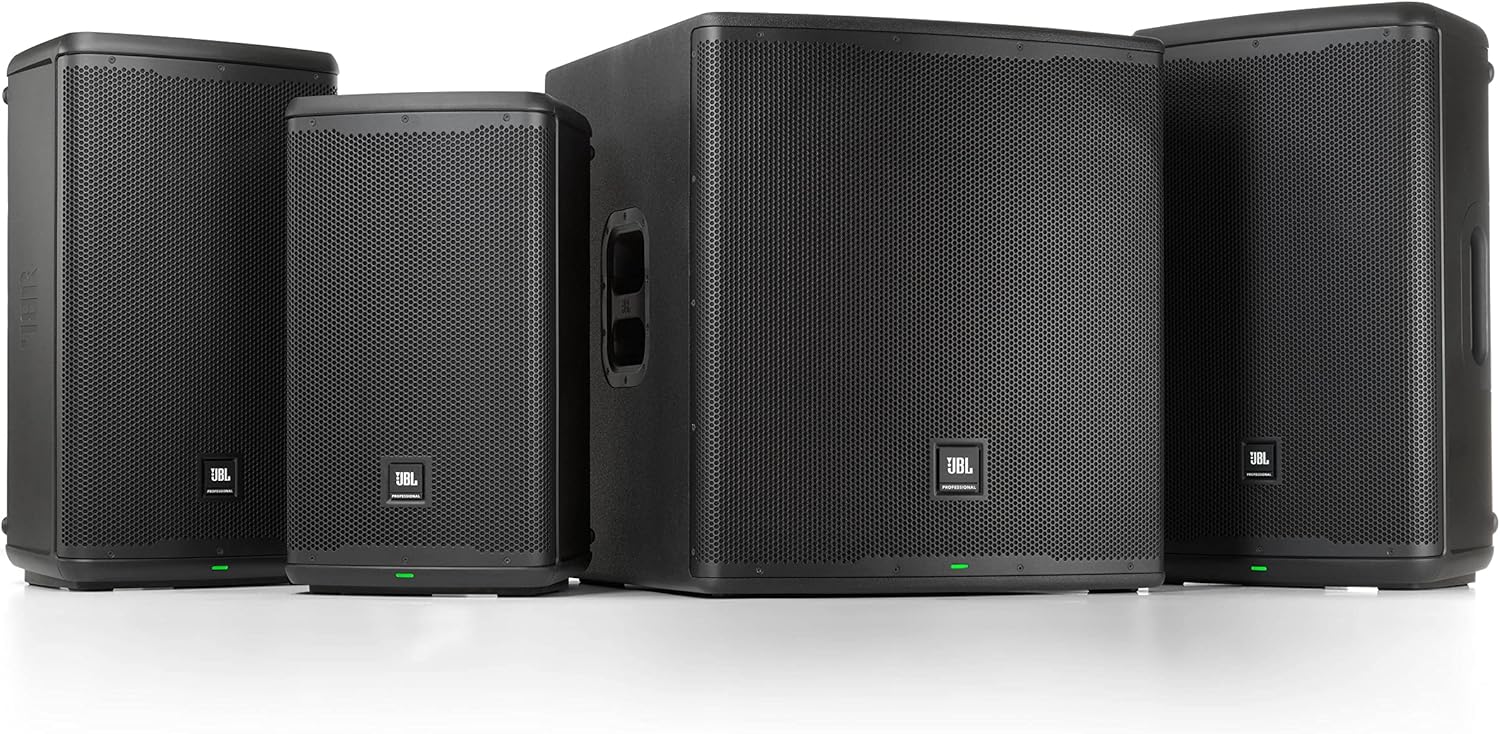
Figure 6: JBL Pro Connect App interface on a tablet for remote control.
5. Maintenance
Proper maintenance ensures the longevity and optimal performance of your EON718S subwoofer.
- Cleaning: Regularly wipe the exterior with a soft, dry cloth. Avoid using abrasive cleaners, solvents, or waxes. Ensure no liquids enter the grille or control panel.
- Storage: When not in use, store the subwoofer in a dry, temperature-controlled environment. If transporting, use appropriate protective covers or cases to prevent damage.
- Inspection: Periodically check all cables and connectors for signs of wear or damage. Ensure the grille is free from obstructions.
6. Troubleshooting
This section addresses common issues you might encounter with your EON718S subwoofer.
| Problem | Possible Cause | Solution |
|---|---|---|
| No Power | Power cable disconnected; Power outlet faulty; Power switch off. | Ensure power cable is securely connected. Test power outlet with another device. Press the POWER button to turn on. |
| No Sound Output | Input cables disconnected; Volume level too low; DSP settings incorrect; Source device issue. | Check all input and output cables. Increase volume on subwoofer and source. Verify DSP settings (e.g., mute, crossover). Test with a different audio source. |
| Distorted Sound | Input signal too high (clipping); Damaged cable; Incorrect DSP settings. | Reduce input gain from the source or on the subwoofer. Replace suspect cables. Check EQ or limiter settings in DSP. |
| Bluetooth Connection Issues | Device not in pairing mode; Out of range; Interference; Already connected to another device. | Ensure subwoofer's Bluetooth is active and in pairing mode. Move device closer to subwoofer. Minimize interference from other wireless devices. Disconnect from other devices. |
7. Specifications
Detailed technical specifications for the JBL Professional EON718S Powered PA Subwoofer.
| Feature | Detail |
|---|---|
| Model Name | EON718S |
| Speaker Type | Subwoofer System |
| Subwoofer Diameter | 18 Inches |
| Speaker Maximum Output Power | 1500 Watts |
| Frequency Response | 31–150 Hz (-10 dB); 40–120 Hz (-3 dB) |
| Max SPL | 131 dB |
| Audio Inputs / Outputs | 2 XLR Combo, 2 XLR loop-outs |
| Connectivity Technology | Bluetooth |
| Bluetooth Version | 5.0 |
| Control Method | App, On-speaker LCD |
| Special Features | Built-in Mixer, Digital Signal Processing (DSP), Display, Equalizer, LED Light |
| Mounting Type | Floor Standing, Pole Mount |
| Material | 15-ply Birch plywood, paint, metal |
| Product Dimensions (HxWxD) | 26.3 x 24 x 25.1 inches (667 x 609 x 637 mm) |
| Item Weight | 81.5 Pounds (37 kg) |
| Impedance | 4 Ohm |
| Power Source | AC |
| UPC | 691991035036 |
8. Warranty Information
The JBL Professional EON718S Powered PA Subwoofer is covered by a Limited Warranty. For specific terms, conditions, and duration of the warranty, please refer to the warranty card included with your product or visit the official JBL Professional website. Keep your proof of purchase for warranty claims.
9. Support
For further assistance, technical support, or service inquiries regarding your JBL Professional EON718S subwoofer, please visit the official JBL Professional website or contact their customer service department. You can find contact details and additional resources on their website.