
BLACK+DECKER BXAP62001GB
BLACK+DECKER BXAP62001GB Desktop Air Purifier User Manual
Model: BXAP62001GB
1. Introduction
This manual provides essential information for the safe and efficient operation, maintenance, and troubleshooting of your BLACK+DECKER BXAP62001GB Desktop Air Purifier. Please read this manual thoroughly before using the appliance and retain it for future reference.
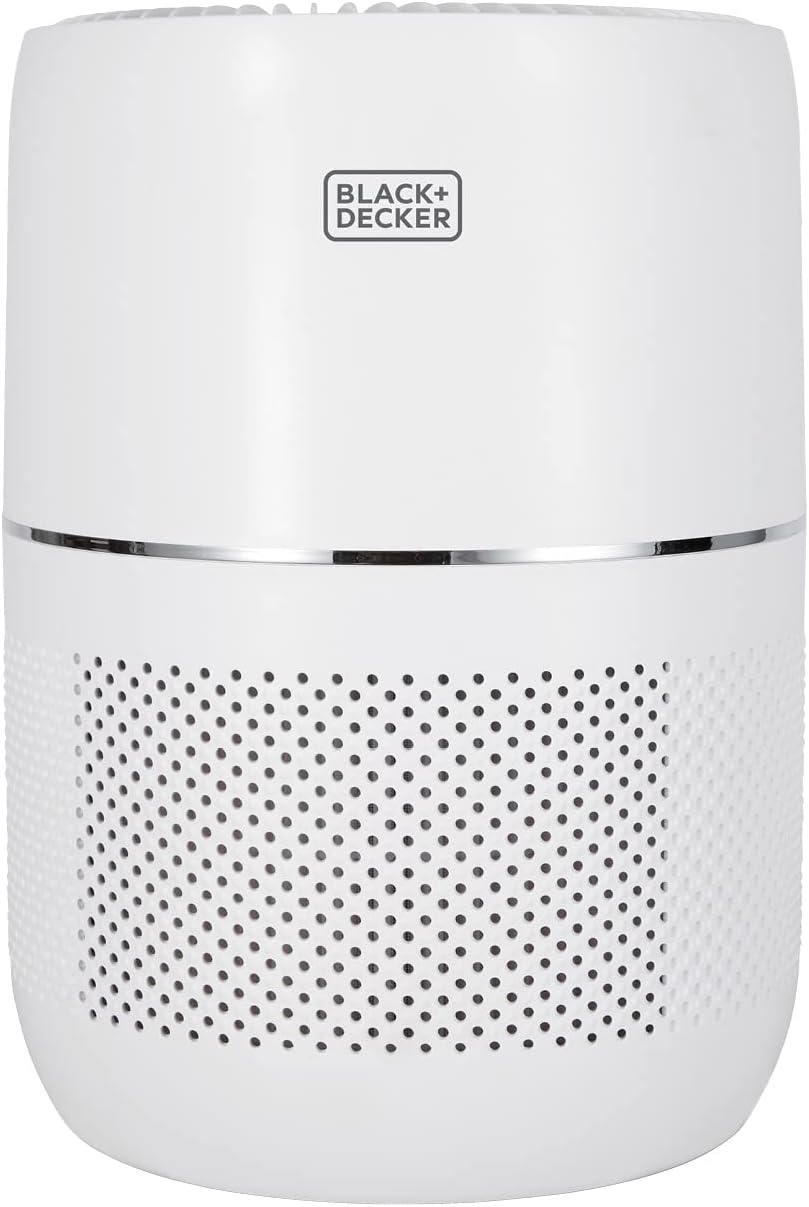
Figure 1.1: The BLACK+DECKER BXAP62001GB Desktop Air Purifier.
2. Important Safety Information
WARNING: Read all safety warnings and all instructions. Failure to follow the warnings and instructions may result in electric shock, fire, and/or serious injury.
- Do not operate any appliance with a damaged cord or plug.
- Do not run cord under carpeting. Do not cover cord with throw rugs, runners, or similar coverings. Arrange cord away from traffic area and where it will not be tripped over.
- Do not use outdoors or on wet surfaces.
- Always unplug the air purifier before moving it, opening the grille, changing filters, cleaning, or whenever it is not in use.
- Do not allow children to play with the appliance.
- This appliance is for household use only.
3. Product Features and Components
Your BLACK+DECKER BXAP62001GB Air Purifier is designed to improve indoor air quality with its advanced filtration system and smart features.
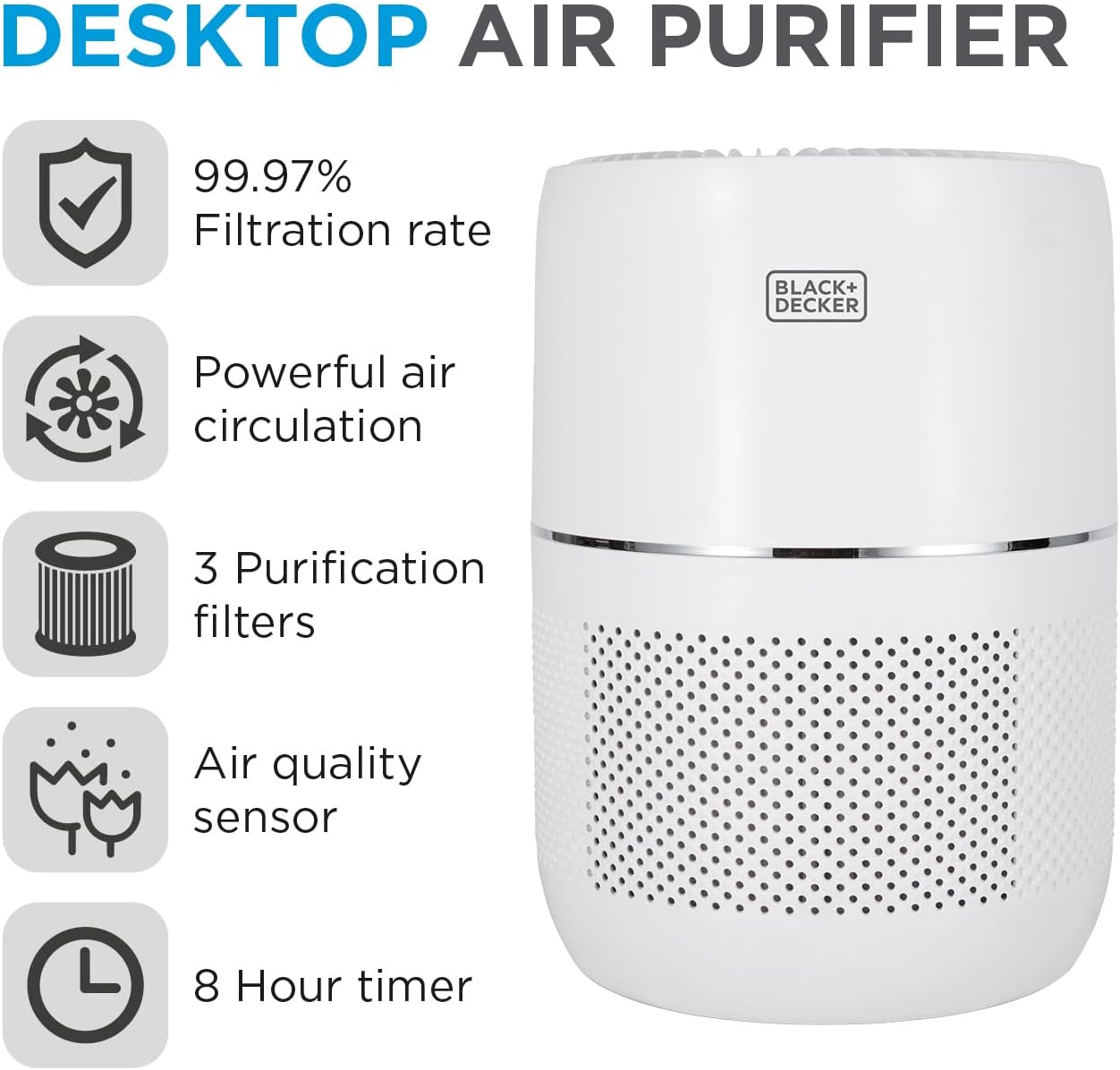
Figure 3.1: Key features of the air purifier.
3.1 Filtration System
The unit features a 3-stage purification system:
- Pre-filter: Captures large particles such as dust, lint, and pet dander.
- HEPA13 Filter: Filters 99.97% of fine particles down to 0.3 microns, including pollen, mold spores, and bacteria.
- Activated Carbon Filter: Absorbs odors, smoke, and harmful gases.
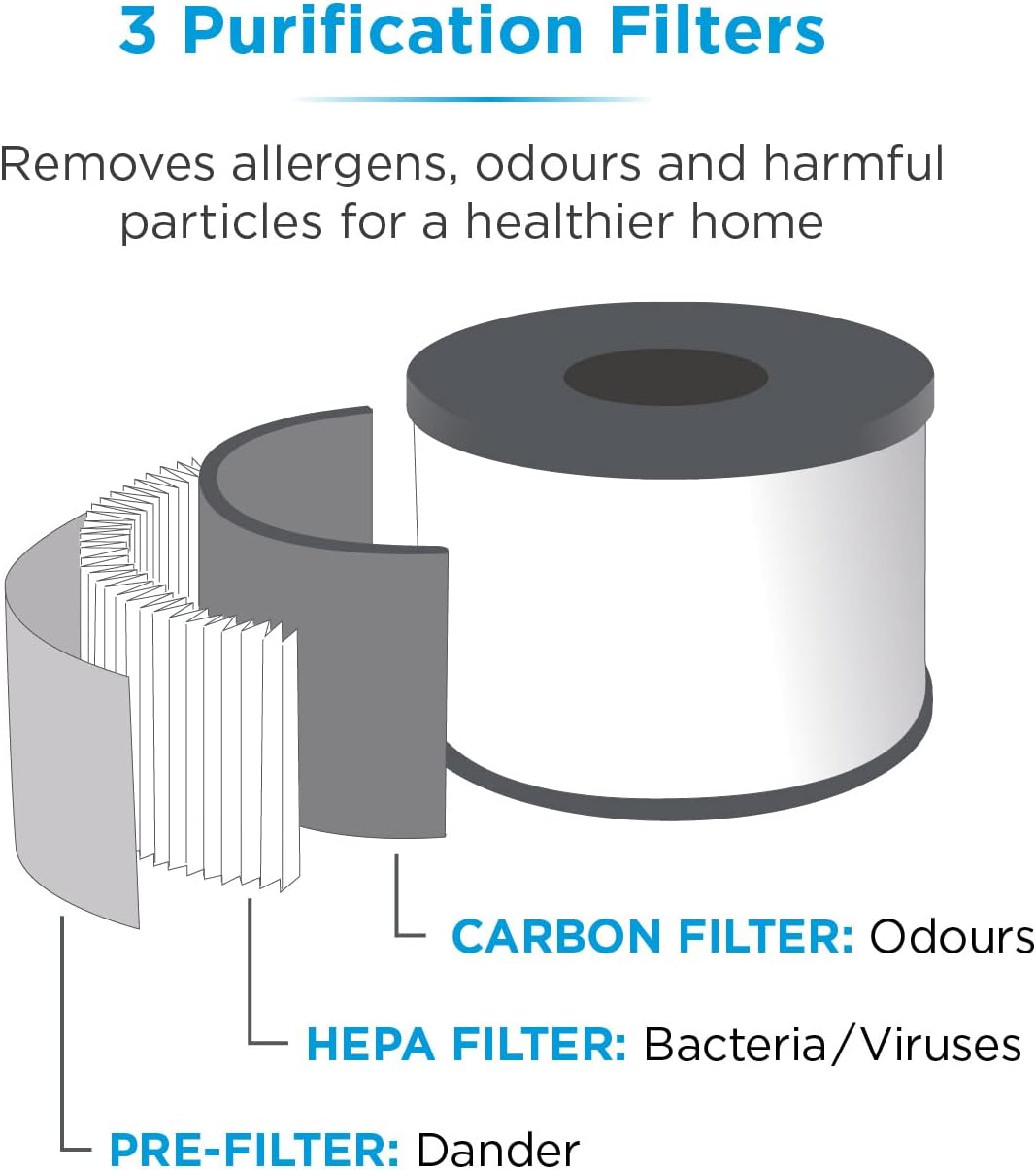
Figure 3.2: The 3-stage purification filter.
3.2 Air Quality Sensor
The integrated PM 2.5 Dust Sensor detects fine particulate matter and indicates the air pollution level using multi-coloured LED lights on the top of the unit:
- Blue: Excellent air quality
- Green: Good air quality
- Orange: Moderate air quality
- Red: Poor air quality

Figure 3.3: Air Quality Sensor LED indicator.
4. Setup and Installation
- Unpack the Unit: Carefully remove the air purifier from its packaging. Retain packaging for future storage or transport.
- Remove Filter Packaging: Before first use, open the filter compartment (usually at the bottom or back) and remove the plastic packaging from the filter. Reinsert the filter securely.
- Position the Purifier: Place the air purifier on a firm, level surface. Ensure there is at least 30 cm (12 inches) of clear space around the air inlet and outlet for optimal air circulation. Avoid placing it directly against walls or furniture.
- Connect to Power: Plug the power cord into a suitable electrical outlet.
5. Operating Instructions
The control panel is located on the top of the unit. It features touch-sensitive buttons for various functions.

Figure 5.1: Control Panel.
5.1 Power On/Off
- Press the Power Button (⏻) to turn the unit on or off.
- When turned on, the unit will typically start in Automatic mode or the last used setting.
5.2 Fan Speed / Mode Selection
The air purifier offers multiple operating modes:
- Low Speed: For quiet operation and continuous purification.
- High Speed: For rapid air purification in larger or more polluted areas.
- Sleep Mode: Reduces fan speed to the lowest setting and dims indicator lights for undisturbed sleep.
- Automatic Mode: The purifier automatically adjusts fan speed based on the detected air quality (indicated by the LED lights).
Press the Mode Button (often indicated by a fan icon or 'M') repeatedly to cycle through the available modes.
5.3 Timer Function
Set the air purifier to operate for a specific duration:
- Press the Timer Button (often indicated by a clock icon).
- Each press will cycle through available timer settings (e.g., 1 hour, 2 hours, 4 hours, 8 hours).
- The unit will automatically turn off once the set time has elapsed.
5.4 Child Lock
Some models may feature a child lock function to prevent accidental changes to settings. Refer to your specific model's instructions for activation and deactivation.
5.5 Demonstration Video
Watch this video for a visual guide on the air purifier's operation and features:
Video 5.1: Demonstration of the air purifier's features and quiet operation in sleep mode.
6. Maintenance
6.1 Cleaning the Unit
- Always unplug the air purifier before cleaning.
- Wipe the exterior surfaces with a soft, damp cloth. Do not use abrasive cleaners or solvents.
- Do not immerse the unit in water or any other liquid.
6.2 Filter Replacement
The filter has an estimated lifespan of 2200 hours of continuous use (approximately 91 days). The unit may have an indicator light to signal when the filter needs replacement.
- Power Off and Unplug: Ensure the air purifier is turned off and unplugged from the power outlet.
- Access Filter Compartment: Locate and open the filter compartment cover (refer to your model's specific design for access).
- Remove Old Filter: Carefully remove the used filter. Dispose of it properly.
- Install New Filter: Unwrap the new filter and insert it into the compartment, ensuring it is correctly oriented and seated.
- Close Cover: Securely close the filter compartment cover.
- Reset Filter Indicator (if applicable): Plug in the unit. If there is a filter reset button or procedure, follow the instructions in your specific model's guide to reset the filter life indicator.

Figure 6.1: The replaceable air filter.
7. Troubleshooting
| Problem | Possible Cause | Solution |
|---|---|---|
| Unit does not turn on. | No power supply. | Check if the power cord is securely plugged into the outlet. Ensure the outlet is functional. |
| Airflow is weak or noisy. | Filter is dirty or clogged. | Replace the filter. Ensure there are no obstructions around the air inlet/outlet. |
| Air quality does not improve. | Room size too large; filter needs replacement; strong odor source. | Ensure the room size is within the recommended 14m². Replace the filter. Identify and remove strong odor sources. |
| LED indicator always red/orange. | High level of airborne particles. | Increase fan speed. Ensure windows and doors are closed. Check for sources of pollution. |
8. Specifications
| Feature | Detail |
|---|---|
| Model Number | BXAP62001GB |
| Brand | BLACK+DECKER |
| Product Dimensions | 22.5 x 22.5 x 56.2 cm |
| Weight | 2.26 kg |
| Recommended Floor Area | Up to 14 m² |
| Filtration Rate | 99.97% (HEPA13) |
| Filter Type | 3-stage (Pre-filter, HEPA13, Activated Carbon) |
| Air Quality Sensor | PM 2.5 Dust Sensor with LED indicator |
| Timer | 8 Hour Timer |
| Colour | White |
9. Warranty and Support
This BLACK+DECKER Air Purifier comes with a 2-year manufacturer's guarantee. Please retain your proof of purchase for warranty claims.
For technical support, troubleshooting beyond this manual, or warranty service, please contact BLACK+DECKER customer support or visit their official website. You can find more information and contact details on the BLACK+DECKER Store on Amazon.

Figure 9.1: BLACK+DECKER Brand Logo.
Related documentsBXAP62001GB


Ask a question about this manual
Ask about setup, troubleshooting, compatibility, parts, safety, or missing instructions. Manuals+ will review the question and use this page’s manual context to help answer it.