
TCL 43S446
TCL 43" Class 4-Series 4K UHD HDR Smart Google TV User Manual
Model: 43S446 | Brand: TCL
1. Product Overview
The TCL 43" Class 4-Series 4K UHD HDR Smart Google TV (Model 43S446) offers a stunning Ultra HD picture quality with four times the resolution of Full HD, providing enhanced clarity and detail. This smart TV integrates Google TV for endless entertainment options, intelligently organizing content from various streaming applications. It features built-in Google Assistant for voice control and smart home device management.
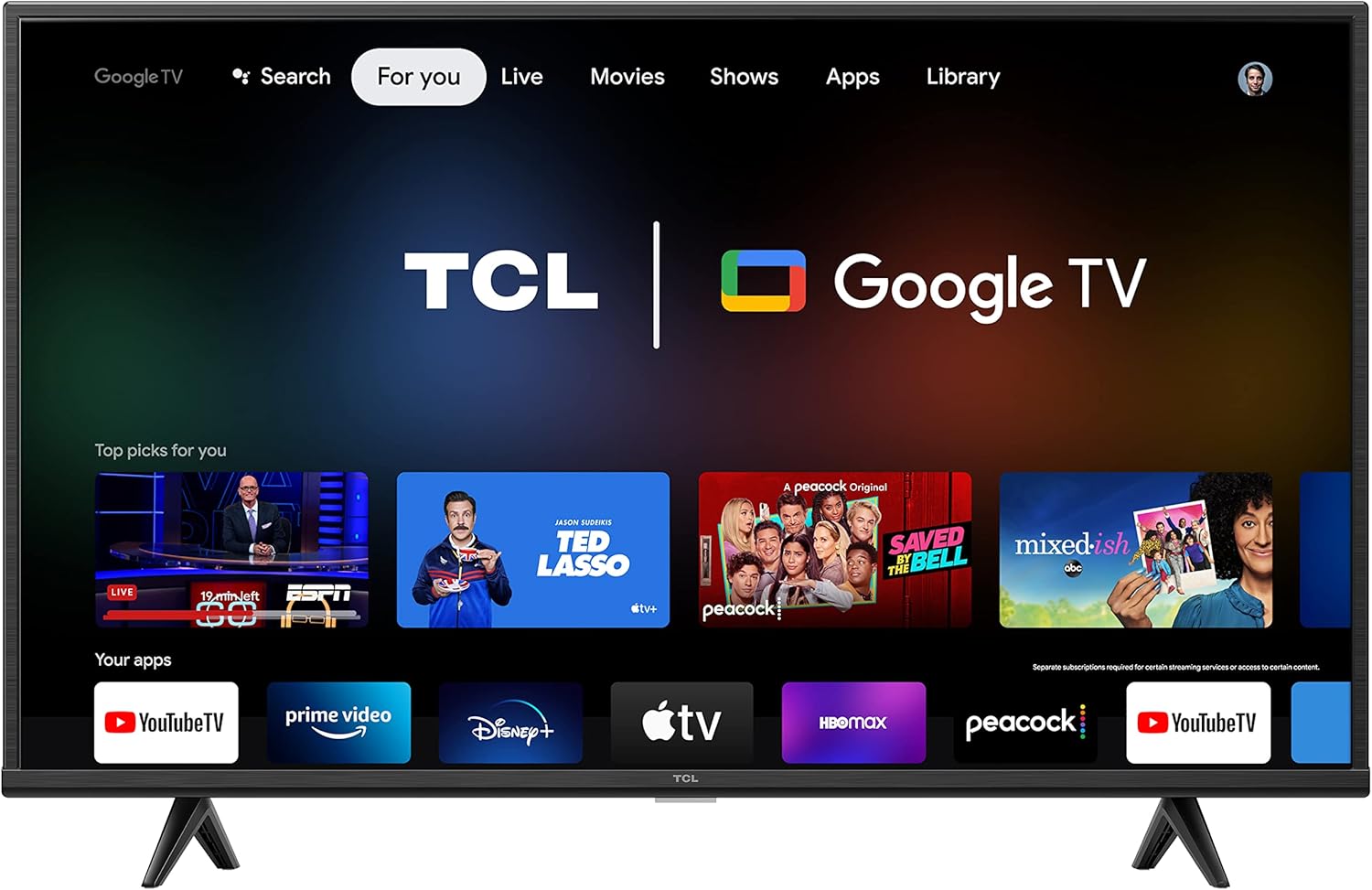
Image: Front view of the TCL 43-inch 4K UHD HDR Smart Google TV, showcasing its sleek design and the intuitive Google TV interface with popular streaming applications.
2. What's in the Box
Upon unboxing your TCL 43S446 TV, please ensure all the following components are present:
- Power Cable
- Remote Control
- 2x Remote Control Batteries
- TV Stand (2 pieces)
- Quick Start Guide

Image: A visual representation of the TV's dimensions and the contents typically found in the product packaging, including the remote and stand components.
3. Setup Guide
3.1 Attaching the TV Stand
- Carefully place the TV face-down on a soft, clean surface to prevent screen damage.
- Identify the left and right stand pieces.
- Align each stand piece with the corresponding screw holes on the bottom of the TV.
- Secure each stand piece using the provided screws. Do not overtighten.
- Carefully lift the TV to an upright position on a stable, flat surface.
3.2 Connecting Peripherals
The TCL 43S446 TV offers multiple connectivity options for your devices:
- HDMI Ports: Connect gaming consoles, Blu-ray players, cable boxes, and other HDMI-enabled devices.
- USB Port: For connecting USB storage devices to view media.
- Ethernet Port: For a wired internet connection.
- Antenna/Cable Input: For connecting an antenna for over-the-air broadcasts or a cable TV connection.
- Optical Audio Output: For connecting to a soundbar or audio receiver.
- AV In: For connecting older devices using composite video and stereo audio cables.

Image: Detail of the TV's input and output ports, illustrating where to connect various external devices.
3.3 Initial Power On and Network Connection
- Plug the power cable into the TV and then into a wall outlet.
- Press the power button on the remote control or on the TV itself.
- Follow the on-screen instructions to select your language, connect to your Wi-Fi network (or use Ethernet), and sign in with your Google account to access Google TV features.
4. Operating Your TCL Google TV
4.1 Google TV Interface
The Google TV interface organizes movies and shows from across your favorite apps into one central location. You can browse personalized recommendations, curate watchlists, and easily find content based on your viewing habits.
4.2 Voice Control with Google Assistant
Your TV is more helpful than ever with Google Assistant built-in. To use voice commands:
- Press the Google Assistant button on your remote control.
- Speak clearly into the remote. You can ask Google to find specific titles, search by genre, get personalized recommendations (e.g., "what should I watch?"), check sports scores, or control compatible smart home devices.
Video: An official TCL video demonstrating the features of the TCL 4-Series Google TV, including its 4K HDR picture quality, premium design, and the integrated Google Assistant for voice control and content navigation.
4.3 Accessing Streaming Apps
The Google TV OS provides access to thousands of streaming apps, including popular services for sports, news, music, kids and family content, and more. Navigate to the "Apps" section on the home screen to browse and download new applications.
4.4 High Dynamic Range (HDR)
The TV supports High Dynamic Range (HDR), which delivers brighter and more accurate colors for a lifelike viewing experience. Ensure your content source also supports HDR to fully utilize this feature.
5. Maintenance
To ensure the longevity and optimal performance of your TCL TV, follow these maintenance guidelines:
- Screen Cleaning: Gently wipe the screen with a soft, lint-free cloth. For stubborn marks, slightly dampen the cloth with water or a screen-specific cleaner. Avoid harsh chemicals or abrasive materials.
- Cabinet Cleaning: Use a soft, dry cloth to clean the TV cabinet.
- Ventilation: Ensure the TV's ventilation openings are not blocked. Do not place the TV in an enclosed space without adequate airflow.
- Power Cord: Regularly check the power cord for any damage. If damaged, replace it immediately with an authorized TCL part.
6. Troubleshooting
If you encounter issues with your TV, refer to the following common solutions:
| Problem | Possible Solution |
|---|---|
| No Power | Ensure the power cable is securely plugged into the TV and a working electrical outlet. Try a different outlet. |
| No Picture / Distorted Picture | Check all cable connections (HDMI, antenna). Ensure the correct input source is selected. If using an external device, check its power and connection. |
| No Sound / Low Sound | Check volume levels on both the TV and any connected audio devices. Ensure mute is not activated. Check audio cable connections. |
| Remote Control Not Working | Replace the batteries in the remote. Ensure there are no obstructions between the remote and the TV's IR sensor. |
| Cannot Connect to Wi-Fi | Ensure your Wi-Fi router is on and working. Re-enter the Wi-Fi password. Try restarting both the TV and the router. |
For more detailed troubleshooting, please refer to the official TCL support website or the full user manual (PDF) available online.
7. Specifications
| Feature | Detail |
|---|---|
| Brand | TCL |
| Model Number | 43S446 |
| Screen Size | 43 Inches |
| Display Technology | Standard LED |
| Resolution | 4K UHD (3840 x 2160) |
| Refresh Rate | 60 Hz |
| High Dynamic Range (HDR) | Supported |
| Operating System | Google TV |
| Voice Assistant | Google Assistant Built-in |
| Connectivity | Bluetooth, Wi-Fi, USB, Ethernet, HDMI |
| Product Dimensions (with stand) | 38.2" W x 24.6" H x 9.9" D |
| Product Dimensions (without stand) | 38.2" W x 22.3" H x 3.3" D |
| Item Weight | 15.4 Pounds |
| Energy Consumption | 90 kWh per year (estimated) |

Image: Side view of the TCL 43-inch TV, showcasing its slim profile.
8. Warranty and Support
Your TCL 43" Class 4-Series 4K UHD HDR Smart Google TV comes with a manufacturer's warranty. For specific warranty terms and conditions, please refer to the warranty card included with your product or visit the official TCL support website.
For technical support, troubleshooting assistance, or to access the full user manual (PDF), please visit the TCL support website or contact their customer service. The official user manual can be found at: TCL User Manual (PDF).
Related documents43S446

Ask a question about this manual
Ask about setup, troubleshooting, compatibility, parts, safety, or missing instructions. Manuals+ will review the question and use this page’s manual context to help answer it.