
Formuler Formuler Z10 Pro
Formuler Z10 Pro 4K Android Media Streamer User Manual
Model: Formuler Z10 Pro
Introduction
This manual provides detailed instructions for the setup, operation, and maintenance of your Formuler Z10 Pro 4K Android Media Streamer. Please read this manual thoroughly before using the device to ensure optimal performance and safety.
Package Contents
Verify that all items are present in the package:
- 2022 Formuler Z10 Pro Media Streamer
- HDMI Cable
- Power Supply
- Formuler IR1 Remote
- Battery

Image: Formuler Z10 Pro Media Streamer, remote control, and product packaging.
Product Overview
The Formuler Z10 Pro is a 4K Android Media Streamer designed for high-quality media consumption. It features a powerful processor, ample memory, and various connectivity options.
Front View
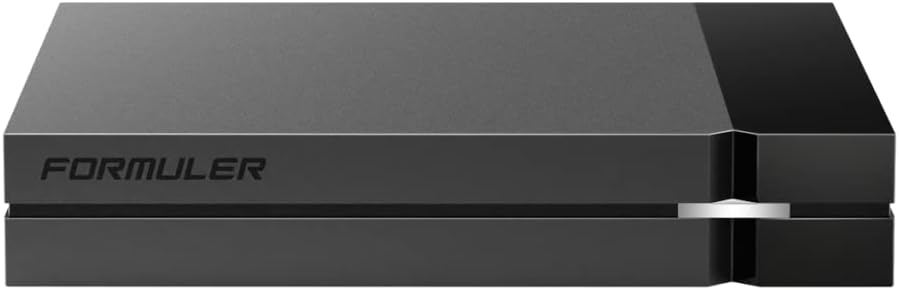
Image: Front view of the Formuler Z10 Pro device, showcasing its sleek design.
Rear Ports

Image: Rear panel of the Formuler Z10 Pro, displaying the power input, USB 3.0, MicroSD card slot, LAN port, HDMI port, and IR extension port.
Remote Control
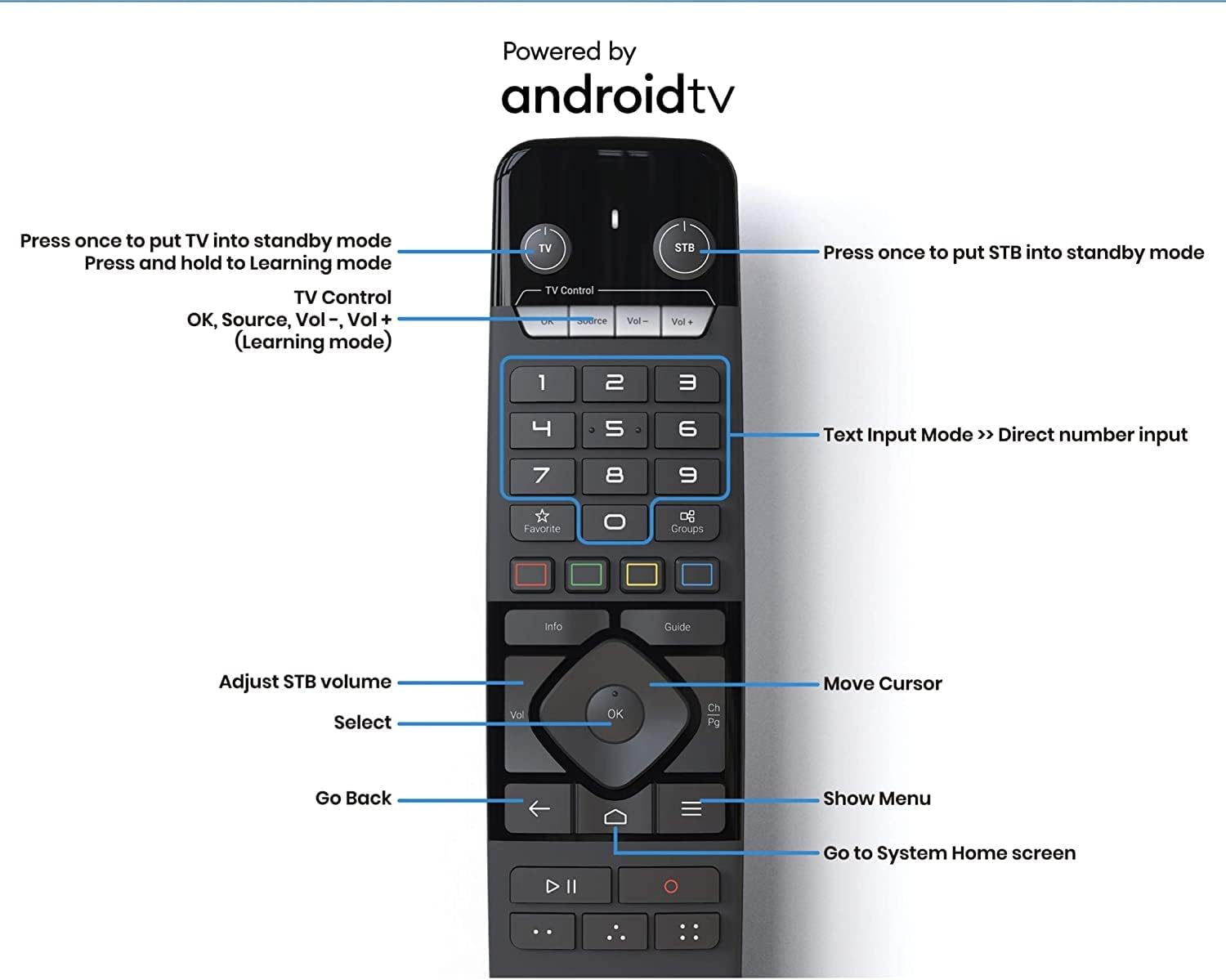
Image: The Formuler IR1 Remote control with annotations for various buttons including TV/STB power, volume, channel, navigation, and special function keys.
Setup
- Connect to Power: Insert the power adapter into the DC 12V/1A port on the back of the Formuler Z10 Pro and plug it into a wall outlet.
- Connect to TV: Use the provided HDMI cable to connect the HDMI port on the Formuler Z10 Pro to an HDMI input on your television.
- Connect to Network (Optional): For a wired connection, connect an Ethernet cable from your router to the LAN port on the device. For wireless, you will configure Wi-Fi during the initial setup process.
- Insert Batteries into Remote: Open the battery compartment on the Formuler IR1 Remote and insert the provided batteries, ensuring correct polarity.
- Power On: Press the power button on the remote control or the device to turn on the Formuler Z10 Pro.
- Initial Setup Wizard: Follow the on-screen instructions to complete the initial setup, including language selection, network configuration (if using Wi-Fi), and Google account sign-in.
Operating Instructions
Basic Navigation
- Use the directional pad (up, down, left, right) on the remote to navigate through menus and select items.
- Press the OK button to confirm a selection.
- Press the Back button (left arrow) to return to the previous screen.
- Press the Home button (house icon) to go to the main system home screen.
App Management
- Installing Apps: Access the Google Play Store from the home screen to download and install applications.
- Uninstalling Apps: Go to Settings > Apps, select the desired app, and choose "Uninstall".
MYTVOnline2 Application
The MYTVOnline2 application is a key feature for IPTV users, offering an intuitive interface for live TV, VOD, and catch-up services.
- Accessing MYTVOnline2: Launch the MYTVOnline2 app from the home screen.
- Adding Portals/Playlists: Follow the in-app instructions to add your service provider's portal URL or M3U playlist.
- EPG (Electronic Program Guide): Use the "Guide" button on the remote to view program schedules.
- Time-shifting and Recording: Utilize the play/pause and record buttons for these functions, if supported by your service.
Maintenance
- Cleaning: Use a soft, dry cloth to clean the device. Do not use liquid cleaners or aerosols.
- Ventilation: Ensure the device is placed in a well-ventilated area to prevent overheating. Do not block ventilation openings.
- Software Updates: Periodically check for system updates via Settings > About > System Update to ensure optimal performance and security.
- Factory Reset: If experiencing persistent issues, a factory reset can be performed via Settings > System > Reset options. Note that this will erase all data and settings.
Troubleshooting
| Problem | Possible Cause | Solution |
|---|---|---|
| No Power | Power adapter not connected; outlet not working. | Check power connections; try a different outlet. |
| No Picture/Signal | HDMI cable loose; incorrect TV input selected. | Ensure HDMI cable is secure; select correct HDMI input on TV. |
| Remote Not Responding | Batteries low/dead; IR sensor blocked. | Replace batteries; ensure clear line of sight to device's IR sensor. |
| Buffering/Lagging Stream | Slow internet connection; Wi-Fi interference. | Check internet speed; try wired Ethernet connection; reduce Wi-Fi interference. |
Specifications
| Category | Specification |
|---|---|
| Output Resolution | 4K (3840 x 2160) |
| CPU | Realtek |
| GPU | ARM G31 MP2 |
| RAM | 2GB DDR @2400MHz |
| Storage | 16GB eMMC |
| Operating System | Android 10 |
| Wireless | Dual-Band 2x2 AC Wireless |
| Bluetooth | BT 5.0 |
| Ethernet | 10/100M |
| Power Input | 12VDC / 1A |
| Power Consumption (Max) | 12W |
| Standby Power (Max) | 0.5W (Ultra low power) |
| USB Ports | 1 x USB 3.0 |
| HDMI Ports | 1 |
| LAN Ports | 1 |
| MicroSD Card Slot | 1 |
| IR Extension Port | 1 |
| Item Weight | 8.5 ounces |
| Product Dimensions | 8 x 6 x 3 inches |
Warranty and Support
For warranty information and technical support, please refer to the official Formuler website or contact their customer service. Keep your purchase receipt as proof of purchase.
Note: The seller of this hardware does not provide support for third-party services, programming, servers, channels, or providers.
Ask a question about this manual
Ask about setup, troubleshooting, compatibility, parts, safety, or missing instructions. Manuals+ will review the question and use this page’s manual context to help answer it.