
1. Introduction
The IDAKODU T78 Wireless Earbuds provide a high-quality audio experience with advanced features designed for convenience and durability. These earbuds utilize Bluetooth 5.0 technology for stable connectivity, offer extended playtime, and are built with IPX8 waterproofing, making them suitable for various activities.
2. What's in the Box
Verify that all components are present in the package:
- Bluetooth Earbuds (Left and Right)
- Charging Case
- USB-C Data Cable
- User Manual
3. Product Overview
The IDAKODU T78 earbuds feature a lightweight, ergonomic design for comfortable wear. The charging case provides additional battery life and protects the earbuds when not in use. Each earbud is equipped with touch controls for easy management of audio and calls.
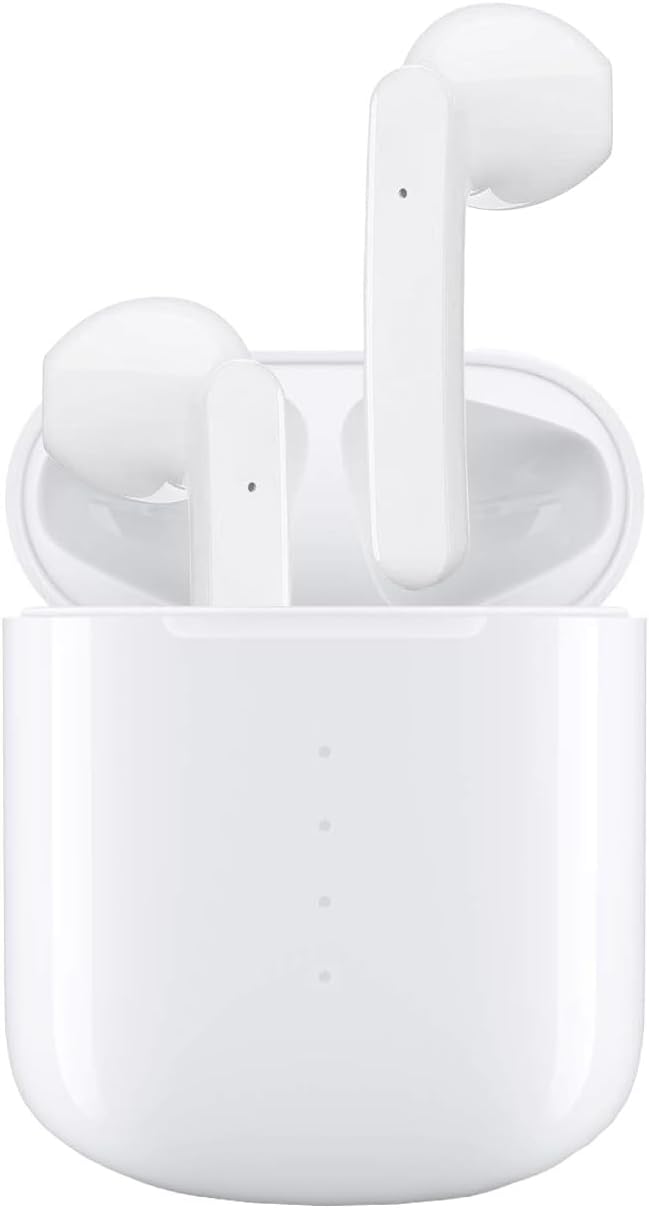
Image: The IDAKODU T78 Wireless Earbuds resting in their open charging case, showcasing their white finish and compact design.
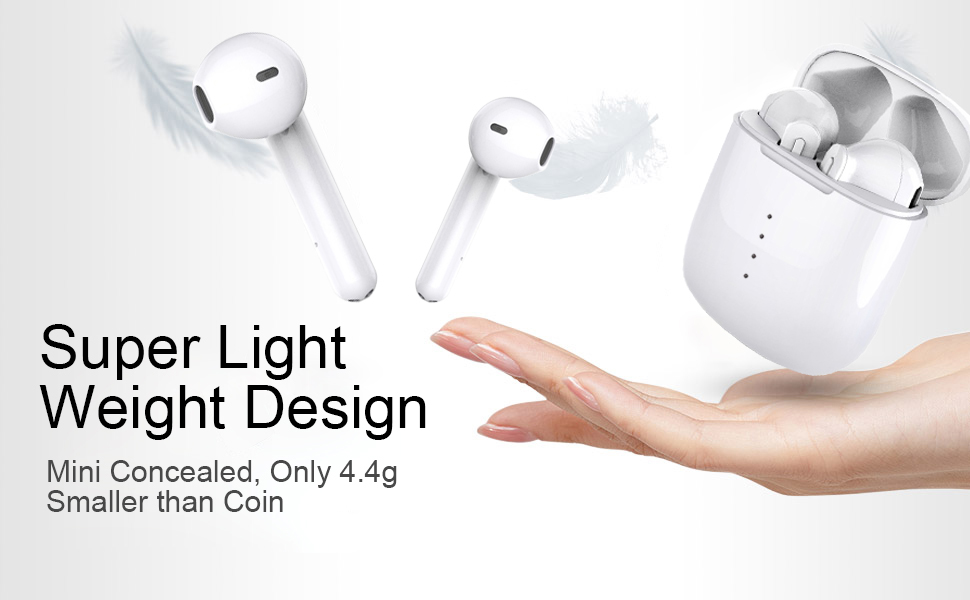
Image: Illustration highlighting the super lightweight design of the earbuds, weighing only 4.4g each, shown alongside the charging case and a hand.
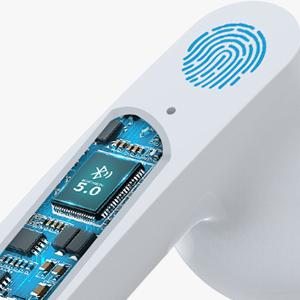
Image: Close-up view of the internal Bluetooth 5.0 chip within an earbud, indicating advanced connectivity technology.
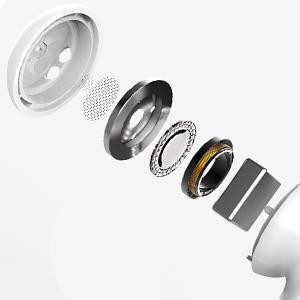
Image: An exploded diagram showing the individual components of the earbud's speaker, illustrating its internal structure for sound production.
4. Setup and Pairing
The IDAKODU T78 earbuds feature an automatic pairing system for a seamless connection experience.
Initial Pairing:
- Open the Charging Case: Simply open the lid of the charging case. The earbuds will automatically power on and enter pairing mode.
- Bluetooth Connection: On your mobile device (smartphone, tablet, etc.), navigate to the Bluetooth settings.
- Select 'T78': In the list of available Bluetooth devices, locate and select "T78" to establish the connection. The earbuds will indicate a successful connection.
Once paired, the earbuds will automatically connect to the last paired device when removed from the charging case.

Image: A visual guide demonstrating the one-step pairing process, showing the earbuds being taken out of the case and a phone displaying the 'T78' connected in Bluetooth settings.
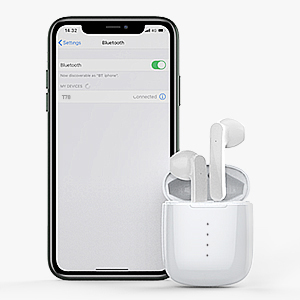
Image: A smartphone screen displaying the Bluetooth settings with 'T78' listed as a connected device, next to the earbuds in their charging case.
5. Operating Instructions
The IDAKODU T78 earbuds feature intuitive touch controls for managing various functions.

Image: A diagram illustrating the touch control functions for the earbuds, including single clicks for Siri, answer/hang up calls, play/pause music, and 2-second presses for power, next/last song, reject call, and swap call.
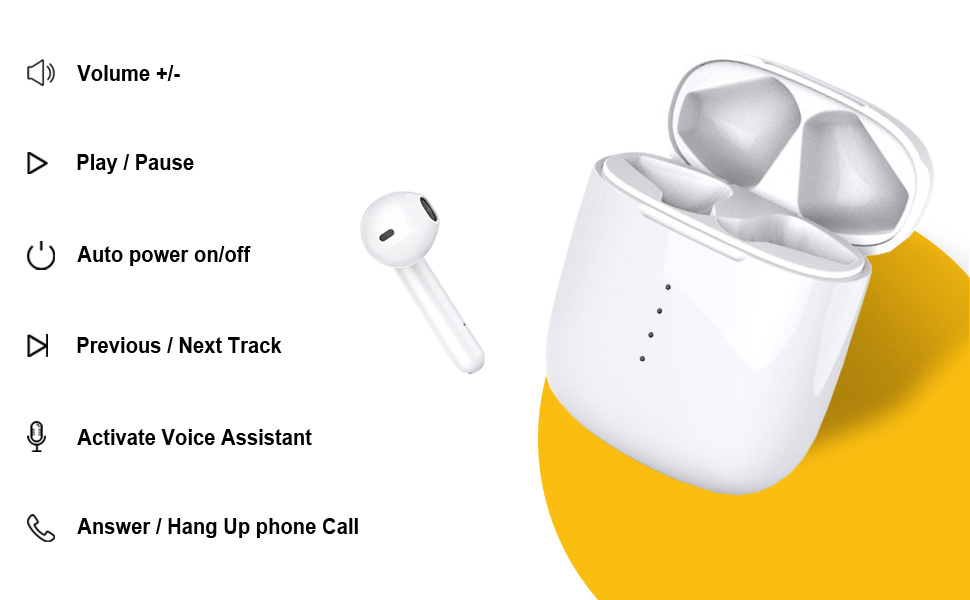
Image: A comprehensive visual guide detailing the touch control gestures for the IDAKODU T78 earbuds, including volume adjustment, play/pause, power on/off, track skipping, voice assistant activation, and call management.
Touch Control Functions:
- Single Tap: Play/Pause music, Answer/End call.
- Double Tap (Right Earbud): Next Song.
- Double Tap (Left Earbud): Previous Song.
- Triple Tap (Right Earbud): Volume Up.
- Triple Tap (Left Earbud): Volume Down.
- Long Press (2 seconds): Reject call, Activate Voice Assistant (Siri for iOS).
- Long Press (5 seconds): Power On/Off.
6. Charging
The IDAKODU T78 earbuds offer extended battery life with their charging case.
- Earbud Playtime: Up to 5 hours on a single charge.
- Total Playtime with Charging Case: Up to 30 hours.
- Fast Charging: A 15-minute charge provides approximately 2 hours of use.
- Charging Case: Fully charges in approximately 1 hour via the included USB-C cable.
To charge the earbuds, place them into the charging case. To charge the case, connect the USB-C cable to the charging port on the case and a power source.
7. Water Resistance
The IDAKODU T78 earbuds feature an IPX8 waterproof rating.
- IPX8 Rating: This rating signifies that the earbuds can withstand immersion in water up to 1 meter deep for 30 minutes.
- Protection: The inner Nano-coating effectively prevents damage from sweat and raindrops, making them suitable for sports and exercise.
Note:
- The charging case is not waterproof.
- Avoid using the earbuds in saltwater or during activities involving high-pressure water jets.

Image: An illustration highlighting the ergonomic and IPX8 waterproof design of the earbuds, showing them submerged in water and compatible with iOS, Android, and Windows devices.
8. Compatibility
The IDAKODU T78 Wireless Earbuds are designed for wide compatibility with various Bluetooth-enabled devices.
- Supported Devices: Compatible with smartphones, tablets, laptops, and desktops that support Bluetooth connectivity.
- Operating Systems: Works with Android, iOS, and Windows devices.
- Bluetooth Range: Maintains a stable connection up to 15 meters (50 feet) away from the paired device.

Image: A visual representation of the earbuds' wide compatibility, showing them connected to a smartphone, tablet, laptop, and desktop computer.

Image: A diagram illustrating the Bluetooth range of the earbuds, showing connectivity up to 15 meters (50 feet) with various devices.
9. Troubleshooting
If you encounter issues with your IDAKODU T78 Wireless Earbuds, refer to the following common solutions:
- Earbuds Not Pairing:
- Ensure both earbuds are charged.
- Place earbuds back in the charging case, close the lid, then open it again to re-initiate pairing mode.
- Turn off and on your device's Bluetooth.
- Forget/delete "T78" from your device's Bluetooth list and attempt to pair again.
- No Sound from One Earbud:
- Ensure both earbuds are charged.
- Try resetting the earbuds by placing them in the case and then taking them out.
- Clean the charging contacts on both the earbuds and the case.
- Earbuds Not Charging:
- Ensure the charging case itself is charged.
- Verify that the earbuds are correctly seated in the charging case.
- Clean the charging contacts on both the earbuds and the case with a dry cotton swab.
- Try a different USB-C cable and power adapter.
- Poor Sound Quality/Disconnections:
- Ensure you are within the 15-meter Bluetooth range.
- Minimize obstacles between your device and the earbuds.
- Restart your connected device.
10. Specifications
| Feature | Detail |
|---|---|
| Model Name | T78 |
| Brand | IDAKODU |
| Connectivity Technology | Wireless (Bluetooth 5.0) |
| Bluetooth Range | 15 Meters (50 feet) |
| Earbud Playtime | Up to 5 hours |
| Total Playtime (with case) | Up to 30 hours |
| Charging Case Charge Time | Approx. 1 hour (USB-C) |
| Water Resistance Level | IPX8 |
| Control Method | Touch |
| Microphone | Built-in |
| Item Weight | 0.09 Kilograms (earbuds) |
| Included Components | Bluetooth Earbuds, Charging Case, USB-C Data Cable, User Manual |
| UPC | 760606513501, 760606516021, 760606516076, etc. |
11. Maintenance
To ensure the longevity and optimal performance of your IDAKODU T78 Wireless Earbuds, follow these maintenance guidelines:
- Cleaning: Regularly clean the earbuds and charging case with a soft, dry, lint-free cloth. For stubborn dirt, lightly dampen the cloth with water. Avoid using harsh chemicals or abrasive materials.
- Charging Contacts: Periodically clean the metal charging contacts on both the earbuds and inside the charging case using a dry cotton swab to ensure a reliable connection.
- Storage: When not in use, store the earbuds in their charging case to protect them from dust, dirt, and physical damage. Store in a cool, dry place away from direct sunlight and extreme temperatures.
- Water Exposure: While the earbuds are IPX8 waterproof, always ensure they are completely dry before placing them back into the charging case to prevent damage to the case or charging contacts.
- Avoid Drops: Protect the earbuds and case from drops and impacts, which can damage internal components.
12. Warranty and Support
For warranty information and customer support, please refer to the documentation included with your purchase or visit the official IDAKODU website. If you experience any issues not covered in this manual, please contact IDAKODU customer service for assistance.