
Introduction
This manual provides comprehensive instructions for the safe and efficient operation, maintenance, and troubleshooting of your Dahle ShredMATIC SM 90 Auto-Feed Paper Shredder. Please read this manual thoroughly before using the shredder to ensure proper function and to prevent injury or damage.

Figure 1: Dahle ShredMATIC SM 90 Auto-Feed Paper Shredder, front view.
Important Safety Instructions
To reduce the risk of fire, electric shock, or injury, always follow basic safety precautions when using this appliance.
- Read all instructions: Before operating the shredder.
- Keep away from children and pets: This product is not intended for use by children.
- Keep hands, hair, and loose clothing away: From the paper entry slot.
- Unplug when not in use: Or before moving, cleaning, or emptying the waste bin.
- Do not shred metal objects: Such as large paper clips, staples (small staples are acceptable), or credit cards in the auto-feed tray. Use the manual feed for credit cards.
- Do not shred adhesive materials: Such as labels or sticky notes, as they can cause jams.
- Do not spray aerosols: Or place flammable materials near the shredder.
- Do not operate with a damaged cord or plug: Or if it has been dropped or damaged.
- Do not open the shredder head: There are no user-serviceable parts inside.
- Ensure proper ventilation: Do not block ventilation openings.
Setup
- Unpack: Carefully remove the shredder from its packaging.
- Position: Place the shredder on a flat, stable surface. Ensure adequate space around the unit for ventilation.
- Install Waste Bin: Ensure the waste bin is correctly inserted into the shredder cabinet. The shredder will not operate if the bin is not properly seated.
- Connect Power: Plug the power cord into a standard electrical outlet.
- Mobility: The shredder is equipped with casters for easy movement. Ensure the casters are locked when the shredder is in its desired operating position to prevent accidental movement.

Figure 2: Close-up view of the shredder's locking casters for stability.
Operating Instructions
Control Panel Overview
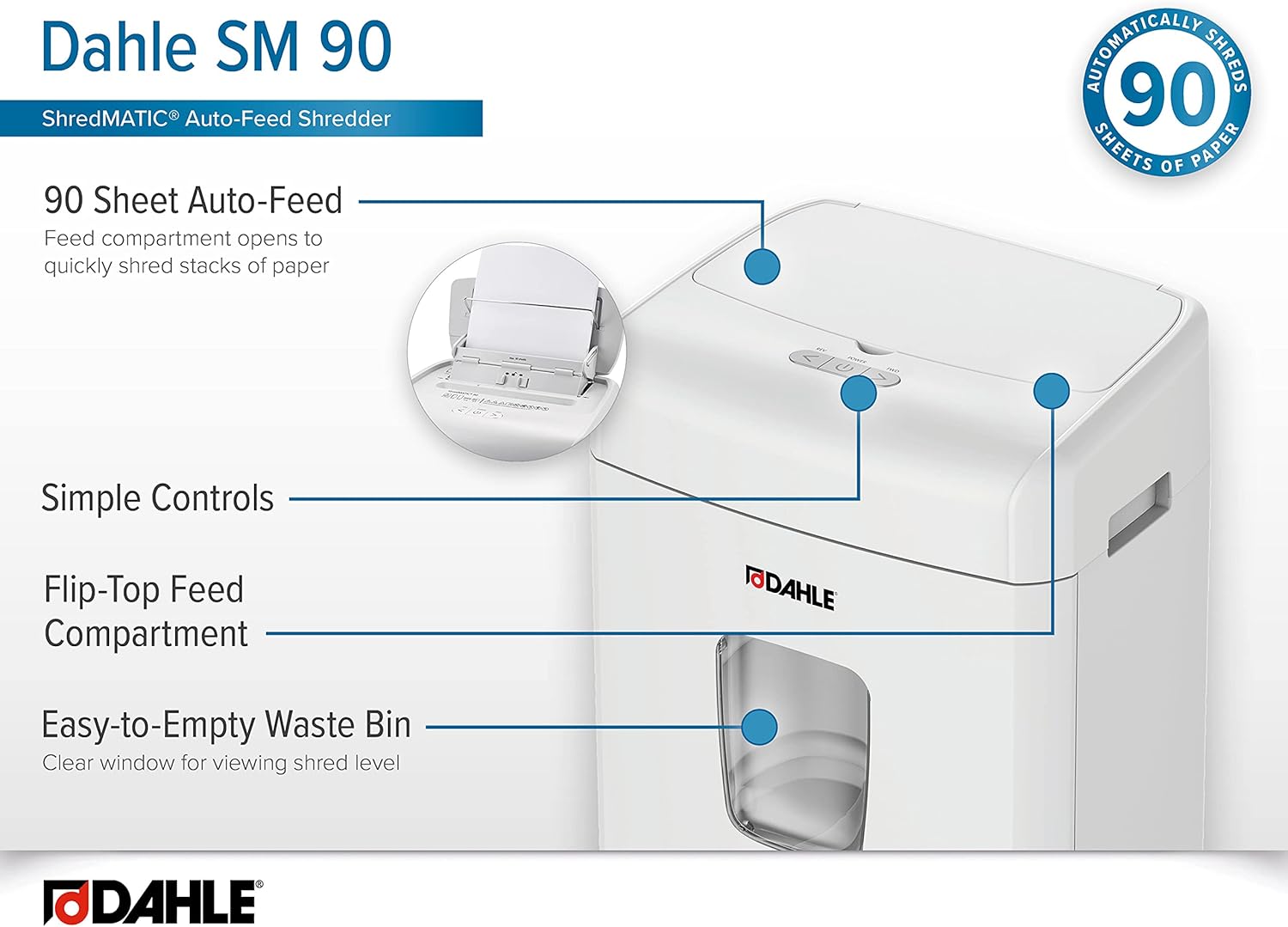
Figure 3: Overview of the Dahle ShredMATIC SM 90's control panel and key features.
The control panel features intuitive buttons for easy operation:
- Power Button: Turns the shredder On/Off.
- Reverse Button (<): Reverses the shredding action to clear jams.
- Forward Button (>): Initiates continuous forward shredding.
Auto-Feed Operation (Up to 90 Sheets)
The Dahle ShredMATIC SM 90 features an auto-feed tray for convenient shredding of multiple sheets.
- Open Auto-Feed Tray: Lift the top cover of the shredder to reveal the auto-feed tray.
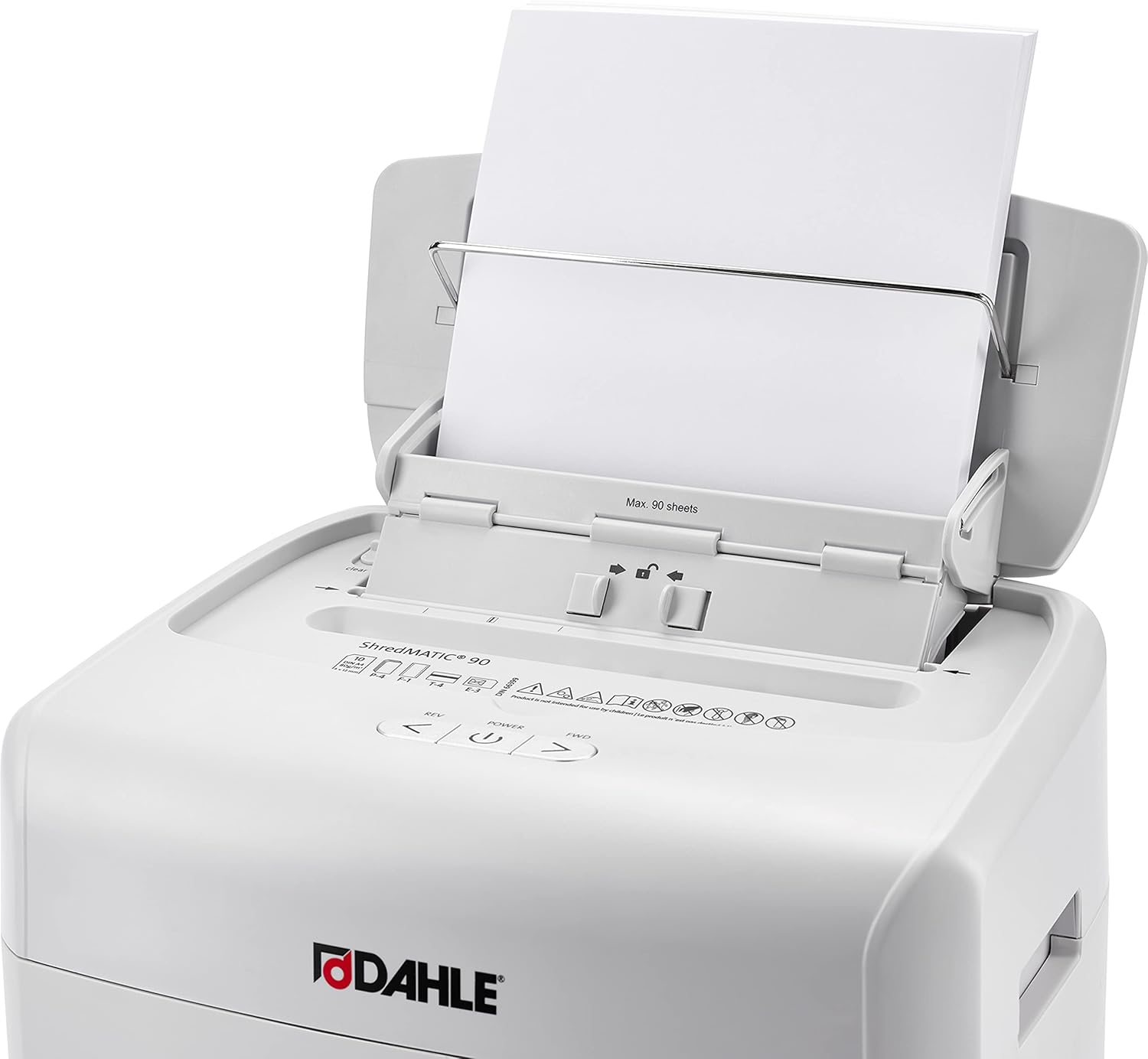
Figure 4: Auto-feed tray open, ready for paper insertion.
- Load Paper: Stack up to 90 sheets of paper neatly into the auto-feed tray. Ensure the paper is aligned and free of folds or creases. Small staples and paper clips do not need to be removed.

Figure 5: Auto-feed tray indicating maximum sheet capacity.
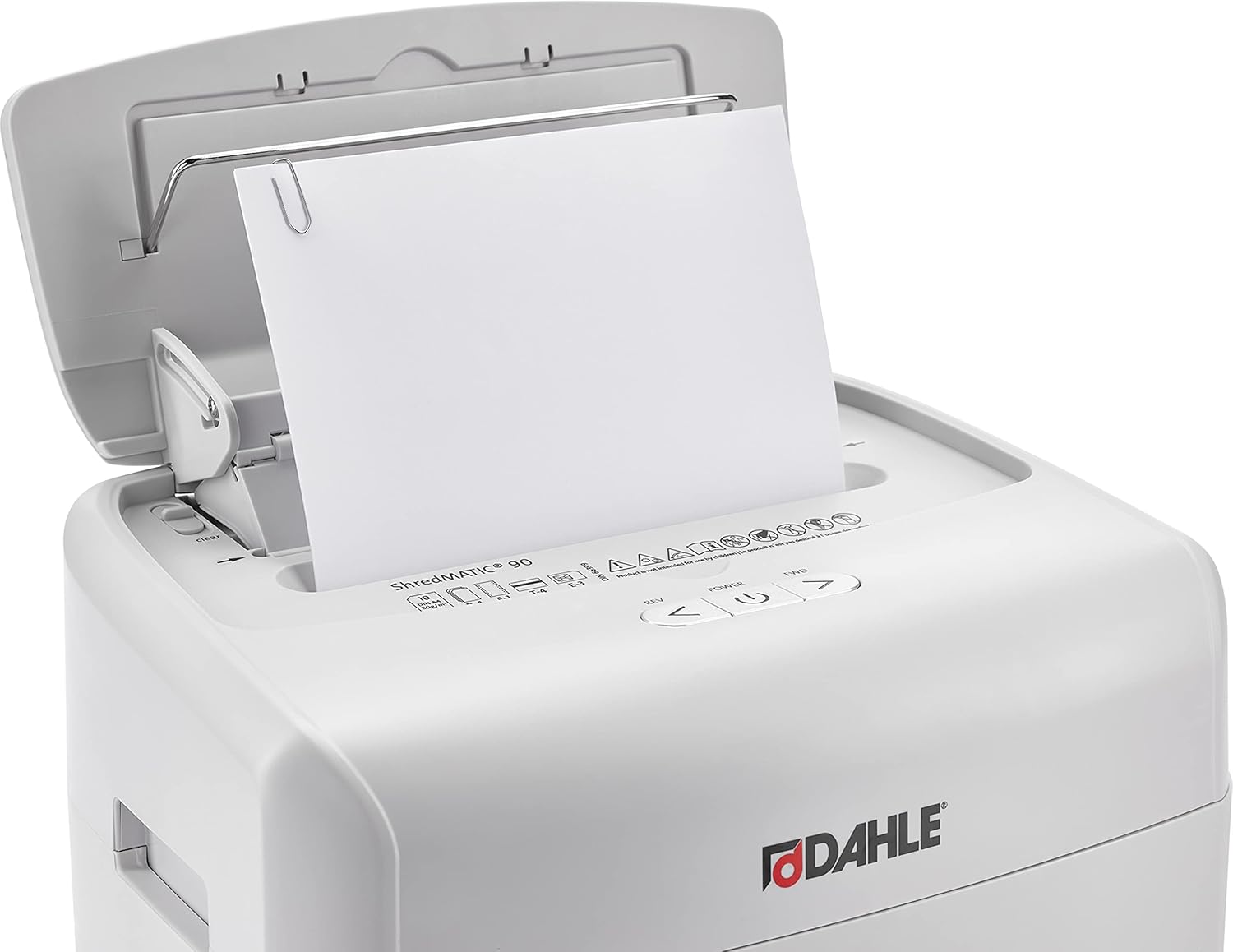
Figure 6: The shredder can handle paper with small paper clips.
- Close Tray: Gently close the auto-feed tray cover. The shredder will automatically begin shredding the stack of paper.
Manual Feed Operation (Up to 10 Sheets)
For single sheets, folded documents, or materials like credit cards, use the manual feed slot.
- Insert Material: Insert up to 10 sheets of paper, or one credit card, into the manual feed slot located at the front of the shredder head.

Figure 7: Inserting a credit card into the manual feed slot.
- Shredding: The shredder will automatically detect the material and begin shredding.
Maintenance
Emptying the Waste Bin
Regularly empty the waste bin to prevent jams and ensure optimal performance. The shredder features a clear window to monitor the shred level.
- Turn Off and Unplug: Before emptying, turn off the shredder and unplug it from the power outlet.
- Remove Bin: Pull out the waste bin from the front of the shredder.

Figure 8: Waste bin removed, showing shredded contents.
- Dispose: Empty the shredded material into a recycling bin or trash receptacle.
- Reinsert Bin: Slide the waste bin back into the shredder until it is securely in place.
Cleaning
Keep the shredder clean for best performance.
- Exterior: Wipe the exterior of the shredder with a soft, dry cloth. Do not use abrasive cleaners or solvents.
- Sensors: Periodically clean the paper entry sensors with a cotton swab to ensure proper auto-start/stop function.
Oil-Free Operation
The Dahle ShredMATIC SM 90 is designed for oil-free operation, eliminating the need for regular oiling of the cutting blades. This feature simplifies maintenance and ensures consistent performance without additional consumables.
Troubleshooting
Refer to the following table for common issues and their solutions.
| Problem | Possible Cause | Solution |
|---|---|---|
| Shredder does not turn on. |
|
|
| Paper jam. |
|
|
| Shredder runs continuously. |
|
|
Specifications
| Feature | Detail |
|---|---|
| Model | SM 90 |
| Cut Type | Cross Cut (P-4 Security) |
| Auto-Feed Capacity | 90 Sheets |
| Manual Feed Capacity | 10 Sheets |
| Waste Bin Capacity | 7 Gallons |
| Shreds | Paper, Staples, Paper Clips, Credit Cards (manual feed) |
| Oil Requirement | Oil-Free Operation |
| Jam Protection | Automatic Reverse |
| Product Dimensions | 10.3 x 14.5 x 20 inches |
| Item Weight | 19.8 pounds |
| Manufacturer | Dahle |

Figure 9: Key features and benefits of the Dahle ShredMATIC SM 90.
Warranty and Support
Dahle products are engineered in Germany and manufactured under strict standards. For warranty information, technical support, or service inquiries, please contact Dahle North America, Inc. customer service.
Refer to the official Dahle website or your purchase documentation for the most current warranty terms and contact details.
Online Resources: Visit the Dahle Store on Amazon


