
1. Product Overview
The QCY T16 Mini Wireless Earbuds are designed for a comfortable audio experience with advanced features. This manual provides instructions for optimal use.

Image: QCY T16 Mini Wireless Earbuds and charging case.
Key Features:
- Ultra Light-Weight: Each earbud weighs approximately 4g for comfortable wear.
- Comfortable In-Ear Design: Ergonomic design with cozy eartips for extended use.
- Premium Immersive Sound: Features Qualcomm aptX Adaptive audio technology and dual composite dynamic drivers.
- Extended Playtime: Up to 5.5 hours on a single charge, and 22 hours total with the charging case.
- Customized EQ: Adjustable sound settings via the QCY App.
- IPX5 Water Resistance: Protection against sweat and light splashes.
2. Setup and Pairing
Initial Pairing:
- Open the lid of the charging case. The earbuds will automatically enter connectable mode (one LED will blink green).
- On your phone, navigate to Bluetooth settings and search for "QCY-T16".
- Tap on "QCY-T16" to connect. The LED on the earbud will turn off once connected.

Image: Earbuds in charging case next to a smartphone displaying Bluetooth pairing options.
One-Step Connectable Mode:
- Place both earbuds into the charging case and open the lid.
- Press and hold the button on the charging case for 4 seconds.
- The earbuds will then automatically enter connectable mode.
Video: Demonstrates how to connect the QCY T16 earbuds to a device.
3. Operating Instructions
Music Control:
- Play/Pause: Double touch either earbud panel.
- Skip Track Forward: Keep touching the right earbud panel for 1.5 seconds.
- Skip Track Backward: Keep touching the left earbud panel for 1.5 seconds.
Call Handling:
- Answer/End Call: Double touch either earbud.
- Ignore Call: Keep touching either earbud for 1.5 seconds.
Voice Assistant:
- Activate Voice Assistant: Triple touch the left earbud panel.
Gaming Mode:
- Toggle Gaming Mode: Triple touch the right earbud panel to switch on/off.
Video: Demonstrates music control, call handling, voice assistant activation, and gaming mode toggle.
4. Maintenance
Charging:
- Connect the charging case to a power source using a USB Type-C cable.
- The earbuds will charge when placed inside the case.
- A 10-minute charge provides approximately 1 hour of playback.
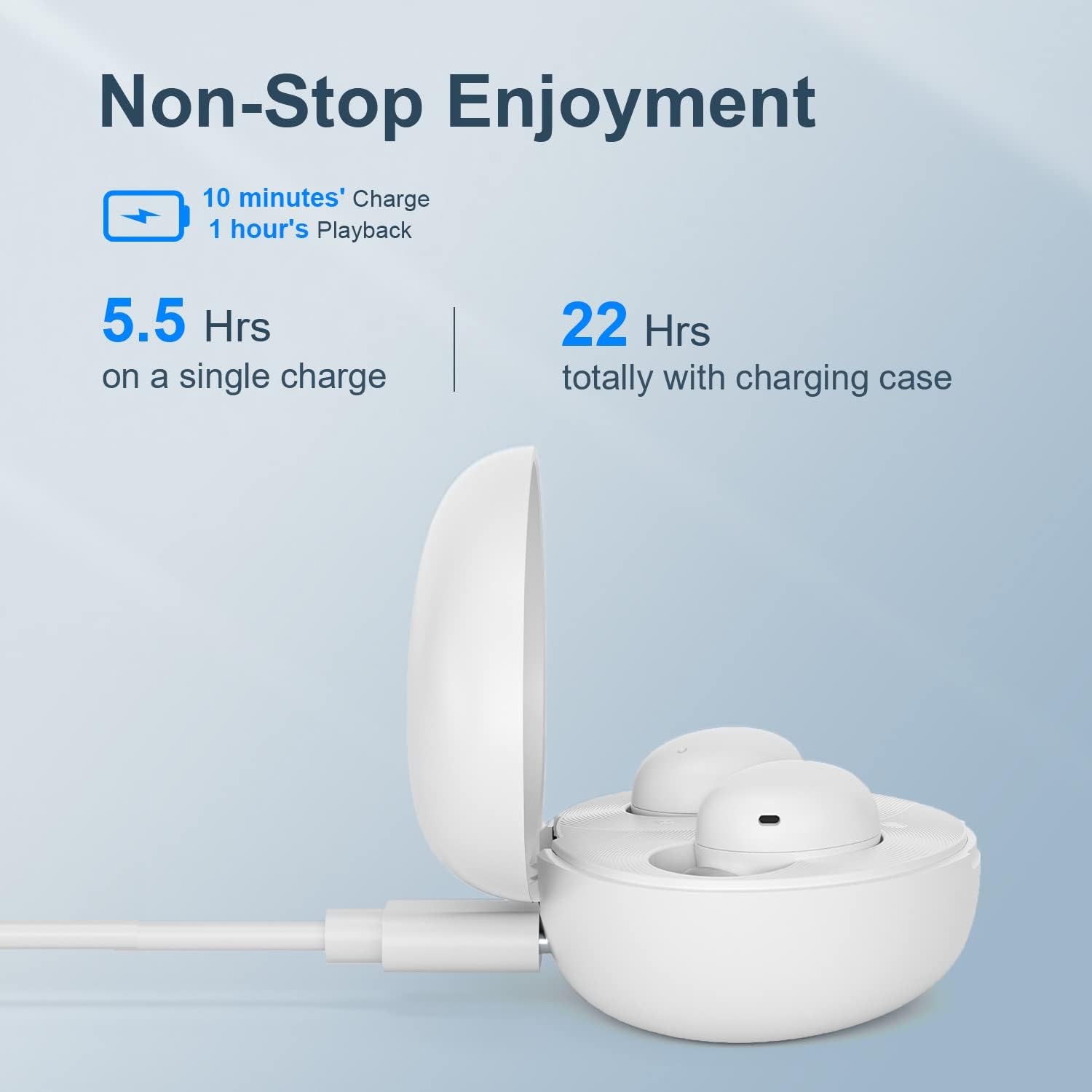
Image: QCY T16 charging case being charged via a USB-C cable.
Cleaning:
- Regularly clean the earbuds and charging contacts with a soft, dry cloth to ensure optimal performance and charging.
- Remove eartips and clean them with water and mild soap if necessary, ensuring they are completely dry before reattaching.
5. Troubleshooting
Master-Slave Switch:
- If one earbud is placed back into the charging case and the lid is closed, the other earbud will continue to function independently.
- To re-pair the inside earbud with the other, open the lid of the charging case. The LED will blink green and then turn off.
Disconnecting & Reconnecting:
- Place both earbuds into the charging case and keep the lid open.
- Press and hold the charging case button for 4 seconds or until the LED on the case blinks green to disconnect from the device.
Factory Reset:
- Place both earbuds into the charging case and keep the lid open.
- Press and hold the charging case button for 10 seconds or until the LED on the case blinks red 5 times to set to factory settings.
Video: Demonstrates master-slave switch functionality, disconnecting, and factory reset procedures.
6. Specifications
| Feature | Detail |
|---|---|
| Brand | QCY |
| Model Name | T16 Mini |
| Connectivity Technology | Wireless |
| Wireless Communication Technology | Bluetooth 5.2 |
| Ear Placement | In Ear |
| Form Factor | In Ear |
| Material | Plastic, Silicone |
| Item Weight | 0.141 ounces (approx. 4 grams per earbud) |
| Water Resistance Level | Water Resistant (IPX5) |
| Control Method | Remote (Touch Controls) |
| Audio Driver Type | Dynamic Driver |
| Bluetooth Range | 10 Meters |
| Battery Life (Earbuds) | 5.5 Hours (single charge) |
| Total Battery Life (with case) | 22 Hours |
| Special Features | Lightweight, Microphone Included, Wireless, AptX Adaptive, EQ |
7. Warranty and Support
For warranty information and technical support, please refer to the official QCY website or contact your retailer. Keep your proof of purchase for any warranty claims.
You can visit the QCY Store on Amazon for additional product information and support resources.