
UPBRIGHT TRX-1580, TRX-1680
UpBright 12V AC/DC Adapter Instruction Manual
For Trexonic TRX-1580 and TRX-1680 Portable DVD Players
Product Overview
The UpBright 12V AC/DC Adapter is designed to provide reliable power to your compatible Trexonic portable DVD players. This adapter ensures stable voltage and current delivery, featuring multiple protection mechanisms for safe operation.

Image: The UpBright 12V AC/DC Adapter, showing the main unit with its attached power cord and barrel connector.
Key Features:
- Universal Input Voltage: Supports 100-240VAC 50/60Hz for worldwide compatibility.
- Output: 12VDC, 1.5A - 2A, 18W - 24W, suitable for specified Trexonic models.
- Safety Protections: Includes Over Voltage Protection (OVP), Over Current Protection (OCP), and Short Circuit Protection (SCP) to safeguard your devices.
- Compatibility: Specifically designed for Trexonic TRX-1580 (14.1") and TRX-1680 (15.4") Portable DVD Players.

Image: A diagram highlighting the internal components and various security protections of the adapter, including good heat resistance, fire-retardant materials, overcharge, overvoltage, overheat, and overcurrent protection.
Setup Instructions
Follow these steps to correctly set up your UpBright AC/DC Adapter with your Trexonic portable DVD player.
1. Unpacking and Inspection
- Carefully remove the AC/DC adapter from its packaging.
- Inspect the adapter and its cable for any signs of damage. Do not use the adapter if it appears damaged.
2. Connecting the Adapter to Your Device
- Locate the DC input port on your Trexonic TRX-1580 or TRX-1680 portable DVD player. This port is typically labeled "DC IN" or similar.
- Insert the barrel connector of the UpBright adapter firmly into the DC input port of your DVD player. Ensure a snug fit.
- Plug the AC plug of the adapter into a standard wall outlet (100-240VAC, 50/60Hz).
- Verify that the DVD player receives power. Some devices may have an indicator light.
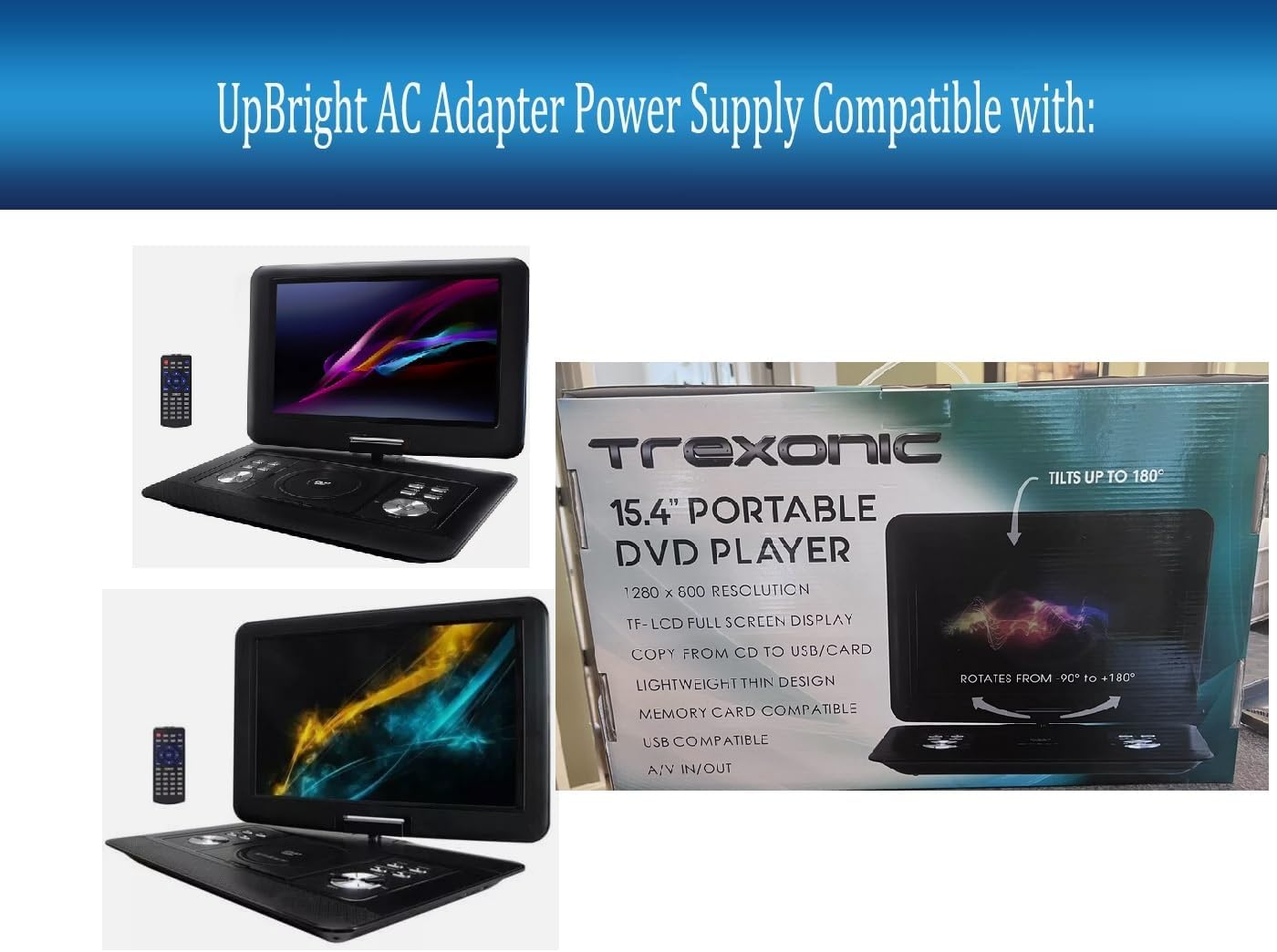
Image: An illustration showing the UpBright AC Adapter alongside two models of Trexonic portable DVD players (TRX-1580 and TRX-1680), indicating compatibility.
Note: If you are in a region requiring a different outlet type, ensure you use an appropriate and certified outlet adapter. The product may include international outlet adapters (AU, EU, UK types) as shown in the image below.

Image: A visual representation of different international outlet adapters (AU, EU, UK types) that may be included for international use.
Operating Instructions
Once the adapter is correctly connected, your Trexonic portable DVD player is ready for operation.
Powering Your Device:
- The UpBright AC/DC adapter provides continuous power to your DVD player when plugged into a wall outlet.
- If your DVD player has an internal battery, the adapter will also charge the battery while providing power to the device.
- Refer to your Trexonic DVD player's specific manual for instructions on powering on/off and operating its functions.
Care and Maintenance
Proper care extends the life of your adapter and ensures safe operation.
- Cleaning: Disconnect the adapter from the power outlet and the device before cleaning. Use a soft, dry cloth to wipe the adapter. Do not use liquid cleaners or solvents.
- Storage: Store the adapter in a cool, dry place away from direct sunlight and extreme temperatures. Avoid tightly coiling the cable to prevent damage.
- Handling: Do not expose the adapter to water or excessive moisture. Avoid dropping or subjecting the adapter to strong impacts.
- Cable Integrity: Regularly check the power cable for any cuts, fraying, or exposed wires. Discontinue use immediately if any damage is found.
Troubleshooting
If you encounter issues with your UpBright AC/DC Adapter, refer to the following common solutions:
| Problem | Possible Cause | Solution |
|---|---|---|
| Device not powering on. | Adapter not properly connected to outlet or device. No power from outlet. Faulty adapter or device. | Ensure both ends of the adapter are securely plugged in. Test the outlet with another device. Try a different compatible adapter if available. If the issue persists, contact support. |
| Device powers on but battery does not charge. | Adapter output not matching device requirements. Device battery issue. | Verify the adapter specifications match your DVD player's requirements. Consult your DVD player's manual for battery charging indicators and troubleshooting. |
| Adapter feels excessively hot. | Overload or poor ventilation. Internal fault. | Ensure the adapter is not covered and has adequate airflow. Disconnect immediately if it feels dangerously hot. Do not use if overheating persists. |
If these solutions do not resolve the issue, please contact UpBright customer support.
Product Specifications
| Specification | Detail |
|---|---|
| Brand | UPBRIGHT |
| Input Voltage | 100-240VAC, 50/60Hz |
| Output Voltage | 12VDC |
| Output Current | 1.5A - 2A |
| Wattage | 18W - 24W |
| Connector Type | Barrel Connector |
| Compatible Devices | Trexonic TRX-1580, Trexonic TRX-1680 Portable DVD Players |
| Special Features | OVP, OCP, SCP Protection |
| Product Dimensions | 4 x 3 x 2 inches (approximate) |
| Item Weight | 3.2 ounces (approximate) |
Warranty and Support
UpBright products are designed for reliability and performance. This adapter comes with a limited warranty.
- Warranty Period: UpBright offers a 30-day refund policy and a 24-month exchange warranty for this product.
- Warranty Coverage: The warranty covers defects in materials and workmanship under normal use. It does not cover damage caused by misuse, accident, unauthorized modification, or external causes.
- Claiming Warranty: For warranty service, please contact UpBright customer support with your purchase details.
Image: A representation of the UpBright Limited Warranty Certificate, indicating product warranty coverage.
Customer Support:
For further assistance, technical support, or warranty inquiries, please refer to the contact information provided with your purchase or visit the official UpBright website.
Related documentsTRX-1580, TRX-1680

Ask a question about this manual
Ask about setup, troubleshooting, compatibility, parts, safety, or missing instructions. Manuals+ will review the question and use this page’s manual context to help answer it.