
Product Overview
The EMOOR Folding Desk is designed for versatility and space efficiency. This convertible desk features a compact design, making it suitable for various environments such as reading nooks, study areas, or home offices. When not in use, it folds to a slim profile, allowing for easy storage and maximizing room space. The desk includes casters for mobility and a small shelf with a magazine rack for convenient storage.

Image: EMOOR Folding Desk in Rustic and Oak finishes, showcasing its design.
Setup Instructions
Assembly is required for this product. The desk is designed for straightforward setup without special tools. Follow these steps to convert the folded unit into a functional desk:
- Open and Spread: Begin by opening the folded desk panels.
- Lift Top Table: Carefully lift the main top table panel into its horizontal position.
- Pull Out Supporting Board: Extend the supporting board from underneath the top table to provide stability.
- Lock the Table: Push the stopper mechanism located on the back of the top table to securely lock it in place. Ensure the casters are locked using their stoppers to prevent movement during use.

Image: Visual guide demonstrating the four simple steps to convert the EMOOR Folding Desk from folded to open position.
Operating Instructions
Once set up, the EMOOR Folding Desk provides a stable surface for various tasks. The top table measures 22 inches (56 cm) wide, offering ample space for a laptop, notebook, or other items. The desk is equipped with casters for easy repositioning within your space. Each caster includes a stopper to lock the desk firmly in place when in use, ensuring stability.
Utilize the integrated small storage shelf and magazine rack for organizing your workspace. These features help keep essential items within reach and maintain a tidy environment.

Image: The EMOOR Folding Desk in use, demonstrating its comfortable size for a laptop and other items, with a maximum load capacity of 22 lbs (10 kg).
Maintenance
To maintain the appearance and longevity of your EMOOR Folding Desk, wipe surfaces with a dry cloth. Avoid using harsh chemicals or abrasive cleaners, which may damage the synthetic resin decorative fiberboard finish.
Troubleshooting
No specific troubleshooting steps are provided for this product. If you encounter any issues during assembly or use, please refer to the setup instructions or contact customer support.
Specifications
| Feature | Detail |
|---|---|
| Model Number | bh-kel-de203 |
| Dimensions (in use) | W30.91 x D25.20 x H27.56 inches (W78.5 x D64 x H70 cm) |
| Dimensions (folded) | W25.20 x D6.69 x H27.56 inches (W64 x D17 x H70 cm) |
| Table Top Dimensions | W22.05 x D17.72 x H26.38 inches (W56 x D45 x H67 cm) |
| Product Weight | 41.89 lbs (19 kg) |
| Table Top Max Capacity | 22.05 lbs (10 kg) |
| Materials | Synthetic resin decorative fiberboard |
| Special Features | Foldable, Casters with stoppers, Small storage shelf, Magazine rack |
| Assembly Required | Yes |
| Color | Rustic |
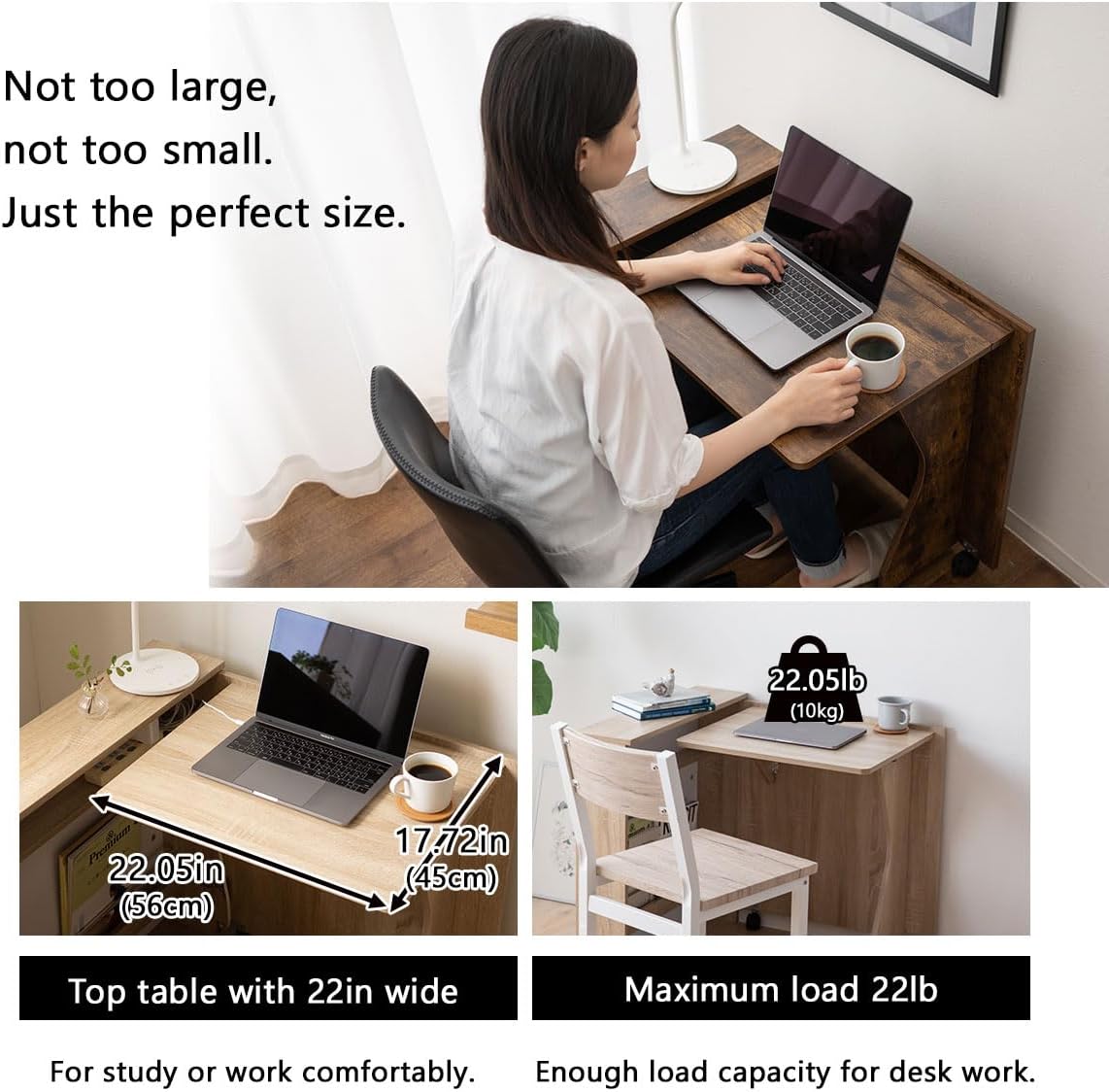
Image: Detailed dimensions and specifications of the EMOOR Folding Desk.
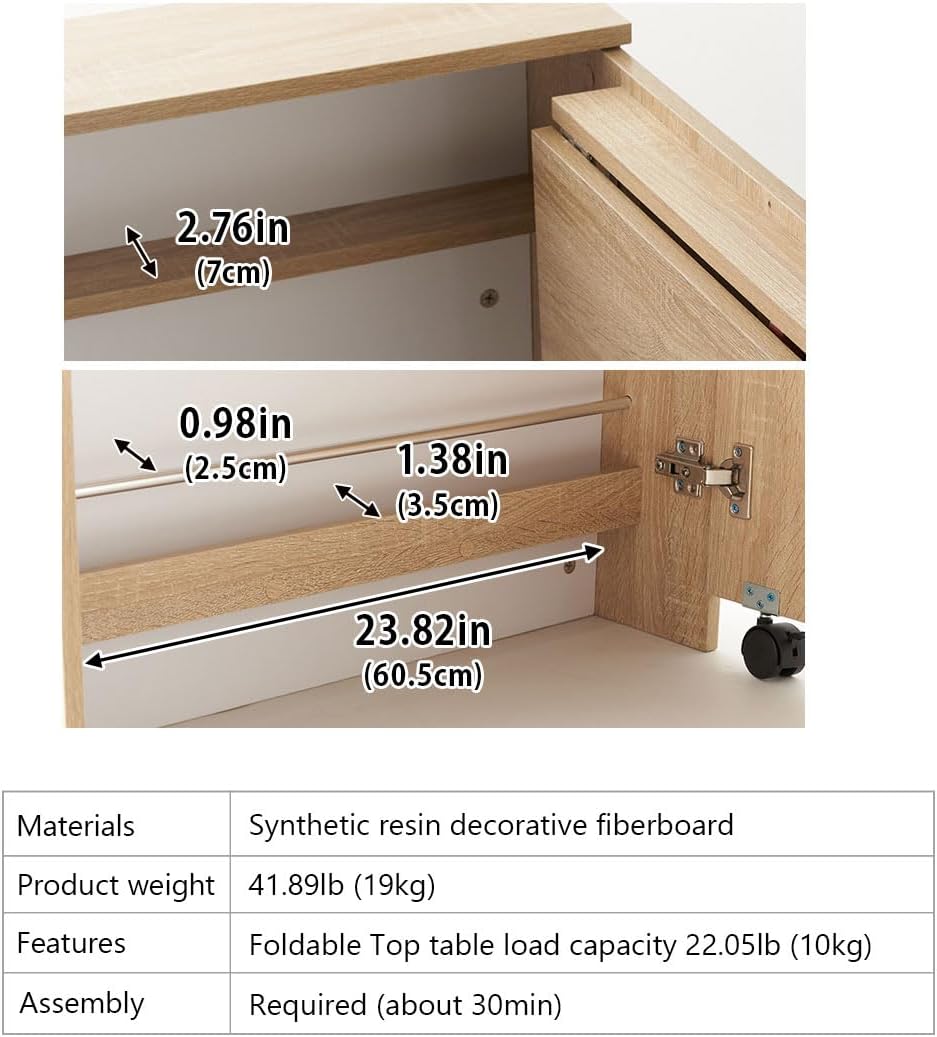
Image: Summary of materials, weight, features, and assembly requirements.
Warranty and Support
Specific warranty information for the EMOOR Folding Desk is not provided in this manual. For any product inquiries, support, or warranty details, please contact EMOOR customer service directly or visit the official EMOOR store online.
Official EMOOR Store: EMOOR Store on Amazon