
1. Introduction
Thank you for choosing the Fansbe Portable Sound Machine. This device is designed to create a peaceful environment for sleep and relaxation by offering a wide selection of soothing sounds and an adjustable ambient night light. It is suitable for use by babies, children, and adults in various settings such as nurseries, bedrooms, offices, and during travel.

Image 1.1: The Fansbe Portable Sound Machine, showcasing its compact design and ambient light feature.
2. Safety Information
Please read and understand all safety instructions before using this product. Keep this manual for future reference.
- Do not expose the device to water or excessive moisture.
- Do not disassemble or attempt to repair the device yourself. Refer all servicing to qualified personnel.
- Keep the device away from heat sources, direct sunlight, and flammable materials.
- Ensure batteries are inserted correctly according to polarity markings.
- Remove batteries if the device will not be used for an extended period.
- Keep small parts and batteries out of reach of children to prevent choking hazards.
3. Product Overview
The Fansbe Portable Sound Machine features intuitive controls for easy operation.

Image 3.1: Control panel of the Fansbe Sound Machine, indicating button functions.
Controls:
- Big Button (Top): Power On/Off, Sound Mode Selection.
- Volume Button (Side): Adjusts sound output level.
- White Noise Switch: Activates white noise sounds.
- Lullaby Switch: Activates lullaby sounds.
- Off Switch: Turns off sound output.
4. Setup
4.1 Battery Installation
The Fansbe Portable Sound Machine is powered by 3 AAA batteries (included).
- Locate the battery compartment on the bottom of the device.
- Use a small screwdriver (often included) to open the battery compartment cover.
- Insert 3 AAA batteries, ensuring correct polarity (+/-) as indicated inside the compartment.
- Replace the battery compartment cover and secure it with the screw.

Image 4.1: The sound machine powered by AAA batteries.
5. Operating Instructions
5.1 Power On/Off and Sound Selection
- To power on the device, press the Big Button on the top. The night light will illuminate, and a default sound will begin playing.
- To cycle through the available sound modes (White Noise, Lullaby), use the switches on the side of the device.
- To turn off the device, press and hold the Big Button until the light and sound cease. Alternatively, use the 'Off' switch on the side.

Image 5.1: The sound machine providing soothing sounds for a sleeping baby.

Image 5.2: Examples of the 95 soothing sounds available.
5.2 Volume Adjustment
Press the Volume Button on the side of the device to increase or decrease the sound volume to your preferred level.
5.3 Night Light Operation
The integrated night light provides a soft, ambient glow. To adjust its brightness:
- With the device powered on, the night light will be active.
- Press and hold the Big Button on the top of the device. The brightness will cycle through different levels. Release the button when the desired brightness is reached.

Image 5.3: The sound machine functioning as a soft glow night light.
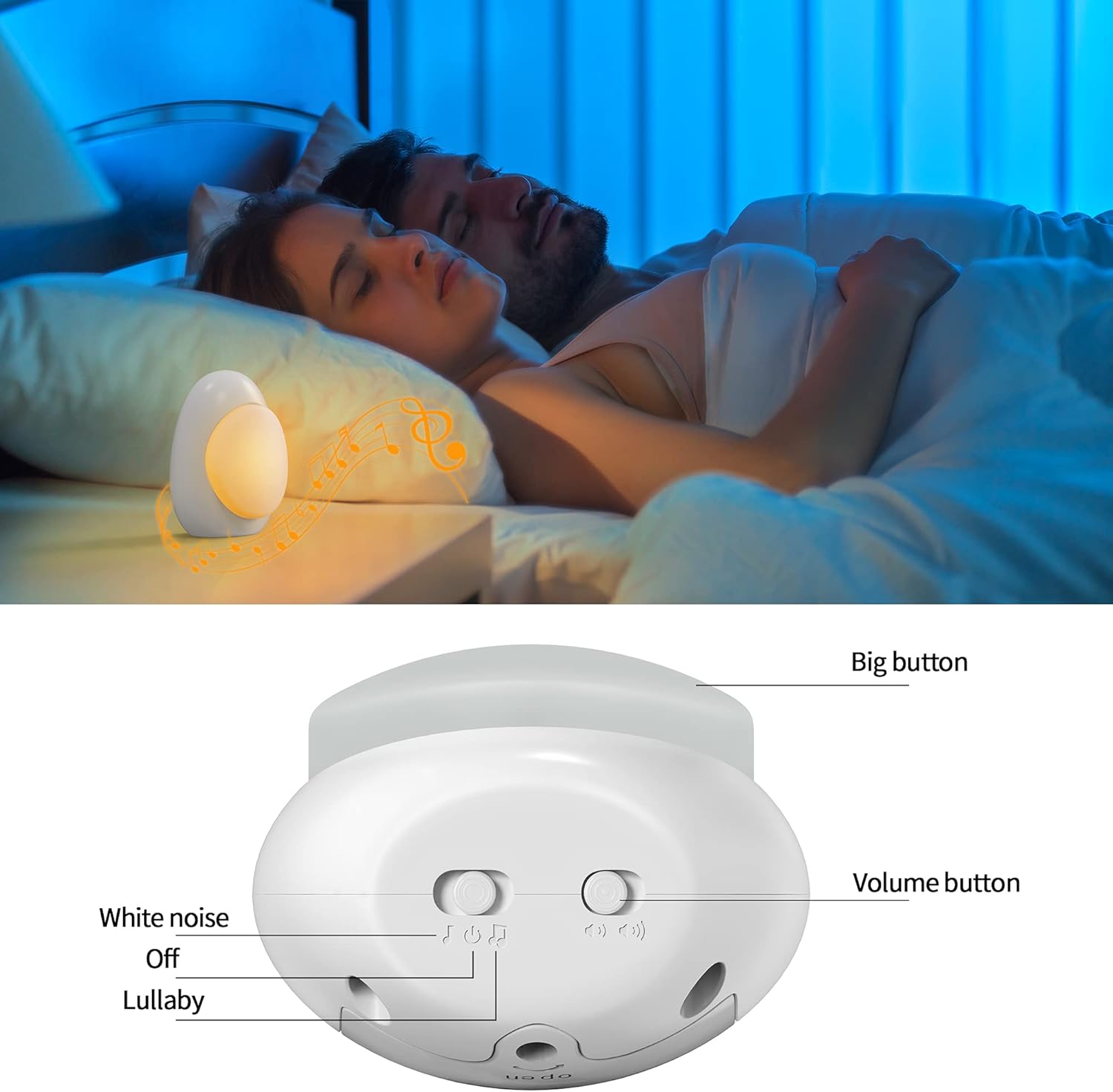
Image 5.4: Visual guide for adjusting night light brightness.
6. Maintenance
To ensure the longevity and optimal performance of your Fansbe Portable Sound Machine, follow these maintenance guidelines:
- Cleaning: Wipe the device with a soft, dry cloth. Do not use abrasive cleaners, solvents, or immerse the device in water.
- Storage: Store the device in a cool, dry place when not in use. If storing for an extended period, remove the batteries.
- Battery Replacement: Replace all three AAA batteries simultaneously when the sound or light output diminishes. Do not mix old and new batteries or different types of batteries.
7. Troubleshooting
If you encounter any issues with your Fansbe Portable Sound Machine, please refer to the following common solutions:
| Problem | Possible Cause | Solution |
|---|---|---|
| Device does not turn on. | Batteries are dead or incorrectly inserted. | Replace batteries with new ones, ensuring correct polarity. |
| No sound output. | Volume is too low or sound mode is off. | Increase volume using the volume button. Ensure the sound mode switch is set to White Noise or Lullaby, not Off. |
| Night light is dim or not working. | Low battery power or brightness setting is low. | Replace batteries. Adjust brightness by long-pressing the Big Button. |
| Sound quality is poor. | Low battery power. | Replace batteries. |
8. Specifications
- Brand: Fansbe
- Model (ASIN): B09JBFB2H4
- Power Source: 3 x AAA Batteries (Included)
- Sound Options: 95 Soothing Sounds (5 White Noise, 90 Lullaby)
- Light Feature: Adjustable Ambient Night Light
- Package Dimensions: 4.69 x 4.02 x 3.31 inches
- Item Weight: 5.61 ounces
- Connector Type: 3.5mm Jack (for headphones, not explicitly mentioned in features but in specs)
- Manufacturer: Fansbe
- First Available Date: October 13, 2021
9. Warranty and Support
Fansbe products are manufactured with quality and performance in mind. For warranty information or technical support, please refer to the contact details provided with your purchase or visit the official Fansbe website. Please retain your proof of purchase for warranty claims.