
1. Introduction and Overview
The Creality K2 Combo 3D Printer is an advanced additive manufacturing device designed for multi-color, high-speed printing. Featuring a robust build and intelligent systems, it offers a versatile platform for various printing needs. This manual provides essential information for the safe and effective operation, maintenance, and troubleshooting of your K2 Combo 3D Printer.
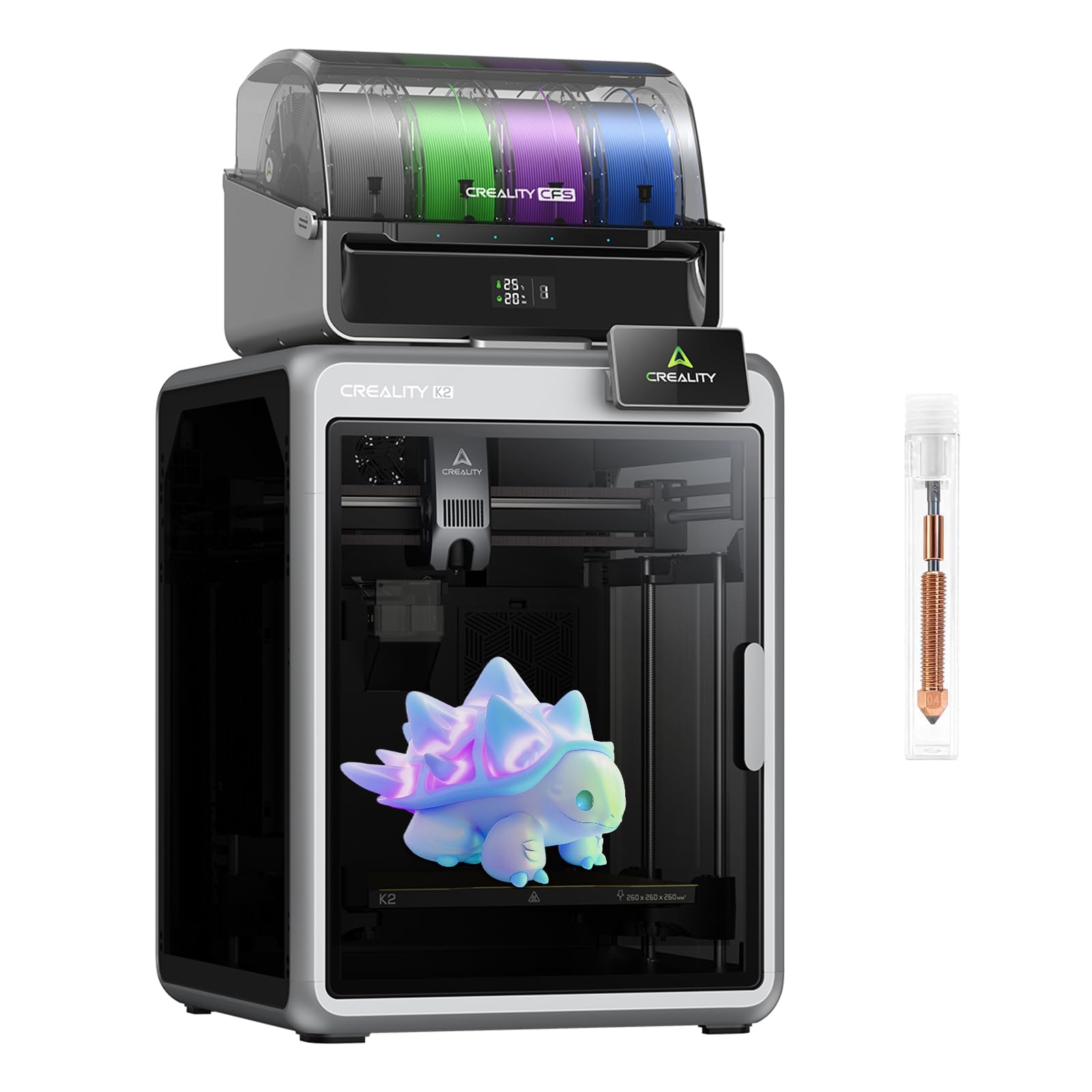
Figure 1: Creality K2 Combo 3D Printer
2. Product Features
- 16-Color Multi-Material Printing: Connect up to 4 CFS-enabled modules to achieve vibrant 16-color prints without post-painting. Compatible with high-temperature materials (PLA/ABS/PETG/PLA-CF) thanks to a 300°C nozzle and 100°C heated bed, reducing waste and enhancing creativity.
- Industrial-Speed Precision Engineering: Print at 600mm/s speed with 20,000mm/s² acceleration using servo-driven XYZ axes and a 40mm³/s high-flow heat core. This is 2-3 times faster than standard large-format printers, ensuring efficiency for professional-grade projects.
- AI-Powered Smart Monitoring System: Built-in AI cameras detect filament errors, foreign objects, or idle alerts in real-time. Enable remote monitoring via time-lapse capture and automatic failure notifications, keeping prints secure even during overnight runs.
- Auto-Calibrating Stability & Accuracy: Dual motorized Z-axes and strain-gauge leveling eliminate tilt automatically, while a micron-level matrix frame (260x260x260mm) ensures flawless layer adhesion. Integrated sensors prevent filament breaks and layer shifts.
- Additional Features: Silent Mode for a peaceful printing experience, built-in air filter for cleaner printing, Wi-Fi connectivity for seamless control, and 8GB ROM for managing large files.
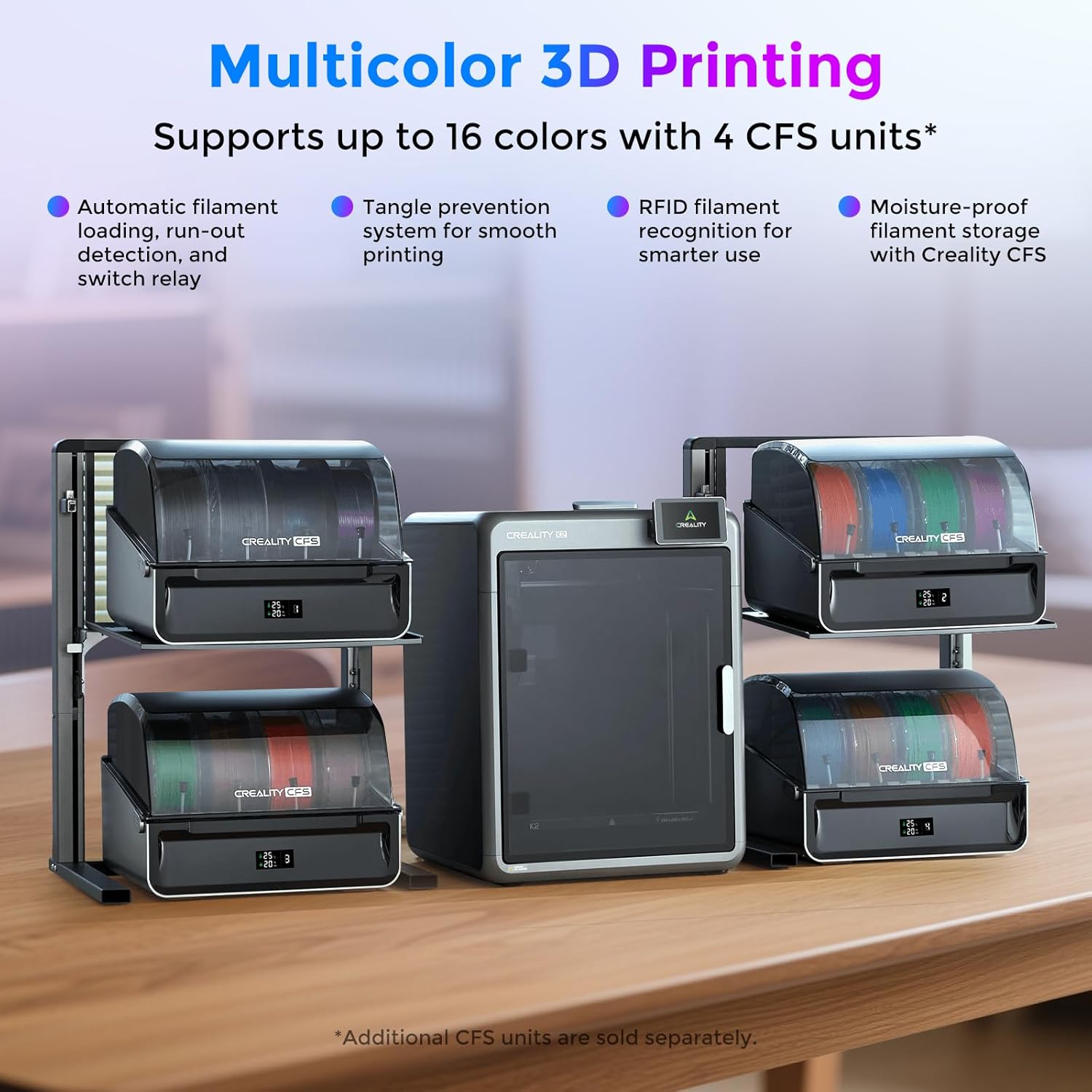
Figure 2: Multi-Color Printing with CFS Units. The image shows the Creality K2 Combo 3D printer connected to multiple Creality CFS units, enabling multi-color and multi-material printing. Key features highlighted are automatic filament loading, run-out detection, tangle prevention, RFID filament recognition, and moisture-proof storage.
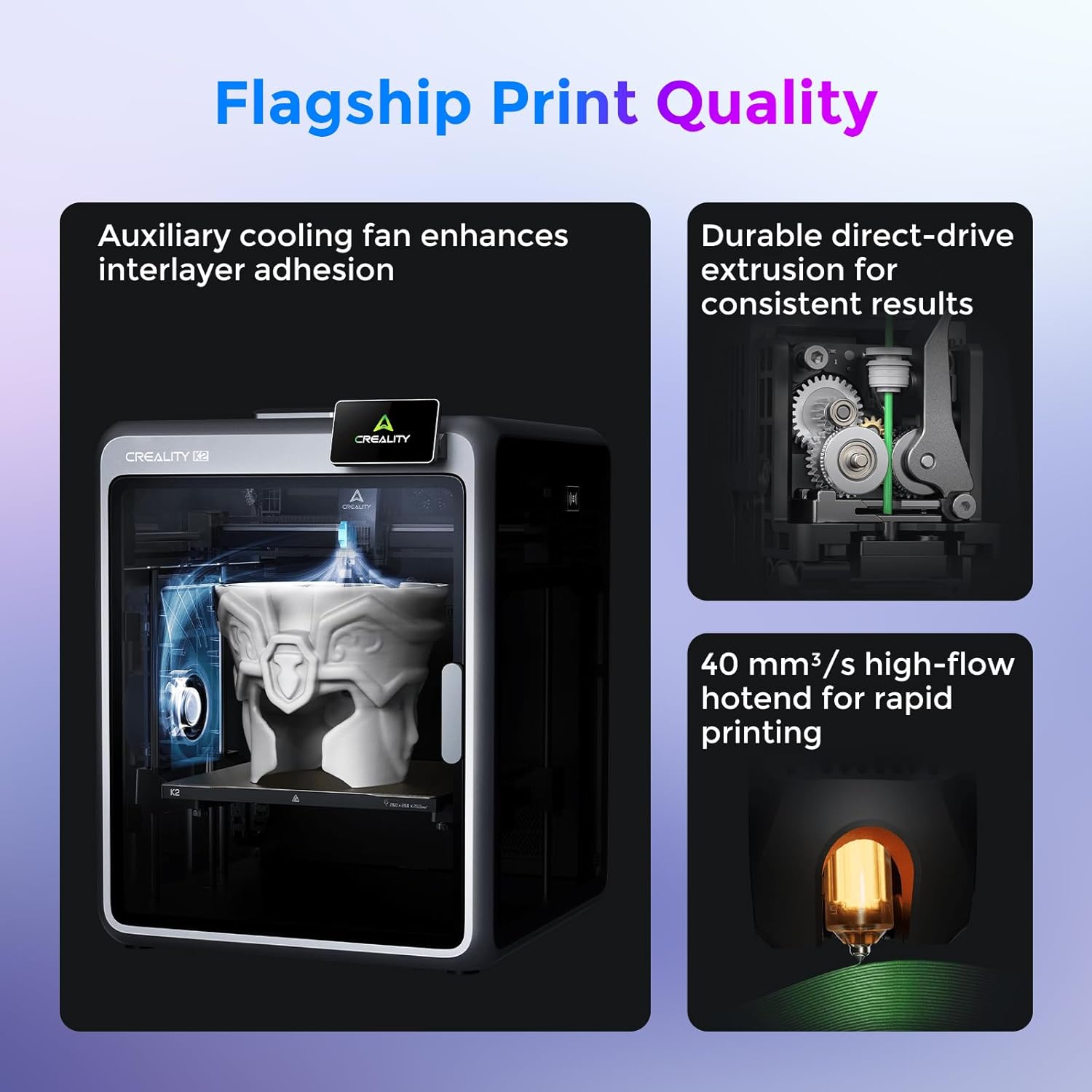
Figure 3: Flagship Print Quality. This image illustrates the high-speed and precision capabilities of the Creality K2 Combo, featuring an auxiliary cooling fan for enhanced interlayer adhesion, durable direct-drive extrusion for consistent results, and a 40 mm³/s high-flow hotend for rapid printing.

Figure 4: AI-Powered Next-Gen Experience. The image highlights the AI camera's capabilities, including spaghetti detection for print failure alerts, build plate detection for safe setup, time-lapse filming, and smart auto-leveling that probes only the target print area for faster calibration.

Figure 5: A Sturdy, Practical Powerhouse. This image emphasizes the printer's compact yet powerful design with a 260 mm³ build volume, sturdy build, and ultra-stable construction featuring a rigid steel X-axis rail.

Figure 6: Features Others May Not Offer. The image highlights Silent Mode for quiet operation, a built-in air filter for cleaner air, Wi-Fi connectivity for remote control, and 8GB ROM for file management.
3. Setup
- Unboxing: Carefully remove the printer and all components from the packaging. It is recommended to have two people due to the item's weight (37.4 pounds / 17 kg).
- Initial Assembly: The K2 Combo is designed for easy setup. Follow the quick start guide for any minor assembly steps. Ensure all protective materials are removed.
- Filament Loading: Load your desired filament into the Creality CFS unit(s). The system supports automatic filament loading and RFID recognition for smart use.
- Power Connection: Connect the printer to a suitable power outlet.
- Network Connection: Connect the printer to your Wi-Fi network for remote control and monitoring via the Creality Print App.
- Auto-Calibration: The printer features full auto-leveling and dual motorized Z-axes for automatic calibration before printing.
4. Operating Instructions
- Model Preparation: Use the Creality Print App or compatible slicing software to prepare your 3D models. The software allows you to designate colors for multi-color prints.
- Sending Print Jobs: Send your prepared print jobs to the printer via Wi-Fi from your PC or phone.
- Monitoring Prints: Utilize the built-in AI cameras for real-time monitoring of your print progress. The system can detect filament errors, foreign objects, and provide time-lapse capture.
- Print Removal: The flexible build plate allows for easy removal of finished prints. Once the plate cools, printed items can be popped off with minimal effort.
Video 1: Multicolor 3D Printing Made Easy with Creality K2. This video demonstrates the ease of use and capabilities of the Creality K2 for multi-color 3D printing.
5. Maintenance
- Build Plate Cleaning: After each print, clean the textured side of the build plate with IPA (Isopropyl Alcohol) to ensure optimal adhesion for subsequent prints.
- Filament Management: Ensure filaments are stored in a moisture-proof environment, especially when using the Creality CFS units.
- Air Filter: Regularly check and replace the built-in air filter for cleaner printing and improved air quality.
- General Inspection: Periodically inspect the printer for any loose parts, debris, or signs of wear.
6. Troubleshooting
- Print Failure Alerts: The AI camera system is designed to detect filament errors and foreign objects. If an alert occurs, pause the print and address the issue.
- Leveling Issues: The printer features auto-calibration. If you experience consistent first-layer adhesion problems, ensure the auto-leveling process completes successfully before printing.
- Filament Run-out/Breaks: Integrated sensors are designed to prevent filament breaks and layer shifts. If a filament issue occurs, the printer should pause, allowing you to replace the filament.
- Firmware Issues: Ensure your printer's firmware is up to date. Refer to the Creality website for the latest firmware and installation instructions.
7. Specifications
| Specification | Detail |
|---|---|
| Brand | Creality |
| Model | K2 Combo |
| Product Dimensions | 10 x 10 x 10 inches (25.4 x 25.4 x 25.4 cm) |
| Item Weight | 37.4 pounds (17 Kilograms) |
| Build Volume | 260 x 260 x 260 mm |
| Printing Speed | Up to 600mm/s |
| Nozzle Temperature | Up to 300°C |
| Heated Bed Temperature | Up to 100°C |
| Material | Metal |
| Color | Silver and Gray |
8. Warranty and Support
The Creality K2 Combo 3D Printer may be eligible for extended protection plans. Please refer to your purchase documentation for details on available protection plans, such as the 4-Year Protection Plan. For customer support, please contact your retailer or visit the official Creality website. The standard return policy allows for a 30-day refund/replacement period.


