
1. Product Overview
The Walfront ZK-502L is a compact and versatile Bluetooth 5.0 stereo audio amplifier module designed for DIY speaker projects. It offers robust power output and various protection features, making it suitable for a wide range of audio applications, including home audio systems and car audio modifications.
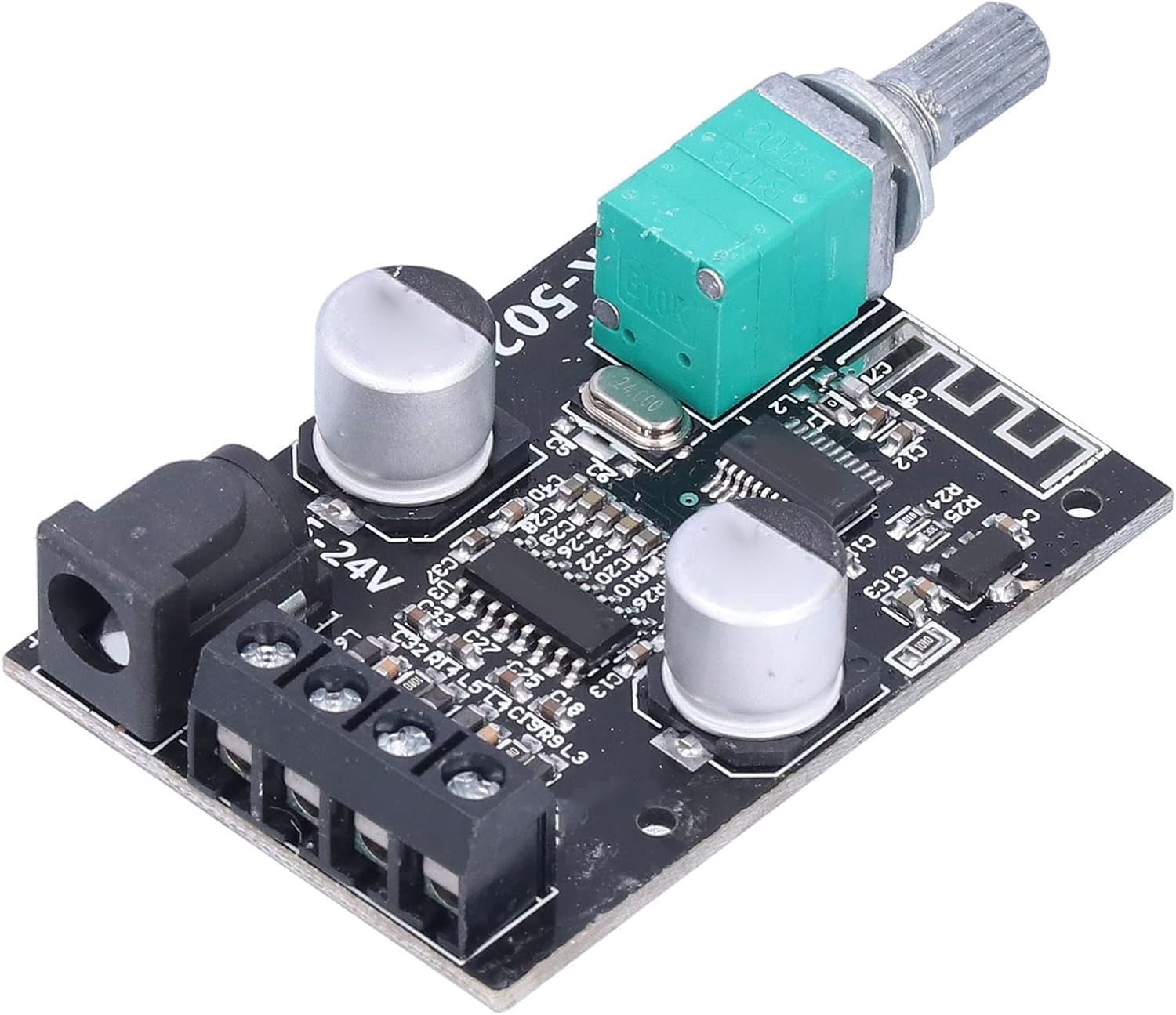
Figure 1: ZK-502L Bluetooth Power Amplifier Board. This image shows the compact design of the amplifier board with its various components, including the volume potentiometer, power input, and speaker terminals.
2. Key Features
- Bluetooth 5.0 Connectivity: Enables direct wireless audio streaming from compatible devices.
- Wide Power Supply Range: Operates with DC 5-24V, compatible with various power adapters, including most laptop power ports.
- High Compatibility: Supports a variety of speakers with impedances from 4Ω to 8Ω and power ratings from 30W to 200W.
- Built-in Filter Capacitor: Enhances sound signal processing for clearer audio output.
- Integrated Potentiometer: Knob design for convenient power ON/OFF and volume adjustment.
- Robust Protection Mechanisms: Features reverse connection protection, overvoltage protection, undervoltage protection, over-temperature protection, short circuit protection, and self-recovery overheating protection.
- Clean Audio Performance: Designed to eliminate POPs sound during power-on, song skipping, and pausing.
- Acrylic Protective Shell: Provides physical protection for the board components.
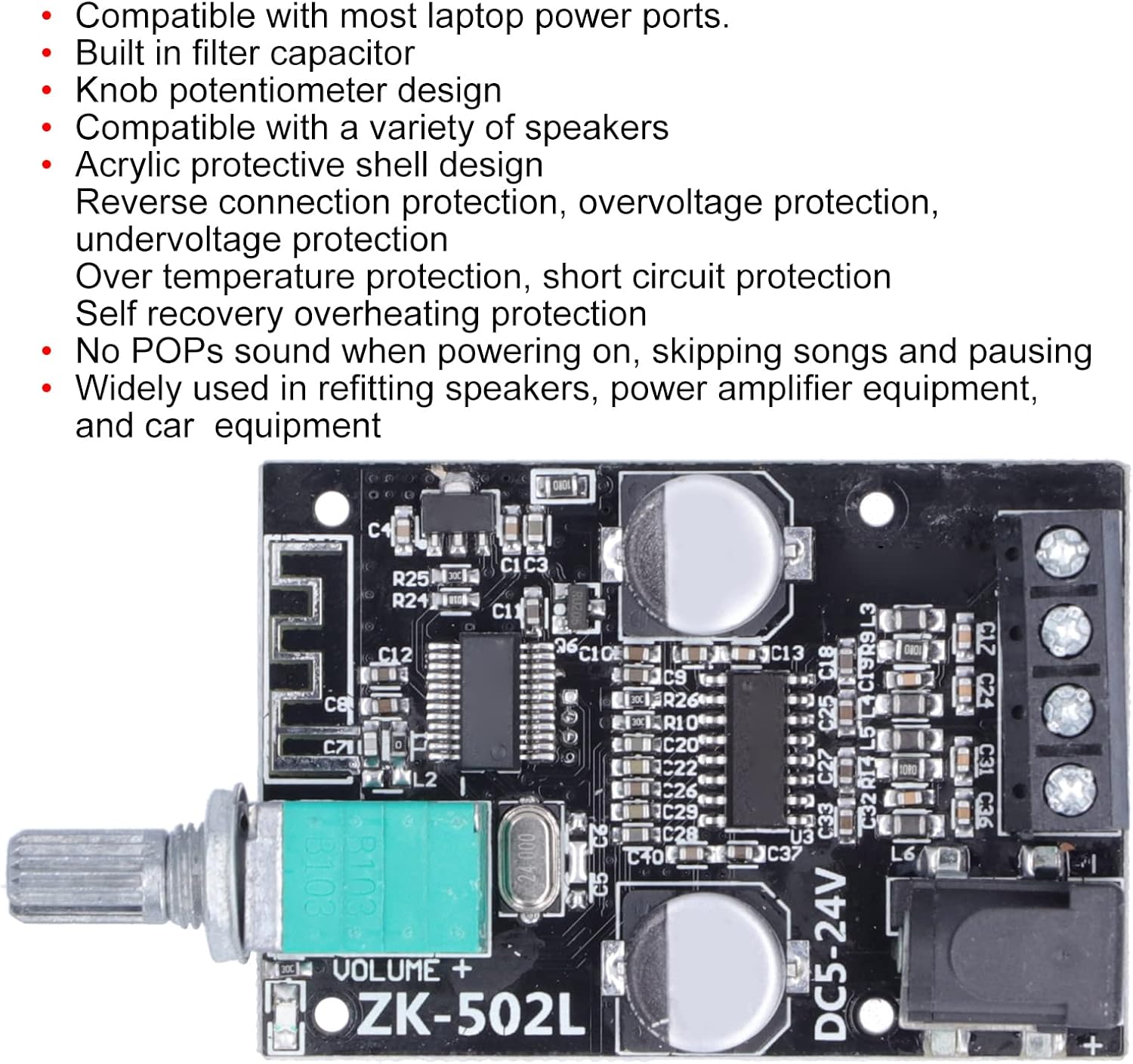
Figure 2: Detailed view of the ZK-502L board highlighting key components and protection features.
3. Technical Specifications
| Parameter | Value |
|---|---|
| Model | ZK 502L |
| Bluetooth Version | 5.0 |
| Channels | 2 (Stereo) |
| Input Voltage | DC 5V-24V |
| Output Power | Up to 50W per channel (Total 100W) |
| Adapted Speaker Impedance | 4Ω-8Ω |
| Adapted Speaker Power | 30W-200W |
| Signal-to-Noise Ratio (SNR) | >90 dB |
| Communication Distance | Up to 15 meters (Max, unobstructed) |
| Dimensions (Package) | 4.61 x 2.68 x 1.85 inches |
| Item Weight | 2.82 ounces |

Figure 3: Physical dimensions and key electrical specifications of the ZK-502L board.
4. Setup Guide
4.1. Package Contents
Before beginning installation, ensure all components are present:
- ZK-502L Bluetooth Power Amplifier Board
- Acrylic protective shell components
- Mounting hardware (screws, standoffs)
- DC power cable with 2.1mm jack
- Small screwdriver (for terminal connections)

Figure 4: Contents of the ZK-502L amplifier kit, including the board, protective casing, and accessories.
4.2. Power Connection
Connect a DC power supply (5V-24V) to the amplifier board. You can use either the DC 2.1mm socket or the terminal block labeled "DC5-24V". Ensure correct polarity when using the terminal block (+ to +, - to -) to prevent damage. For high power output, a higher voltage (e.g., 12V or 24V) is recommended.
4.3. Speaker Connection
Connect your speakers to the output terminals on the board. The board supports two channels (stereo). Ensure that the positive (+) and negative (-) terminals of each speaker are connected to the corresponding terminals on the amplifier board. The board is compatible with speakers having an impedance of 4Ω to 8Ω.

Figure 5: Diagram illustrating the correct connection of speakers and power supply to the ZK-502L amplifier board.
5. Operating Instructions
5.1. Power On/Off and Volume Control
The integrated knob potentiometer controls both power and volume. Rotate the knob clockwise to turn the unit ON and increase volume. Rotate counter-clockwise to decrease volume and turn the unit OFF.
5.2. Bluetooth Pairing
- Ensure the amplifier board is powered on. The LED indicator will flash, indicating it is in Bluetooth pairing mode.
- On your mobile device (smartphone, tablet, etc.), enable Bluetooth and search for available devices.
- Locate and select the device named "BT-WUZHI" (or similar, as indicated by a voice prompt "Beep").
- Once successfully paired, the LED indicator on the amplifier board will remain steadily lit.
5.3. Audio Playback
After successful pairing, you can play audio from your connected device. The amplifier board will output the audio through the connected speakers. Use the potentiometer knob to adjust the overall volume. A voice prompt will sound if the Bluetooth connection is disconnected.
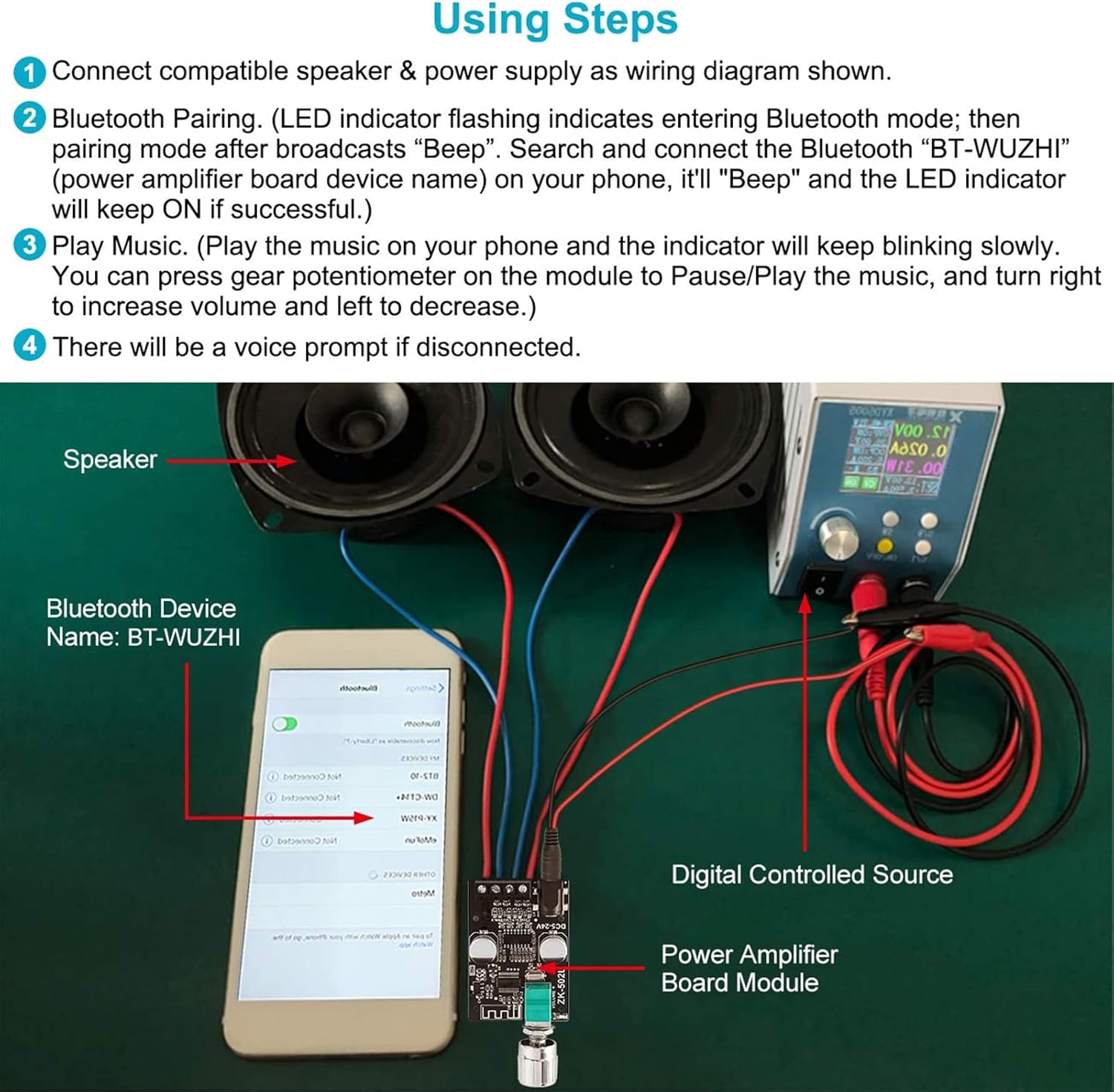
Figure 6: Visual guide demonstrating the steps for connecting and using the ZK-502L amplifier board with a mobile device and speakers.
6. Troubleshooting
| Problem | Possible Cause | Solution |
|---|---|---|
| No power/LED off | Incorrect power connection; Power supply issue; Potentiometer turned off. | Verify power supply voltage (5-24V) and polarity. Ensure power adapter is functional. Rotate potentiometer clockwise to turn on. |
| No sound output | Speakers not connected correctly; Bluetooth not paired; Volume too low; Damaged speakers. | Check speaker wiring and polarity. Confirm Bluetooth is paired (LED solid). Increase volume on both amplifier and source device. Test with different speakers. |
| Bluetooth connection unstable/drops | Device too far from amplifier; Interference from other devices; Low battery on source device. | Reduce distance between amplifier and source device (max 15m). Move away from strong Wi-Fi routers or other Bluetooth devices. Ensure source device has sufficient battery. |
| Distorted sound | Volume too high (clipping); Speaker impedance mismatch; Faulty audio source. | Reduce volume. Ensure speakers are 4Ω-8Ω. Test with a different audio source. |
| "POPs" sound | This model is designed to prevent POPs sound. If experienced, check power supply stability or speaker connections. | Ensure stable power supply. Re-check all connections. If issue persists, contact support. |
7. Maintenance
- Cleaning: Use a soft, dry cloth to clean the amplifier board and protective casing. Avoid using liquid cleaners or solvents.
- Storage: When not in use for extended periods, store the amplifier in a cool, dry place, away from direct sunlight and extreme temperatures.
- Handling: Handle the board with care to avoid damaging electronic components. Avoid static discharge.
8. Warranty and Support
Walfront products are manufactured to high quality standards. For information regarding warranty coverage and terms, please refer to the documentation provided with your purchase or contact your retailer.
For technical assistance or inquiries, please contact Walfront customer support through the official Walfront store on Amazon or their designated support channels. Provide your product model (ZK 502L) and a detailed description of your issue for efficient service.
Online Resources:
- Walfront Store on Amazon: Visit the Walfront Store


