1. Introduction
Thank you for choosing the Polk Audio Signa S4 Sound Bar with Wireless Subwoofer. This system is designed to deliver an immersive audio experience with Dolby Atmos 3.1.2 surround sound, enhancing your movies, music, and games. Its slim profile ensures it fits seamlessly into any home theater setup.
Key features include Polk's exclusive VoiceAdjust technology for crystal-clear dialogue, BassAdjust for customizable bass impact, and versatile connectivity options including HDMI eARC and Bluetooth for wireless streaming.

2. What's in the Box
Please ensure all the following components are included in your package:
- Sound Bar
- Wireless Subwoofer
- Remote control with batteries (2 AAA)
- HDMI cable
- Optical cable
- Power cords (for sound bar and subwoofer)
- Wall-mount spacers
- Quick Start Guide
- Wall-mount template
3. Setup
3.1. Placement
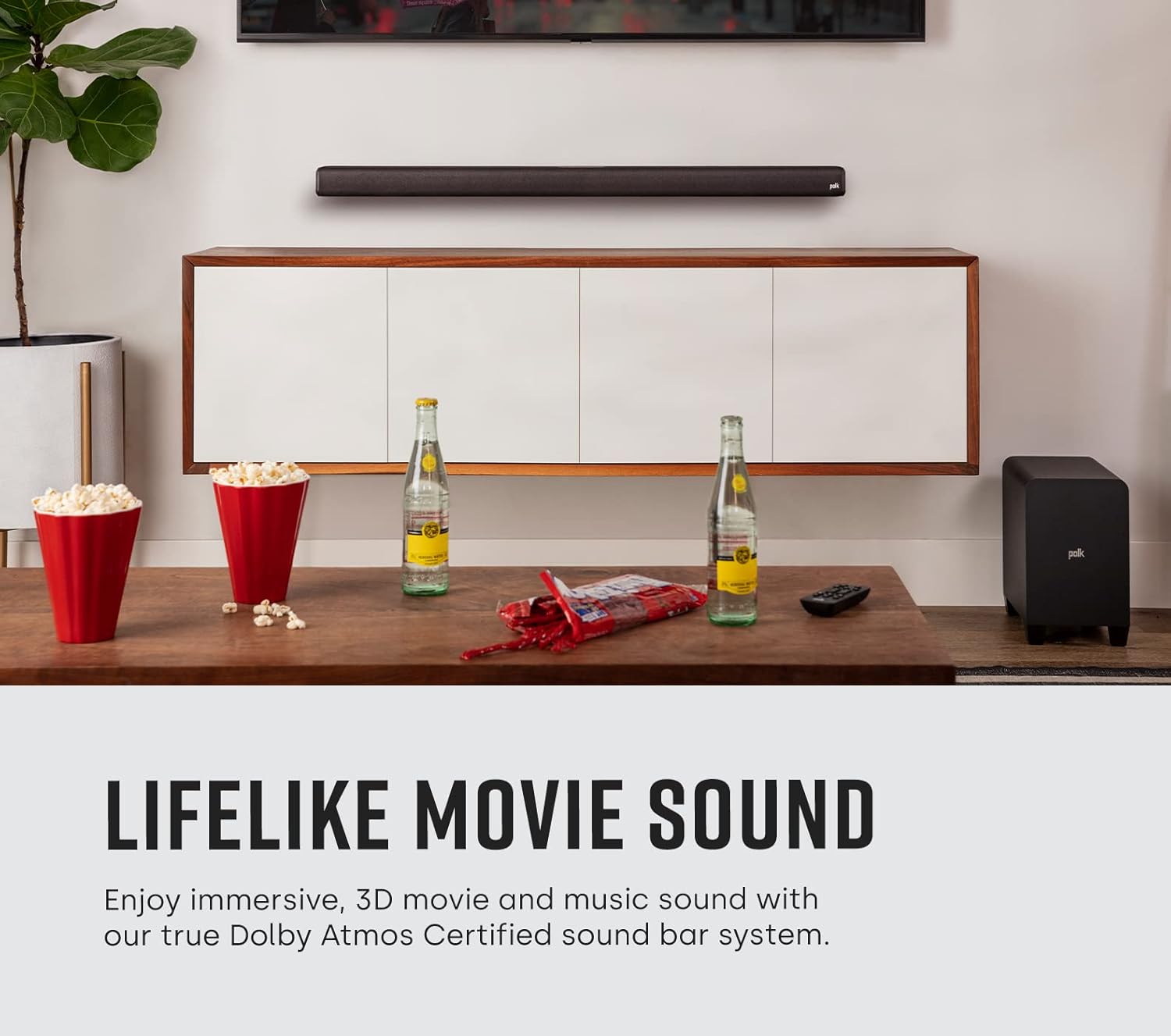
For optimal audio performance, place the sound bar centered below your TV. The wireless subwoofer can be placed anywhere in the room, ideally within 30 feet (10 meters) of the sound bar, for flexible bass delivery.
3.2. Connections
Connect the sound bar to your TV using one of the following methods:
- HDMI eARC (Recommended): Connect one end of the supplied HDMI cable to the HDMI eARC port on the sound bar and the other end to the HDMI eARC/ARC port on your TV. This connection provides the best audio quality, including Dolby Atmos.
- Optical: If your TV does not have an HDMI eARC/ARC port, connect one end of the supplied optical cable to the TV (OPTICAL) port on the sound bar and the other end to the optical digital audio output on your TV.
- Auxiliary (3.5mm): For older TVs or devices, connect a 3.5mm audio cable (not supplied) from the AUX port on the sound bar to the headphone or audio output port on your device.

3.3. Power Connection
Connect the power cords to the sound bar and the wireless subwoofer, then plug them into a wall outlet. The subwoofer will automatically pair with the sound bar when both are powered on.
4. Operating Instructions
4.1. Remote Control Functions
The included remote control provides full command over your Signa S4 system:

- Power Button: Turns the sound bar on or off.
- TV/AUX/Bluetooth Buttons: Selects the audio input source.
- Volume +/-: Adjusts the overall system volume.
- Bass +/-: Adjusts the subwoofer level.
- VoiceAdjust (1, 2, 3): Enhances dialogue clarity. Level 1 is standard, 3 is maximum enhancement.
- Sound Modes (Movie, Night, Music): Optimizes audio for different content types.
4.2. Sound Modes
Press the dedicated buttons on the remote to switch between sound modes:
- Movie Mode: Provides an expansive soundstage and dynamic audio for films.
- Night Mode: Reduces dynamic range to prevent sudden loud sounds, ideal for late-night viewing.
- Music Mode: Optimizes audio for music playback, delivering balanced and clear sound.

5. Maintenance
To ensure the longevity and optimal performance of your Polk Audio Signa S4:
- Cleaning: Use a soft, dry cloth to clean the surfaces of the sound bar and subwoofer. Do not use liquid cleaners or aerosols.
- Ventilation: Ensure proper ventilation around the units. Do not block any ventilation openings.
- Environment: Avoid exposing the system to extreme temperatures, humidity, or direct sunlight.
6. Troubleshooting
If you encounter any issues, please refer to the following common problems and solutions:
| Problem | Solution |
|---|---|
| No sound from sound bar. | Check power connections. Ensure correct input source is selected. Verify TV audio output settings (e.g., set to PCM for optical, enable HDMI ARC/eARC). |
| Subwoofer not connecting. | Ensure both sound bar and subwoofer are powered on. Press the 'Connect' button on the back of the subwoofer to re-initiate pairing. Move subwoofer closer to the sound bar if interference is suspected. |
| Remote control not working. | Check and replace batteries (2 AAA). Ensure no obstructions between remote and sound bar. Point remote directly at the sound bar's front. |
| Distorted or poor sound quality. | Check cable connections for looseness or damage. Try a different input source. Adjust VoiceAdjust and BassAdjust settings. Ensure TV audio output is not set to 'TV Speakers' simultaneously. |
| Bluetooth device not pairing. | Ensure the sound bar is in Bluetooth pairing mode. Delete the sound bar from your device's Bluetooth list and try pairing again. Move device closer to the sound bar. |
7. Specifications
| Feature | Detail |
|---|---|
| Model Name | Signa S4 |
| Speaker Type | Soundbar with Wireless Subwoofer |
| Surround Sound Channel Configuration | 3.1.2 (Dolby Atmos Certified) |
| Product Dimensions (Sound Bar) | 3.7"D x 41.2"W x 2.4"H |
| Item Weight | 19 Pounds (total system) |
| Connectivity Technology | HDMI eARC, Optical, Analog (3.5mm), Bluetooth, USB (for firmware updates) |
| Wireless Communication Technology | Bluetooth |
| Speaker Maximum Output Power | 410 Watts |
| Frequency Response | 20 Hz (minimum) |
| Power Source | Corded Electric |
| Included Batteries | 2 AAA batteries (for remote) |
| Mounting Type | Tabletop or Wall Mount |
8. Warranty and Support
8.1. Warranty Information
The Polk Audio Signa S4 Sound Bar system comes with a limited warranty. Please refer to the warranty card included in your product packaging or visit the official Polk Audio website for detailed terms and conditions regarding coverage, duration, and claims procedures.
8.2. Customer Support
For further assistance, technical support, or service inquiries, please contact Polk Audio customer support through their official website. You can also refer to the comprehensive User Manual PDF for more detailed information:


