
1. Introduction
This manual provides essential instructions for the safe and effective use of your CS BATTERY replacement Li-ion battery. This battery is designed to replace the original battery in compatible Sony speaker models, restoring optimal performance and extended usage time. Please read this manual thoroughly before installation and use.
2. Product Overview
The CS BATTERY replacement battery is a high-capacity Li-ion power source designed for specific portable speakers. It features a robust design and includes necessary safety protections.
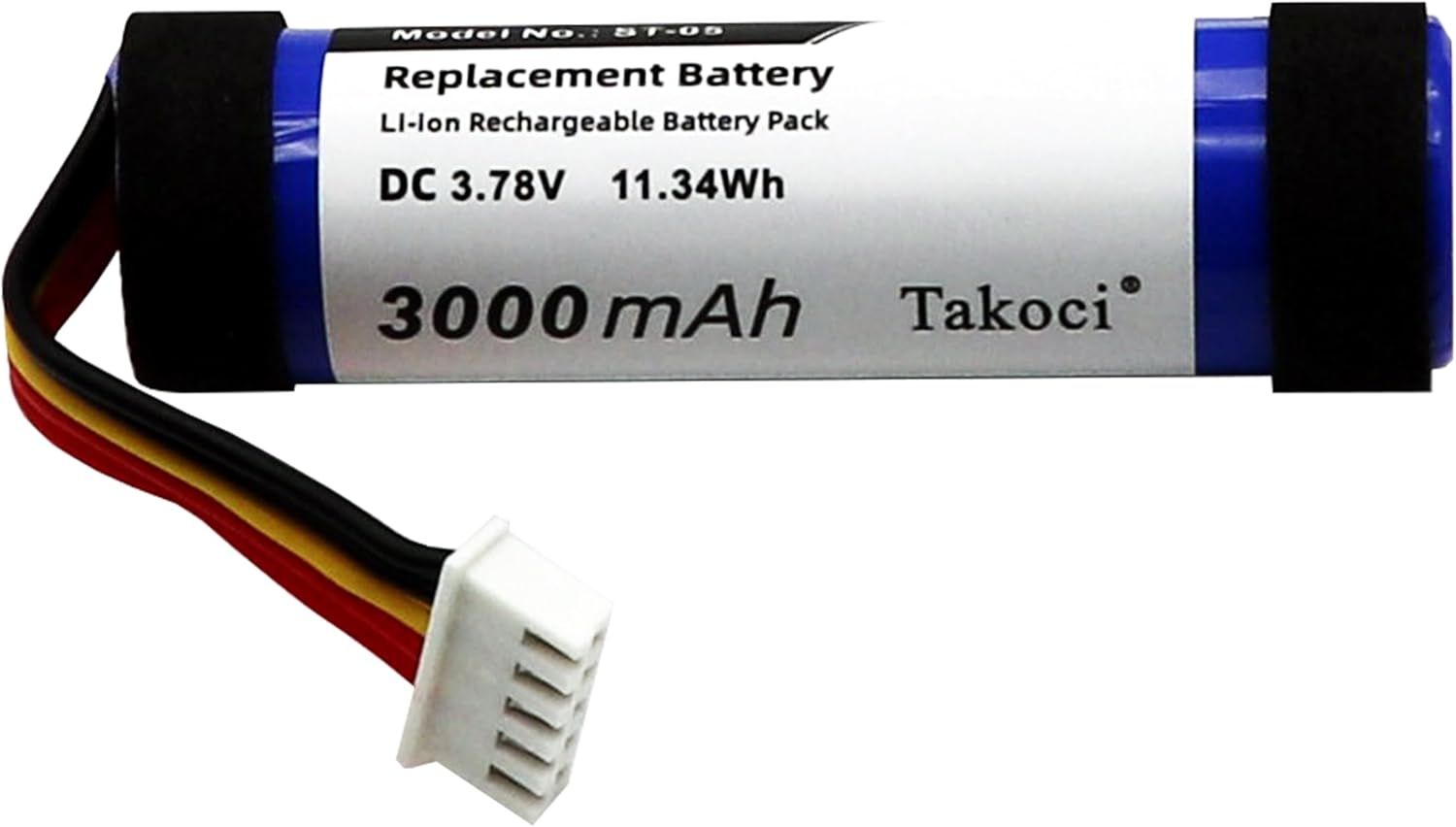
Image 1: Front view of the CS BATTERY replacement battery, showing the model number ST-05, DC 3.78V, 11.34Wh, and 3000mAh capacity.

Image 2: Detailed view of the 5-pin connector and its colored wires (black, yellow, red, magenta) attached to the battery, indicating its connection interface.
3. Compatibility
This replacement battery is compatible with the following speaker models and battery part numbers:
- Compatible Speaker Models: Sony SRS-XB21
- Compatible Battery Part Numbers: ST-05, ST-05S
Please verify your device's model and original battery part number before proceeding with installation.
4. Safety Information
WARNING: Improper handling of Li-ion batteries can lead to fire, explosion, or chemical burns. Follow all safety instructions carefully.
- Do not disassemble, crush, puncture, short circuit, or dispose of in fire or water.
- Keep the battery away from high temperatures and direct sunlight.
- Do not use if the battery appears damaged, swollen, or leaking.
- Keep out of reach of children.
- Dispose of used batteries according to local regulations.
- Only use chargers specified for Li-ion batteries.
5. Setup and Installation
Replacing the battery in your speaker requires careful handling. If you are not comfortable performing this procedure, it is recommended to seek professional assistance.
Required Tools (Not Included):
- Small Phillips head screwdriver
- Plastic prying tool (optional, for opening speaker casing)
- Anti-static wrist strap (recommended)
Installation Steps:
- Power Off Device: Ensure your Sony speaker is completely powered off and disconnected from any power source.
- Discharge Battery (Optional): If possible, fully discharge the old battery before removal.
- Access Battery Compartment: Carefully open the speaker casing to access the internal battery. This may involve removing screws and gently prying open panels. Refer to your speaker's original service manual or online guides for specific instructions on opening your model.
- Disconnect Old Battery: Locate the old battery. Gently disconnect its connector from the speaker's circuit board. Do not pull on the wires; pull on the connector itself.
- Remove Old Battery: Carefully remove the old battery. It may be secured with adhesive or a bracket.
- Install New Battery: Place the new CS BATTERY replacement battery into the compartment. Ensure it fits securely.
- Connect New Battery: Align the connector of the new battery with the corresponding port on the speaker's circuit board and gently push it in until it clicks into place. Ensure the connection is firm.
- Reassemble Speaker: Carefully reassemble the speaker casing, ensuring all screws are tightened and panels are properly secured.
- Initial Charge: After installation, fully charge the new battery before its first use.
Note: Incorrect installation can damage your device or the battery. Proceed with caution.
6. Operating Instructions
Once installed, the replacement battery operates like the original. For optimal performance, follow these guidelines:
- First Use: Fully charge the battery before its initial use.
- Charging: Use the original charger or a compatible charger provided with your speaker. Avoid using unapproved chargers.
- Discharging: It is generally recommended to avoid completely draining Li-ion batteries to 0% frequently, as this can reduce their lifespan.
- Temperature: Operate the speaker within its recommended temperature range. Extreme temperatures can affect battery performance and lifespan.
7. Maintenance
Proper maintenance can extend the life of your replacement battery:
- Storage: If storing the speaker for an extended period, charge the battery to approximately 50-60% before storage. Store in a cool, dry place.
- Avoid Full Discharge: While the battery has protection against over-discharge, consistently running it to empty can degrade its capacity over time.
- Cleaning: Keep the speaker and battery compartment clean and free of dust and debris.
8. Troubleshooting
If you encounter issues with your replacement battery, consider the following:
| Problem | Possible Cause | Solution |
|---|---|---|
| Speaker does not power on after battery replacement. | Battery not properly connected, battery not charged, or incorrect battery model. |
|
| Battery drains quickly. | New battery not fully conditioned, high power consumption by speaker, or battery degradation. |
|
| Battery not charging. | Faulty charger, charging port issue, or battery connection problem. |
|
If problems persist, contact CS BATTERY customer support for further assistance.
9. Specifications
| Feature | Detail |
|---|---|
| Battery Type | Lithium-ion (Li-ion) |
| Voltage | 3.78V |
| Capacity | 3000mAh / 11.34Wh |
| Dimensions | 68.60 x 20.00 x 20.00 mm (2.7 x 0.79 x 0.79 inches) |
| Weight | 76.4g |
| Certifications | ROSH, CE, UL |
| Protection Features | Over-charge, Over-discharge, Over-heat, Over-current, Short-circuit |
10. Warranty and Support
CS BATTERY products are manufactured with quality in mind. For warranty information or technical support, please refer to the seller's policy or contact CS BATTERY customer service directly through their official channels. Keep your purchase receipt as proof of purchase.
If your wireless device's cruising time is significantly reduced, replacing the battery is often the solution. This product is designed to offer a high-capacity circulation function, perfectly replacing your original batteries.


