
Introduction
Welcome to your Konitee ID206 Smart Watch. This manual provides essential instructions for the setup, operation, maintenance, and troubleshooting of your device. Please read this guide thoroughly to ensure proper use and to maximize the functionality of your smart watch.
Package Contents
- Konitee ID206 Smart Watch
- Charging Cable
- User Manual

Setup
1. Initial Charging
Before first use, fully charge your Konitee ID206 Smart Watch. Connect the magnetic charging cable to the charging contacts on the back of the watch and plug the USB end into a power adapter or computer USB port. A full charge typically takes approximately 2 hours.
2. App Installation
Download the official VeryFit app to your smartphone. You can find the app by scanning the QR code provided on the product packaging or by searching for "VeryFit" in the Google Play Store (for Android 6.0 or above) or Apple App Store (for iOS 9.0 or above).

3. Device Pairing
- Ensure Bluetooth is enabled on your smartphone.
- Open the VeryFit app and create an account or log in.
- Follow the on-screen instructions within the app to search for and pair with your Konitee ID206 Smart Watch.
- Confirm the pairing request on both your watch and smartphone.
Operating Your Smart Watch
Basic Navigation
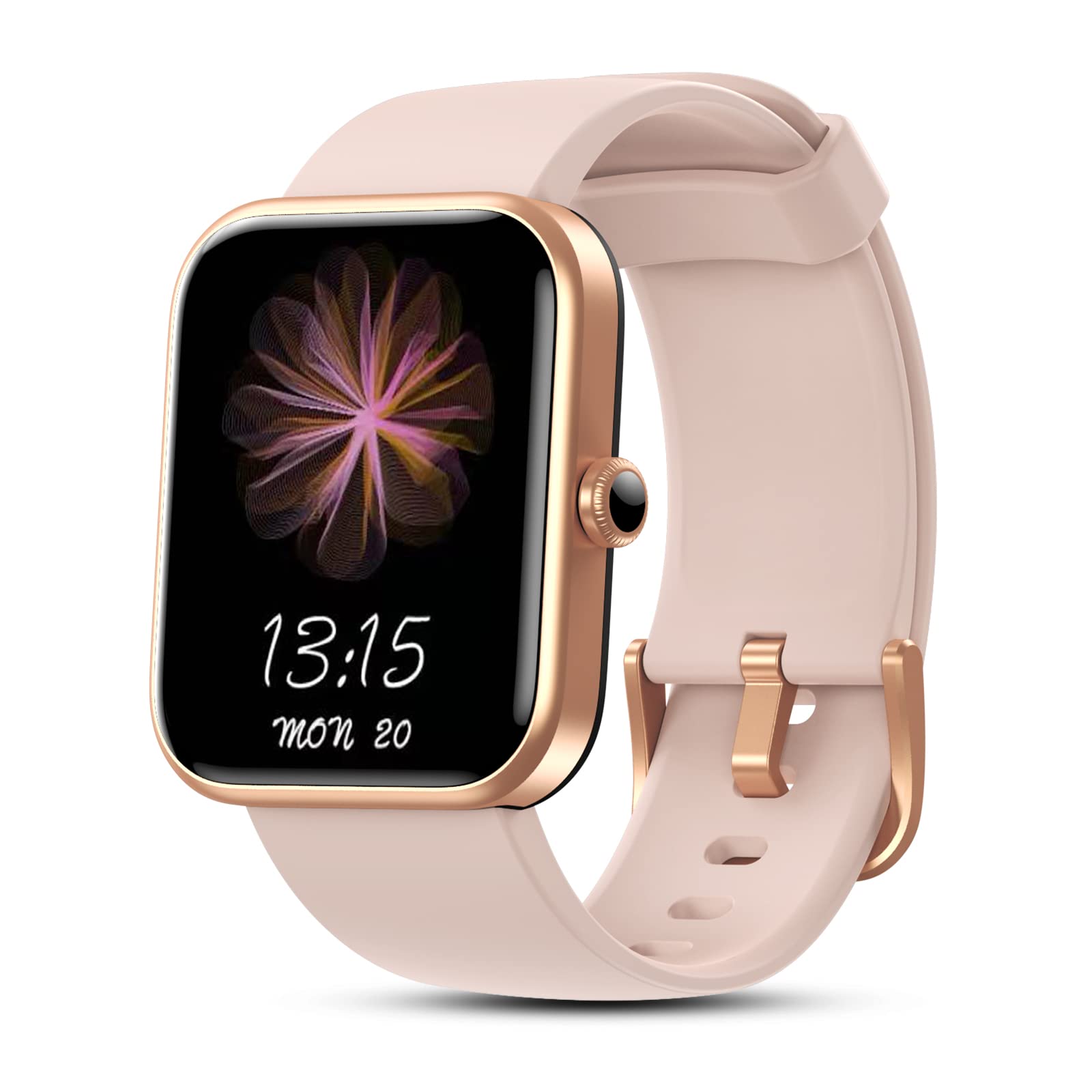
The Konitee ID206 Smart Watch features a 1.69-inch full-touch colorful HD display. Swipe up, down, left, or right on the screen to navigate through different menus and functions. Press the physical button on the side of the watch to return to the home screen or to wake the device.

Alexa Voice Control
Your smart watch includes Alexa Built-in. To activate Alexa, swipe right on the watch face or use the designated Alexa shortcut. You can then use voice commands to:
- Get news and weather updates.
- Set alarms and timers.
- Control compatible smart home devices.
- Check your heart rate or blood oxygen data.

Health Monitoring
Heart Rate Monitoring
The watch continuously monitors your heart rate throughout the day. You can view real-time heart rate data directly on the watch screen or access detailed historical data and analysis within the VeryFit app.

Blood Oxygen (SpO2) Monitoring
Measure your blood oxygen saturation (SpO2) level to gain insights into your body's oxygen-carrying capacity. This data can be viewed on the watch and in the VeryFit app.

Sleep Tracking
The watch automatically tracks your sleep patterns, including light sleep, deep sleep, awake times, and REM sleep. Review comprehensive sleep analysis and quality scores in the VeryFit app to help improve your sleep habits.

Sports Modes and Water Resistance
The Konitee ID206 Smart Watch supports 14 different sports modes, including walking, running, cycling, yoga, and swimming. It records activity data such as steps, distance, and calories burned. The watch is 5ATM waterproof, meaning it can withstand pressures equivalent to a depth of 50 meters. It is suitable for swimming and showering, but avoid exposure to hot water or steam.


Smart Reminders
Once paired with your smartphone, the watch will vibrate to notify you of incoming calls, SMS messages, and alerts from various social media applications (e.g., Facebook, Twitter, Skype, Snapchat, Instagram).

Battery Life
The 300 mAh large-capacity battery provides up to 10 days of typical working time and approximately 30 days of standby time on a single full charge (2 hours).

Maintenance
- Cleaning: Regularly clean your watch and strap with a soft, dry cloth. If necessary, use a slightly damp cloth and mild soap, then dry thoroughly.
- Water Exposure: While 5ATM waterproof, avoid exposing the watch to hot water, steam, or strong jets of water, as this can compromise the seal.
- Storage: Store the watch in a cool, dry place away from direct sunlight and extreme temperatures.
- Charging: Use only the provided charging cable. Do not attempt to charge the watch if it is wet.
Troubleshooting
- Watch not turning on:
Ensure the watch is fully charged. Verify that the charging cable is properly connected to both the watch and the power source. Try a different USB port or power adapter. - Connection issues with phone:
Confirm that Bluetooth is enabled on your smartphone and the watch is within range. Restart both your watch and smartphone. If the issue persists, unpair the device from the VeryFit app and your phone's Bluetooth settings, then re-pair it. - Inaccurate health data (Heart Rate, SpO2):
Ensure the watch is worn snugly on your wrist, but not too tight, with the sensor making good contact with your skin. Keep the sensor area clean and free from debris. - Notifications not received:
Check your smartphone's app permissions to ensure the VeryFit app has access to notifications. Verify that notification settings are enabled within the VeryFit app for the desired applications. Ensure the watch is connected via Bluetooth. - Alexa not responding:
Ensure the watch is properly connected to your phone and has an active internet connection through the phone. Check that Alexa is configured correctly in the VeryFit app.
Specifications
| Model Name | ID206 |
| Brand | Konitee |
| Operating System | Android, iOS |
| Screen Size | 1.69 Inches |
| Connectivity Technology | Bluetooth 5.0 |
| Battery Capacity | 300 mAh |
| Battery Life | Up to 10 days (working), 30 days (standby) |
| Charging Time | Approximately 2 hours |
| Water Resistance Level | 5ATM |
| Special Features | Alexa Built-in, Heart Rate Monitor, Sleep Tracking, Blood Oxygen, 14 Sport Modes, Smart Reminders |
| Compatible App | VeryFit |
Warranty Information
For detailed warranty terms and conditions, please refer to the warranty card included with your product packaging or visit the official Konitee website. Keep your proof of purchase for any warranty claims.
Customer Support
If you encounter any issues or have questions not covered in this manual, please contact Konitee customer support. Contact information can typically be found on the Konitee website or on your product packaging.


