
QCY T17
Contents
QCY T17 Wireless Earbuds User Manual
Model: T17 | Brand: QCY
1. Introduction
Thank you for choosing QCY T17 Wireless Earbuds. This manual provides essential information for setting up, operating, and maintaining your earbuds to ensure optimal performance and longevity. The QCY T17 earbuds are designed for comfort, superior sound quality, and ease of use, making them ideal for various activities.

Image: QCY T17 Wireless Earbuds and their charging case.
2. Package Contents
Please check the package for the following items:
- QCY T17 Earbuds (Left and Right)
- Charging Case
- Type-C Charging Cable
- Ear-tips (S, M, L sizes)
- User Manual
3. Product Overview
The QCY T17 earbuds feature an ultra-lightweight design, with each earbud weighing only 4.2g, ensuring a comfortable and discreet fit. They are equipped with a 6mm dynamic driver for superior sound quality and Bluetooth 5.1 for stable connectivity. The earbuds are also water-resistant, making them suitable for various environments.

Image: The ultra-lightweight design of the QCY T17 earbuds.

Image: Internal components highlighting the 6mm loudspeaker unit for superior sound quality.

Image: QCY T17 earbuds and case with water droplets, indicating their water-resistant feature.
4. Getting Started
4.1. Charging
Before first use, fully charge the earbuds and the charging case. The earbuds last 7.5 hours for normal use, and the charging case provides 4 additional charges, totaling 26 hours of working time. Charging time for the case is approximately 2 hours.

Image: Visual representation of the 26-hour long battery life and 400mAh charging case capacity.
4.2. Pairing
The QCY T17 earbuds feature one-step pairing. Simply take both headsets out from the charging case, and they will automatically connect to each other. Then, easily enter your mobile phone's Bluetooth settings to pair the earbuds.

Image: Illustration of the one-step pairing process with the earbuds and a smartphone.
4.3. Wearing the Earbuds
The ergonomic design provides a comfortable and secure fit. Choose the ear-tips that best fit your ears for optimal sound isolation and comfort. Insert the earbud and gently twist to lock it in place.
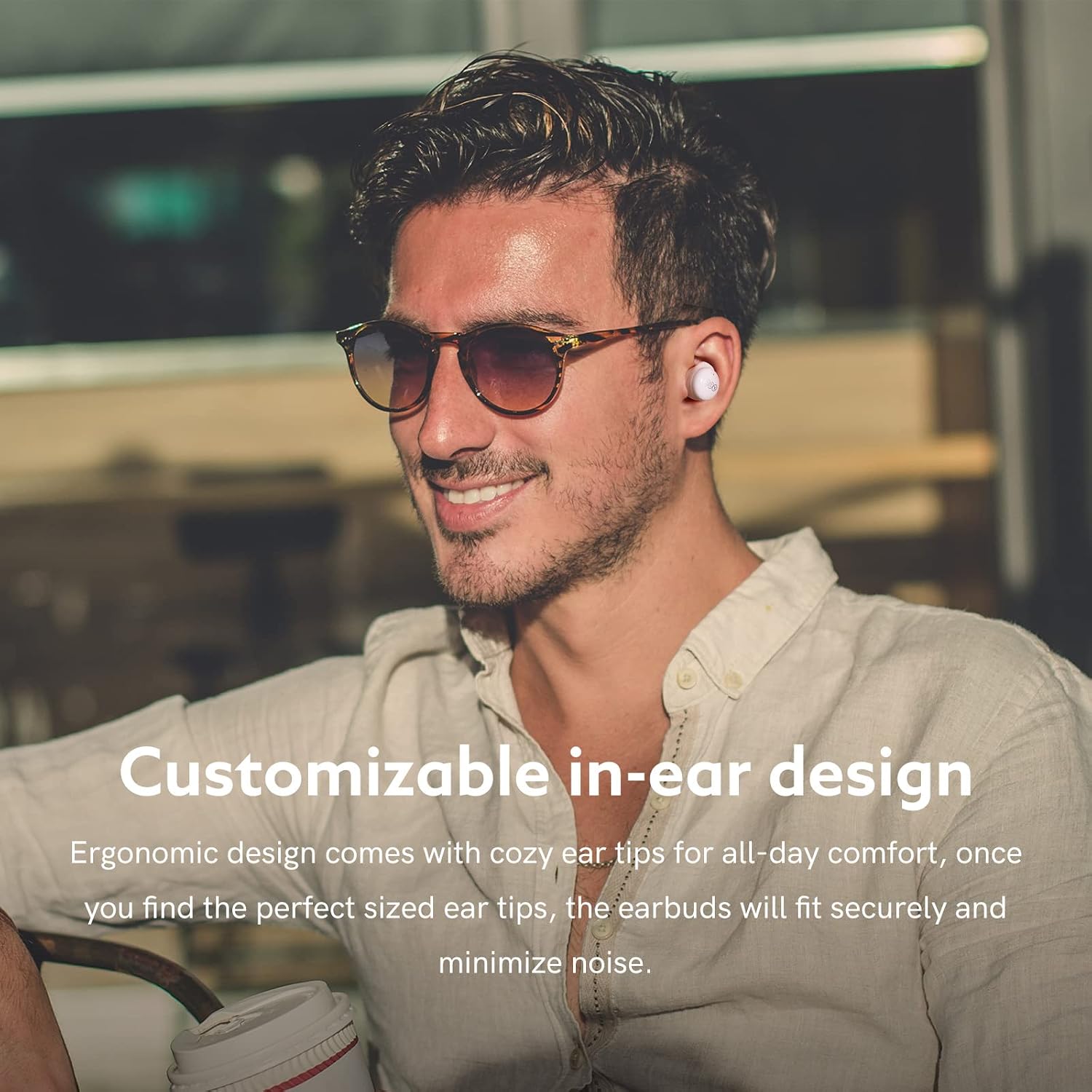
Image: A man wearing QCY T17 earbuds, demonstrating the customizable in-ear design.

Image: Different sizes of ear-tips (L, M, S) provided for a customized fit.

Image: A step-by-step guide on how to properly select, insert, and twist the earbuds to lock them in your ear.
5. Controls and Functions
The QCY T17 earbuds feature smart touch controls for convenient operation. Refer to the image below for a quick overview of the touch functions. For a visual demonstration of these controls, please watch the official operation video provided below.
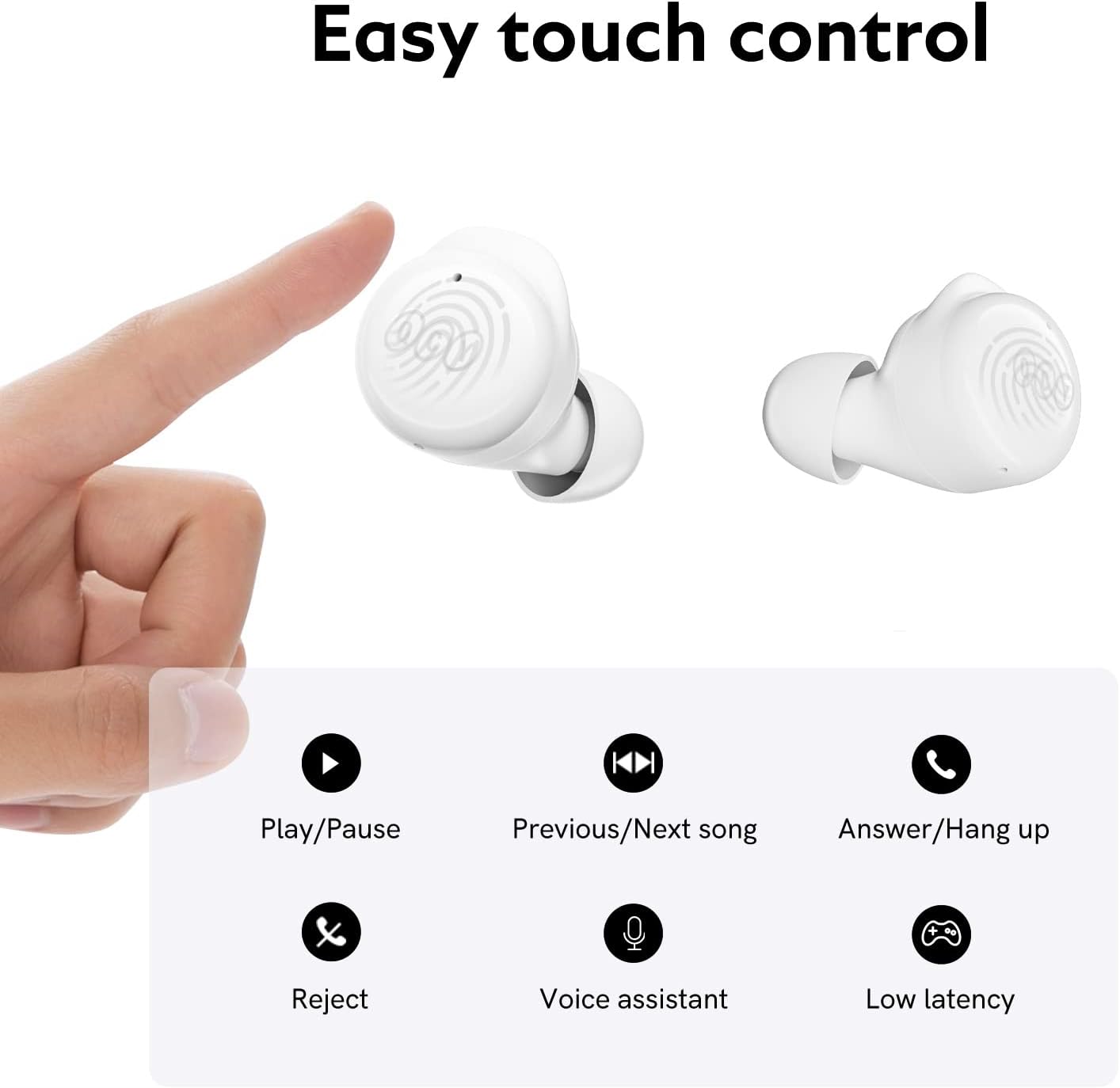
Image: Diagram illustrating the easy touch controls for play/pause, previous/next song, answer/hang up, reject, voice assistant, and low latency mode.
Official Operation Video
Video: How to operate QCY T17 wireless earbuds. This video demonstrates connection, music control, call handling, voice assistant activation, low-latency mode, and master-slave switching.
5.1. Music Control
- Play/Pause: Double touch either earbud.
- Previous/Next Song: Touch and hold the left/right earbud for 1.5 seconds to skip track backward/forward.
5.2. Call Control
- Answer/End Call: Double touch either earbud to answer an incoming call, double touch again to end it.
- Ignore Call: Touch and hold either earbud for 1.5 seconds to ignore an incoming call.
5.3. Voice Assistant
- Activate Voice Assistant: Triple touch the left earbud.
5.4. Low-Latency Mode
- Activate Low-Latency Mode: Triple touch the right earbud. This mode is ideal for gaming to reduce audio delay.
5.5. Master-Slave Switch
The QCY T17 earbuds support a master-slave switch. If you place one earbud back into the case, the other earbud will continue to work independently. To re-pair them, pick up the earbud from the case, and it will automatically connect with the other.

Image: A woman using QCY T17 earbuds, illustrating the ENC (Environmental Noise Cancellation) feature for clear calls.
6. Care and Maintenance
6.1. Cleaning
Regular cleaning helps maintain the performance and hygiene of your earbuds. Use an alcohol pad to clean the charging contacts, ear-tips, and mesh. Ensure the earbuds are dry before placing them back in the charging case.

Image: Diagram illustrating the cleaning process for the earbuds, including charging contacts, ear-tips, and mesh.
6.2. Storage
When not in use, store the earbuds in their charging case to protect them from dust, damage, and to keep them charged.
7. Troubleshooting
7.1. Resetting the Earbuds
If you experience pairing issues or other malfunctions, you may need to reset the earbuds to factory settings:
- Place both earbuds into the charging case and ensure they are charging.
- Keep the charging case open, then press and hold the touch button on both earbuds for 10 seconds until the white LED indicator flashes 5 times. This will reset the earbuds.
Image: Diagram illustrating the process to reset the earbuds by holding the touch sensors for 10 seconds.
7.2. Common Issues
- Earbuds not pairing: Ensure both earbuds are charged and out of the case. Try resetting them as described above.
- No sound from one earbud: Place both earbuds back in the case, close the lid, wait a few seconds, then take them out again. If the issue persists, perform a factory reset.
- Low volume: Adjust the volume on your connected device. Ensure ear-tips provide a good seal in your ear canal.
- Intermittent connection: Ensure you are within the Bluetooth range (up to 30 feet) and there are no major obstructions between the earbuds and your device.
8. Specifications
| Feature | Detail |
|---|---|
| Model Name | T17 |
| Connectivity Technology | Wireless (Bluetooth 5.1) |
| Audio Driver Size | 6 Millimeters |
| Battery Life (Earbuds) | 7.5 Hours |
| Total Battery Life (with Case) | 26 Hours |
| Charging Time | 2 Hours (Case) |
| Control Type | Touch Control |
| Water Resistance Level | Water Resistant |
| Item Weight | 1.59 ounces (45 Grams) |
| Product Dimensions | 2.11 x 2.13 x 1.11 inches |
| Compatible Devices | Cellphones, Laptops, Tablets, Desktops, Android, iOS |
| Frequency Range | 20Hz - 20kHz |
| Impedance | 16 Ohm |
9. Warranty and Support
QCY products come with a standard manufacturer's warranty. For detailed warranty information, technical support, or service inquiries, please refer to the warranty card included in your package or visit the official QCY website. You can also reach out to QCY US Direct for assistance.
For more information, visit the QCY Store on Amazon.
Ask a question about this manual
Ask about setup, troubleshooting, compatibility, parts, safety, or missing instructions. Manuals+ will review the question and use this page’s manual context to help answer it.