
1. Introduction
This manual provides instructions for the proper installation and use of FocalTop replacement screws designed for attaching the base stand or pedestal legs to compatible Samsung television models. These screws are intended for specific use with the original style TV stand and are not suitable for wall mounting or as original equipment manufacturer (OEM) replacements.
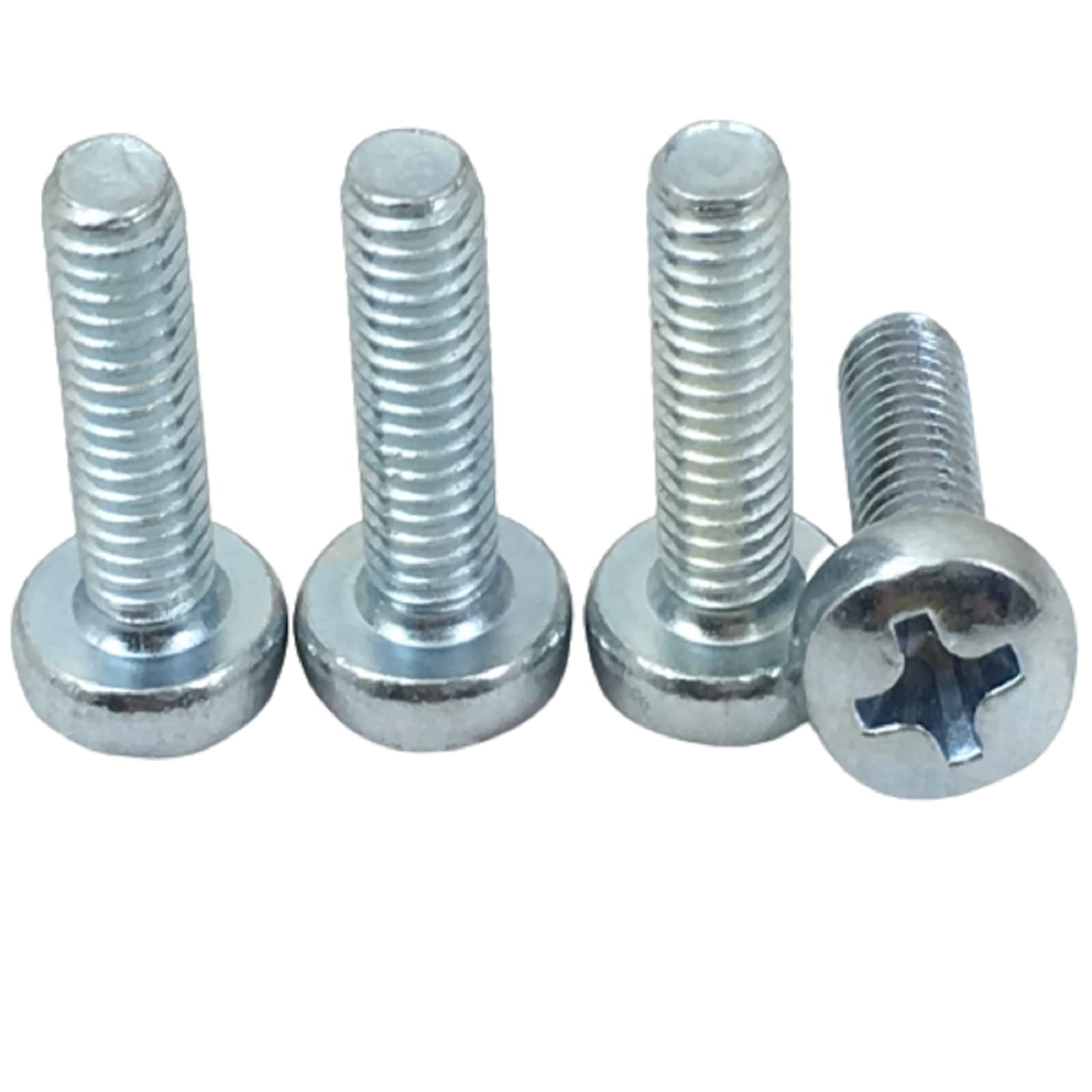
Figure 1: A set of four replacement screws for TV base stands. These screws are designed to secure the pedestal legs to the television unit.
2. Compatibility
These replacement screws are specifically designed for the following Samsung TV models when using their original base stand or pedestal legs:
- Samsung Model UN70NU6070
- Samsung Model UN70NU6070F
- Samsung Model UN70NU6070FXZA
Important: These screws are NOT for wall mounting applications. They are also NOT OEM (Original Equipment Manufacturer) screws and should only be used with the original style stands.
3. Package Contents
Verify that your package contains the following items:
- 4 x FocalTop Replacement TV Base Stand Pedestal Leg Screws
4. Important Safety Information
- Always ensure the television is placed on a soft, clean surface (e.g., a blanket or towel) to prevent scratches during installation.
- Exercise caution when handling the television to avoid injury or damage. It is recommended to have assistance when moving or positioning large TVs.
- Do not overtighten the screws, as this can strip the threads or damage the TV's casing. Tighten until snug.
- Keep screws and small parts out of reach of children and pets to prevent choking hazards.
- If you are unsure about any step, consult a qualified technician.
5. Setup and Installation
Follow these steps to install the replacement screws and attach the TV base stand:
- Prepare the TV: Carefully lay your Samsung TV screen-down on a clean, soft, and stable surface. Ensure the surface is large enough to support the entire TV.
- Position the Stand: Align the base stand or pedestal legs with the designated mounting holes on the back or bottom of the television. Refer to your TV's original manual for the exact stand placement if needed.
- Insert Screws: Insert one FocalTop replacement screw into each of the four mounting holes, passing through the stand and into the TV's screw receivers.
- Tighten Screws: Using an appropriate screwdriver (typically a Phillips head), gently tighten each screw. Tighten them evenly, alternating between screws, until they are snug. Do not apply excessive force. The stand should feel secure and stable.
- Verify Stability: Once all screws are tightened, carefully lift the TV and place it upright on a stable, level surface. Gently test the stability of the stand to ensure it is firmly attached and the TV does not wobble.
6. Maintenance
These screws require minimal maintenance. Periodically check the tightness of the screws to ensure the TV stand remains secure. If any screw feels loose, gently tighten it. Avoid using harsh chemicals or abrasive materials near the screws or TV casing.
7. Troubleshooting
- Screws do not fit:
Ensure your TV model is listed under the "Compatibility" section. These screws are designed for specific Samsung models and their original stands. Verify you are not attempting to use them for wall mounting or with a non-original stand.
- Stand feels wobbly after installation:
Recheck that all four screws are properly inserted and tightened. Ensure the stand itself is correctly assembled and aligned with the TV's mounting points. If the issue persists, the stand or TV's screw receivers may be damaged, or these screws may not be compatible with your specific stand variation.
8. Specifications
| Product Type | Replacement TV Base Stand Pedestal Leg Screws |
| Brand | FocalTop |
| Compatible TV Models | Samsung UN70NU6070, UN70NU6070F, UN70NU6070FXZA |
| Material | Metal, Stainless Steel |
| Head Style | Flat, Socket |
| Number of Pieces | 4 |
| UPC/GTIN | 772625899061 |
9. Warranty and Support
For warranty information or technical support regarding your FocalTop replacement screws, please contact the retailer where the product was purchased or visit the FocalTop official website. Please have your purchase details and the product's UPC/GTIN (772625899061) available when contacting support.
For information regarding your Samsung television, please refer to the TV's original manufacturer documentation or support channels.