
AmazLit HU-XI-12
AmazLit Eye-Caring Gooseneck Desk Lamp User Manual
Model: HU-XI-12
Introduction
This manual provides detailed instructions for the safe and efficient operation of your AmazLit Eye-Caring Gooseneck Desk Lamp. Please read this manual thoroughly before use and retain it for future reference.
Safety Instructions
- Ensure the power adapter is compatible with your local power supply.
- Do not disassemble or modify the lamp. This may cause damage or injury.
- Avoid exposing the lamp to water or high humidity.
- Keep the lamp away from heat sources and direct sunlight.
- Do not look directly into the LED light source for extended periods.
- If the power cord is damaged, discontinue use immediately and contact customer support.
Package Contents
- 1x AmazLit Desk Lamp with Clamp
- 1x UL Power Adapter (Cord Length: 71 inches / 180 cm)
- 1x User Manual
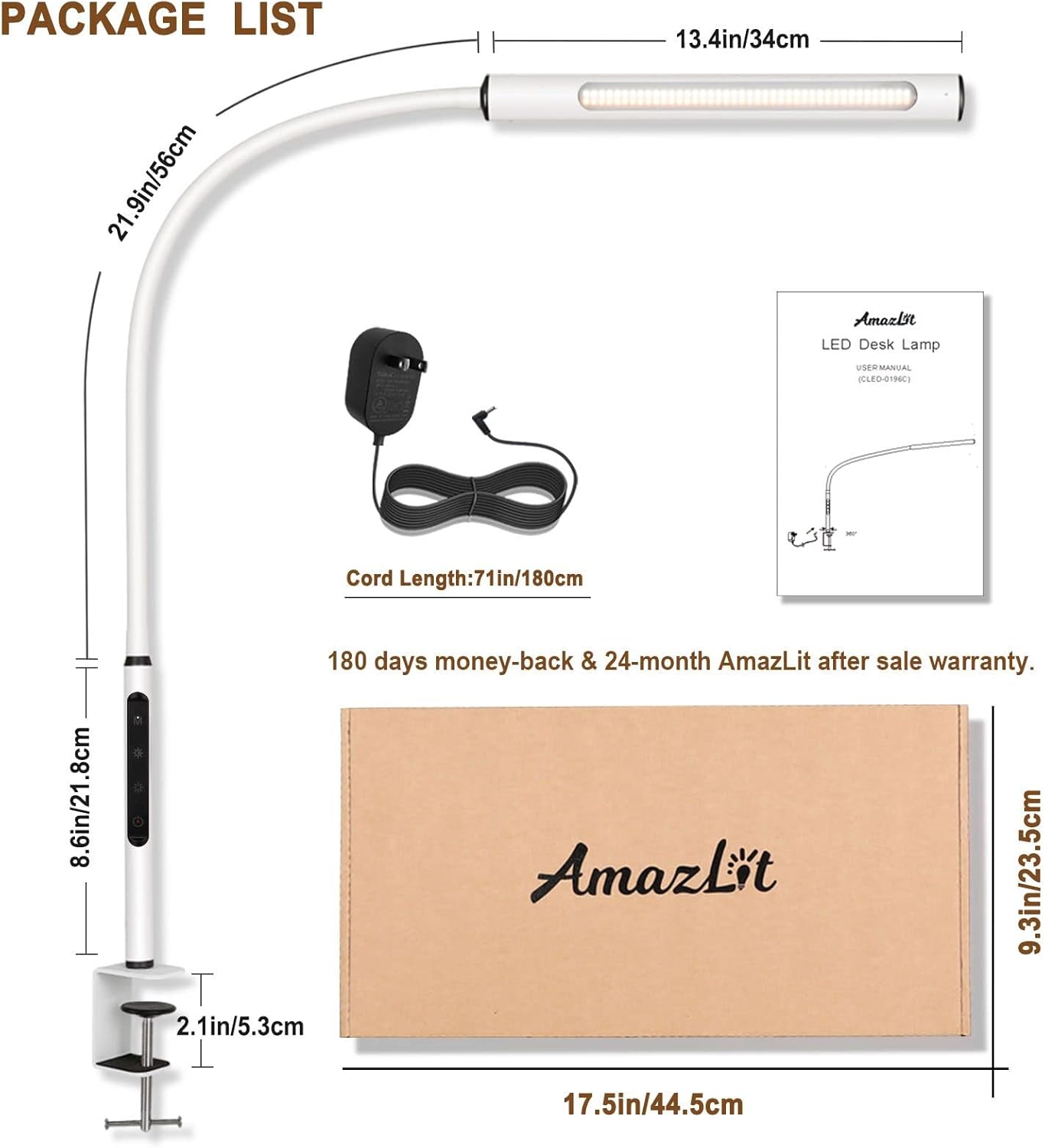
The package includes the main desk lamp unit with its integrated clamp, a UL-certified power adapter with a 71-inch cord, and this user manual. Key dimensions are also illustrated.
Product Diagram

The AmazLit desk lamp consists of a linear LED light bar, a highly flexible gooseneck arm for precise positioning, a control panel located on the vertical base for easy access, and a sturdy clamp for secure attachment to a desk surface.
Setup Instructions
1. Mounting the Lamp
- Choose a stable desk or table surface with a thickness of up to 2.1 inches (5.3 cm).
- Unscrew the clamp to open it sufficiently.
- Position the clamp onto the edge of your desk, ensuring the silicone pads are in contact with the surface to prevent scratches.
- Tighten the clamp securely until the lamp is firmly in place and does not wobble.
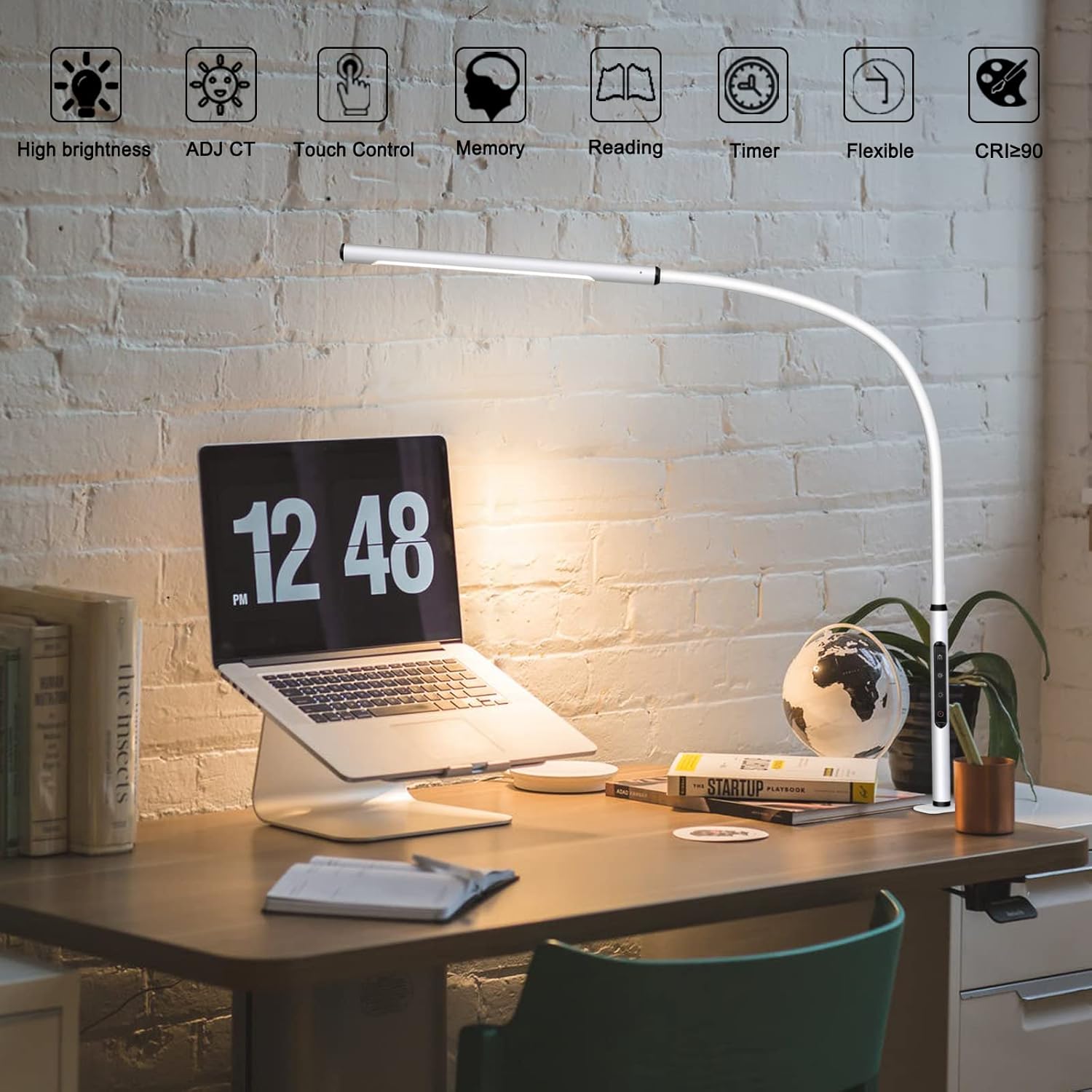
This image illustrates the lamp's clamp mechanism, showing how it attaches firmly to the desk edge, freeing up valuable desk space. The flexible gooseneck is also visible, allowing for various lighting angles.
2. Connecting Power
- Insert the power adapter's DC plug into the power port located on the lamp's base.
- Plug the power adapter into a standard electrical outlet.
- The lamp is now ready for operation.
Operating Instructions
Touch Controls
The lamp features an intuitive touch control panel located on its vertical base. A light touch is sufficient to activate functions.
The control panel on the lamp's base allows for easy adjustment of all lighting parameters. Icons indicate functions such as power on/off, brightness increase/decrease, color temperature changes, selection of pre-set modes, and activation of the timer.
1. Power On/Off
Lightly touch the power icon on the control panel to turn the lamp on or off.
2. Adjusting Brightness
With the lamp on, touch the brightness adjustment icon. Repeated touches or a long press will cycle through the available brightness levels (10%, 25%, 50%, 80%, 100%).

This visual guide shows the lamp's capability to adjust brightness across five distinct levels, from a subtle 10% illumination suitable for ambient light to a powerful 100% for focused tasks.
3. Adjusting Color Temperature
With the lamp on, touch the color temperature adjustment icon. Repeated touches or a long press will cycle through the available color temperatures (3000K to 5500K).

The lamp offers a range of color temperatures to suit different activities. Warm light (3000K) is ideal for relaxing, neutral light (4000K) for reading, and cool white light (5500K) for focused work.
4. Pre-set Lighting Modes
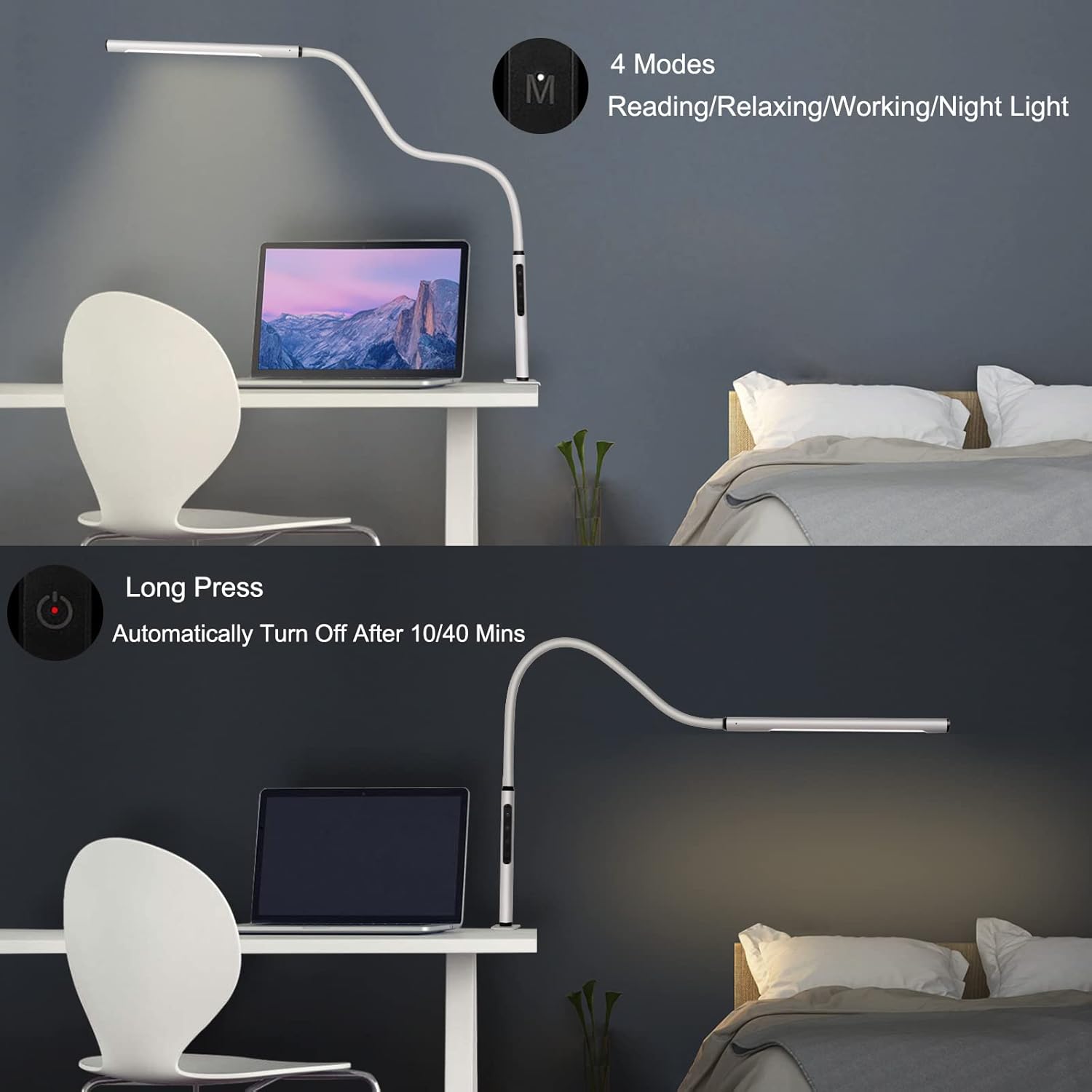
The lamp includes four pre-programmed lighting modes for convenience:
- Reading Mode (4000K): Optimized for comfortable reading.
- Relaxing Mode (3000K): Provides a warm, soothing light.
- Working Mode (5500K): Bright, cool light for enhanced focus.
- Nightlight Mode: A very dim setting for minimal illumination.
Touch the mode selection icon to cycle through these pre-set options.
5. Memory Function
The lamp features a power-off memory function. When you turn the lamp back on, it will automatically resume the last brightness and color temperature settings used.

This image highlights the lamp's memory function, which automatically recalls your last used brightness and color temperature settings upon reactivation, ensuring consistent lighting without manual readjustment.
6. Timer Function
Long press the timer icon to activate the auto-off timer. The lamp can be set to automatically turn off after 10 or 40 minutes.
7. Flexible Gooseneck
The lamp's flexible gooseneck arm allows for unrestricted positioning of the light source. Adjust the arm to direct light precisely where needed without it drooping.

The lamp's highly flexible gooseneck allows for effortless adjustment of the light head to any desired angle or height, providing versatile illumination for different tasks and preferences.
Maintenance
- Cleaning: Disconnect the power before cleaning. Use a soft, dry cloth to wipe the lamp. Do not use abrasive cleaners or solvents.
- Storage: If storing the lamp for an extended period, ensure it is clean and dry. Store in a cool, dry place.
Troubleshooting
| Problem | Possible Cause | Solution |
|---|---|---|
| Lamp does not turn on. | No power supply; adapter not connected; power outlet faulty. | Check power adapter connection; ensure outlet is functional; try a different outlet. |
| Light flickers. | Unstable power supply; loose connection. | Ensure stable power; check all connections. |
| Controls are unresponsive. | Temporary software glitch; dirty control panel. | Disconnect and reconnect power; clean the touch panel with a dry cloth. |
| Lamp droops or does not hold position. | Clamp not tightened sufficiently. | Ensure the clamp is securely tightened to the desk surface. |
Specifications
| Feature | Detail |
|---|---|
| Model Name | CLED-0196C (HU-XI-12) |
| Brand | AmazLit |
| Light Source Type | LED (84 SMD LED Chips) |
| Wattage | 12 Watts |
| Brightness | 900 Lumens |
| Color Temperature | 3000K - 5500K (Adjustable) |
| Color Rendering Index (CRI) | >90 |
| Control Method | Touch |
| Special Features | Eye-caring, Dimmable, Memory Function, 10/40 Mins Auto Off Timer |
| Material | ABS Plastic, Aluminum, Silicone |
| Mounting Type | Metal Clamp Mount (Max 2.1 inch thickness) |
| Power Source | Corded Electric (UL Adapter) |
| Product Dimensions | 2"D x 1.4"W x 47"H (approx.) |
| Item Weight | 2.05 pounds (0.93 kg) |
| Average Life | 50,000 Hours |
Warranty and Support
This AmazLit product is covered by a 180-day money-back guarantee and a 24-month warranty from the date of purchase. This warranty covers manufacturing defects and workmanship under normal use.
For any questions, technical assistance, or warranty claims, please contact AmazLit customer support via the Amazon platform or through the contact information provided in your purchase documentation. Please have your model number (HU-XI-12) and purchase date ready.
Ask a question about this manual
Ask about setup, troubleshooting, compatibility, parts, safety, or missing instructions. Manuals+ will review the question and use this page’s manual context to help answer it.