
Introduction
This manual provides detailed instructions for the safe installation, operation, and maintenance of your Mintu Heating Element Replacement. This element is designed for various Magic Chef electric range oven models. Please read this manual thoroughly before attempting any installation or repair to ensure proper function and safety.
Safety Information
WARNING: Before beginning any installation or repair, always disconnect power to the appliance at the circuit breaker or fuse box. Failure to do so can result in serious injury or death from electrical shock.
- Ensure the appliance is completely cool before handling any internal components.
- Wear appropriate personal protective equipment, such as gloves, to prevent cuts or burns.
- If you are unsure about any step, consult a qualified appliance repair technician.
- Do not modify the heating element or any part of the appliance.
Package Contents
- 1 x Mintu Heating Element Replacement

Figure 1: Overall view of the Mintu Heating Element Replacement.
Compatible Magic Chef Electric Range Models
This heating element is compatible with various Magic Chef electric range oven models, including but not limited to:
- 3868XVA
- 3522WUW-D
- 3860XVA
- 3822PRA
- 3510PPW
- 3527WUV
- 3842PRA
- 3510PRW
- 7898VAD
- C3888XVA
- 3523WRV
- 3523XRA
- 3841SVA-D
- 3841SVW-D
Always verify compatibility with your specific appliance model before installation.
Installation Instructions (Setup)
Follow these steps carefully to replace your oven's heating element:
- Disconnect Power: Turn off the power to your electric range at the circuit breaker or fuse box. Confirm power is off before proceeding.
- Access Oven Interior: Open the oven door and locate the heating element. It is typically secured by screws at the back of the oven cavity.
- Remove Mounting Screws: Using a screwdriver, carefully remove the screws holding the heating element in place.
- Gently Pull Element Forward: Slowly pull the heating element forward a few inches into the oven cavity. This will expose the electrical terminals at the back.
- Disconnect Wires: Carefully disconnect the electrical wires from the terminals of the old heating element. Note their positions for re-connection. It is recommended to take a photo for reference.
- Remove Old Element: Once wires are disconnected, fully remove the old heating element from the oven.
- Install New Element: Connect the electrical wires to the terminals of the new Mintu heating element. Ensure connections are secure.
- Secure New Element: Push the new heating element back into its position, aligning the mounting bracket with the screw holes. Re-insert and tighten the screws to secure the element.
- Close Oven Door: Close the oven door.
- Restore Power: Restore power to the electric range at the circuit breaker or fuse box.
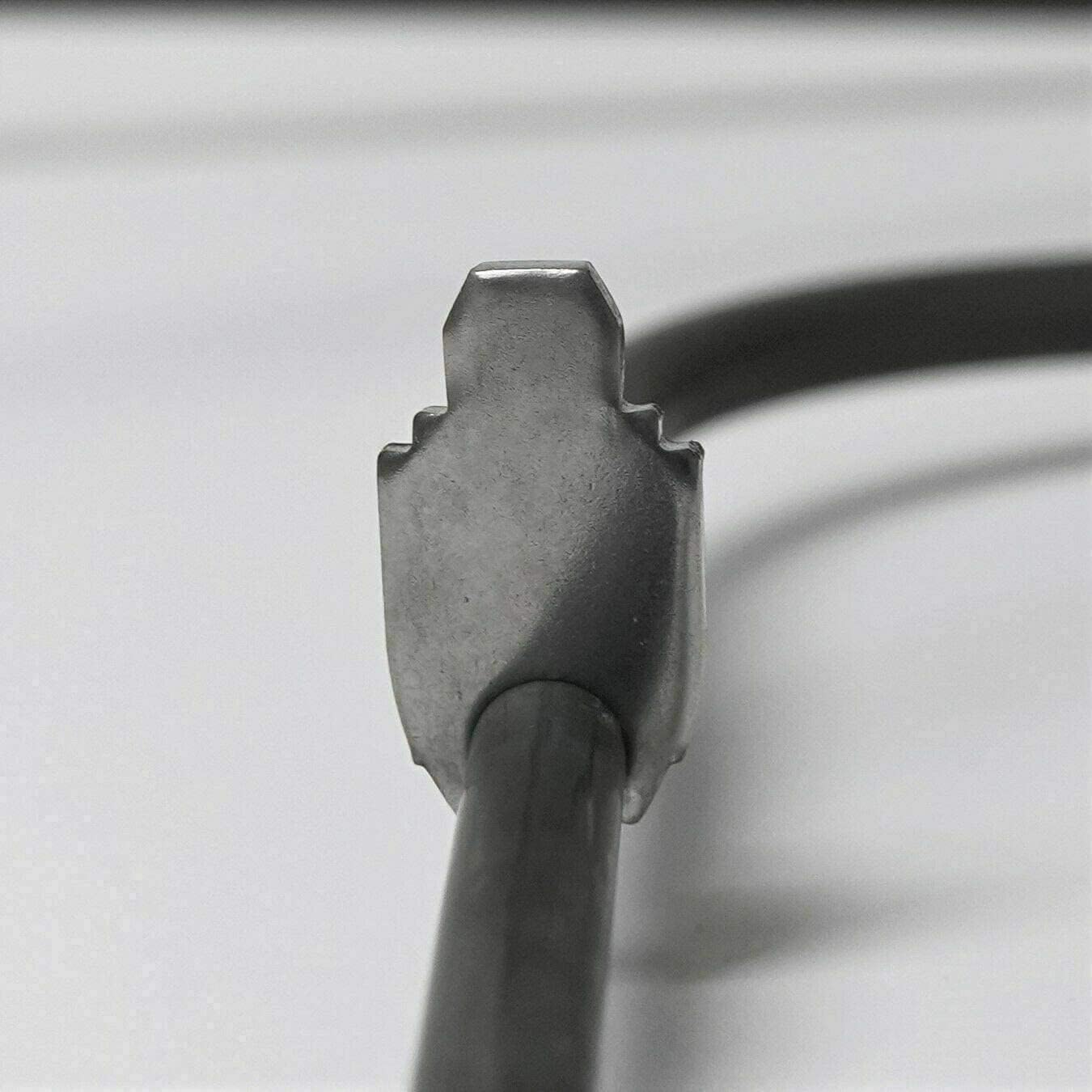
Figure 2: Close-up view of the heating element's terminal end, showing the connection point.

Figure 3: Close-up view of the heating element's mounting bracket, showing how it secures to the oven wall.
Post-Installation Check (Operating)
After installation, perform the following check:
- Turn on the oven to a low baking temperature (e.g., 350°F or 175°C).
- Observe the new heating element. It should begin to glow red evenly within a few minutes, indicating proper function.
- If the element does not heat or heats unevenly, immediately turn off the oven and disconnect power. Re-check all connections and ensure the element is properly seated. If issues persist, consult a qualified technician.
Maintenance
The Mintu Heating Element Replacement requires minimal maintenance. To ensure longevity and optimal performance:
- Keep the oven interior clean. Spills and food debris can burn onto the element, affecting its efficiency and lifespan.
- Avoid direct contact with the heating element when cleaning the oven.
- Do not use abrasive cleaners or sharp objects on the element.
- If the element appears damaged or corroded, consider replacement.
Troubleshooting
| Problem | Possible Cause | Solution |
|---|---|---|
| Element does not heat up. | No power to the oven; loose electrical connections; faulty element. | Check circuit breaker/fuse. Ensure wires are securely connected to the element terminals. If power is present and connections are good, the element may be faulty (unlikely for a new part). |
| Element heats unevenly. | Internal damage to the element; incorrect voltage. | Ensure the element is fully seated and not bent. Verify oven voltage. If uneven heating persists, the element may be defective. |
| Oven not reaching desired temperature. | Element not fully functional; thermostat issue; oven door seal issue. | Check element for full glow. If element is fine, inspect oven door seal for leaks. Consult a technician for thermostat issues. |
Specifications
The following specifications are for the Mintu Heating Element Replacement:
- Brand: Mintu
- Type: Electric Range Oven Heating Element
- Compatibility: Designed for various Magic Chef electric range models (see "Compatible Models" section).
- Dimensions: Refer to Figure 4 for detailed dimensions.

Figure 4: Detailed dimensions of the Mintu Heating Element Replacement.
Warranty Information
Specific warranty details for this Mintu product are not provided in this manual. For information regarding warranty coverage, terms, and conditions, please refer to the product packaging or contact the seller directly.
Customer Support
If you encounter any issues or have questions regarding the installation or performance of your Mintu Heating Element Replacement, please contact the seller or manufacturer for assistance. Provide your product details and a clear description of the issue for efficient support.
You can typically find seller contact information on your purchase receipt or the platform where the product was purchased.