
1. Introduction
This manual provides essential instructions for the safe operation, maintenance, and troubleshooting of your WEELMOTION 6.5 Inch Graffiti Hoverboard. Please read this manual thoroughly before first use to ensure a safe and enjoyable experience. This hoverboard is designed for personal transportation and recreation.

Image 1.1: The WEELMOTION 6.5 Inch Graffiti Hoverboard, showcasing its colorful design and integrated features.
2. Safety Information
Your safety is paramount. The WEELMOTION hoverboard is UL 2272 certified, indicating compliance with electrical safety standards. Adhere to all warnings and instructions to prevent injury or damage.
2.1 General Safety Guidelines
- Always read the manual: Before operating, familiarize yourself with all instructions.
- Weight Limits: Minimum supported weight is 40 lbs (18 kg), maximum is 220 lbs (100 kg).
- Age Range: This product is specified for adult use, but younger riders should always be supervised and meet the minimum weight requirement.
- Protective Gear: Always wear a helmet, knee pads, elbow pads, and wrist guards.
- Environmental Conditions: Do not ride in wet conditions, on uneven terrain, or near water. Avoid riding on public roads or in heavy traffic.
- Speed and Control: Ride at a safe speed. The hoverboard has a maximum climbing angle of 12°.
- Charger Usage: Only use the charger supplied with this hoverboard. Using a non-compatible charger can damage the battery and void the warranty.
2.2 Battery Safety
The hoverboard uses a Lithium-Ion battery. Improper handling can pose a risk of fire.
- Do not leave the hoverboard unattended while charging.
- Do not charge for more than 6 hours.
- Do not charge a warm or fully discharged battery immediately. Allow it to cool down or warm up to room temperature first.
- After each use, charge the battery to prolong its lifespan.
- Store the hoverboard battery in rooms with temperatures between 0°C (32°F) and 40°C (104°F).
- Never use around water or fire.
2.3 Integrated Safety Features
- UL 2272 Certified: Ensures electrical system safety.
- No-Fall Technology: Assists beginners with stability.
- Smart Sensor: Enhances balancing capabilities.
- Overheat Protection: Prevents components from exceeding safe temperatures.
- Short Circuit Protection: Safeguards the electrical system.
- Fire Protection Shell: Provides an additional layer of safety.
- Over-speed Alert: Notifies the rider when exceeding safe speeds.
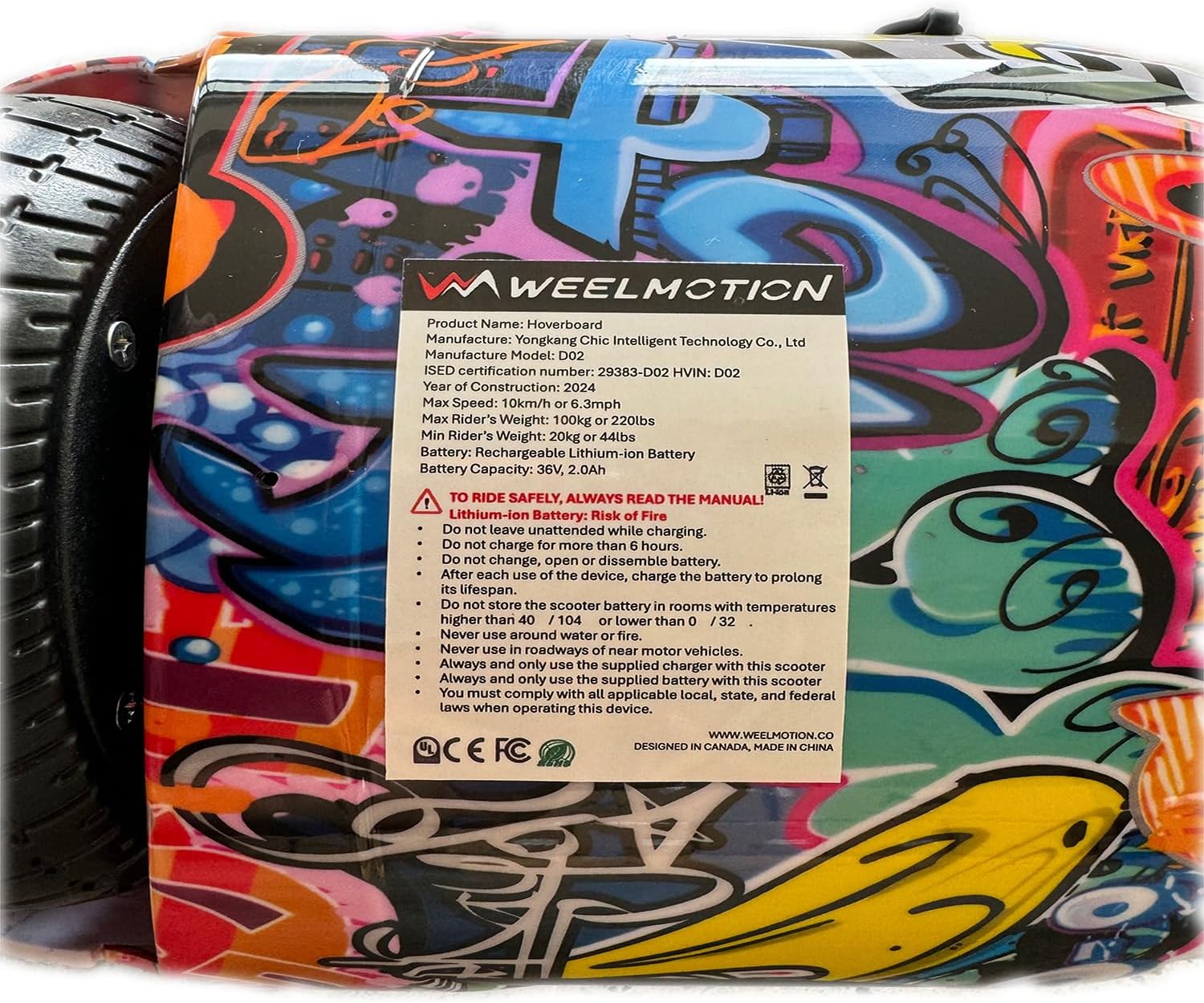
Image 2.1: A close-up of the product label, detailing important safety warnings and battery information.
3. Product Overview
The WEELMOTION 6.5 Inch Graffiti Hoverboard combines performance with interactive features for an engaging riding experience.
3.1 Key Features
- Motors: Dual 200W brushless motors (400W total) for efficient power delivery.
- Wheels: 6.5-inch solid shining tires designed for various terrains.
- Battery: High-capacity Lithium-Ion battery (72Wh) providing a range of up to 8 km per charge. Actual range may vary based on rider weight, terrain, and riding style.
- Lighting: Dynamic LED strip lights and front LED lights for visibility and aesthetics.
- Audio: Built-in wireless speaker for music playback via Bluetooth.
- Stabilization: Gyroscope stabilization system and powerful self-balancing feature for ease of use.
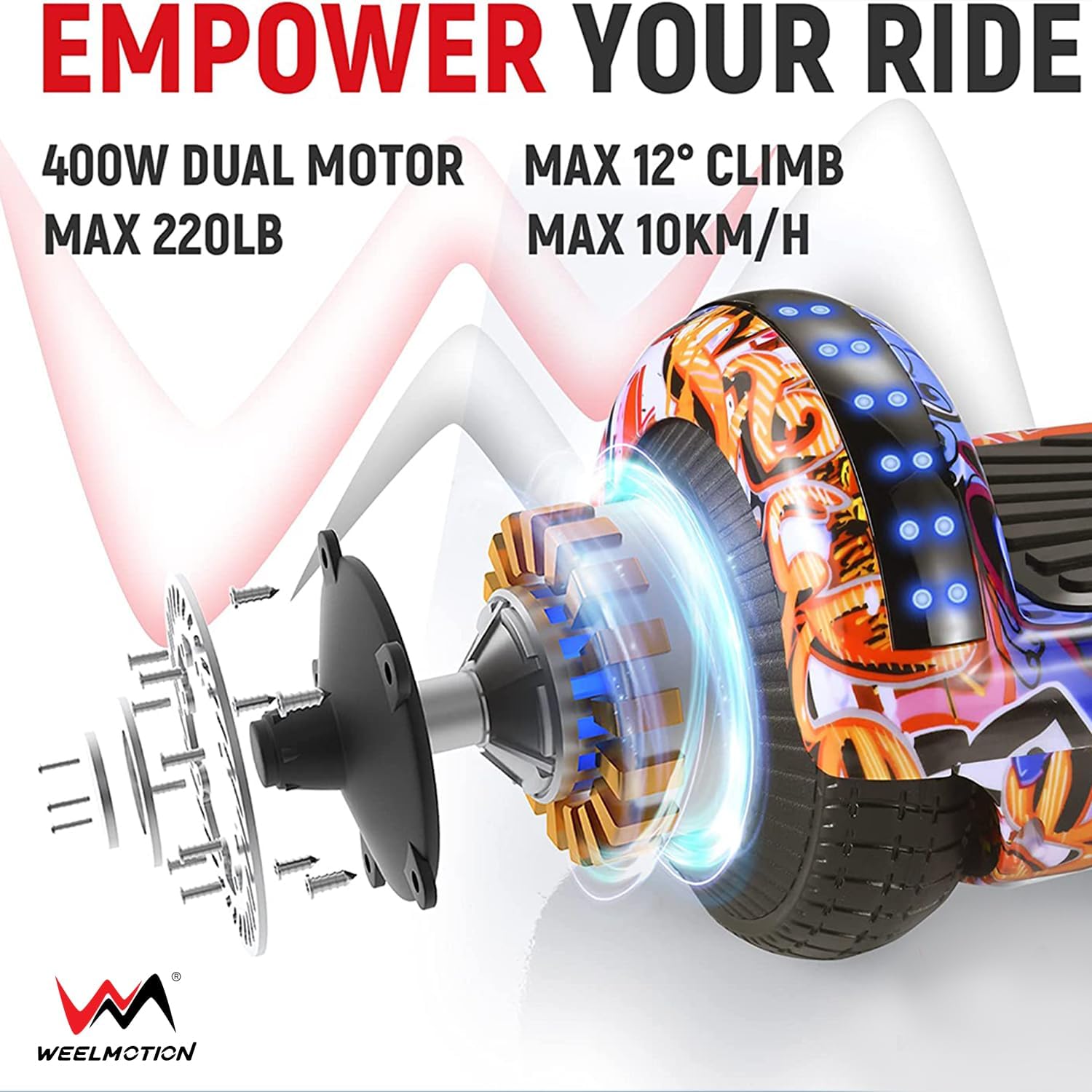
Image 3.1: Illustration of the hoverboard's dual motor system, highlighting its power, maximum load capacity (220 lbs), maximum climb angle (12°), and maximum speed (10 km/h).
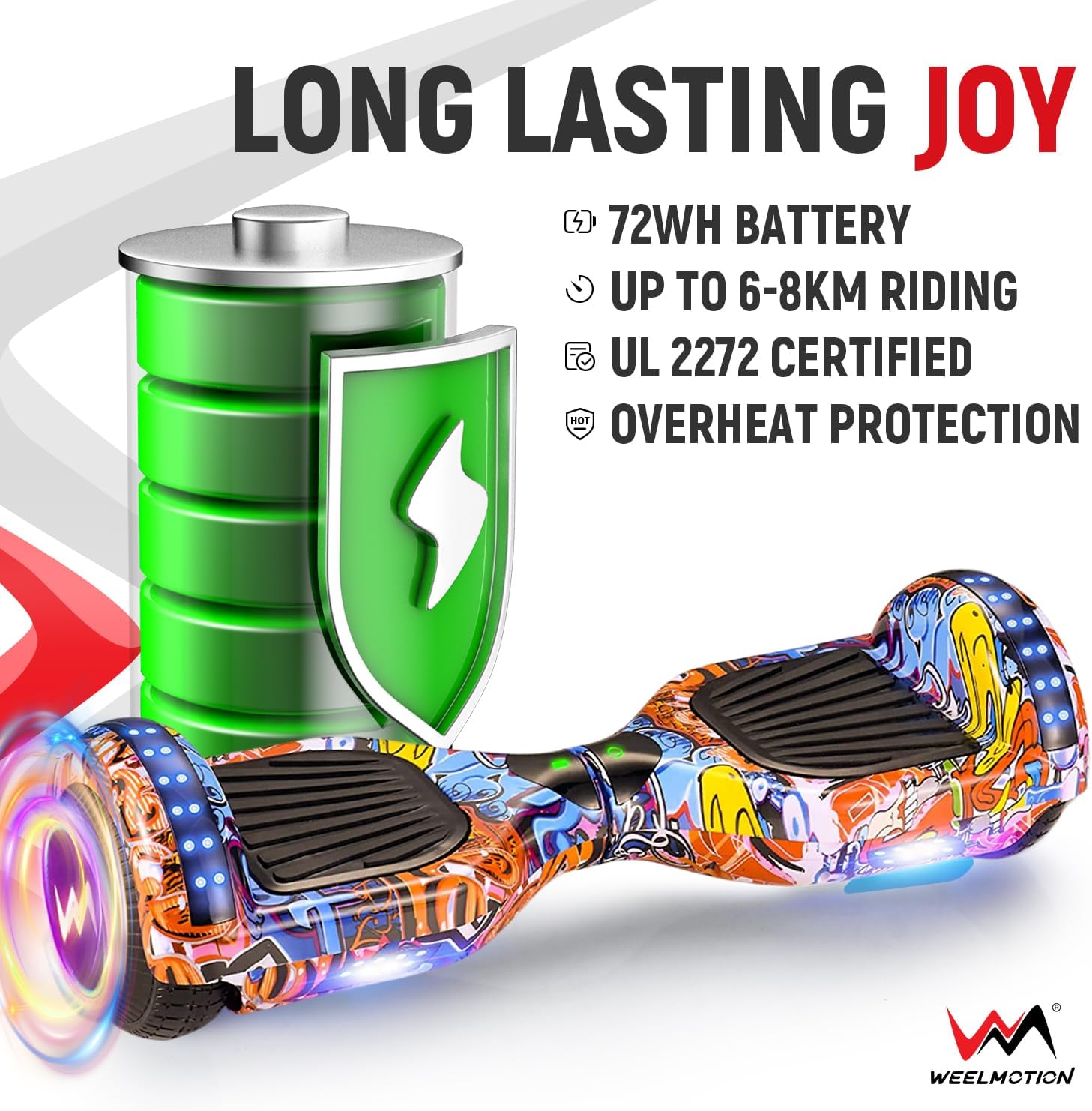
Image 3.2: Details on the hoverboard's 72Wh battery, indicating a range of 6-8 km, UL 2272 certification, and overheat protection.
3.2 Package Contents
- WEELMOTION 6.5 Inch Graffiti Hoverboard
- Charger
- Complimentary Hoverboard Bag
4. Setup
4.1 Initial Charging
- Unpack the hoverboard and charger.
- Ensure the hoverboard is turned off.
- Connect the charger to the charging port on the hoverboard.
- Plug the charger into a standard wall outlet. The indicator light on the charger will typically turn red during charging and green when fully charged.
- Allow the hoverboard to charge completely before its first use. Do not overcharge (maximum 6 hours).
Important: Always use the original charger provided by WEELMOTION. Using an unauthorized charger can damage the battery and is a safety risk.
5. Operating Instructions
Learning to ride your hoverboard is an intuitive process thanks to its self-balancing technology.
5.1 Basic Riding
- Power On: Place the hoverboard on a flat, level surface. Press the power button. The indicator light should illuminate.
- Mounting: Place one foot on a footpad, ensuring the hoverboard remains level. Then, quickly step up with your other foot. Use a wall or a friend for support initially.
- Forward/Backward: Lean slightly forward to move forward. Lean slightly backward to move backward.
- Turning: To turn left, gently press your right foot forward. To turn right, gently press your left foot forward.
- Stopping: Return to an upright, neutral position to stop.
- Dismounting: Step off the hoverboard one foot at a time, preferably backward.

Image 5.1: A rider's feet positioned on the hoverboard, illustrating the correct stance for operation.
5.2 Bluetooth Speaker Operation
- Ensure the hoverboard is powered on.
- Activate Bluetooth on your mobile device.
- Search for available Bluetooth devices and select the hoverboard (usually named 'Hoverboard' or similar).
- Once paired, you can play music through the hoverboard's built-in speaker.

Image 5.2: The hoverboard illuminated with vibrant lights, emphasizing its integrated music speaker functionality.
5.3 Go-Kart Mode (Optional Accessory)
The WEELMOTION hoverboard is compatible with a hover-kart accessory (sold separately). This accessory transforms your hoverboard into a seated go-kart for a different riding experience. Refer to the hover-kart's instruction manual for assembly and operation.

Image 5.3: Depiction of the hoverboard's self-balance mode and how it can be adapted for a go-kart setup (go-kart not included).
6. Maintenance
Proper maintenance ensures the longevity and optimal performance of your hoverboard.
6.1 Cleaning
- Turn off the hoverboard and unplug it from any power source before cleaning.
- Use a soft, damp cloth to wipe down the exterior. Avoid using harsh chemicals or abrasive cleaners.
- Do not use water directly on the hoverboard, as this can damage electronic components.
6.2 Storage
- Store the hoverboard in a cool, dry place, away from direct sunlight and extreme temperatures.
- Ensure the battery is charged to approximately 50% before long-term storage. Recharge every 3 months if not in use to maintain battery health.
- Use the complimentary hoverboard bag for protection during storage and transport.
7. Troubleshooting
If you encounter issues with your WEELMOTION hoverboard, refer to the following common problems and solutions.
| Problem | Possible Cause | Solution |
|---|---|---|
| Hoverboard does not turn on. | Low battery or power button issue. | Charge the hoverboard fully. Ensure the power button is pressed firmly. |
| Hoverboard does not charge. | Charger not properly connected, faulty charger, or damaged battery. | Ensure charger is securely connected to both hoverboard and power outlet. Verify the charger indicator light. Only use the original charger. If issues persist, contact customer support. |
| Difficulty balancing or erratic movement. | Improper calibration or sensor issue. | Recalibrate the hoverboard: Turn off, place on a flat surface, hold power button for 5-10 seconds until lights flash, then release and power off/on. |
| Bluetooth speaker not connecting. | Bluetooth on device is off, hoverboard not in pairing mode, or interference. | Ensure hoverboard is on. Check Bluetooth settings on your device. Move closer to the hoverboard. Restart both devices. |
For issues not listed here or if solutions do not resolve the problem, please contact WEELMOTION customer support.
8. Specifications
| Feature | Detail |
|---|---|
| Model Number | B09HPKW58G |
| Product Dimensions | 59.8 x 18.5 x 18 cm |
| Item Weight | 6.5 kg (14.3 lbs) |
| Wheel Size | 6.5 Inches |
| Motor Wattage | Dual 200W (400W total) |
| Battery Type | Lithium-Ion, 72Wh |
| Max Speed | Up to 10 km/h (6.2 mph) |
| Max Range | Up to 8 km (5 miles) per charge |
| Max Climbing Angle | 12° |
| Min/Max Weight Capacity | Min 40 lbs (18 kg) / Max 220 lbs (100 kg) |
| Brake Type | Regenerative braking |
| Frame Material | Aluminum or lightweight Alloy Steel |
| Certifications | UL 2272 |
9. Warranty and Support
WEELMOTION is committed to product quality and customer satisfaction. For warranty claims, technical support, or any inquiries regarding your hoverboard, please contact WEELMOTION customer service.
Based on customer feedback, WEELMOTION provides responsive customer service, including support for warranty issues and replacement parts. Please retain your proof of purchase for warranty validation.
Contact information can typically be found on the WEELMOTION official website or through your purchase platform.