
1. Introduction
This manual provides essential instructions for the safe and effective use of your Otech rechargeable battery pack, designed for SAGEMCOM D160 Duo cordless telephones. Please read this manual thoroughly before installation and use.
2. Safety Information
- Use only with compatible devices as specified (SAGEMCOM D160 Duo cordless phones).
- Do not short-circuit, disassemble, or incinerate batteries.
- Keep batteries away from water and extreme temperatures.
- Dispose of used batteries according to local regulations.
- Do not attempt to charge non-rechargeable batteries. These Otech batteries are rechargeable Ni-MH type.
3. Setup and Installation
Follow these steps to install the Otech rechargeable batteries into your SAGEMCOM D160 Duo cordless phone handset.
- Unpack the Batteries: Carefully remove the two Otech batteries from their packaging.
- Open Handset Battery Compartment: Locate the battery compartment cover on the back of your SAGEMCOM D160 Duo cordless phone handset. Slide or lift the cover to open it.
- Remove Old Batteries (if applicable): If replacing old batteries, carefully remove them and dispose of them responsibly.
- Insert New Batteries: Insert the Otech rechargeable batteries into the compartment, ensuring the polarity (+ and -) matches the markings inside the compartment.
- Close Compartment: Replace the battery compartment cover until it clicks securely into place.
- Initial Charge: Place the handset on its charging base for at least 12-15 hours for the initial charge, even if the display indicates a full charge sooner. This conditions the batteries for optimal performance.


Image: Front and back views of the Otech rechargeable batteries. The back view displays technical specifications such as Ni-MH 1.2V 750mAh.
4. Operating Instructions
Once installed and fully charged, your SAGEMCOM D160 Duo cordless phone will operate normally. The Otech batteries are designed for reliable power delivery.
- Regular Charging: For optimal battery life, return the handset to its charging base when not in use.
- Battery Indicator: Monitor the battery level indicator on your phone's display. Recharge when the indicator shows low battery.
- Low Self-Discharge: These batteries feature low self-discharge, meaning they retain their charge for longer periods when not in use, reducing the risk of discharge during extended standby.
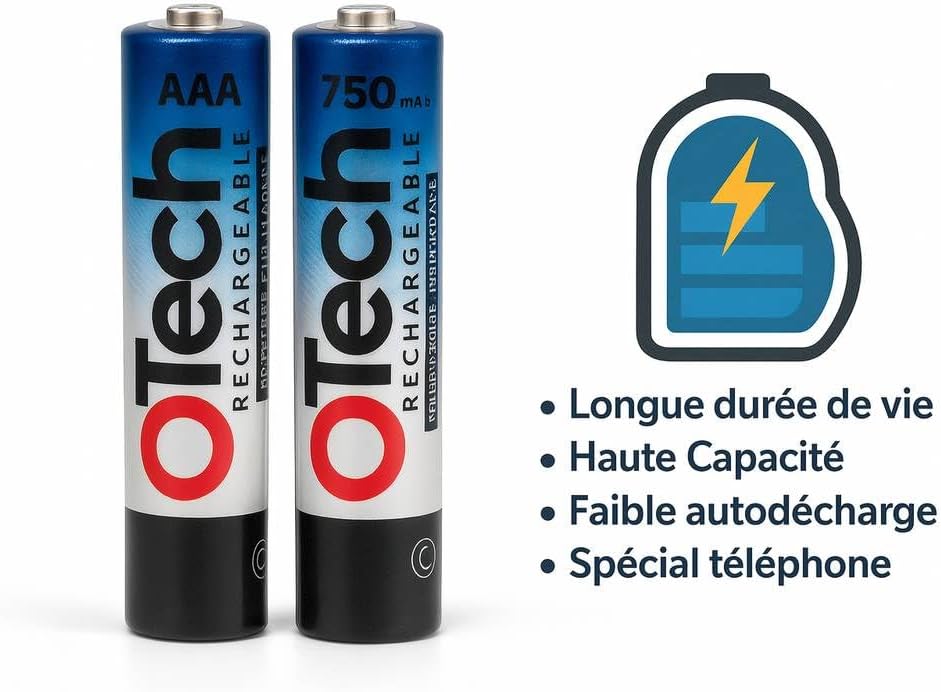
Image: Otech rechargeable batteries highlighting key features: long lifespan, high capacity, low self-discharge, and suitability for telephones.
5. Maintenance
- Cleaning: Keep battery contacts clean and free from dust or corrosion. Use a dry cloth if necessary.
- Storage: If storing the batteries for an extended period, charge them fully, then remove them from the device. Store in a cool, dry place. Recharge every 6-12 months to maintain capacity.
- Battery Life: Over time, all rechargeable batteries will experience a decrease in capacity. When talk time significantly reduces after a full charge, it may be time to replace the batteries.
6. Troubleshooting
| Problem | Possible Cause | Solution |
|---|---|---|
| Phone not powering on or holding charge | Batteries not properly installed, not charged, or at end of life. |
|
| Short talk time after full charge | Batteries may be nearing the end of their lifespan or not fully conditioned. |
|
| Handset not charging | Poor contact with charging base, faulty charging base, or damaged batteries. |
|
7. Specifications
- Brand: Otech
- Model Compatibility: SAGEMCOM D160 Duo Cordless Phones
- Battery Type: Ni-MH (Nickel-Metal Hydride)
- Voltage: 1.2V (per battery)
- Capacity: 750 mAh (per battery)
- Weight: Approximately 28 grams (per battery)
- Quantity: Pack of 2 batteries
- Special Features: High-quality cells, low self-discharge, individually tested.
8. Warranty Information
Otech provides a 1-year warranty for this battery pack from the date of purchase. This warranty covers manufacturing defects. It does not cover damage caused by misuse, accident, unauthorized modification, or normal wear and tear. Please retain your proof of purchase for warranty claims.
9. Support and Contact
For further assistance or inquiries regarding your Otech rechargeable batteries, please contact your retailer or the Otech customer support channel provided at the point of purchase. For general information, you may refer to the official Otech website.

