
TCL 40A345
TCL 40A345 40-inch FHD Smart Android TV User Manual
Model: 40A345
Brand: TCL
1. Introduction
Thank you for choosing the TCL 40A345 40-inch FHD Smart Android TV. This manual provides essential information for setting up, operating, and maintaining your new television. Please read it thoroughly before use to ensure proper functionality and safety.
This Smart TV combines Full HD resolution with the versatility of Android TV, offering a superior viewing and entertainment experience. Key features include:
- Full HD (FHD) Display: Enjoy greater detail, sharpness, and clarity for an improved visual experience.
- Android TV: Access a world of content with popular streaming services like Netflix, YouTube, and more, directly from your TV.
- Google Assistant: Use voice commands to search for content, control your TV, and manage smart home devices.
- Dolby Audio: Experience intense, clear, and powerful audio for maximum entertainment enjoyment.
- AI-IN: Seamlessly synchronize and control compatible Google Home enabled devices remotely.
- Bluetooth Connectivity: Connect and synchronize your TCL TV wirelessly with electronic devices.
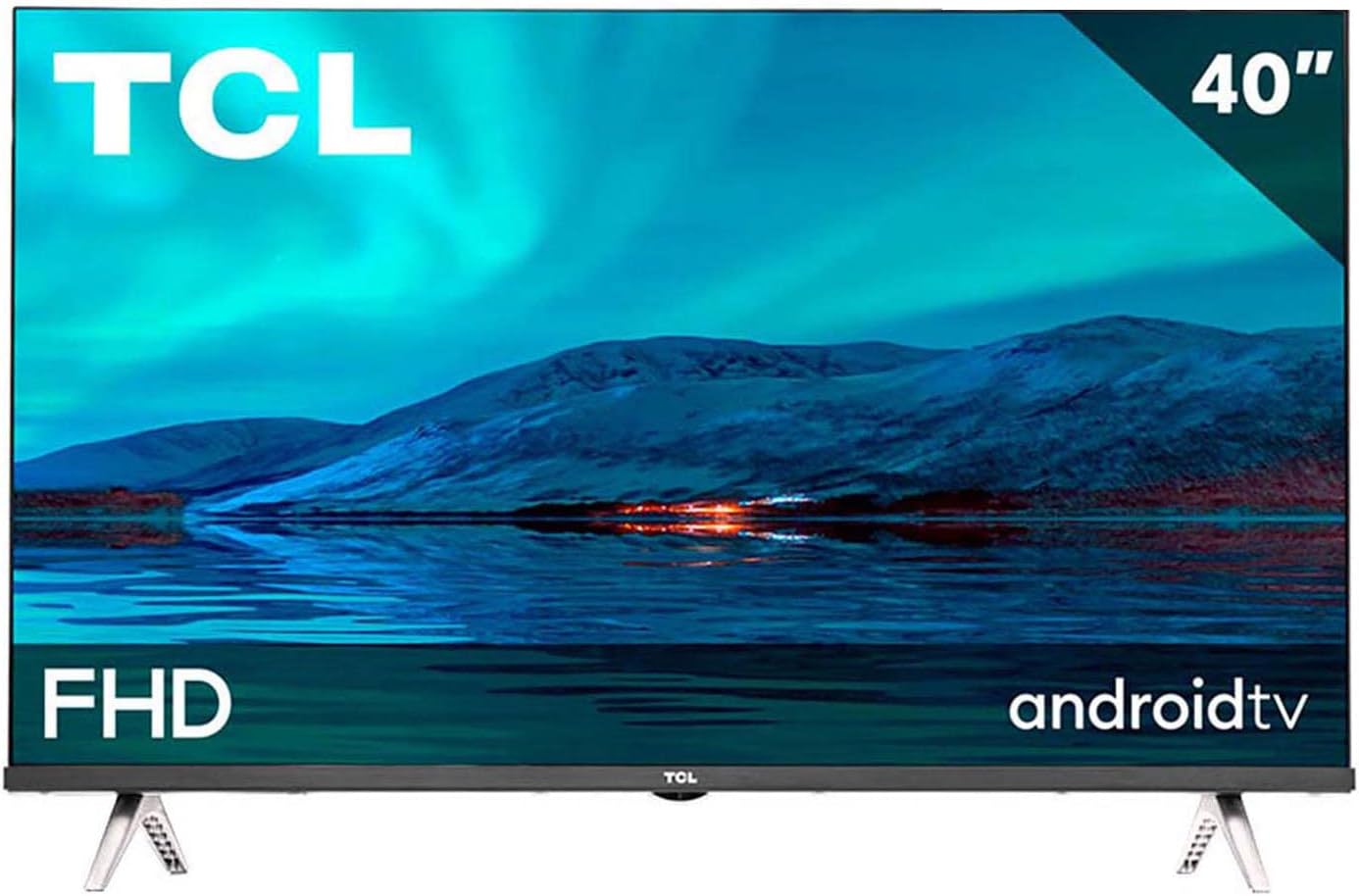
Figure 1.1: Front view of the TCL 40A345 Smart TV.
2. Safety Information
Please read and follow these safety precautions carefully to prevent fire, electric shock, damage, or injury.
- Power Source: Connect the TV only to an AC power supply as indicated on the label.
- Ventilation: Ensure proper ventilation. Do not block ventilation openings or place the TV on a soft surface that may block them. Maintain a minimum distance of 10 cm (4 inches) around the TV for adequate airflow.
- Placement: Place the TV on a stable, level surface to prevent it from falling. Avoid placing it in direct sunlight, near heat sources, or in areas with high humidity or dust.
- Water and Moisture: Do not expose the TV to rain or moisture. Do not place objects filled with liquids, such as vases, on the TV.
- Cleaning: Unplug the TV before cleaning. Use a soft, dry cloth. Do not use liquid cleaners or aerosol cleaners.
- Lightning: For added protection during a lightning storm or when left unattended for long periods, unplug the TV from the wall outlet and disconnect the antenna or cable system.
- Servicing: Do not attempt to service this product yourself. Refer all servicing to qualified service personnel.
3. Package Contents
Carefully unpack your TV and check that all the following items are included:
- TCL 40A345 40-inch FHD Smart Android TV
- Remote Control
- Instruction Manual (this document)
- Power Cable
- TV Stand (2 pieces)
- Screws for Stand Installation
4. Setup
4.1. Installing the TV Stand
- Place the TV face down on a soft, flat surface (e.g., a blanket or foam) to prevent screen damage.
- Identify the left and right stand pieces.
- Align each stand piece with the corresponding screw holes on the bottom of the TV.
- Secure each stand piece with the provided screws using a screwdriver. Ensure they are firmly attached.

Figure 4.1: TV dimensions and stand attachment points.
4.2. Connecting Devices
Your TCL TV offers various connectivity options. Refer to the port diagram below for common connections.
- HDMI: Connect Blu-ray players, game consoles, or set-top boxes. Your TV has 2 HDMI 1.4 ports.
- USB: Connect USB drives for media playback. Your TV has 1 USB 2.0 port.
- Optical: For digital audio output to a soundbar or home theater system.
- Headphone: For connecting headphones.
- Ethernet: For a wired internet connection.
- Wi-Fi: For wireless internet connection.
- Bluetooth: For wireless connection to compatible audio devices or accessories.

Figure 4.2: Available input/output ports on the TV.
After connecting all desired devices, plug the power cable into the TV and then into a wall outlet.
5. Operating
5.1. First-Time Setup
When you turn on the TV for the first time, it will guide you through the initial setup process, including:
- Language selection.
- Network connection (Wi-Fi or Ethernet).
- Google account sign-in (recommended for full Android TV features).
- Tuning TV channels (if connecting an antenna/cable).
5.2. Remote Control and Voice Assistant
The included remote control allows you to navigate the TV's interface. It features a dedicated Google Assistant button for voice commands.

Figure 5.1: Remote control with Google Assistant button.
Press the Google Assistant button on your remote and speak your command to search for movies, check the weather, or control smart home devices.
5.3. Android TV Interface and Apps
The Android TV home screen provides easy access to your favorite apps, movies, and shows. You can download additional apps from the Google Play Store.

Figure 5.2: Android TV home screen.
5.4. AI-IN and Smart Home Integration
AI-IN allows your TCL TV to integrate with Google Home enabled devices, enabling remote control and synchronization of your smart home ecosystem.

Figure 5.3: AI-IN for smart home control.
5.5. Bluetooth Connectivity
Connect Bluetooth-enabled devices such as headphones, soundbars, or game controllers wirelessly to your TV for an enhanced audio or gaming experience.

Figure 5.4: Wireless Bluetooth connection.
5.6. Picture and Sound Settings
Your TV features Full HD resolution for crisp images and Dolby Audio for immersive sound. You can adjust picture modes (e.g., Standard, Movie, Sport) and sound settings (e.g., Equalizer, Surround Sound) through the TV's menu.
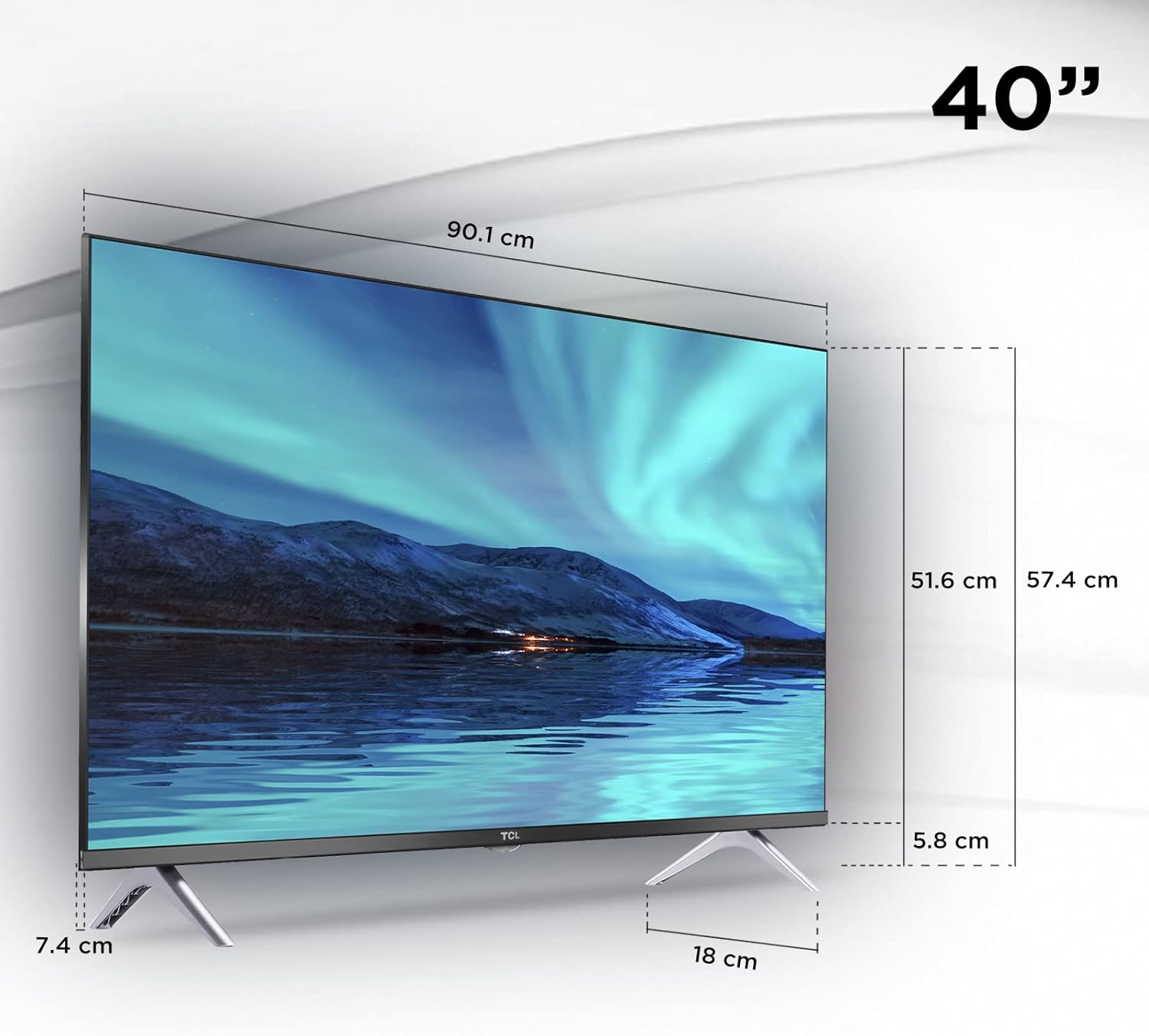
Figure 5.5: Full HD picture quality.

Figure 5.6: Dolby Audio for enhanced sound.
6. Maintenance
6.1. Cleaning the Screen
- Always unplug the TV before cleaning.
- Use a soft, lint-free cloth to gently wipe the screen.
- For stubborn marks, lightly dampen the cloth with water or a specialized screen cleaner. Never spray cleaner directly onto the screen.
- Avoid using abrasive cloths, paper towels, or harsh chemicals (alcohol, ammonia, benzene) as they can damage the screen.
6.2. General Care
- Keep the TV away from direct sunlight and heat sources.
- Ensure adequate ventilation around the TV to prevent overheating.
- Do not place heavy objects on top of the TV.
- If moving the TV, ensure it is properly supported and handled carefully to avoid damage.
7. Troubleshooting
If you encounter issues with your TV, refer to the following common problems and solutions:
| Problem | Possible Cause / Solution |
|---|---|
| No Power |
|
| No Picture / No Sound |
|
| Remote Control Not Working |
|
| Slow Interface / TV Freezes |
|
| Wi-Fi Connection Issues |
|
8. Specifications
| Feature | Detail |
|---|---|
| Model | 40A345 |
| Screen Size | 40 Inches (102 cm) |
| Display Technology | LED |
| Resolution | 1920 x 1080 Pixels (Full HD) |
| Refresh Rate | 60 Hz |
| Operating System | Android TV |
| Audio Features | Dolby Audio, 2.0 Channel Surround Sound |
| Connectivity |
|
| Special Features | Google Assistant, AI-IN, Voice Remote Control |
| Dimensions (with stand) | 105 x 64 x 12.6 cm (approx.) |
| Weight | 9 kg (approx.) |
| Power Supply | AC 100-240V ~ 50/60Hz |
9. Warranty and Support
Your TCL TV comes with a manufacturer's warranty. Please refer to the warranty card included in your product packaging for detailed terms and conditions, including warranty period and coverage.
For technical support, service, or further inquiries, please visit the official TCL support website or contact their customer service line. Keep your purchase receipt and product serial number handy as they may be required for warranty claims or support.
For more information, visit the TCL Electronics Store on Amazon.
Ask a question about this manual
Ask about setup, troubleshooting, compatibility, parts, safety, or missing instructions. Manuals+ will review the question and use this page’s manual context to help answer it.