
1. Introduction
Thank you for choosing the DEWALT DCF903P2-QW 12V XR Brushless Cordless Impact Wrench. This manual provides essential information for the safe and efficient operation, maintenance, and troubleshooting of your new tool. Please read this manual thoroughly before use and keep it for future reference.
Product Overview

Image: The DEWALT DCF903P2-QW Cordless Impact Wrench, showing its front profile with a 12V XR 5.0 Ah battery attached.
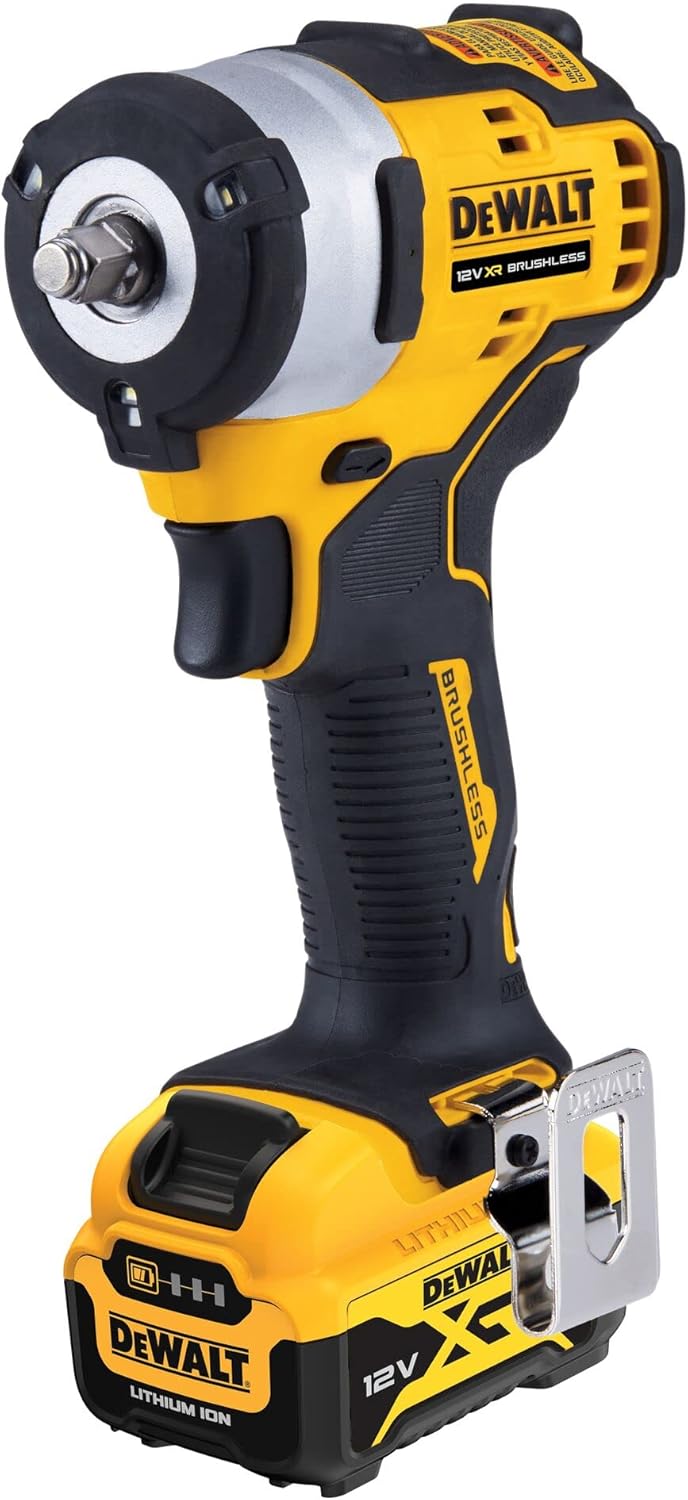
Image: A side view of the DEWALT DCF903P2-QW Cordless Impact Wrench, highlighting its ergonomic grip and compact design.
Package Contents
- 1x DEWALT DCF903P2-QW 12V XR Brushless Cordless Impact Wrench
- 2x 12V XR 5.0 Ah Li-ion Batteries
- 1x DCB115 Fast Charger
- 1x Belt Hook
- 1x TSTAK-Box II Carry Case
2. Safety Instructions
Always observe basic safety precautions to reduce the risk of fire, electric shock, and personal injury when operating power tools. Keep this manual for future reference.
General Power Tool Safety Warnings
- Work Area Safety: Keep work area clean and well lit. Cluttered or dark areas invite accidents. Do not operate power tools in explosive atmospheres, such as in the presence of flammable liquids, gases or dust.
- Electrical Safety: Power tool plugs must match the outlet. Never modify the plug in any way. Avoid body contact with earthed or grounded surfaces such as pipes, radiators, ranges and refrigerators.
- Personal Safety: Stay alert, watch what you are doing and use common sense when operating a power tool. Do not use a power tool while you are tired or under the influence of drugs, alcohol or medication. Always wear eye protection.
- Tool Use and Care: Do not force the power tool. Use the correct power tool for your application. Disconnect the plug from the power source and/or the battery pack from the power tool before making any adjustments, changing accessories, or storing power tools.
Specific Impact Wrench Safety
- Hold power tool by insulated gripping surfaces when performing an operation where the fastener may contact hidden wiring.
- Wear ear protectors when operating impact wrenches. Exposure to noise can cause hearing loss.
- Always use impact-rated sockets and accessories. Non-impact accessories can shatter and cause injury.
- Ensure the workpiece is securely fastened before applying torque.
3. Setup
Battery Installation and Removal
- To install the battery: Align the battery with the tool's battery port. Slide the battery into the tool until it clicks securely into place.
- To remove the battery: Press the battery release button (usually located on the front of the battery) and slide the battery out of the tool.
Charging the Battery
Use the supplied DCB115 Fast Charger to charge your 12V XR Li-ion batteries. Refer to the charger's instruction manual for detailed charging procedures and safety information.
- Ensure the charger is connected to a suitable power outlet.
- Insert the battery into the charger. The indicator light on the charger will show the charging status.
- Remove the battery once fully charged.
Attaching and Removing Sockets
The impact wrench features a 3/8" square drive with a HOG ring for quick and secure socket changes.
- To attach a socket: Push the impact-rated socket firmly onto the 3/8" square drive until the HOG ring secures it.
- To remove a socket: Pull the socket firmly off the square drive. The HOG ring will release the socket.

Image: A close-up view of the impact wrench head, highlighting the 3/8" square drive with the HOG ring and the integrated LED work lights.
4. Operating Instructions
Powering On/Off and Speed Control
- The tool is activated by pressing the trigger switch.
- The impact wrench features electronic speed and impact rate regulation. Pressing the trigger further increases the speed and impact rate.
- Release the trigger to turn the tool off.
Forward/Reverse Selection
A forward/reverse selector switch is located above the trigger. Push the switch to the left for forward rotation (tightening) and to the right for reverse rotation (loosening). Ensure the tool is stopped before changing direction.
Using the Impact Wrench
- Select the appropriate impact-rated socket for the fastener.
- Attach the socket securely to the 3/8" square drive.
- Place the socket onto the fastener.
- Select the desired direction (forward for tightening, reverse for loosening).
- Press the trigger to begin operation. Apply steady pressure to the tool.
- The tool will deliver impacts to tighten or loosen the fastener.
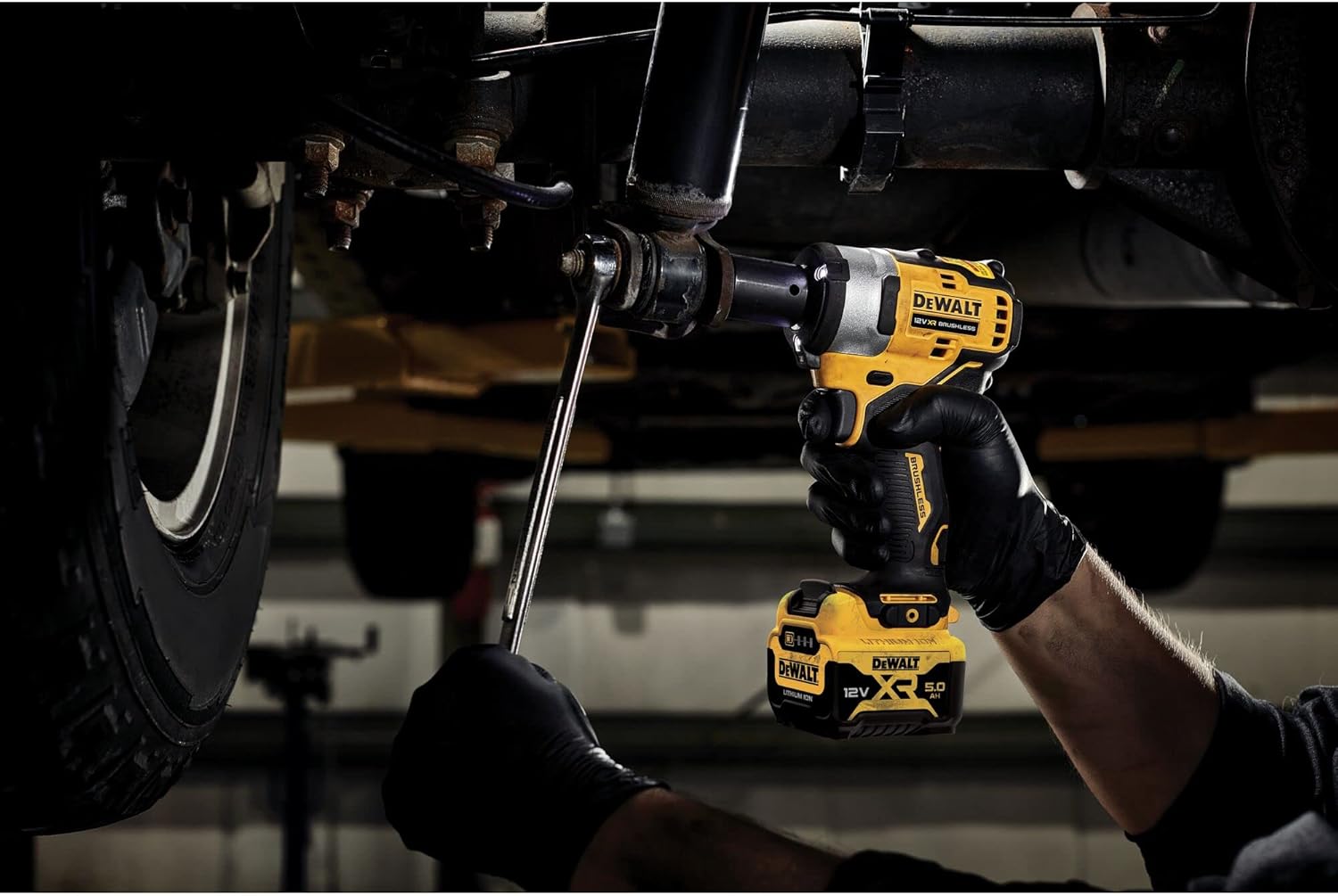
Image: An operator using the DEWALT impact wrench to work on a vehicle's suspension system, demonstrating its application in automotive tasks.

Image: The impact wrench in action, tightening or loosening fasteners on a vehicle's brake assembly, showcasing its utility for brake maintenance.
LED Work Light
The impact wrench is equipped with integrated LED lights that illuminate the work area when the trigger is pressed, improving visibility in dimly lit conditions.
5. Maintenance
Regular maintenance ensures optimal performance and extends the life of your tool.
Cleaning
- Keep the ventilation slots clean to prevent overheating.
- Use a soft brush or dry cloth to remove dust and debris from the tool.
- Do not use water or chemical cleaning agents. The tool is resistant to chemicals and fuels, but direct exposure to harsh solvents should be avoided.
Storage
- Store the tool and batteries in a cool, dry place, away from direct sunlight and moisture.
- Always remove the battery from the tool before storage.
- Store the tool in its TSTAK-Box II carry case for protection.
Battery Care
- Do not store batteries in discharged condition. Charge them regularly, especially if not used for extended periods.
- Avoid exposing batteries to extreme temperatures.
- Do not attempt to open or modify battery packs.
6. Troubleshooting
If you encounter issues with your impact wrench, refer to the table below for common problems and solutions.
| Problem | Possible Cause | Solution |
|---|---|---|
| Tool does not start | Battery not installed correctly or discharged. | Ensure battery is fully inserted. Charge the battery. |
| Reduced power/torque | Battery low on charge. Tool overheating. | Recharge battery. Allow tool to cool down. |
| Excessive vibration | Loose socket or damaged accessory. | Check socket for secure fit. Replace damaged accessories. |
| LED light not working | Faulty LED or internal wiring issue. | Contact DEWALT service center for repair. |
If the problem persists after attempting these solutions, please contact DEWALT customer service or an authorized service center.
7. Specifications
Technical specifications for the DEWALT DCF903P2-QW Cordless Impact Wrench.
| Feature | Specification |
|---|---|
| Model Number | DCF903P2-QW |
| Voltage | 12 Volts |
| Tool Holder | 3/8" External Square with HOG Ring |
| Max Torque | 340 Nm (Newton-meters) |
| Speed Regulation | Electronic (Variable Speed) |
| Impact Rate Regulation | Electronic (Variable Impact Rate) |
| Chemical/Fuel Resistance | Resistant |
| Material | Metal |
| Item Length | 13.2 Centimeters |
| Product Dimensions (L x W x H) | 10 x 10 x 10 cm; 4.08 kilograms (approximate shipping dimensions/weight) |
8. Warranty and Support
DEWALT products are manufactured to high quality standards and are guaranteed for professional use. For detailed warranty information, please refer to the warranty card included with your product or visit the official DEWALT website.
Customer Support
For technical assistance, service, or to locate an authorized service center, please contact DEWALT customer support:
- Website: www.dewalt.com
- Phone: Refer to your regional DEWALT website for local contact numbers.
When contacting support, please have your product model number (DCF903P2-QW) and serial number (if applicable) ready.


