
1. Safety Instructions
Please read these safety instructions carefully before using the device to ensure safe and proper operation.
- Do not expose the earbuds or charging case to extreme temperatures, humidity, or corrosive environments.
- Avoid dropping, impacting, or disassembling the device.
- Keep the device away from children and pets.
- Do not use the device at high volume for extended periods to prevent hearing damage.
- Use only the provided or certified charging cables and adapters.
- Clean the earbuds and charging case with a soft, dry cloth. Do not use harsh chemicals.
2. Package Contents
Verify that all items are present in your package:
- TWS Wireless Earbuds (Left and Right)
- Charging Case (2000 mAh)
- USB Charging Cable
- User Manual
- Eartips (various sizes)
3. Product Overview
The BTH-F9-5 TWS Wireless Earbuds offer a seamless audio experience with touch controls and a portable charging case featuring an LED display.
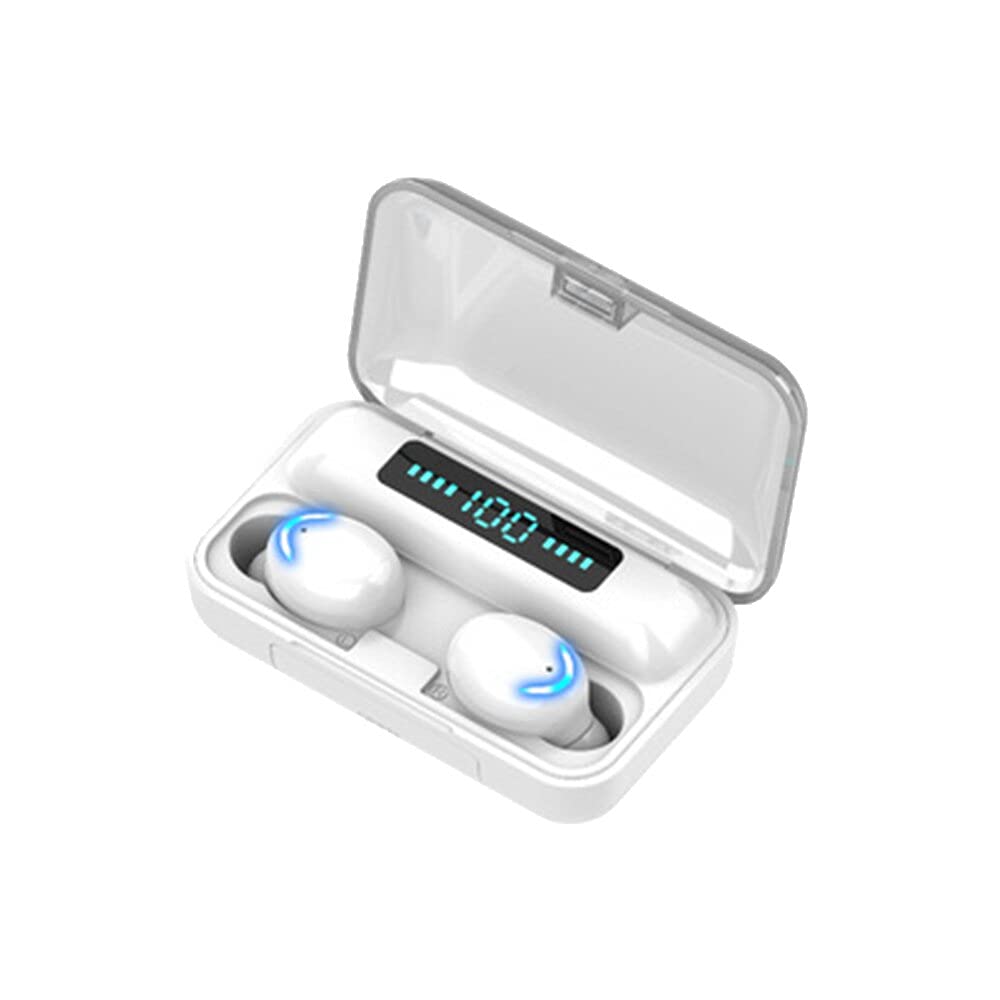
Image showing the TWS Wireless Earbuds BTH-F9-5, including both earbuds and their charging case. The earbuds are placed inside the open charging case, highlighting their compact design and the LED display on the case.
Key Features:
- Bluetooth 5.0 for stable connectivity
- IPX7 Water Resistance
- LED Digital Display on charging case
- Intuitive Touch Controls
- 2000mAh Charging Case for extended battery life
- Active Noise Cancellation
4. Charging
Charging the Earbuds:
Place the earbuds into the charging case. The LED indicators on the earbuds will light up to show they are charging. The LED display on the charging case will show the battery level of the earbuds. Charging time is approximately 40-50 minutes.
Charging the Charging Case:
Connect the charging case to a USB power source using the provided USB cable. The LED digital display on the case will show the current battery percentage during charging. A full charge for the case takes approximately 1-2 hours.
5. Setup (Pairing)
Initial Pairing:
- Take both earbuds out of the charging case. They will automatically power on and enter pairing mode.
- On your mobile device, enable Bluetooth.
- Search for available Bluetooth devices and select "BTH-F9-5" (or similar name) from the list.
- Once connected, you will hear a confirmation tone, and the earbud LED indicators will turn off or flash slowly.
Single Earbud Use:
You can use either earbud independently. Simply take one earbud out of the case, and it will automatically connect to the last paired device. If it doesn't connect, manually select "BTH-F9-5" from your device's Bluetooth list.
6. Operating Instructions
Power On/Off:
- Power On: Take the earbuds out of the charging case, or long-press the touch area for 3 seconds.
- Power Off: Place the earbuds back into the charging case, or long-press the touch area for 5 seconds.
Call Management:
- Answer Call: Tap either earbud once.
- End Call: Tap either earbud once during a call.
- Reject Call: Long-press either earbud for 2 seconds.
Music Playback:
- Play/Pause: Tap either earbud once.
- Next Track: Double-tap the right earbud.
- Previous Track: Double-tap the left earbud.
- Volume Up: Triple-tap the right earbud.
- Volume Down: Triple-tap the left earbud.
Voice Assistant:
Long-press either earbud for 2 seconds (when not on a call) to activate your device's voice assistant (e.g., Siri, Google Assistant).
7. LED Indicators
- Earbuds Flashing Red/Blue: Pairing mode.
- Earbuds Flashing Blue Slowly: Connected/Paired.
- Earbuds Solid Red: Charging.
- Earbuds Light Off: Fully charged or powered off.
- Charging Case LED Display: Shows battery percentage of the case and individual earbud charging status.
8. Water Resistance (IPX7)
The earbuds are rated IPX7, meaning they can withstand immersion in water up to 1 meter for 30 minutes. This makes them suitable for workouts and light rain. However, the charging case is not water-resistant. Do not wear the earbuds while swimming or showering, and ensure they are completely dry before placing them back in the charging case to prevent damage.
9. Maintenance
- Cleaning: Regularly clean the earbuds, eartips, and charging contacts with a soft, dry, lint-free cloth. Do not use alcohol or abrasive cleaners.
- Storage: When not in use, store the earbuds in their charging case to protect them and keep them charged. Store in a cool, dry place.
- Battery Care: To prolong battery life, avoid fully discharging the earbuds and charging case frequently. Charge them regularly, even if not in use.
10. Troubleshooting
Earbuds not pairing with each other:
Place both earbuds back into the charging case, close the lid, then open it again and take them out. They should automatically re-sync.
Earbuds not connecting to device:
- Ensure Bluetooth is enabled on your device.
- Forget/delete "BTH-F9-5" from your device's Bluetooth list and try pairing again.
- Ensure the earbuds are charged.
- Restart your mobile device.
No sound from one earbud:
- Place both earbuds back into the charging case and take them out again to re-sync.
- Check the earbud's battery level.
- Clean the charging contacts on both the earbud and the case.
Charging case not charging:
- Ensure the USB cable is properly connected to both the case and the power source.
- Try a different USB cable or power adapter.
- Clean the charging port on the case.
11. Specifications
| Model Number | BTC-F9-5C |
| Bluetooth Version | V5.0 |
| Earbud Battery Capacity | 50 mAh |
| Charging Case Battery Capacity | 2000 mAh |
| Charging Time (Earbuds) | Approx. 40-50 minutes |
| Working Time | 3-4 hours |
| Wireless Distance | 10-15 meters |
| Water Resistance Rating | IPX7 |
| Control Type | Touch Control, Volume Control, Noise Cancellation |
| Compatible Devices | Android (and other Bluetooth-enabled devices) |
| Material | ABS |
| Noise Control | Active Noise Cancellation |
12. Warranty and Support
This product comes with a standard manufacturer's warranty. For warranty claims, technical support, or any questions regarding your BTH-F9-5 Wireless Earbuds, please contact the retailer or manufacturer's customer service. Please retain your proof of purchase for warranty purposes.