
1. Introduction
This manual provides detailed instructions for the setup, operation, and maintenance of your Panasonic SC-HT550GW-K 5.1 Channel Home Theatre System. Please read this manual thoroughly before using the product and retain it for future reference.
The Panasonic SC-HT550GW-K is a 5.1 channel home theatre system designed to deliver an immersive audio experience. Key features include:
- 5.1 channel configuration with 150 W total power output.
- Powerful subwoofer for deep bass.
- Wall-mountable speakers with a stylish design.
- Multiple connectivity options: Bluetooth, AUX, USB, and RCA.
- Easy connection with TV and PC.
- Remote control for adjusting bass, treble, equalizer, and volume.
- Stylish LED indicator.
2. What's in the Box
Upon unpacking, ensure all the following components are present:
- Subwoofer
- Speakers (5 units for 5.1 channel)
- Remote Control
- User Manual (this document)
3. Safety Information
To ensure safe operation and prevent damage, please observe the following:
- Keep the unit away from water, moisture, and extreme temperatures.
- Avoid placing the unit near heat sources to prevent overheating.
- Do not block ventilation openings.
- Use only the power supply specified for this device.
- Do not attempt to open or service the unit yourself. Refer all servicing to qualified personnel.
4. Setup Instructions
Follow these steps to set up your home theatre system for optimal performance.
4.1 Speaker Placement
For a true 5.1 channel surround sound experience, position the speakers as follows:
- Front Left and Right Speakers: Place these on either side of your TV, equidistant from the viewing position.
- Center Speaker: Position directly above or below your TV.
- Surround Left and Right Speakers: Place these to the sides or slightly behind your main listening position.
- Subwoofer: Can be placed anywhere in the room, typically near a wall or corner for enhanced bass.
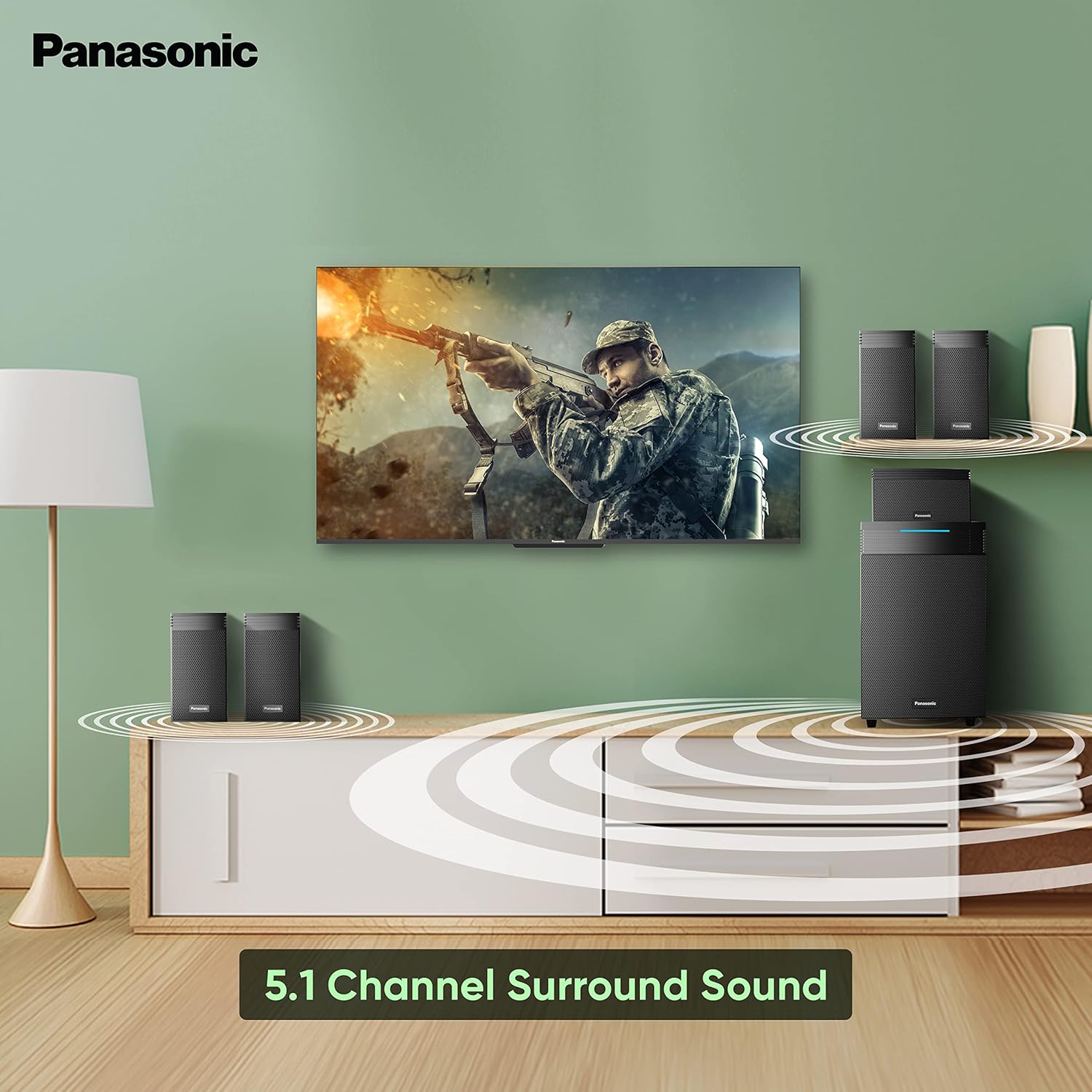
Image: Optimal 5.1 channel speaker placement for an immersive surround sound experience.
4.2 Wall Mounting Speakers
The satellite speakers are designed to be wall-mountable, allowing for flexible placement and space-saving. Ensure you use appropriate wall anchors and screws suitable for your wall type. Consult a professional if unsure.
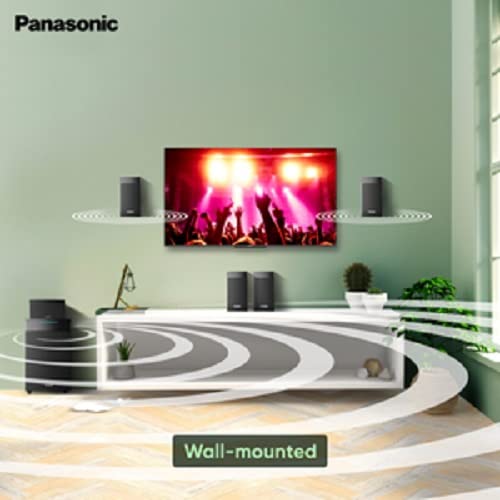
Image: Example of wall-mounted speakers integrated into a living space.
4.3 Connecting the System
Connect the speakers to the subwoofer unit using the provided cables. Ensure correct polarity (positive to positive, negative to negative) for each speaker.
Connect the subwoofer to a power outlet. The system supports various audio input sources:
- Bluetooth: For wireless audio streaming from compatible devices like smartphones, tablets, and PCs.
- AUX: Use a 3.5mm audio cable to connect devices with an AUX output.
- USB: Insert a USB flash drive for direct audio playback.
- RCA: Connect to TVs, DVD players, or other audio sources using RCA cables.

Image: The home theatre system highlighting its Bluetooth and AUX input capabilities.
5. Operating Instructions
Learn how to operate your Panasonic Home Theatre System.
5.1 Power On/Off and Input Selection
Press the Power button on the main unit or remote control to turn the system on or off. Use the Input/Source button to cycle through available input modes (Bluetooth, AUX, USB, RCA).
5.2 Bluetooth Pairing
- Switch the home theatre system to Bluetooth mode. The LED indicator will flash, indicating it's in pairing mode.
- On your device (smartphone, tablet, etc.), enable Bluetooth and search for available devices.
- Select "Panasonic SC-HT550GW-K" from the list.
- Once paired, the LED indicator will glow steadily. You can now stream audio wirelessly.
5.3 USB Playback
Insert a USB flash drive containing audio files into the USB port. The system will automatically detect the drive and begin playback. Use the remote control to navigate tracks and adjust volume.
5.4 Remote Control Functions
The included remote control allows you to manage various settings from a distance:
- Volume Control: Increase or decrease overall volume.
- Bass/Treble Adjustment: Fine-tune the low and high frequencies.
- Equalizer Presets: Select from various sound modes (e.g., Movie, Music, Game).
- Input Selection: Switch between different audio sources.
- Mute: Temporarily silence the audio.

Image: The Panasonic Home Theatre system, illustrating its features including remote control functionality and LED indicator.
6. Maintenance
Proper care ensures the longevity and performance of your home theatre system.
- Cleaning: Use a soft, dry cloth to clean the surfaces of the speakers and subwoofer. Do not use liquid cleaners or abrasive materials.
- Ventilation: Ensure that the ventilation openings on the subwoofer are not blocked to prevent overheating.
- Storage: If storing the system for an extended period, disconnect it from power and store it in a cool, dry place.
7. Troubleshooting
If you encounter issues with your system, refer to the following common solutions:
| Problem | Possible Cause | Solution |
|---|---|---|
| No power | Power cable not connected; Power outlet faulty. | Check power cable connection; Try a different power outlet. |
| No sound | Incorrect input selected; Volume too low; Speaker cables loose. | Select correct input source; Increase volume; Check all speaker connections. |
| Bluetooth not connecting | Device not in pairing mode; Out of range; Interference. | Ensure system is in Bluetooth pairing mode; Move device closer; Reduce interference. |
| Remote control not working | Batteries depleted; Obstruction between remote and unit. | Replace remote batteries; Ensure clear line of sight to the main unit's sensor. |
8. Specifications
| Feature | Detail |
|---|---|
| Model Name | SC-HT550GW-K |
| Speaker Type | Subwoofer |
| Special Feature | Bluetooth, Wireless |
| Recommended Uses For Product | For Music Players |
| Compatible Devices | Personal Computer, Smartphone, Tablet |
| Subwoofer Diameter | 17 Centimetres |
| Surround Sound Channel Configuration | 5.1 |
| Colour | Black |
| Product Dimensions | 24D x 31.8W x 38.5H Centimeters |
| Item Weight | 8600 Grams (8.6 kg) |
| Control Method | Remote |
| Wireless Communication Technology | Bluetooth |
| Power Source | Corded Electric |
| Audio Driver Type | Dynamic Driver |
| Hardware Interface | Bluetooth, Bluetooth 5, USB |
| Amplifier Type | Distributed |
| Audio input compatible with the item | RCA |
| Speaker amplification type | Passive |
| Audio Wattage | 150 Watts |
| Batteries Included | Yes |
| Batteries Required | Yes |
| Battery cell composition | Zinc Carbon |
| Total USB ports | 1 |
| Media type | USB Flash Drive |
| Mounting Type | Wall Mount |
9. Warranty and Support
Your Panasonic SC-HT550GW-K Home Theatre System comes with a 1 Year Manufacturer Warranty from the date of purchase. Please retain your purchase receipt for warranty claims.
For technical support, service, or warranty inquiries, please contact Panasonic customer service:
- Contact Numbers: 9311211333 / 1800 103 1333 / 1800 108 1333
- Email: service.head@in.panasonic.com
- Manufacturer Address: 12th Floor, Ambience Tower I, Ambience Island NH-8, Gurgaon, Haryana-122002, India
10. Product Overview Video
Video: A comprehensive overview of the Panasonic SC-HT550GW-K Home Theatre System, showcasing its features and design.