
Introduction
The Ozeri Pro Digital Kitchen Food Scale is engineered for precise measurement in culinary applications. This manual provides essential information for the proper setup, operation, and maintenance of your scale to ensure optimal performance and longevity.
Product Features
- Precise Graduations: Measures with accuracy of 0.05 oz or 1 gram.
- Wide Capacity Range: Supports weights from 0.05 oz up to 12 lbs (1 gram to 5.4 kg).
- User-Friendly Interface: Features oversized buttons for easy operation.
- Large LCD Screen: Provides clear weight readings in pounds (lbs), kilograms (kg), grams (g), and ounces (oz).
- Automatic Tare Function: Calculates net weight by subtracting the container's weight.
- Automatic Shut-off: Conserves battery life with a 3-minute auto turn-off feature.
- Compact Design: Lightweight and easy to store.
Setup
Battery Installation
The Ozeri Pro Digital Kitchen Food Scale requires two (2) AAA batteries for operation. These batteries are included with your purchase.
- Locate the battery compartment on the underside of the scale.
- Open the battery compartment cover.
- Insert the two AAA batteries, ensuring correct polarity (+/-).
- Close the battery compartment cover securely.

Video: Demonstrating battery installation on the Ozeri Digital Kitchen Scale.
Note: For optimal performance, use fresh batteries. Remove batteries if the scale will not be used for an extended period.
Operating Instructions
Turning On/Off
- Press the ON/OFF/TARE button to turn the scale on. The LCD will display '0.00' when ready.
- To turn off, press and hold the ON/OFF/TARE button for a few seconds, or allow the automatic 3-minute shut-off feature to activate.
Changing Units of Measurement
The scale can display measurements in grams (g), ounces (oz), pounds (lb), and kilograms (kg).
- With the scale on, press the UNIT button to cycle through the available units.
- Select your desired unit (g, oz, lb, kg) before weighing.
Using the Tare Function
The Tare function allows you to subtract the weight of a container or previous ingredients, ensuring you measure only the new item.
- Place an empty container on the weighing platform. The display will show its weight.
- Press the ON/OFF/TARE button. The display will reset to '0.00'.
- Add your ingredients to the container. The display will now show only the weight of the added ingredients.
- Repeat the Tare function as needed for multiple ingredients.
Video: Demonstrating the unit and tare functions of the Ozeri Digital Kitchen Scale.
Video: Overview of the Ozeri Pro Digital Food Scale, highlighting its features and ease of use.
Weighing Items
- Ensure the scale is on and displaying '0.00' in your desired unit.
- Carefully place the item(s) to be weighed onto the center of the weighing platform.
- Read the weight displayed on the LCD screen.
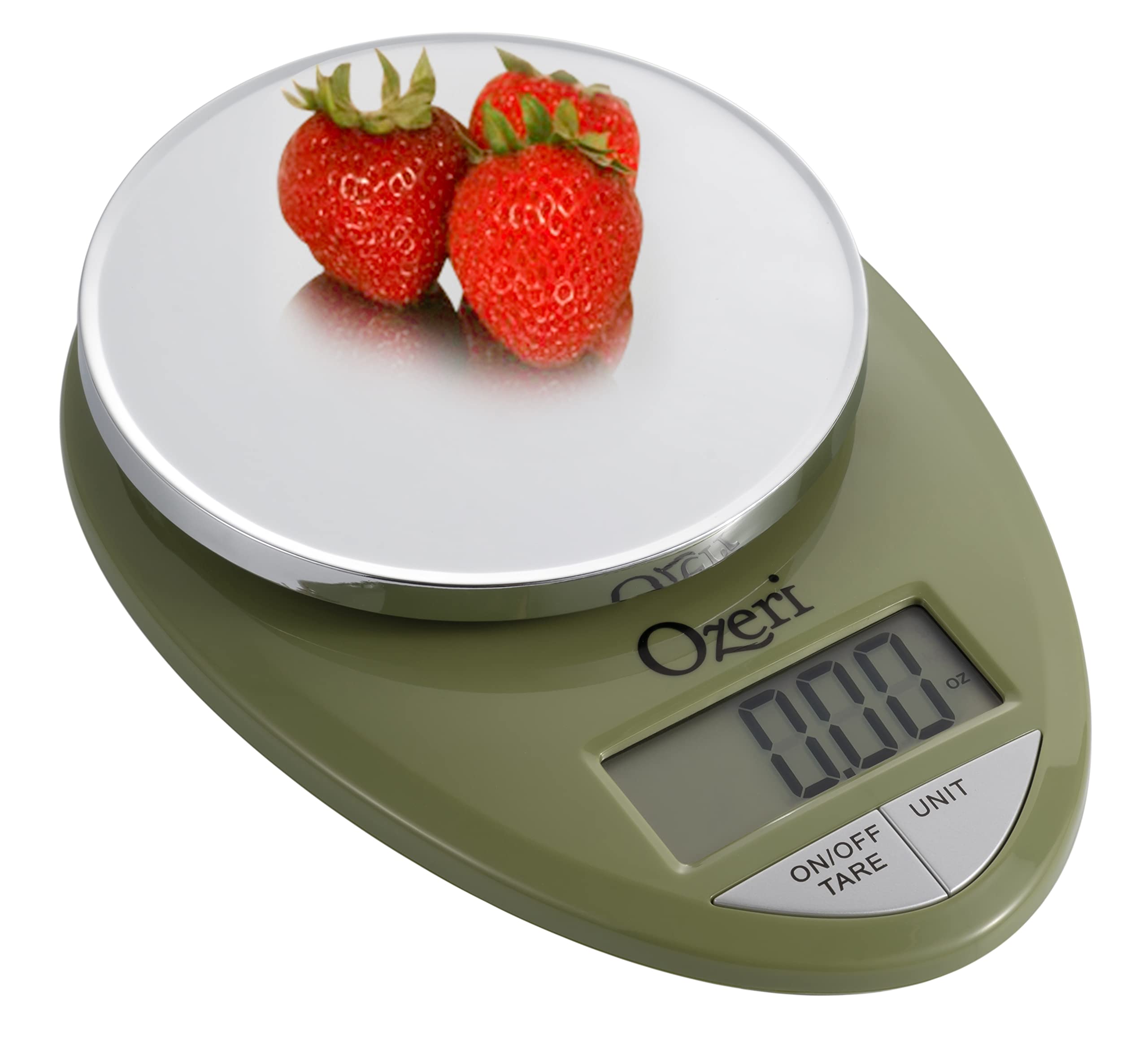
Image: The Ozeri Pro Digital Kitchen Food Scale displaying a weight with a small bowl of herbs on its platform.

Image: The Ozeri Pro Digital Kitchen Food Scale displaying a weight with a small ramekin of blueberries on its platform.
Maintenance
Cleaning
- Wipe the scale surface clean with a damp cloth. Avoid abrasive cleaners or submerging the unit in water.
- Ensure the scale is dry before storage or next use.
Storage
The compact design of the Ozeri Pro Digital Kitchen Food Scale allows for easy storage in a drawer or cabinet when not in use.

Image: A side view of the Ozeri Pro Digital Kitchen Food Scale, demonstrating its slim profile for convenient storage.
Troubleshooting
- Inaccurate Readings: Ensure the scale is placed on a flat, stable surface. Avoid placing items that exceed the maximum weight capacity.
- Display Not Turning On: Check if the batteries are correctly installed and have sufficient charge. Replace batteries if necessary.
- Display Error Messages: Refer to the full product manual (if available) or contact Ozeri customer support for specific error code interpretations.
Specifications
| Feature | Detail |
|---|---|
| Brand | Ozeri |
| Model Number | ZK12-GN |
| Capacity | 0.05 oz to 12 lbs (1 gram to 5.4 kg) |
| Graduation | 0.05 oz or 1 gram |
| Display Type | LCD |
| Units of Measurement | grams, ounces, pounds, kilograms |
| Special Features | Automatic Tare, 3-minute Auto Shut-off, Large Display |
| Power Source | 2 AAA batteries (included) |
| Material | Polycarbonate |
| Product Dimensions | 10 x 7 x 4 inches |
| Item Weight | 9.6 ounces |
Warranty and Support
For information regarding product warranty, returns, or technical support, please refer to the official Ozeri website or contact their customer service directly. Details are typically provided in the packaging or on the manufacturer's official support pages.
