
1. Safety Information
Please read all safety instructions before operating the trimmer to prevent injury and ensure proper function.
- Keep fingers clear of the blade path during operation.
- Always use the paper clamp to secure materials before cutting.
- Store the trimmer in a safe place, out of reach of children.
- Do not attempt to sharpen the blade manually; it is designed to be self-sharpening.
- Use on a stable, flat surface to ensure accurate cuts and prevent tipping.
2. Product Overview
The Fiskars Compact Rotary Bypass Paper Trimmer is designed for precise cutting of various materials, including paper, cardstock, vinyl, leather, and chipboard up to 3mm thick. It features a self-sharpening rotary bypass blade and an extendable measuring deck.


3. Setup
3.1 Unpacking
- Carefully remove the trimmer from its packaging.
- Inspect the trimmer for any signs of damage. If damaged, do not use and contact customer support.
- Place the trimmer on a clean, flat, and stable work surface.
3.2 Extending the Measuring Deck
For larger materials, the swing-out arm can be extended to increase the measuring deck to 14.5 inches.
- Locate the swing-out arm on the left side of the trimmer.
- Gently pull the arm outwards until it locks into its extended position.
- Ensure the arm is fully extended and stable before placing material on it.

4. Operating Instructions
4.1 Basic Cutting
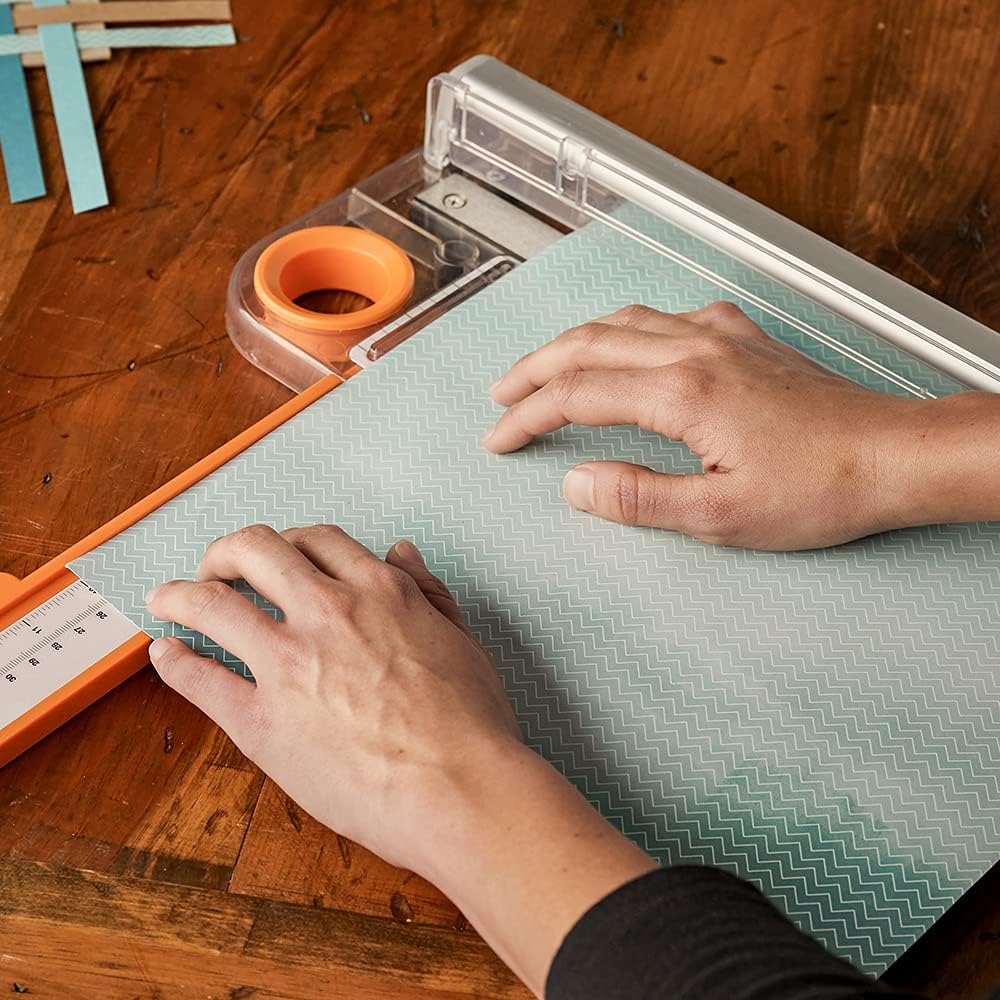
- Place the material to be cut onto the trimmer bed, aligning the edge with the desired measurement on the grid.
- Lower the clear paper clamp firmly onto the material to hold it in place and prevent shifting.
- Position the rotary blade carriage at the top of the cutting rail.
- Press down on the blade carriage and slide it smoothly along the rail to make the cut.
- Lift the paper clamp and remove the cut material.
4.2 Cutting Thicker Materials
The trimmer is designed to cut materials up to 3mm thick, such as chipboard or multiple layers of cardstock. For best results with thicker materials:
- Ensure the material is properly aligned and secured under the paper clamp.
- Apply consistent, firm pressure to the blade carriage as you slide it along the rail.
- For very thick or dense materials, a slower, steady pass may yield a cleaner cut.

4.3 Product Demonstration Video
5. Maintenance
5.1 Cleaning
- After each use, wipe down the cutting bed and rail with a soft, dry cloth to remove any paper dust or debris.
- Avoid using abrasive cleaners or solvents, as these can damage the surface or markings.
5.2 Blade Care
The rotary bypass blade is designed to be self-sharpening and does not require manual sharpening or replacement under normal use. If you experience a decrease in cutting performance, ensure the blade carriage is clean and free of obstructions.

6. Troubleshooting
Refer to the table below for common issues and their solutions.
| Issue | Possible Cause | Solution |
|---|---|---|
| Uneven or frayed cuts | Material not held firmly; debris on cutting rail; blade carriage not pressed down sufficiently. | Ensure material is secure with the paper clamp. Clean the cutting rail. Apply consistent, firm pressure to the blade carriage during the cut. |
| Blade carriage difficult to slide | Debris on the rail; carriage misaligned. | Clean the cutting rail thoroughly. Check for any obstructions. Ensure the carriage is properly seated on the rail. |
| Material slips during cutting | Insufficient pressure on paper clamp; material too thick for single pass. | Press down firmly on the clear paper clamp. For very thick materials, consider making multiple light passes if necessary, or ensure the material is within the 3mm thickness limit. |
7. Product Specifications
- Model Number: 195790-1001
- Brand: Fiskars
- Material: Aluminum (cut rail)
- Cut Length: 12 inches
- Extended Measuring Deck: Up to 14.5 inches
- Maximum Material Thickness: 3mm
- Product Dimensions: 14.5"L x 6.98"W
- Item Weight: 2.54 Pounds
- UPC: 020335068506

8. Warranty and Support
8.1 Warranty Information
This Fiskars product is backed by a Lifetime Warranty, ensuring its quality and performance. For detailed information regarding the warranty terms and conditions, please refer to the official Fiskars website or contact customer support.

8.2 Customer Support
For any questions, assistance, or to report an issue with your Fiskars Compact Rotary Bypass Paper Trimmer, please visit the official Fiskars website for contact information and support resources.