
1. Introduction
Thank you for choosing the VULKKANO Blast XL Portable Bluetooth Speaker. This manual provides essential information for setting up, operating, and maintaining your device. Please read it carefully to ensure optimal performance and longevity of your speaker.
The VULKKANO Blast XL is designed to deliver powerful and detailed audio with defined treble and dominant bass, thanks to its two 30W speakers (60W total) and DSP MAXX technology. It features multiple connectivity options, a long-lasting battery, and a robust, splash-proof design.
2. Safety Information
- Do not expose the speaker to extreme temperatures, direct sunlight, or open flames.
- Avoid dropping or subjecting the speaker to strong impacts.
- The speaker is IPX5 splash-proof, meaning it can resist water splashes, but it is not waterproof. Do not submerge it in water.
- Use only the provided charging cable or a certified USB-C cable for charging.
- Keep the speaker away from children and pets.
- Do not attempt to disassemble or repair the speaker yourself. Contact qualified service personnel if needed.
3. Package Contents
Ensure all items are present in the package:
- VULKKANO Blast XL Portable Bluetooth Speaker
- USB-C Charging Cable
- 3.5mm AUX Audio Cable
- User Manual (this document)
4. Product Overview
Familiarize yourself with the speaker's controls and ports.

Image: Top view of the VULKKANO Blast XL speaker, showing the control buttons.
Control Buttons (Top Panel):
- Power Button (⏻): Press and hold to power on/off. Double-press to enter Bluetooth pairing mode.
- Mode Button (M): Short press to switch between Bluetooth and AUX input. Long press to cycle through equalization modes (Standard, Vocal, Extra Bass).
- Play/Pause Button (▶‖): Play or pause audio. Answer or end phone calls.
- Volume Down Button (-): Short press to decrease volume. Long press for previous track.
- Volume Up Button (+): Short press to increase volume. Long press for next track.
- Microphone Button (🎤): Activate voice assistant on your connected device.
Ports (Rear Panel, under protective cover):
- AUX Input: For connecting devices via 3.5mm audio cable.
- USB-C Charging Port: For charging the speaker's internal battery.
- TF Card Reader: For playing audio directly from a MicroSD card (not explicitly mentioned in feature bullets but in a review, so including for completeness).
5. Setup
5.1 Charging the Speaker

Image: The VULKKANO Blast XL speaker with icons indicating 3 hours fast charge, 6600mAh battery capacity, and up to 20 hours continuous playtime.
- Connect the USB-C end of the charging cable to the speaker's USB-C port.
- Connect the other end of the USB-C cable to a USB power adapter (not included) or a computer's USB port.
- The charging indicator light will illuminate. A full charge takes approximately 3 hours.
- Once fully charged, the indicator light will change or turn off (refer to specific LED behavior in the quick start guide if available).
5.2 Powering On/Off
- To Power On: Press and hold the Power button (⏻) for 2-3 seconds until you hear an audible prompt and the indicator light turns on.
- To Power Off: Press and hold the Power button (⏻) for 2-3 seconds until you hear an audible prompt and the indicator light turns off.
5.3 Bluetooth Pairing

Image: The VULKKANO Blast XL speaker on a desk, highlighting Bluetooth 5.0 and AUX connectivity options.
- Ensure the speaker is powered on and within 20 meters of your Bluetooth device.
- Double-press the Power button (⏻) to enter Bluetooth pairing mode. The indicator light will flash rapidly.
- On your device (smartphone, tablet, etc.), enable Bluetooth and search for available devices.
- Select "VULKKANO Blast XL" from the list.
- Once paired, the indicator light will stop flashing and remain solid, and you will hear a confirmation sound.
5.4 True Wireless Stereo (TWS) Pairing
TWS allows you to connect two VULKKANO Blast XL speakers for a 360° immersive stereo experience with 120W total output.
- Ensure both VULKKANO Blast XL speakers are powered on and not connected to any Bluetooth device.
- On one speaker (this will be the primary speaker), double-press the Power button (⏻) to enter TWS pairing mode. You will hear a prompt.
- The primary speaker will automatically search for the secondary speaker. Once connected, you will hear a confirmation sound from both speakers.
- Now, on your Bluetooth device, search for and connect to the primary VULKKANO Blast XL speaker as described in section 5.3.
- Audio will now play in stereo through both speakers.
5.5 AUX Connection
- Connect one end of the 3.5mm AUX audio cable to the AUX input port on the speaker.
- Connect the other end of the cable to the audio output jack of your device.
- Short press the Mode button (M) on the speaker to switch to AUX input mode.
6. Operating
6.1 Basic Audio Playback
- Play/Pause: Press the Play/Pause button (▶‖).
- Volume Adjustment: Short press the Volume Up (+) or Volume Down (-) buttons.
- Next Track: Long press the Volume Up (+) button.
- Previous Track: Long press the Volume Down (-) button.
6.2 Equalization Modes
The VULKKANO Blast XL offers three equalization modes to optimize your listening experience.

Image: The VULKKANO Blast XL speaker on a mixing board, illustrating the three equalization modes: Standard, Vocal, and Extra Bass.
To switch modes, long press the Mode button (M). The indicator lights will show the active mode:
- Standard: Balanced audio profile.
- Vocal: Enhances clarity for vocals.
- Extra Bass: Boosts low frequencies for a deeper bass sound.
6.3 Hands-free Calling
With the built-in microphone, you can make and receive calls directly through the speaker when connected via Bluetooth.
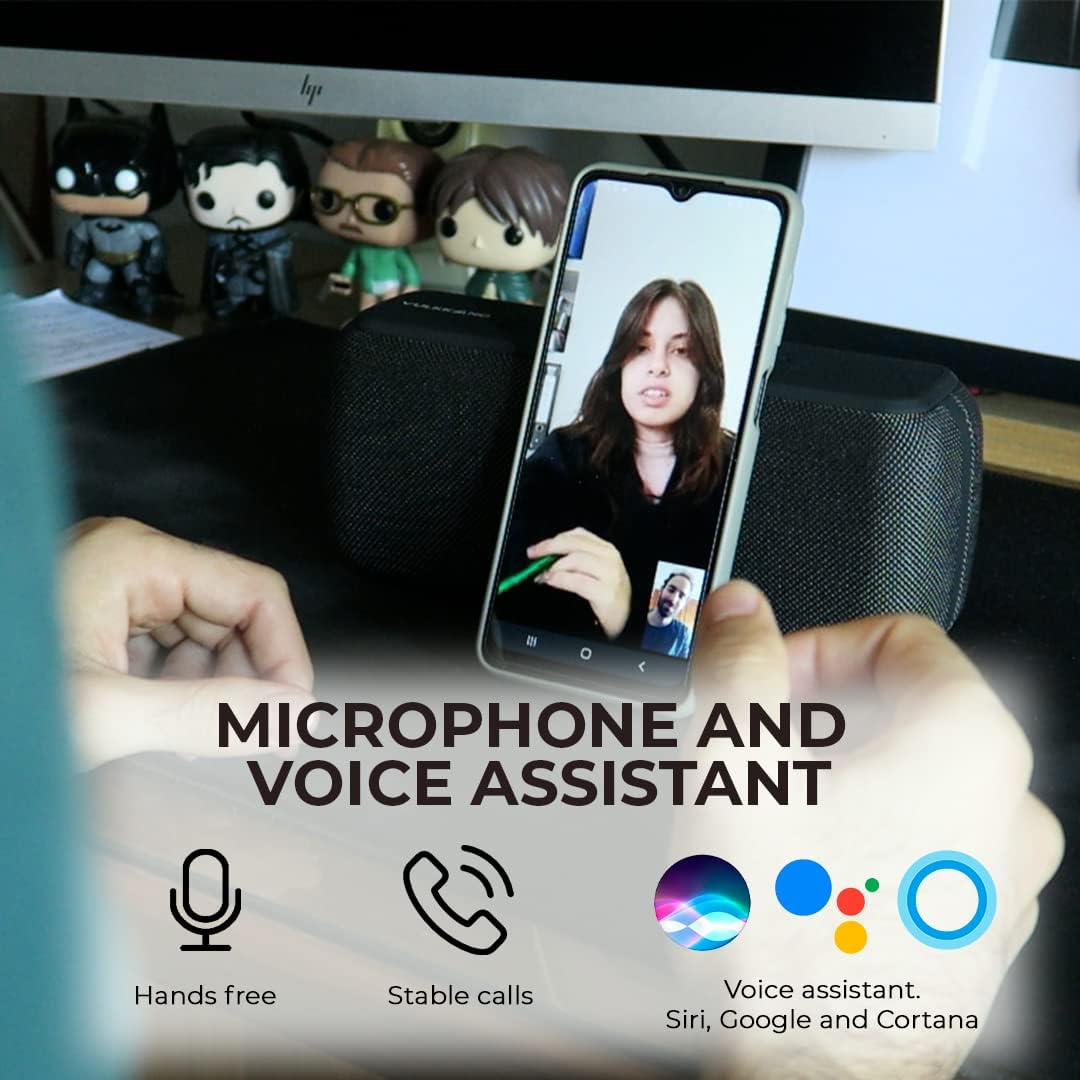
Image: A person using the VULKKANO Blast XL speaker for a hands-free video call on a smartphone, illustrating the microphone and voice assistant features.
- Answer Call: Press the Play/Pause button (▶‖) when a call comes in.
- End Call: Press the Play/Pause button (▶‖) during a call.
- Reject Call: Press and hold the Play/Pause button (▶‖) for 2 seconds.
6.4 Voice Assistant
Activate your device's voice assistant (Siri, Google Assistant, Cortana) for convenient control.
- Press the Microphone button (🎤) to activate the voice assistant on your connected smartphone or tablet.
7. Maintenance

Image: The VULKKANO Blast XL speaker placed outdoors near water, illustrating its IPX5 water-splash proof, robust body, and shock-proof design.
- Cleaning: Use a soft, dry cloth to clean the speaker's surface. Do not use abrasive cleaners or solvents.
- Water Resistance: The IPX5 rating protects against splashes. Do not immerse the speaker in water. Ensure the port cover is securely closed to maintain splash resistance.
- Storage: Store the speaker in a cool, dry place away from direct sunlight and extreme temperatures when not in use for extended periods.
- Battery Care: To prolong battery life, avoid fully discharging the speaker frequently. Charge it regularly, even if not in use.
8. Troubleshooting
| Problem | Possible Cause | Solution |
|---|---|---|
| Speaker does not power on. | Low battery. | Charge the speaker for at least 30 minutes. |
| Cannot pair via Bluetooth. | Speaker not in pairing mode; device Bluetooth off; too far from speaker. | Double-press Power button to enter pairing mode. Ensure device Bluetooth is on. Move device closer to speaker (within 20m). |
| No sound. | Volume too low; incorrect input mode; device not playing. | Increase speaker and device volume. Press Mode button to select correct input (Bluetooth/AUX). Ensure audio is playing on your device. |
| Poor sound quality/distortion. | Volume too high; low battery; interference. | Reduce volume. Charge speaker. Move away from other electronic devices. |
| TWS pairing fails. | Speakers already paired to another device; too far apart. | Ensure both speakers are disconnected from other devices. Place speakers close to each other during TWS pairing. |
9. Specifications

Image: The VULKKANO Blast XL speaker with its approximate dimensions: 22cm length, 9.5cm height, and 7.2cm width.
- Model Name: Blast XL
- Brand: VULKKANO
- Speaker Output Power: 60W (2 x 30W)
- Connectivity Technology: Bluetooth 5.0, AUX
- Bluetooth Range: Up to 20 meters (approx. 66 feet)
- Battery Type: Lithium Polymer
- Battery Capacity: 6600 mAh
- Playback Time: Up to 20 hours (at 20% volume)
- Charging Time: Approximately 3 hours
- Water Resistance Rating: IPX5 (splash-proof)
- Audio Output Mode: Stereo
- Mounting Type: Table Mount
- Compatible Devices: Smartphone, Tablet
- Dimensions (Approximate): 22 cm (Length) x 9.5 cm (Height) x 7.2 cm (Width)
10. Warranty and Support
VULKKANO products are designed for reliability and performance. For specific warranty details and customer support, please refer to the warranty card included with your purchase or visit the official VULKKANO website.
If you encounter any issues not covered in this manual, please contact VULKKANO customer support for assistance.
VULKKANO Official Website: Visit VULKKANO Store on Amazon